
Vanilla Plus
Better performing client and server designed to be compatible with other vanilla clients/servers
Screenshots
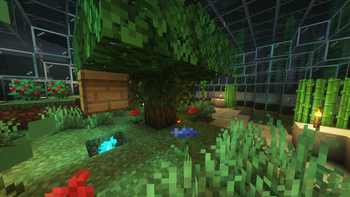
Über dieses Modpack
Vanilla Plus
A simple modpack meant to be compatible with vanilla clients/servers, but has various performance improvements, controller support, and shader compatibility.
Performance
With the modpack I am able to load into a ~2 gigabyte save file in ~7 seconds. Vanilla took ~12 Seconds using the same save file.
As far as frame rate goes I went from ~120 fps in vanilla to ~140 fps with the modpack without shaders.
There should be some performance benefits on the server side of things as well I'll try and remember to compare the difference at some point.
Usage
Client
To use on a client use the integrated modrinth downloader on prism launcher or download the .mrpack and open it using prism launcher or whatever launcher you prefer as long as it has modrinth support.
Server
Before you continue with the server installation it does require Docker or podman If there's enough demand I might make a script to run the server that doesn't involve containers.
You can run it using docker run -dit -v /path/for/world:/Minecraft/server/world -p 25565:25565 ghcr.io/nathan-r-wood/vanilla-plus-mc:latest
The default ram ussage of the server is set to 4G if you want to change the amount of ram the server can use add -e RAM=5G or -e RAM=3000M to the docker run command so it looks something like this docker run -dit -v /path/for/world:/Minecraft/server/world -e RAM=5G -p 25565:25565 ghcr.io/nathan-r-wood/vanilla-plus-mc:latest
Good luck have fun and hopefully these instructions are good enough.
Verfügbare Versionen
Vanilla Plus Server einrichten
Server bestellen
Wähle mindestens 4 GB RAM (6 GB empfohlen für Vanilla Plus). Je nach Spieleranzahl: +1 GB pro 8 Spieler.
Modpack im Dashboard installieren
Öffne den Modpack-Browser im Dashboard, suche nach "Vanilla Plus" und klicke "Installieren". Der fabric-Loader und Minecraft 26.2 werden automatisch konfiguriert.
Server starten & spielen
Starte den Server – alle Mods werden automatisch geladen. Teile die Server-IP mit Freunden und spielt zusammen!
Häufige Fragen
Vanilla Plus Server crasht oder startet nicht – was tun?
Häufigste Ursachen: zu wenig RAM oder falscher fabric-Loader. Prüfe latest.log auf "OutOfMemoryError" → erhöhe RAM auf mindestens 6 GB. Bei "Mixin" oder "ClassNotFoundException": Modpack-Version und Loader stimmen nicht überein. Bei Mado Hosting werden Loader und Minecraft-Version beim Modpack-Install automatisch konfiguriert – das verhindert die meisten Startprobleme.
Wie viel RAM braucht ein Vanilla Plus Server wirklich?
Minimum 4 GB, empfohlen 6 GB für stabile Performance. +1 GB pro 8 Spieler. Wichtig: Minecraft-Modpacks brauchen mehr RAM als Vanilla – plane pro zusätzlichem Spieler extra ein. Bei Mado Hosting kannst du den RAM jederzeit live hochskalieren, ohne Datenverlust (ab €5.2/Monat).
Kann ich eigene Mods zu Vanilla Plus hinzufügen, ohne Konflikte?
Ja, aber achte auf die Kompatibilität: Nutze nur Mods für den gleichen Loader (fabric) und die gleiche Minecraft-Version (26.2). Häufige Probleme: ID-Konflikte bei Rezept-Mods und inkompatible Coremod-Versionen. Im Mado Dashboard zeigt der Mod-Browser nur kompatible Mods an und warnt bei bekannten Konflikten.
Vanilla Plus Server laggt – Performance-Tipps
1) RAM auf 6 GB+ erhöhen. 2) Server-View-Distance auf 8 reduzieren (server.properties). 3) Pre-Generiere Chunks mit dem "Chunky" Plugin. 4) Prüfe mit /spark profiler welche Mods die meiste Tick-Time verbrauchen. Bei Mado Hosting laufen alle Server auf NVMe-SSDs mit dedizierten CPU-Kernen – das eliminiert Hardware als Engpass.
Ähnliche Modpacks

![Cobblemon Official Modpack [Fabric]](https://cdn.modrinth.com/data/5FFgwNNP/e7f9ee2e9d361623847853fe2ddce42f519ee64f.png)
![COBBLEVERSE - Pokemon Adventure [Cobblemon]](https://cdn.modrinth.com/data/Jkb29YJU/581ecf54530972afb18a04660afd820f2f24f6c7.png)
![Better MC [FABRIC] - BMC2](https://cdn.modrinth.com/data/shFhR8Vx/a19c2bcb51d38f32f138d3607e91cb2b7b8e387f_96.webp)


Vanilla Plus Server mieten
Starte deinen eigenen Server mit automatischer Modpack-Installation.
Unterstützte Versionen
Starte deinen Vanilla Plus Server jetzt
Ab €5.20/Monat; für die beste Performance werden 6 GB RAM empfohlen.
Server konfigurieren →