
Vanilla modpack
This is a collection of modifications that expands and improves the gaming experience without significant changes to the game mechanics. It is designed to be played on vanilla servers or in single player mode.
Screenshots
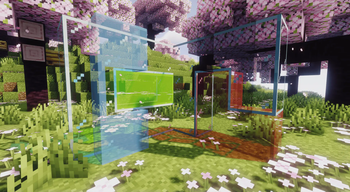
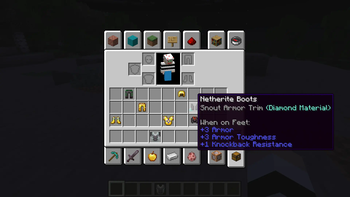
Über dieses Modpack
Description
This modpack was created for the vanilla game. It contains the best optimizing mods at the moment. As well as client mods (client mods are those mods that do not require installation on the server) that will help you in your game.
Optimization
This modpack is still based on a lot of optimization mods, the main ones being Sodium and Nvidium (this is a mod that really increases FPS by 2 or 3 times, but if you don't have an Nvidia graphics card, then don't worry, nothing will happen, and only other mods will work on optimization). The modpack also contains many other optimizing mods for a comfortable game. This modpack will run on any computer or laptop, I checked it myself.
List of modifications
Mods
- AntiGhost — press G to see ghost blocks within a 4 block radius due to fast breaking
- Armor Trim Item Fix — changes the armor icon to make it clear what kind of trim it currently has
- Better Trim Tooltips — condenses the tooltips of Trimmed Armor items
- BetterF3 — replaces Minecraft's original debug HUD with a highly customizable, more human-readable HUD
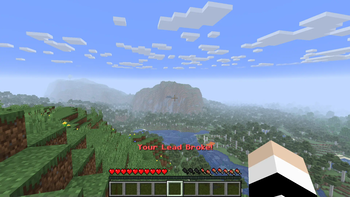
- Broken Lead Warner — let's you know if your lead breaks
- Chest Tracker — item storage, remember where you've put things
- Chunk fade in — adds fade-in animation for chunks
- ClickThrough Plus — allows you to click through the plates and frames without pressing Shift
- Continuity — connects textures, such as glass
- Emotecraft — adds emotion. Press B in supported servers
- LambDynamicLights — adds dynamic lights
- Lighty — when you press the F8 key, it shows where there is not enough light
- Litematica — allows you to create schemes for rebuilding buildings
- Model Gap Fix — fixes gaps in Block Models and Item Models
- Mouse Wheelie — improves the handling of the mouse in the inventory
- Not Enough Animations — adds more animation
- Not Enough Crashes — When crashing, you can go back to the title screen and keep playing, without needing to restart, alongside other things to make crashes more pleasant
- Presence Footsteps — adds sounds when walking on different blocks
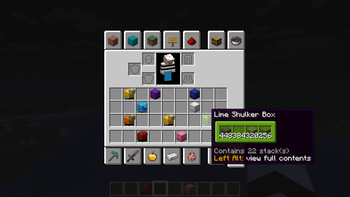
- Shulker Box Tooltip — view the contents of shulker boxes from your inventory
- Simple Shulker Preview — displays a icon indicating the contents of a shulker box, as well as a capacity bar
- Sounds — adds a wide range of new and improved sound effects
- Status Effect Bars — improves the display of effects
- Why Does My Glass Sound Like That — stops the glass sound from breaking your eardrums when you have silk touch
- Zoomify — allows you to zoom in on the C key and even more using the mouse wheel
Resource Packs
- Fast Better Grass — makes grass and related blocks use the top texture on the sides
- Fresh Animations — make your game like the trailers! Dynamic animated entities to freshen your Minecraft experience
- No Z-Fighting — fixes those annoying flickering glitches
- Shield Corrections — it can fix broken shield patterns and lowering shield for you
- Translations for Sodium — unofficial translations for the Sodium Minecraft mod
- xali's Enchanted Books — atribute custom textures to enchanted books to be more identifiable
- xali's Enhanced Vanilla — improves the nature and adds variability to some blocks
- xali's Potions — atribute custom textures to potions to be more identifiable
Shaders
Optimization Mods
- [EMF] Entity Model Features
- [ETF] Entity Texture Features
- BadOptimizations
- Bobby
- CIT Resewn
- Concurrent Chunk Management Engine
- Cull less leaves
- DinamicFPS
- Enhanced Block Entities
- Entity Culling
- Fast IP Ping
- FastAnim
- FerriteCore
- ImmediatelyFast
- Indium
- Iris Shaders
- Krypton
- LazyDFU
- Let Me Despawn
- Lithium
- Memory Leak Fix
- More culling
- Nvidium
- Reese's Sodium Options
- Sodium
- Sodium Extra
- Very Many Players
Connection
Other
Curse Forge (old versions)
Verfügbare Versionen
Vanilla modpack Server einrichten
Server bestellen
Wähle mindestens 4 GB RAM (6 GB empfohlen für Vanilla modpack). Je nach Spieleranzahl: +1 GB pro 8 Spieler.
Modpack im Dashboard installieren
Öffne den Modpack-Browser im Dashboard, suche nach "Vanilla modpack" und klicke "Installieren". Der fabric-Loader und Minecraft 1.21.6 werden automatisch konfiguriert.
Server starten & spielen
Starte den Server – alle Mods werden automatisch geladen. Teile die Server-IP mit Freunden und spielt zusammen!
Häufige Fragen
Vanilla modpack Server crasht oder startet nicht – was tun?
Häufigste Ursachen: zu wenig RAM oder falscher fabric-Loader. Prüfe latest.log auf "OutOfMemoryError" → erhöhe RAM auf mindestens 6 GB. Bei "Mixin" oder "ClassNotFoundException": Modpack-Version und Loader stimmen nicht überein. Bei Mado Hosting werden Loader und Minecraft-Version beim Modpack-Install automatisch konfiguriert – das verhindert die meisten Startprobleme.
Wie viel RAM braucht ein Vanilla modpack Server wirklich?
Minimum 4 GB, empfohlen 6 GB für stabile Performance. +1 GB pro 8 Spieler. Wichtig: Minecraft-Modpacks brauchen mehr RAM als Vanilla – plane pro zusätzlichem Spieler extra ein. Bei Mado Hosting kannst du den RAM jederzeit live hochskalieren, ohne Datenverlust (ab €5.2/Monat).
Kann ich eigene Mods zu Vanilla modpack hinzufügen, ohne Konflikte?
Ja, aber achte auf die Kompatibilität: Nutze nur Mods für den gleichen Loader (fabric) und die gleiche Minecraft-Version (1.21.6). Häufige Probleme: ID-Konflikte bei Rezept-Mods und inkompatible Coremod-Versionen. Im Mado Dashboard zeigt der Mod-Browser nur kompatible Mods an und warnt bei bekannten Konflikten.
Vanilla modpack Server laggt – Performance-Tipps
1) RAM auf 6 GB+ erhöhen. 2) Server-View-Distance auf 8 reduzieren (server.properties). 3) Pre-Generiere Chunks mit dem "Chunky" Plugin. 4) Prüfe mit /spark profiler welche Mods die meiste Tick-Time verbrauchen. Bei Mado Hosting laufen alle Server auf NVMe-SSDs mit dedizierten CPU-Kernen – das eliminiert Hardware als Engpass.
Ähnliche Modpacks

![Cobblemon Official Modpack [Fabric]](https://cdn.modrinth.com/data/5FFgwNNP/e7f9ee2e9d361623847853fe2ddce42f519ee64f.png)
![COBBLEVERSE - Pokemon Adventure [Cobblemon]](https://cdn.modrinth.com/data/Jkb29YJU/581ecf54530972afb18a04660afd820f2f24f6c7.png)
![Better MC [FABRIC] - BMC2](https://cdn.modrinth.com/data/shFhR8Vx/a19c2bcb51d38f32f138d3607e91cb2b7b8e387f_96.webp)


Vanilla modpack Server mieten
Starte deinen eigenen Server mit automatischer Modpack-Installation.
Details
- Lizenz
- LicenseRef-All-Rights-Reserved
- Server-seitig
- Nicht unterstützt
- Client-seitig
- Erforderlich
Unterstützte Versionen
Starte deinen Vanilla modpack Server jetzt
Ab €5.20/Monat; für die beste Performance werden 6 GB RAM empfohlen.
Server konfigurieren →