
Velocita Optimized
Lightweight, incredible fast, beautiful and QoL in a single package. Fabric & Neo
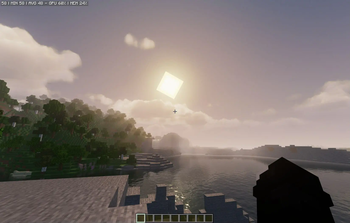
Screenshots


Über dieses Modpack
Minecraft Velocita Edition 🚀
The Ultimate Vanilla Upgrade!
What is Velocita Edition?
Velocita Edition is a lightweight, stable, and visually enhanced modpack that transforms Minecraft into a smooth, optimized experience without compromising its vanilla charm.
Make sure to read everything!

Performance Comparison
Vanilla Minecraft FPS:
Velocita Edition FPS (Neoforge 1.20.4):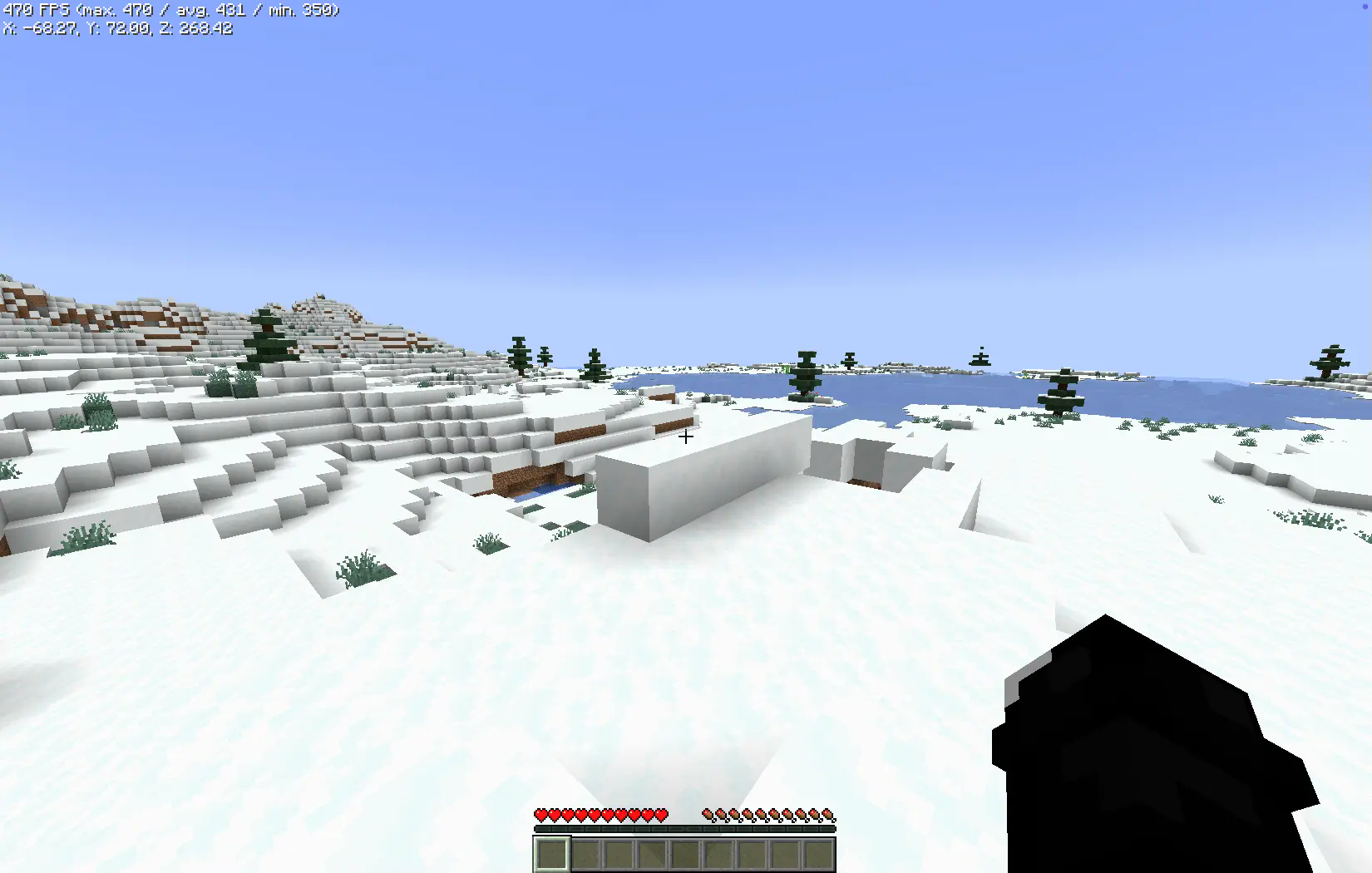
Enjoy unprecedented smoothness and stability, even on lower-end hardware.
These metrics were recorded on a MacBook M1 with just 2GB of allocated RAM.
Core Objectives
- Peak Performance: Utilizes cutting-edge optimization mods like Lithium, Sodium, and FerriteCore to achieve superior efficiency.
- Stable FPS: Significantly reduces lag spikes for consistent, fluid gameplay.
- Vanilla-Friendly Enhancements: Introduces subtle improvements to graphics and functionality without detracting from the vanilla aesthetic.
- Multi-Loader Support: Ensures compatibility across NeoForge, Fabric, and Quilt loaders, providing users with options to suit their preferences.
- Server Compatibility: Fully operational on vanilla servers, negating the need for server-side installations.
Why Choose Velocita Edition?
- User-Centric Design: Perfect for players of all skill levels, from casual minecraft to hardcore players.
- Hardware Flexibility: Optimized for performance across a wide spectrum of devices.
- Balanced Improvements: Enhances gameplay and visuals while preserving Minecraft’s core identity.
- Community-Oriented: Join our discord!
- Universal Compatibility: Operates smoothly on vanilla servers with no disruptions.
Understanding Velocita Edition Versions
Velocita Edition’s versioning strategy ensures adaptability to diverse user needs and hardware configurations:
- Standard Versions (e.g., Fabric 1.21.1): Exclusively focused on optimization mods, these editions prioritize performance and efficiency.
- ++ Versions (e.g., ++Fabric 1.21.1): Combines optimization with enhancements, such as improved user interfaces, visual tweaks, and quality-of-life features.
Note: This distinction pertains exclusively to mods and does not extend to included resource packs or shaders, which remain uniform across all editions.
Modrinth Versioning
Due to the development and upload sequence, older versions may appear first on Modrinth. Support for legacy versions was introduced after completing stable iterations for newer Minecraft versions. While unconventional, this approach ensures comprehensive backward compatibility.
Creator Notes
- All included mods remain the intellectual property of their respective creators, and full credit is attributed to them.
- Server compatibility remains the user’s responsibility; ensure compliance with server-specific rules and mod policies.
- Performance outcomes are hardware-dependent. Testing was primarily conducted on a Mac M1, and results may vary.
- In instances where mods lack direct alternatives, functionality is preserved to the greatest extent possible.
- FancyMenu Top Bar Fix(It appears or it disappeared):
- Mac Users: Press
COMMAND + OPTION + C - Windows Users: Press
CTRL + ALT + C
- Mac Users: Press
Any questions? Join our discord server or check our wiki!
From a Minecraft Player, For Minecraft Players
Have fun! 🌟❤️
Verfügbare Versionen
Velocita Optimized Server einrichten
Server bestellen
Wähle mindestens 4 GB RAM (6 GB empfohlen für Velocita Optimized). Je nach Spieleranzahl: +1 GB pro 5 Spieler.
Modpack im Dashboard installieren
Öffne den Modpack-Browser im Dashboard, suche nach "Velocita Optimized" und klicke "Installieren". Der fabric-Loader und Minecraft 1.21.4 werden automatisch konfiguriert.
Server starten & spielen
Starte den Server – alle Mods werden automatisch geladen. Teile die Server-IP mit Freunden und spielt zusammen!
Häufige Fragen
Velocita Optimized Server crasht oder startet nicht – was tun?
Häufigste Ursachen: zu wenig RAM oder falscher fabric-Loader. Prüfe latest.log auf "OutOfMemoryError" → erhöhe RAM auf mindestens 6 GB. Bei "Mixin" oder "ClassNotFoundException": Modpack-Version und Loader stimmen nicht überein. Bei Mado Hosting werden Loader und Minecraft-Version beim Modpack-Install automatisch konfiguriert – das verhindert die meisten Startprobleme.
Wie viel RAM braucht ein Velocita Optimized Server wirklich?
Minimum 4 GB, empfohlen 6 GB für stabile Performance. +1 GB pro 5 Spieler. Wichtig: Minecraft-Modpacks brauchen mehr RAM als Vanilla – plane pro zusätzlichem Spieler extra ein. Bei Mado Hosting kannst du den RAM jederzeit live hochskalieren, ohne Datenverlust (ab €5.2/Monat).
Kann ich eigene Mods zu Velocita Optimized hinzufügen, ohne Konflikte?
Ja, aber achte auf die Kompatibilität: Nutze nur Mods für den gleichen Loader (fabric) und die gleiche Minecraft-Version (1.21.4). Häufige Probleme: ID-Konflikte bei Rezept-Mods und inkompatible Coremod-Versionen. Im Mado Dashboard zeigt der Mod-Browser nur kompatible Mods an und warnt bei bekannten Konflikten.
Velocita Optimized Server laggt – Performance-Tipps
1) RAM auf 6 GB+ erhöhen. 2) Server-View-Distance auf 8 reduzieren (server.properties). 3) Pre-Generiere Chunks mit dem "Chunky" Plugin. 4) Prüfe mit /spark profiler welche Mods die meiste Tick-Time verbrauchen. Bei Mado Hosting laufen alle Server auf NVMe-SSDs mit dedizierten CPU-Kernen – das eliminiert Hardware als Engpass.
Ähnliche Modpacks

![Cobblemon Official Modpack [Fabric]](https://cdn.modrinth.com/data/5FFgwNNP/e7f9ee2e9d361623847853fe2ddce42f519ee64f.png)
![COBBLEVERSE - Pokemon Adventure [Cobblemon]](https://cdn.modrinth.com/data/Jkb29YJU/581ecf54530972afb18a04660afd820f2f24f6c7.png)
![Better MC [FABRIC] - BMC2](https://cdn.modrinth.com/data/shFhR8Vx/a19c2bcb51d38f32f138d3607e91cb2b7b8e387f_96.webp)


Velocita Optimized Server mieten
Starte deinen eigenen Server mit automatischer Modpack-Installation.
Unterstützte Versionen
Starte deinen Velocita Optimized Server jetzt
Ab €5.20/Monat; für die beste Performance werden 6 GB RAM empfohlen.
Server konfigurieren →