
VOXELSHOCK
VOXELSHOCK was an experimental Minecraft modpack developed with focuses on world generation, movement, combat, and challenging but fair gameplay. Runs surprisingly well on an old laptop I've got.
Screenshots

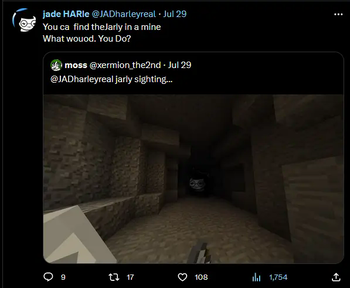
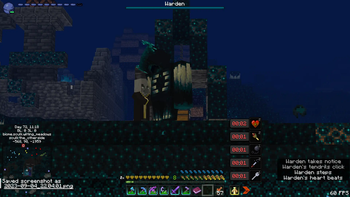
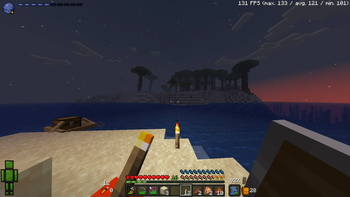
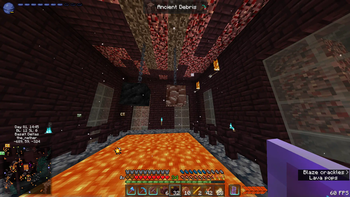

Über dieses Modpack

Archived, will not be supported in the future.
Read this, if you want.
VOXELSHOCK was an experimental Minecraft modpack developed with focuses on world generation, movement, combat, and challenging but fair gameplay.
Runs surprisingly well on an old laptop I've got.
**please [join the discord server](https://discord.gg/hqyS4YpqSn) or contact me directly through either Github or Discord, at satellaview_dev and satellaview.dev respectively.**

**Also, if you're playing singleplayer, you should download [this resource pack for the Manic mod.](https://github.com/VisiVersa/Manic/releases/download/1.0.3/resourcepack.zip)**
Unless you want to fight floating potion bottles instead of monsters... In that case, I guess it's down to personal preference.~~~~

# SYSTEM REQUIREMENTS
**VOXELSHOCK will most likely run on any computer released or built within the past 10 years.**

* **Computer**. VOXELSHOCK requires at least
an Intel Core i5-4690 3.5GHz / AMD A10-7800 APU 3.5 GHz / Intel HD 4000 or equivalent, and ~~MS-DOS version 5.0~~ any modern operating system capable of running _Minecraft_ should be fine.

* **Video Card**. GeForce 700 Series or AMD Radeon Rx 200 Series (excluding integrated chipsets) with OpenGL 4.5
Hard Drive.

* **Joystick** (optional). VOXELSHOCK now has partial controller support. More to come soon.

* **Memory** You must have a minimum of 2-4 gigabytes of RAM allocated to VOXELSHOCK to play the game on the official server. If you would like to host a **dedicated** VOXELSHOCK server, it uses a similar amount of ram. If you would like to play singleplayer VOXELSHOCK, you need a minimum of 6 gigabytes. If you would like to host a server and play on the same machine, you will need 10 gigabytes of RAM allocated to the server and instance.

LEGAL STUFF 😱 (mods that require attribution are listed below)

[legendary tooltips](https://modrinth.com/mod/legendary-tooltips)

[iceberg](https://modrinth.com/mod/iceberg)

[feathers](https://www.curseforge.com/minecraft/mc-mods/feathers)
Verfügbare Versionen
VOXELSHOCK Server einrichten
Server bestellen
Wähle mindestens 6 GB RAM (8 GB empfohlen für VOXELSHOCK). Je nach Spieleranzahl: +1 GB pro 5 Spieler.
Modpack im Dashboard installieren
Öffne den Modpack-Browser im Dashboard, suche nach "VOXELSHOCK" und klicke "Installieren". Der forge-Loader und Minecraft 1.19.3 werden automatisch konfiguriert.
Server starten & spielen
Starte den Server – alle Mods werden automatisch geladen. Teile die Server-IP mit Freunden und spielt zusammen!
Häufige Fragen
VOXELSHOCK Server crasht oder startet nicht – was tun?
Häufigste Ursachen: zu wenig RAM oder falscher forge-Loader. Prüfe latest.log auf "OutOfMemoryError" → erhöhe RAM auf mindestens 8 GB. Bei "Mixin" oder "ClassNotFoundException": Modpack-Version und Loader stimmen nicht überein. Bei Mado Hosting werden Loader und Minecraft-Version beim Modpack-Install automatisch konfiguriert – das verhindert die meisten Startprobleme.
Wie viel RAM braucht ein VOXELSHOCK Server wirklich?
Minimum 6 GB, empfohlen 8 GB für stabile Performance. +1 GB pro 5 Spieler. Wichtig: Minecraft-Modpacks brauchen mehr RAM als Vanilla – plane pro zusätzlichem Spieler extra ein. Bei Mado Hosting kannst du den RAM jederzeit live hochskalieren, ohne Datenverlust (ab €7.800000000000001/Monat).
Kann ich eigene Mods zu VOXELSHOCK hinzufügen, ohne Konflikte?
Ja, aber achte auf die Kompatibilität: Nutze nur Mods für den gleichen Loader (forge) und die gleiche Minecraft-Version (1.19.3). Häufige Probleme: ID-Konflikte bei Rezept-Mods und inkompatible Coremod-Versionen. Im Mado Dashboard zeigt der Mod-Browser nur kompatible Mods an und warnt bei bekannten Konflikten.
VOXELSHOCK Server laggt – Performance-Tipps
1) RAM auf 8 GB+ erhöhen. 2) Server-View-Distance auf 8 reduzieren (server.properties). 3) Pre-Generiere Chunks mit dem "Chunky" Plugin. 4) Prüfe mit /spark profiler welche Mods die meiste Tick-Time verbrauchen. Bei Mado Hosting laufen alle Server auf NVMe-SSDs mit dedizierten CPU-Kernen – das eliminiert Hardware als Engpass.
Ähnliche Modpacks
![Cobblemon Official Modpack [Fabric]](https://cdn.modrinth.com/data/5FFgwNNP/e7f9ee2e9d361623847853fe2ddce42f519ee64f.png)
![COBBLEVERSE - Pokemon Adventure [Cobblemon]](https://cdn.modrinth.com/data/Jkb29YJU/581ecf54530972afb18a04660afd820f2f24f6c7.png)
![Better MC [FABRIC] - BMC2](https://cdn.modrinth.com/data/shFhR8Vx/a19c2bcb51d38f32f138d3607e91cb2b7b8e387f_96.webp)


![Better MC [FORGE] - BMC4](https://cdn.modrinth.com/data/4BV47HRn/7f5ef7cc61b2593609aabef3ed07a866a4f11b73_96.webp)
VOXELSHOCK Server mieten
Starte deinen eigenen Server mit automatischer Modpack-Installation.
Unterstützte Versionen
Starte deinen VOXELSHOCK Server jetzt
Ab €7.80/Monat; für die beste Performance werden 8 GB RAM empfohlen.
Server konfigurieren →