
Wynncraft: Rekindled
An optimization and overhaul modpack updated for the Rekindled update, with exclusive custom features!
Screenshots
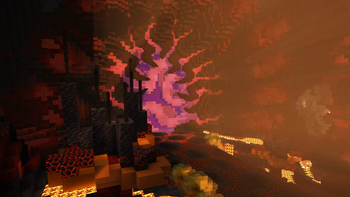
Über dieses Modpack
Wynncraft: Rekindled
If you are new to Wynncraft, click the banner above to learn more!
Please take a quick look at the installation section!
This modpack seeks to overhaul and optimize the Wynncraft server experience. It is updated to support Minecraft 1.21 and the Rekindled World update. Several custom mods and features were developed specifically for this modpack!
Features
This modpack is designed to be feature rich while providing functionality and options. Several popular features such as shoulder surfing and dynamic crosshairs are present but easily disabled. This modpack is designed to be beginner friendly so anyone new to Wynncraft can install and start playing with easy to understand presets applied. More advanced users who use warring features will want to change these settings as they have been disabled for simplicity.
Custom Main Menu & Loading Screen
This modpack features a fully custom main menu with custom music! There are 10 main menu variants each with matching music. The loading screen has also been customized.
Dynamic Weather
Features a dynamic weather engine created specifically for this modpack! Rain or thunder can randomly occur throughout the map, and areas such as Nemract, Pirate Cove, the Dernal Jungle, and others experience more frequent weather conditions. Traverse through snowstorms in Nesaak, sandstorms in Almuj and other weather hazards! Coupled perfectly with the Particle Rain mod with custom settings.
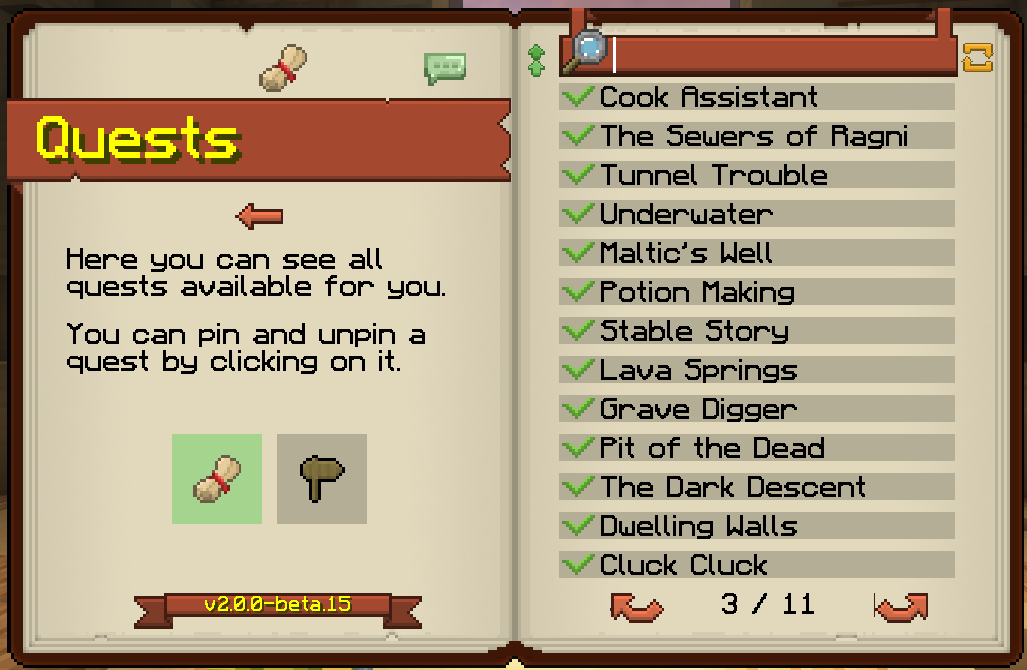
Custom Wynntils Preset
Comes preloaded with a custom Wynntils preset designed with simplicity and beginners in mind. More advanced players are recommended to import their own Wynntils settings.
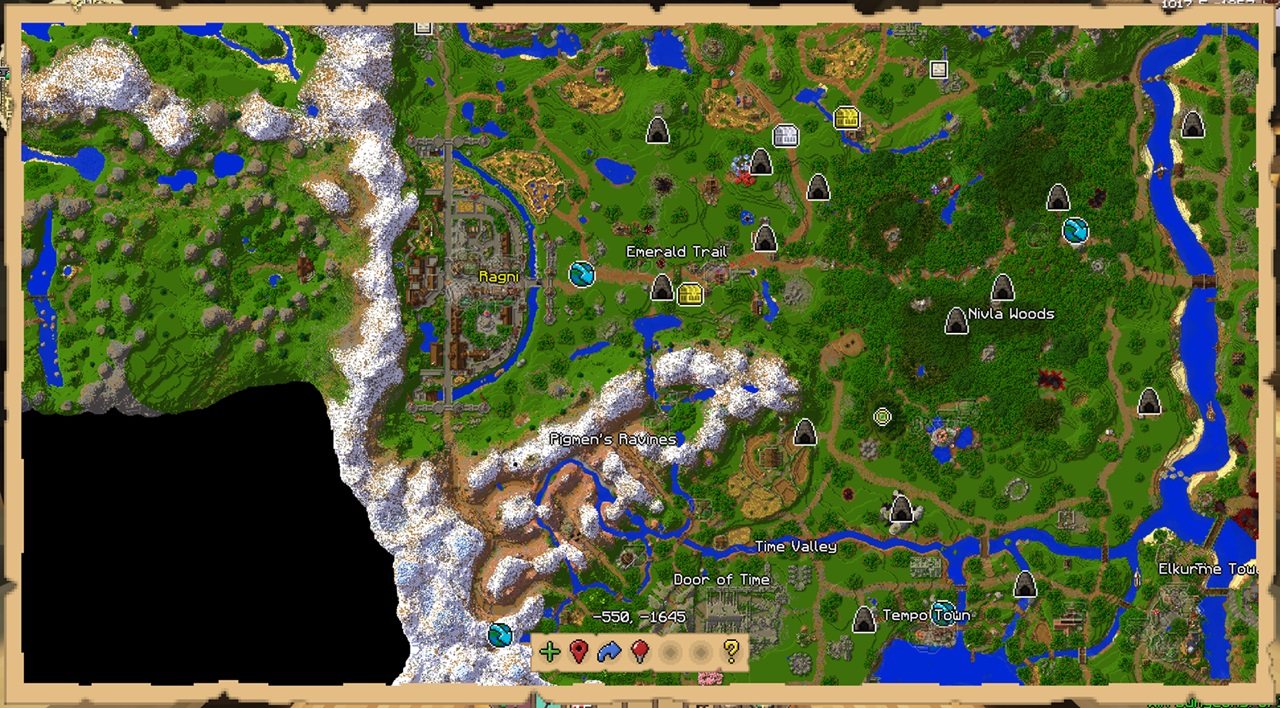
Shoulder Surfing
Comes with preset settings for the incredibly popular Shoulder Surfing mod! With the Don't Surf Through Cutscenes! mod, the experience isn't broken during cutscenes.
Optimization
Achieves peak performance with a wide variety of all the most recent optimization mods. Any future optimization mods will be added as well! See modlist for more information.
Other
This modpack includes wide variety of quality of life and visual upgrades.
- Bobby mod allows server render distances up to 256 chunks
- Several chunk loading mods improve performance and visuals
- Complementary Unbound shaders with custom settings retains vanilla-like style with improved visuals
- Many, many visual tweaks in mods and resource packs
Some mods are still in the process of getting ported to 1.21. There are several that are on track to be added as soon as they are ported.
Installation
IMPORTANT NOTE: Due to filesize limitations on Modrinth, the Bobby config folder is hosted on the GitHub releases page. For instructions to install it, please review the installation guide.\
Installation Guide
Step One: Download the Modpack
There are three easy ways to download the modpack: The Modrinth app, Prism Launcher, Manually (Minecraft Launcher)
Modrinth App
- Download the Modrinth App and sign in with your Microsoft/Minecraft account.
- Press the Browse button and search for Wynncraft: Rekindled.
- Install the modpack.
- Navigate to the modpack's GitHub Releases panel.
- Download the file "bobby.zip". This allows you to increase your render distance beyond the server limit of 9 chunks.
- Navigate to the Modrinth App's Library panel, and select Wynncraft: Rekindled -> Folder.
- Follow Step Two to install the bobby configuration.
Prism Launcher
- Download Prism Launcer and sign in with your Microsoft/Minecraft account.
- Press "Add Instance" in the top right corner.
- Select the Modrinth panel, and search for "Wynncraft: Rekindled"
- Make sure the latest version is selected and press "Ok".
- Navigate to the modpack's GitHub Releases panel.
- Download the file "bobby.zip". This allows you to increase your render distance beyond the server limit of 9 chunks.
- In Prism, select the modpack then press folder.
- Follow Step Two to install the bobby configuration.
Manually (Minecraft Launcher)
- Download the .zip version of the modpack from the GitHub Releases panel.
- Download the Fabric Installer and install for Minecraft 1.21, Loader Version 1.60.0.
- Copy the .minecraft folder from the zip file to any location (Roaming recommended)
- Rename the folder (.wynncraft recommended)
- Open the Minecraft Launcher
- Select Minecraft: Java Edition on the left panel
- Select Installations -> New Installation
- Select the custom game directory, and set version to the fabric-loader
- Optional: Set Java arguments from -Xmx2G to higher to allocate more RAM
- Optional: Download this pack icon to change the instance icon!
Rekindled Pack Icon - Launch the game and follow Step Three.
Step Two: Bobby Install
Extract the bobby file into the instance folder. Ensure the file is named:
.bobby
and contains a folder named:
play.wynncraft.com
It should look like this: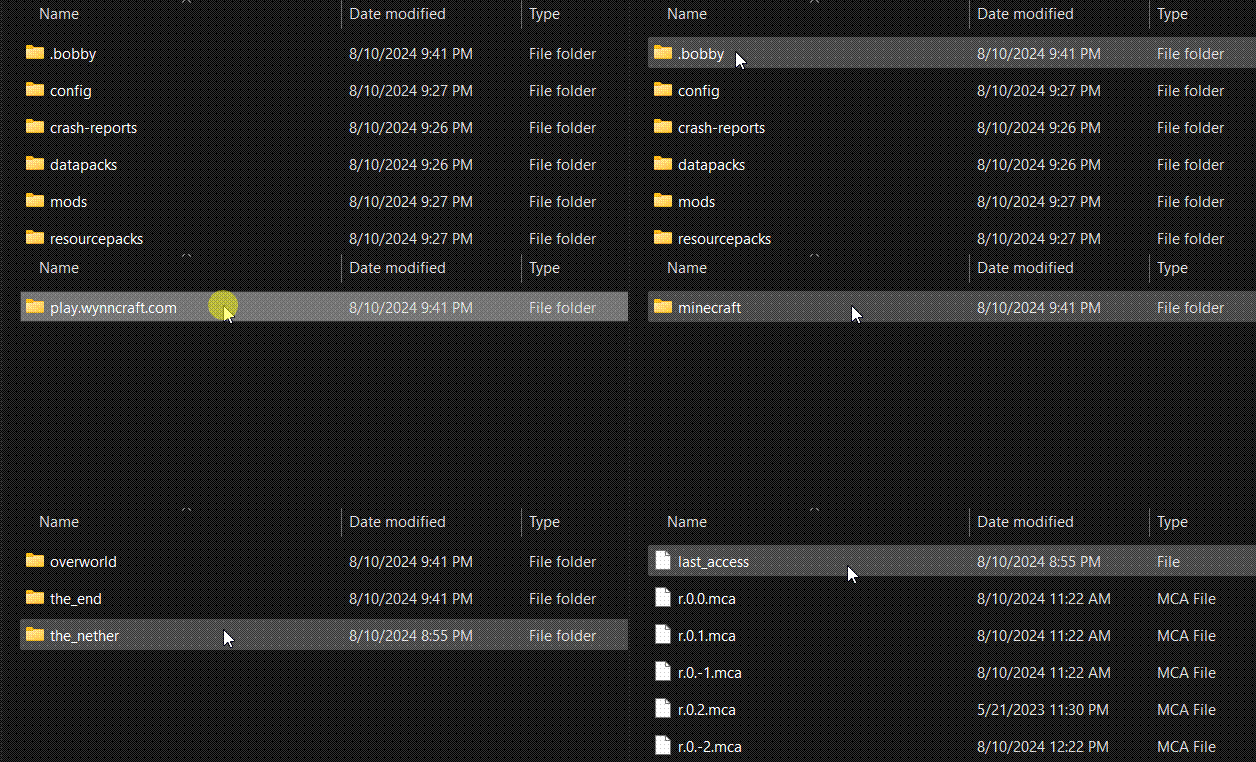
Step Three: Download Voices of Wynn (Optional)
- Voices of Wynn is a very popular community mod which adds voice acting for every quest in the game.
- If you are interested, download the latest version and place the mod in the mods folder.
Step Four: Configurations
- Bobby Update
As soon as you are in a world, type the following command into chat:
/bobby upgrade
This command is required to make bobby register the chunks saved in the instance directory.
2. Configure Keybinds and Settings
Take a look through the keybinds menu! I recommend at least changing the "Cast 1-4 Spell" keybinds to suit your mouse/keyboard.
Look at the Video Settings to suit your computer's performance.
Common Issues
Crashing
- Minecraft 1.21 is the first verion to use Java 21. If you experience a crash, make sure you are using Java 21.
Main Menu is Glitchy/Clipping
- Make sure you are using v1.1.3, as this version fixes many clipping issues.
- Try pressing CTRL + Alt + R to reload the menu.
- On the first load in, it will likely clip and look weird. From then on the textures should (hopefully) not have any clipping issues.
Modlist
Modlist
- Architectury
- ClientSideNoteblocks
- Mineblock's Repeated Utilities
- Video Tape
- FerriteCore
- Blur+ (Fabric)
- Particle Core
- ClickThrough
- Barriers Don't Block Rain
- Dynamic Crosshair
- Entity Texture Features
- Smooth Scrolling Refurbished
- Wynncraft Dynamic Weather
- Presence Footsteps
- EntityCulling
- ChatAnimation
- Wynntils
- ScalableLux
- ModernFix
- Fabric API
- Entity View Distance
- Chunks Fade In
- Remove Hud But Not Hand!
- Controlify
- NotEnoughAnimations
- fuy.gg
- Controlling
- Sodium Extra
- Zoomify
- Custom Splash Screen
- MacOS Input Fixes
- MixinTrace
- Fzzy Config
- Debugify
- Cubes Without Borders
- Euphoria Patcher
- Serverpack Priority
- spark
- Mod Menu
- Lithium
- BetterF3
- Don't Surf Through Cutscenes!
- Enhanced Block Entities
- Dynamic FPS
- Melody
- ImmediatelyFast
- Fabric Language Kotlin
- FancyMenu
- Particle Rain
- More Culling
- Cull Leaves
- AmbientSounds
- YDM's Weapon Master
- CreativeCore
- Shoulder Surfing Reloaded
- Sodium
- Entity Model Features
- Better Beds
- YetAnotherConfigLib
- Nvidium
- Reese's Sodium Options
- Visuality
- WaveyCapes
- Animatica
- Searchables
- Bobby
- Konkrete
- No Resource Pack Warnings
- Forge Config API Port
- Tiny Item Animations
- Indium
- Krypton
- Iris
- 3d-Skin-Layers
- Sounds
- Sound Physics Remastered
- Falling Leaves
- YOSBR
- Continuity
- Concurrent Chunk Management Engine
- More Chat History
- Cloth Config v15
- Physics Mod
License and Affiliation
This modpack is licensed under the LGPL-3.0 license. This modpack is not affiliated with Wynncraft.
Verfügbare Versionen
Wynncraft: Rekindled Server einrichten
Server bestellen
Wähle mindestens 6 GB RAM (8 GB empfohlen für Wynncraft: Rekindled). Je nach Spieleranzahl: +1 GB pro 5 Spieler.
Modpack im Dashboard installieren
Öffne den Modpack-Browser im Dashboard, suche nach "Wynncraft: Rekindled" und klicke "Installieren". Der fabric-Loader und Minecraft 1.21 werden automatisch konfiguriert.
Server starten & spielen
Starte den Server – alle Mods werden automatisch geladen. Teile die Server-IP mit Freunden und spielt zusammen!
Häufige Fragen
Wynncraft: Rekindled Server crasht oder startet nicht – was tun?
Häufigste Ursachen: zu wenig RAM oder falscher fabric-Loader. Prüfe latest.log auf "OutOfMemoryError" → erhöhe RAM auf mindestens 8 GB. Bei "Mixin" oder "ClassNotFoundException": Modpack-Version und Loader stimmen nicht überein. Bei Mado Hosting werden Loader und Minecraft-Version beim Modpack-Install automatisch konfiguriert – das verhindert die meisten Startprobleme.
Wie viel RAM braucht ein Wynncraft: Rekindled Server wirklich?
Minimum 6 GB, empfohlen 8 GB für stabile Performance. +1 GB pro 5 Spieler. Wichtig: Minecraft-Modpacks brauchen mehr RAM als Vanilla – plane pro zusätzlichem Spieler extra ein. Bei Mado Hosting kannst du den RAM jederzeit live hochskalieren, ohne Datenverlust (ab €7.800000000000001/Monat).
Kann ich eigene Mods zu Wynncraft: Rekindled hinzufügen, ohne Konflikte?
Ja, aber achte auf die Kompatibilität: Nutze nur Mods für den gleichen Loader (fabric) und die gleiche Minecraft-Version (1.21). Häufige Probleme: ID-Konflikte bei Rezept-Mods und inkompatible Coremod-Versionen. Im Mado Dashboard zeigt der Mod-Browser nur kompatible Mods an und warnt bei bekannten Konflikten.
Wynncraft: Rekindled Server laggt – Performance-Tipps
1) RAM auf 8 GB+ erhöhen. 2) Server-View-Distance auf 8 reduzieren (server.properties). 3) Pre-Generiere Chunks mit dem "Chunky" Plugin. 4) Prüfe mit /spark profiler welche Mods die meiste Tick-Time verbrauchen. Bei Mado Hosting laufen alle Server auf NVMe-SSDs mit dedizierten CPU-Kernen – das eliminiert Hardware als Engpass.
Ähnliche Modpacks
![Cobblemon Official Modpack [Fabric]](https://cdn.modrinth.com/data/5FFgwNNP/e7f9ee2e9d361623847853fe2ddce42f519ee64f.png)
![COBBLEVERSE - Pokemon Adventure [Cobblemon]](https://cdn.modrinth.com/data/Jkb29YJU/581ecf54530972afb18a04660afd820f2f24f6c7.png)
![Better MC [FABRIC] - BMC2](https://cdn.modrinth.com/data/shFhR8Vx/a19c2bcb51d38f32f138d3607e91cb2b7b8e387f_96.webp)


![Better MC [FORGE] - BMC4](https://cdn.modrinth.com/data/4BV47HRn/7f5ef7cc61b2593609aabef3ed07a866a4f11b73_96.webp)

Wynncraft: Rekindled Server mieten
Starte deinen eigenen Server mit automatischer Modpack-Installation.
Details
- Lizenz
- GNU Lesser General Public License v3.0 or later
- Server-seitig
- Nicht unterstützt
- Client-seitig
- Erforderlich
Unterstützte Versionen
Starte deinen Wynncraft: Rekindled Server jetzt
Ab €7.80/Monat; für die beste Performance werden 8 GB RAM empfohlen.
Server konfigurieren →