
ZombieLand
One city. Thousands of undead. Your only goal is to survive one more night against hunger, thirst, and the freezing cold.
Screenshots
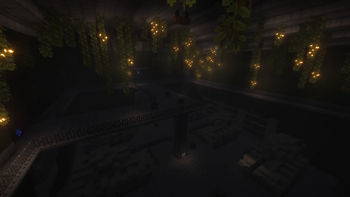
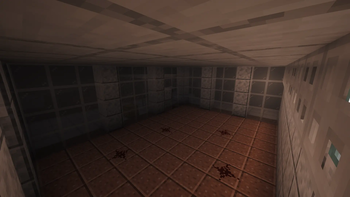
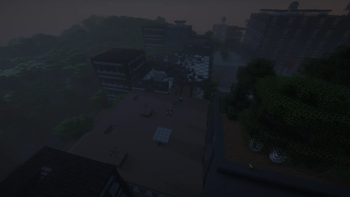
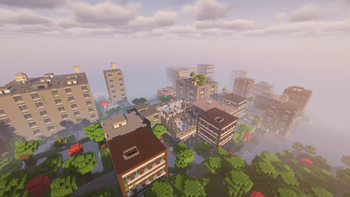
Über dieses Modpack
Welcome to a world that has forgotten peace.
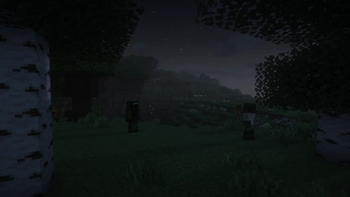
This modpack transforms Minecraft into a gritty, post-apocalyptic survival simulator. You will find yourself among the ruins of cities where nature is slowly reclaiming its own, and the shadows are crawling with danger.
Core Gameplay Pillars:
- Next-Gen Combat: Forget about simple spam-clicking. Powered by Epic Fight, combat requires timing, dodging, and mastery. Each weapon features unique animations and tactical depth.
- A Living, Lethal World: The Lost Cities mod creates an atmosphere of total desolation. Explore abandoned offices, subways, and malls. But beware: Zombie Awareness makes the undead incredibly sharp—they will track your torchlight and the scent of your blood.
- Biological Threats: Your body is your greatest asset and your biggest weakness. You must battle extreme temperatures (Cold Sweat), find clean drinking water (Thirst Was Taken), and maintain a balanced diet to stay alive.
- The Art of Survival Cooking: Farmer's Delight is essential here. It's the only way to prepare high-calorie meals that provide the stamina and buffs needed for raids into high-risk zones.
- Total Immersion: Realistic Sound Physics, enhanced visual damage effects, and a revamped HUD ensure 100% immersion. You will literally feel the dread as footsteps echo through the hollow halls.
Verfügbare Versionen
ZombieLand Server einrichten
Server bestellen
Wähle mindestens 6 GB RAM (8 GB empfohlen für ZombieLand). Je nach Spieleranzahl: +1 GB pro 5 Spieler.
Modpack im Dashboard installieren
Öffne den Modpack-Browser im Dashboard, suche nach "ZombieLand" und klicke "Installieren". Der forge-Loader und Minecraft 1.20.1 werden automatisch konfiguriert.
Server starten & spielen
Starte den Server – alle Mods werden automatisch geladen. Teile die Server-IP mit Freunden und spielt zusammen!
Häufige Fragen
ZombieLand Server crasht oder startet nicht – was tun?
Häufigste Ursachen: zu wenig RAM oder falscher forge-Loader. Prüfe latest.log auf "OutOfMemoryError" → erhöhe RAM auf mindestens 8 GB. Bei "Mixin" oder "ClassNotFoundException": Modpack-Version und Loader stimmen nicht überein. Bei Mado Hosting werden Loader und Minecraft-Version beim Modpack-Install automatisch konfiguriert – das verhindert die meisten Startprobleme.
Wie viel RAM braucht ein ZombieLand Server wirklich?
Minimum 6 GB, empfohlen 8 GB für stabile Performance. +1 GB pro 5 Spieler. Wichtig: Minecraft-Modpacks brauchen mehr RAM als Vanilla – plane pro zusätzlichem Spieler extra ein. Bei Mado Hosting kannst du den RAM jederzeit live hochskalieren, ohne Datenverlust (ab €7.800000000000001/Monat).
Kann ich eigene Mods zu ZombieLand hinzufügen, ohne Konflikte?
Ja, aber achte auf die Kompatibilität: Nutze nur Mods für den gleichen Loader (forge) und die gleiche Minecraft-Version (1.20.1). Häufige Probleme: ID-Konflikte bei Rezept-Mods und inkompatible Coremod-Versionen. Im Mado Dashboard zeigt der Mod-Browser nur kompatible Mods an und warnt bei bekannten Konflikten.
ZombieLand Server laggt – Performance-Tipps
1) RAM auf 8 GB+ erhöhen. 2) Server-View-Distance auf 8 reduzieren (server.properties). 3) Pre-Generiere Chunks mit dem "Chunky" Plugin. 4) Prüfe mit /spark profiler welche Mods die meiste Tick-Time verbrauchen. Bei Mado Hosting laufen alle Server auf NVMe-SSDs mit dedizierten CPU-Kernen – das eliminiert Hardware als Engpass.
Ähnliche Modpacks
![Cobblemon Official Modpack [Fabric]](https://cdn.modrinth.com/data/5FFgwNNP/e7f9ee2e9d361623847853fe2ddce42f519ee64f.png)
![COBBLEVERSE - Pokemon Adventure [Cobblemon]](https://cdn.modrinth.com/data/Jkb29YJU/581ecf54530972afb18a04660afd820f2f24f6c7.png)
![Better MC [FABRIC] - BMC2](https://cdn.modrinth.com/data/shFhR8Vx/a19c2bcb51d38f32f138d3607e91cb2b7b8e387f_96.webp)


![Better MC [FORGE] - BMC4](https://cdn.modrinth.com/data/4BV47HRn/7f5ef7cc61b2593609aabef3ed07a866a4f11b73_96.webp)
ZombieLand Server mieten
Starte deinen eigenen Server mit automatischer Modpack-Installation.
Details
- Lizenz
- LicenseRef-All-Rights-Reserved
- Server-seitig
- Erforderlich
- Client-seitig
- Erforderlich
Unterstützte Versionen
Starte deinen ZombieLand Server jetzt
Ab €7.80/Monat; für die beste Performance werden 8 GB RAM empfohlen.
Server konfigurieren →