Advancements+
This lightweight advancement pack adds over 500 advancements to your world. All of them are able to be done in Hardcore, with more being added with each update! Enjoy!
Screenshots
Über diese Mod
Welcome to Advancements+! This data pack adds over 500 new advancements to the game for you to explore and tackle. From surviving your First Night to killing every mob variant within your world, this pack has something for everyone. With more being added every update, you're bound to enjoy your time or struggle greatly completing this pack. Here's what we have:
Said advancements were carefully designed to be done on every world, from easy Survival to impossible Hardcore. Due to this, there will be no advancements related to the player dying. Anything else is fair game unless Hardcore prevents it from happening.
This pack is designed to be added with other data packs and / or modpacks
- As I'm not sure how well this pack will work with other advancement packs (BACAP for example), please be careful if you intend to add both. It shouldn't mess with modpacks that add new advancements either, but I'd heed a warning against that as well. Do it at your own will.
Currently, this datapack includes 12 tabs in total:
Tabs List
 Smelting
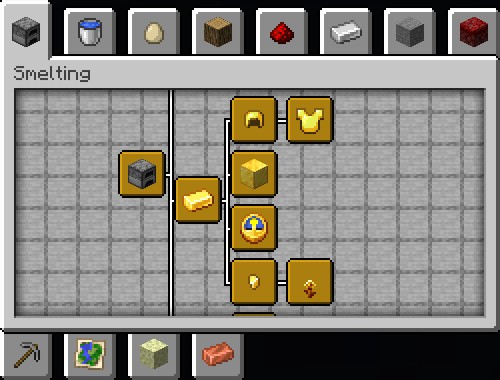
Fire up the Furnace! Smelting has gotten its own tab! Generally, furnaces are used to smelt ores for you to upgrade gear, but there are a handful of other things that can be smelted. Can you find them all?
 Ocean
Ocean
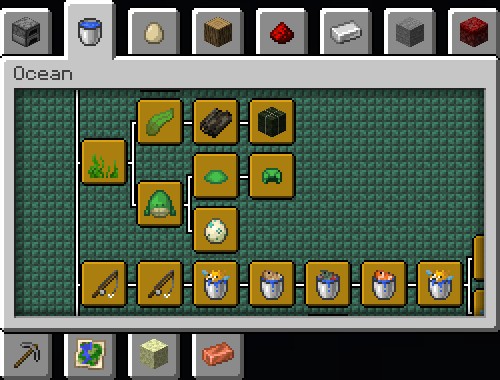
Go for a swim! The ocean is vast and ready for exploration. Why not add some goals to keep you occupied? Find the wrecks of those who sailed before you, or snack on some Kelp. The ocean is your oyster.
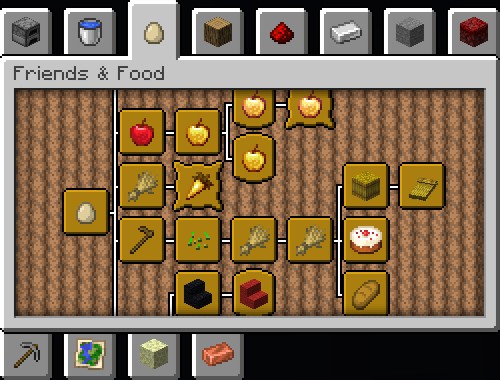
 Friends & Food
The tastes of the world await you! The Husbandry tab has been refined and redesigned to include your fluffy friends or your next meal. Food is food, however you end up getting it. Will they be your friends, or will you hunt them down?
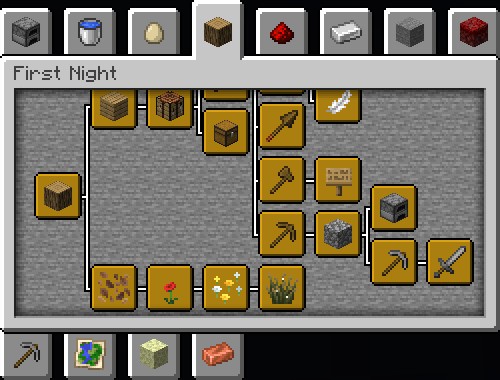
 First Night
Welcome to your new world! The Minecraft tab has been rebuilt from the ground up to guide you through your first night in the world. There are some tiny random advancements in there too, but this has been tested and is completable within the first night. The world awaits, what adventures will it hold?
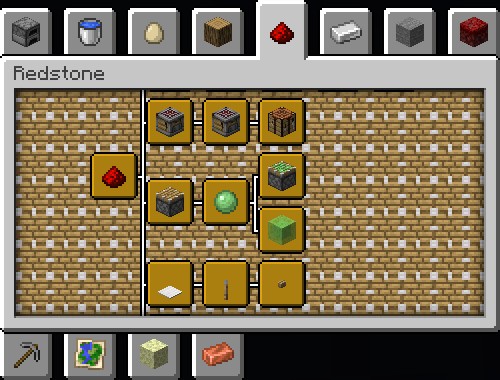
 Redstone
Circuitry at its finest! Redstone is in charge of running electricity throughout the world, capable of amazing things. Jumbo computers, small doors, or moving that one block you can't find a use for otherwise. Huh, I guess it can be used for everything.
 Iron
Iron
The Iron age is upon us! Level up your game with a new set of armor, a sweet blade, and other random things that require Iron to craft. Shiny and new, that's the goal for you.
 Updated Nether
Tour the fiery dimension below! As is the tradition, the Nether tab has been updated to include advancements for every biome found there...except the Nether Wastes, there's nothing there. The name holds up! Adventure through the biomes, hunt down forests and bastions, and make sure you escape alive.
 Mining
Spelunk your way through the caves on your quest to mine every block found below the surface. If you can mine it, it's in here. You can even go as far as polishing some of the blocks you find! How low will you go?
 Updated Adventure
Adventure awaits! Exploration allows you to find new biomes, defeat challenging enemies, and explore lost structures. With this updated tab, you're sure to find a list of advancements that are bound to waste your time or give cause for further travels. An adventurer's dream!
 The Updated End
The end of it all! While this advancement tab is as barren as its namesake dimension, The End tab has been updated with a few new advancements to help make exploration that much more entertaining. Or, you know, painful. Depends how you see it. Be sure to collect the next generation on your way home.
 Copper
Call the Copper, it has its own tab! This resource has a number of uses for you to discover. Find a Grate...or two, level up your armor, or discover a dose of nostalgia with a forgotten friend. There are endless opportunities, it's just a matter of how much you're willing to mine.
 Caves
Caves
The caves call to you. Every world has its secrets, from Sulfur Caves hiding below to the Deep Dark all the way at the bottom. The Ancient City hides valuable loot, the Lush Caves offer underground serenity, and the Dripstone Caves give exploration a dangerous point. Which will you find first, and will you find them all?
Upcoming Changes:
Next Update
All of the content listed may be added with the next update and is subject to change at any time.
New Advancements:
"It's Cold Down Here" for discovering an Ice Cave - Caves
"Frostbitten Fight" for defeating one of each frozen mob (Frostbite & Stray) - Adventure
"Warming Up" for obtaining an Icicle - Caves
"Crystalline" for obtaining an Ice Crystal - Caves
"Ice-Ball Fight!" for obtaining an Ice Ball - Caves
"Freeze!" for having the Freezing effect - Caves
Total: 6
Updated Advancements:
"Cave Diving" has been updated to include the Ice Caves biome - Caves
"Master of the Horde" has had its description updated, as well as now being named "The Walking Dead" and will need to be regained. - Adventure
"Shoot When Ready" is now named "Fire When Ready" and will need to be regained. It has had its description, criteria, and logo updated to exclude the Stray, which is now included in "Frostbitten Fight" - Adventure
"Wax On" now stems from "Copper Me Crazy" - Copper
The following advancements now include every variant of their respective block and have had their logos, frames, and some of their descriptions updated to match:
"Chain Me Down" - Copper
"Squeaky Clean" (Now named "DOORS") - Copper
"Thunderbolts & Lightning" - Copper
"Green Lantern" - Copper
"Coppers and Robbers" (Now named "Coppers & Robbers") - Copper
"Shiny Storage" - Copper
"Chisels and Bits" (Now named "Chisels & Bits") - Copper
"Grate..." - Copper
"Lightbulb" - Copper
"Copper Me Crazy" - Copper
Due to this, these will need to be regained.
"Cut to Pieces" now tracks collecting all the versions of the Cut Copper block rather than getting one of each variant. Its logo, frame, and description are updated to match, and this will need to be regained. - Copper
Other Changes:
The message popups for unlocking tabs should now be fixed
The message that appears for unlocking the Nether Tab has been updated to be purple, as a reflection of a Nether Portal, rather than a dirty red, a reflection of Netherrack.
Extra secret files...shh...
FAQ:
How Do I Submit a Bug Report?
If you have any suggestions or bugs to report, you can use the attached Google Form to send them directly to me. Any information necessary will be kept until the bug is fixed, at which point I will delete it as if it never existed. Please don't come asking for more advancements. I am constantly updating the pack with new advancements. Some updates may add more than others. If you do submit a suggestion for more advancements, you will be ignored.
Can I See the Code Behind the Data Pack?
Absolutely! Just look inside the folders of the data pack and each advancement will have the code there for you to view. In fact, it's entirely customizable!
Currently, the datapack version is the easiest to customize since that was what it was originally made to be, but if you know how to edit the mod versions then be my guest. License restrictions still apply. All my advancement files and tab folders have the same name as what they're called in the game, so if you want one removed, look for that file name and drag it out of the pack entirely to disable it. Once that is done, use /reload in-game to reload the pack and ensure it is disabled. Your progress will not be lost when you do so.
Do be warned that getting rid of certain advancements may cause the entire advancement tree to go invisible. It still works, it just is not visible without that specific missing advancement. You may not know if you have all the advancements if that's the case. Proceed with caution.
How Do I Know What Each Advancement Is?
There is a document, linked above, that tells you what each advancement is, what it references (if applicable), and how to obtain it. It also ignores Mojang/Microsoft's vanilla advancements, this is only for my custom ones. I will try and update it with each update I release to keep it up to date with the latest information. Please note: The document will not include update details. That will stay on this Modrinth page here. It only says the advancements themselves and how to obtain them (plus references if applicable).
Thank you to Vexalor for this idea!
When Can I Expect A New Update?
If there is a major update to Minecraft on its way, I will always try to update the pack to align with its release unless I am physically unable to. Either way, an announcement at the top of the pack description will be added so you know of the planned release date.
I may release smaller patches before said date to fix bugs or address missing features in which I tend not to announce it. There are situations where I will announce a patch with changes, but I don't release many patches before major updates.
Major Updates: 1.x (Ex: 1.1, 1.2, etc.)
Minor Updates: 1.x.x (Ex: 1.1.1, 1.2.3, etc.)
How Can I Contact You?
You can contact me through my email at [email protected], Twitter @OWindyfur, or Discord @windyfur! I'll be happy to respond. Just make your intent clear so I don't suspect spam. Please only contact me if you have read the FAQ and your question or issue has not been answered. If it is a bug, I request that you go through the bug report form first. I check that periodically and I can easily fix any issues that arise when I check. I may also contact you if you allow me to through the method you provided me in the same form.
Put 500% into this pack, try to find all the hidden references, and, most importantly, have fun!
Good luck!
Verfügbare Versionen
Advancements+ auf dem Server installieren
Server bestellen
Bestelle einen Minecraft Java Server mit mindestens 3 GB RAM (4 GB empfohlen).
datapack Loader setzen
Wähle im Panel unter "Egg" den datapack-Loader und die passende Minecraft-Version (26.3).
Mod installieren
Öffne den Mod-Browser im Dashboard und suche nach "Advancements+". Klicke "Installieren" – fertig! Alternativ: Lade die .jar via SFTP in den /mods Ordner.
Kompatibilität
Mod-Loader
Minecraft-Versionen
26.3, 26.2, 26.1.2 (+9 weitere)
Server-seitig
✓ ErforderlichEmpfohlener RAM
4 GB(min. 3 GB)Häufige Fragen
Advancements+ Server crasht beim Start – was tun?
Häufigste Ursache: falsche datapack-Version oder zu wenig RAM. Prüfe im Server-Log (latest.log), ob ein "OutOfMemoryError" oder "Mixin"-Fehler auftritt. Bei Mado Hosting: Stelle sicher, dass mindestens 3 GB RAM zugewiesen sind und der Loader zur Mod-Version passt (26.3). Über das Panel kannst du den Loader mit einem Klick wechseln.
Ist Advancements+ mit datapack und fabric und forge und neoforge und quilt kompatibel?
Advancements+ unterstützt offiziell datapack, fabric, forge, neoforge, quilt für Minecraft 26.3, 26.2, 26.1.2. Achtung: Forge- und Fabric-Mods sind NICHT untereinander kompatibel – wähle einen Loader und bleibe dabei. Im Mado Dashboard werden inkompatible Loader-Kombinationen automatisch erkannt.
Server laggt mit Advancements+ – wie optimiere ich die Performance?
Empfohlener RAM: 4 GB (+1 GB pro 8 Spieler). Prüfe mit /spark profiler, ob Advancements+ den meisten Tick-Time verbraucht. Häufige Fixes: Server-View-Distance auf 8-10 reduzieren, bei Forge "performant" oder "starlight" als Zusatz-Mod installieren. Bei Mado Hosting läuft dein Server auf NVMe-SSDs mit dedizierten CPU-Kernen für minimale Latenz.
Ähnliche Mods




Modded Server mieten
Installiere Advancements+ mit nur einem Klick auf deinem Server.