
Modrinth · Forge, NeoForge
Apotheosis auf deinem Minecraft Server
Apotheosis läuft auf Minecraft Servern mit Forge oder NeoForge. Bestell deinen Server, stell den Loader im Panel ein und installiere die Mod mit einem Klick im Mod-Browser.
All things that should have been
- Downloads
- 412.8K
- Autor
- Shadows-of-Fire
- Loader
- Forge, NeoForge
- Minecraft
- 1.20.1 – 26.1.2
- Aktualisiert
- –
Screenshots
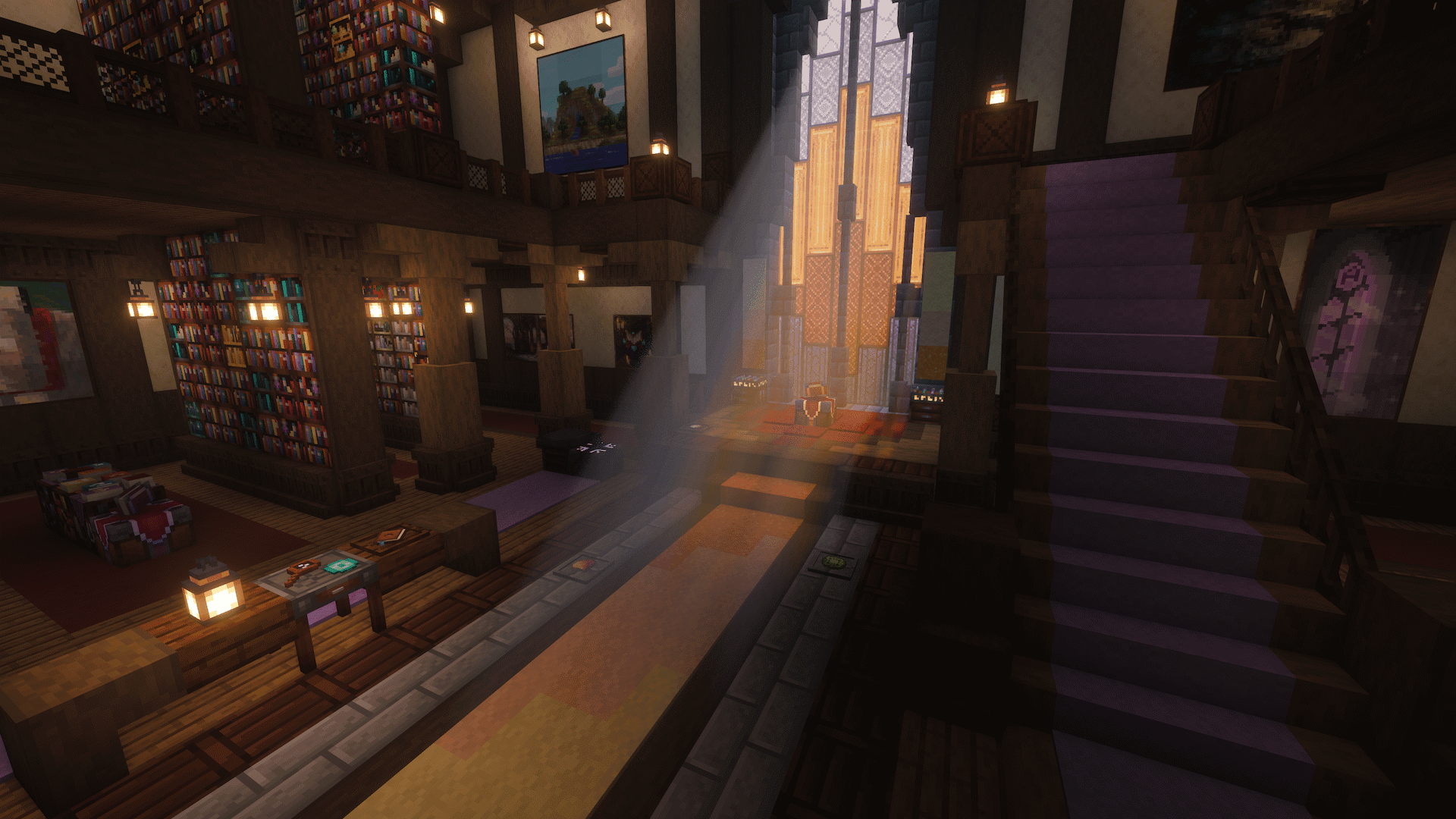
So sieht Apotheosis aus

Bilder: Apotheosis auf Modrinth, vom Projektteam veröffentlicht.
Einrichtung
Apotheosis auf dem Server installieren
Server und Spieler brauchen denselben Loader und dieselbe Minecraft-Version. Sichere die Welt, bevor du Mods hinzufügst oder aktualisierst.
- 01
Konfigurieren
4 GB RAM sind vorausgewählt. Laufzeit und Add-ons wählst du selbst, bezahlt wird per Kreditkarte oder PayPal.
- 02
Loader einstellen
Stell im Panel die Serversoftware auf Forge oder NeoForge und wähl die passende Minecraft-Version, zum Beispiel 26.1.2.
- 03
Mod installieren
Such im Mod-Browser nach „Apotheosis“ und installiere die Version für deinen Loader. Alternativ lädst du die .jar per SFTP in den Ordner mods. Erforderliche Abhängigkeiten stehen auf der Projektseite.
- 04
Verbinden
Alle Spieler installieren Apotheosis in derselben Version lokal und verbinden sich über die Serveradresse aus dem Panel.
- Auf dem Server
- Erforderlich
- Auf dem Client
- Erforderlich
- Loader
- Forge, NeoForge
- Minecraft
- 26.1.2, 1.21.1, 1.20.1
- Lizenz
- MIT License
Das Panel
Mods installieren, Fehler finden.
Echte Screenshots aus dem Mado Panel. Beides ist bei jedem Minecraft Server enthalten.
Mod-Browser
Modrinth und CurseForge direkt im Panel.
Der Browser filtert nach deiner Minecraft-Version. Mods installierst du mit einem Klick, ohne .jar-Dateien hochzuladen.

KI-Crash-Analyse
Wenn ein Mod crasht, liest die Analyse das Log.
Mods scheitern oft an einer falschen Loader-Version, Java-Version oder fehlenden Abhängigkeit. Die Analyse nennt eine wahrscheinliche Ursache und einen Lösungsvorschlag.

Versionen
Veröffentlichte Versionen
Nimm die Datei, die zu Loader und Minecraft-Version deines Servers passt. Server und Spieler brauchen dieselbe Version.
Apotheosis · Modrinth- Apotheosis 26.1.2-9.1.04. Oktober 2026Minecraft 26.1.2 · NeoForge
- Apotheosis 1.21.1-8.9.027. September 2026Minecraft 1.21.1 · NeoForge
- Apotheosis 7.4.819. Juni 2026Minecraft 1.20.1 · Forge
Originalbeschreibung des Projektautors
About
Apotheosis® is a content mod that allows you to become stronger than ever before, while trying to stay true to vanilla mechanics at heart. Every
feature is carefully put together to feel cohesive and complete.
Features range from simple changes, such as the addition of Potion Charms, to massive refactors of vanilla systems, such as Enchanting.
Content
Apotheosis is divided into different mods (or "modules"), each serving a single purpose to build up the complete Apotheosis experience. Each mod
has their own CurseForge page which provides all the relevant information.
The individual mods are as follows:
- Apothic Attributes - The core of it all, this module provides new attributes
and potion effects used by the rest of Apotheosis. - Apothic Spawners - This module adds new functionality to Mob Spawners, allowing
you to pick them up and modify them. - Apothic Enchanting - The second-largest module; Apothic Enchanting provides
many new enchantments and a full overhaul of Minecraft's Enchanting system. - Apotheosis - The "adventure" module provides Affixes, Gems, World Tiers, and all manner of things needed to give yourself that feel of RPG-like
progression without it taking over the game.
The Chronicle of Shadows
The content of this page is not all-inclusive. For detailed information, refer to the in-game guidebook, the Chronicle of Shadows. You can create
one with a book and a gold ingot. Some modpacks may change or alter content, and content that is disabled will not be visible in the book.
Alongside JEI, every bit of information is available in-game.

The sections beyond this one contain an overview of the content in Apotheosis (the Adventure Module). For the content in the other mods, refer to
their CurseForge pages (linked above).
Affix Items
The main feature of Apotheosis is Affixes, a means of strengthening any item you may find (from vanilla or other mods). Affixes are applied
to an item, much like Enchantments, but have very different rules. Each affix item has a Rarity, which controls what types of affixes it will
receive and how strong they are. The individual affixes then provide different bonuses, from stat boosts to custom effects not found elsewhere.
Affix Items may also have Sockets, but we'll get to that later.

Finding Affix Items
Affix Items can be found in many ways. They're located in loot chests, and will be dropped by random entities that spawn in your world. The rarity
of the affix items you'll find will depend on your World Tier, a feature we'll explain a bit later.
Once you've found some affix items, you can break them down in the Salvaging Table to obtain Rarity Materials, a currency which will allow
you to make your own affix items in the Reforging Table. Though you'll also need a couple Gems, which you can find from similar sources.
Gems and Sockets

As we showed earlier, some Affix Items may have Sockets. Each socket lets you place a new Gem into your item, adding additional bonuses on
top of those already provided by your affixes. Gems have specific bonuses for each type of item, so choose wisely.
Gems can be socketed into items by right-clicking the item while hovering it with the gem, or by using a smithing table. If you'd like to remove a
socketed gem, you'll need a Sigil of Withdrawal. If you have an item which doesn't have sockets, but you would like it to, you can use the
Sigil of Socketing.
Gems can also be converted into Gem Dust, a versatile crafting ingredient. Your first two dust will need to be created by having an anvil crush
two gems, after that, you can use the Salvaging Table.
Like affix items, gems can be obtained in loot chests and from killing mobs. Slaying Invaders has a higher chance to drop gems. Certain gems
can only be found in specific dimensions.
World Tiers
Apotheosis also adds World Tiers, a progression system for you, your gear, and your enemies. You can access the World Tier Selection screen by
pushing the hotkey (default: CTRL+T).

There are five World Tiers in total, from lowest to highest difficulty:
- Haven - The start of your journey, and the easier tier.
- Frontier - The first tier of increased difficulty, where you'll start to see more affix items and stronger enemies.
- Ascent - For experienced adventurers, this tier has even stronger enemies still.
- Summit - Only available after slaying the Wither, Epic Gear is commonly found in this Tier.
- Pinnacle - The final and most difficult tier; but also the best source of Mythic items.
Progressing through the tiers requires that you complete the Unlock Criteria for each one; these get progressively more difficult, but are quite
worthwhile.

Increasing your World Tier will allow you to get better loot, and will give you some direct bonuses, but will also increase the strength of every
enemy in your world.

Apothic Enemies
Once you've progressed into World Tier: Frontier, you may notice a loud sound and a beam of light from the sky. This indicates that an Apothic
Invader has spawned in your world. Invaders are enemies that have learned to wield Affixes themselves. They have customized stats, heavily
enchanted gear, and a coveted Affix Item. When slain, they will always drop this item, alongside some extra bonuses.

You may also notice other empowered mobs, known as Apothic Elites. These guys don't have the same kind of theatrics when they spawn, but always
come with the promise of additional loot.
Lastly, Apotheosis also has a system known as Augmentations, which may apply random bonuses to any mob that enters the world. Don't let your
guard down!
Unlocking Your Full Potential
While Reforging provides a ton of power already, it's very random, and doesn't let you have total control over what you'd like. After all, this
is Minecraft, and you should always be able to craft exactly what you want to make the perfect item.
Fortunately, we have a solution for that: the Augmenting Table. This powerful table allows you to upgrade and reroll individual affixes on an
item, but at a high cost. Augmenting costs exorbitant sums of experience, and it also requires Sigils of Enhancement as fuel. But when you're
at the end of the road, and you have near-infinite resources, this is where you'll come to perfect your build.

Malice
True perfection will still require a little luck. In your travels you may encounter the Sigil of Malice, an esoteric artifact which randomly
changes an affix item. What exactly it does is a mystery.

For Developers
Apotheosis has a rich data-driven system, allowing customization of Affixes, Gems, Sockets, Tier Augments, and more (really, you name it, it's
configurable, this mod is a datapack engine in disguise). The JSON Schema is perpetually a Work-In-Progress, but can be found here on
GitHub. You can view the existing data files for any release by looking at the
"Additional Files" tab on CurseForge, and downloading the Stock Datapack for that version.
For Mod Developers, Apotheosis is available on Shadows' Maven. There's not exactly a documented API, but you can implement a variety of content by
working with Apotheosis's systems.
maven {
  // Shadows_of_Fire's Maven
  url "https://maven.shadowsoffire.dev/releases"
}

dependencies {
  implementation fg.deobf("dev.shadowsoffire:Placebo:${mcVersion}-${placeboVersion}")
  implementation fg.deobf("dev.shadowsoffire:ApothicAttributes:${mcVersion}-${apothAttribsVersion}")
  implementation fg.deobf("dev.shadowsoffire:ApothicSpawners:${mcVersion}-${apothSpawnersVersion}")
  implementation fg.deobf("dev.shadowsoffire:ApothicEnchanting:${mcVersion}-${apothEnchVersion}")
  implementation fg.deobf("dev.shadowsoffire:Apotheosis:${mcVersion}-${apothVersion}")
}
Dependencies
Apotheosis requires Placebo, Patchouli, Apothic Attributes,
Apothic Spawners, and Apothic Enchanting. It is also recommended that you install Just Enough Items and Jade.
Note: Patchouli is "technically" optional, but the Chronicle of Shadows will be
unavailable unless you install it.
Support Me


Contact
Apotheosis Server crasht beim Start – was tun?
Häufige Ursachen: Loader- oder Minecraft-Version passen nicht zur Mod-Datei, eine Abhängigkeit fehlt oder der RAM reicht nicht. Such im Log (latest.log) nach „OutOfMemoryError“, „Mixin“ oder fehlenden Mods. Bei Mado wertet die KI-Crash-Analyse das Log aus und schlägt eine Ursache vor. Loader und Version änderst du im Panel.
Mit welchem Loader läuft Apotheosis?
Laut Modrinth unterstützt Apotheosis Forge, NeoForge für Minecraft 26.1.2, 1.21.1, 1.20.1.
Wie viel RAM braucht ein Server mit Apotheosis?
Als Orientierung 3–4 GB für einen Server mit dieser Mod. Das ist eine Schätzung, keine gemessene Mindestanforderung. Weitere Mods, viele Spieler und große Sichtweiten brauchen mehr. Ob eine Mod die Tick-Zeit belastet, siehst du mit dem spark-Profiler.
Ähnliche Mods
Beliebte Mods aus derselben Kategorie
 Server-fähig

Xaero's Minimap
von thexaero
Displays a map of the nearby world terrain, players, mobs, entities in the corner of your screen. Lets you create waypoints which help you find the locations you've marked.
 Server-fähig

Xaero's World Map
von thexaero
Adds a full screen world map which shows you what you have explored in the world. Works great together with Xaero's Minimap.
 Nur Client

Not Enough Animations
von tr7zw
Bringing first-person animations to the third-person
 Nur Client

3D Skin Layers
von tr7zw
Render the player skin layer in 3d!
Bereit für deinen Server mit Apotheosis?
4 GB RAM ab 8,00 € im Monat. 35 % auf den 1. Monat mit MADO35.