AppliedE
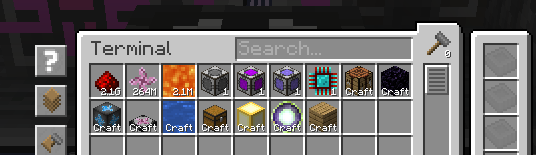
Direct ProjectE EMC integration with Applied Energistics 2.
Screenshots
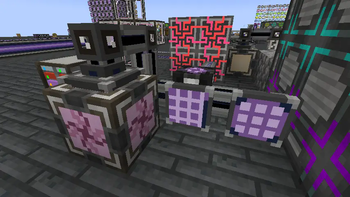
Über diese Mod
AppliedE
A Minecraft mod made as an add-on to both Applied Energistics 2 and ProjectE providing more
tightly-coupled integration between the two mods. Unlike conventional add-ons integrating the two together, AppliedE
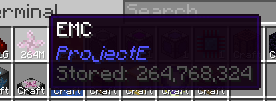
works by turning ProjectE's EMC into a distinct "key type" able to be displayed, reported and manipulated by an ME
network and converted into items upon request via AE2's auto-crafting facilities.
Currently, the mod is in early beta stages. Beware of any critical bugs, particularly on multiplayer servers, and please
report them on the issue tracker as they arise.
Basic Usage
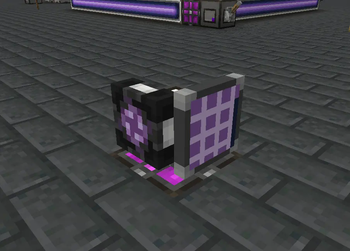
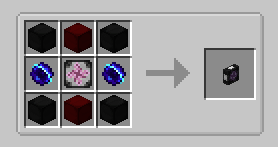
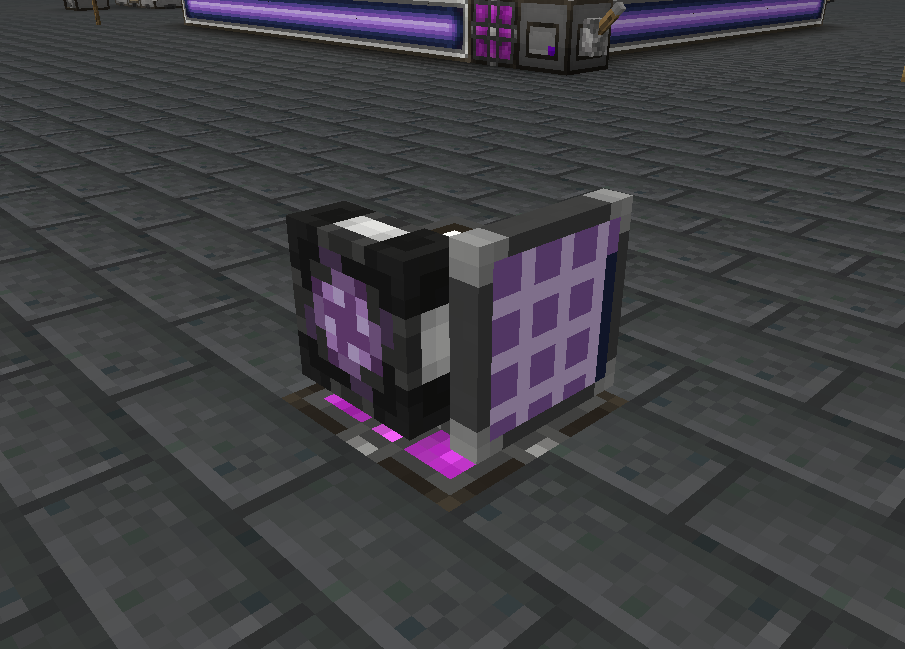
The first step towards using this add-on is to make an ME Transmutation Module. The module retrieves all
transmutation/EMC knowledge from the player who placed down the module to provide ME networks with information on stored
EMC and transmutable items. It can be placed anywhere at all on the network to function.
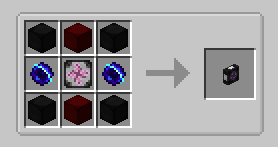
Multiple modules may be placed down on one network by any number of different players / knowledge providers, but only
one module per knowledge provider will contribute to the stored EMC figure and available "craftable" known items. If
multiple knowledge providers are employed by the modules on a network, any inserted and extracted EMC will be equally
(as is possible) distributed among all providers.
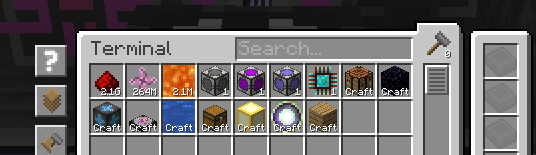
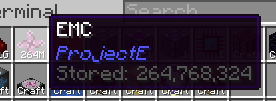
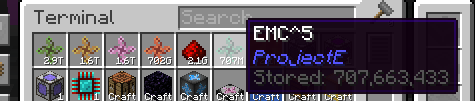
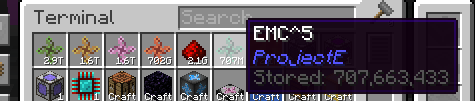
The module also includes additional safeguards to prevent overflow issues in ME networks, by adding a "tier" system to
the EMC stored on a network based on subsequent powers of an arbitrarily large number of EMC units.
For further information on how to use the add-on, please consult the in-game AE2 guide's new section added by this
add-on.
License
All code is licensed under LGPLv3, in adherence to the same license used by Applied Energistics 2 and with some code borrowed from AE2 itself.
All assets are licensed under CC BY-NC-SA 3.0, in adherence to the same license used by AE2 and with most deriving from AE2's own assets. Some assets have been provided externally as courtesy of Sea_Kerman.
Verfügbare Versionen
AppliedE auf dem Server installieren
Server bestellen
Bestelle einen Minecraft Java Server mit mindestens 3 GB RAM (4 GB empfohlen).
forge Loader setzen
Wähle im Panel unter "Egg" den forge-Loader und die passende Minecraft-Version (1.21.1).
Mod installieren
Öffne den Mod-Browser im Dashboard und suche nach "AppliedE". Klicke "Installieren" – fertig! Alternativ: Lade die .jar via SFTP in den /mods Ordner.
Kompatibilität
Mod-Loader
Minecraft-Versionen
1.21.1, 1.20.1
Server-seitig
✓ ErforderlichEmpfohlener RAM
4 GB(min. 3 GB)Häufige Fragen
AppliedE Server crasht beim Start – was tun?
Häufigste Ursache: falsche forge-Version oder zu wenig RAM. Prüfe im Server-Log (latest.log), ob ein "OutOfMemoryError" oder "Mixin"-Fehler auftritt. Bei Mado Hosting: Stelle sicher, dass mindestens 3 GB RAM zugewiesen sind und der Loader zur Mod-Version passt (1.21.1). Über das Panel kannst du den Loader mit einem Klick wechseln.
Ist AppliedE mit forge und neoforge kompatibel?
AppliedE unterstützt offiziell forge, neoforge für Minecraft 1.21.1, 1.20.1. Im Mado Dashboard werden inkompatible Loader-Kombinationen automatisch erkannt.
Server laggt mit AppliedE – wie optimiere ich die Performance?
Empfohlener RAM: 4 GB (+1 GB pro 8 Spieler). Prüfe mit /spark profiler, ob AppliedE den meisten Tick-Time verbraucht. Häufige Fixes: Server-View-Distance auf 8-10 reduzieren, bei Forge "performant" oder "starlight" als Zusatz-Mod installieren. Bei Mado Hosting läuft dein Server auf NVMe-SSDs mit dedizierten CPU-Kernen für minimale Latenz.
Ähnliche Mods





Modded Server mieten
Installiere AppliedE mit nur einem Klick auf deinem Server.
Details
- Lizenz
- GNU Lesser General Public License v3.0 only
- Server-seitig
- Erforderlich