Arthropod Phobia Expansions + Horror Bosses / Arachnophobia
ArPhEx horror mod - realistic, intricate, phobia-inducing entities and supernatural bosses
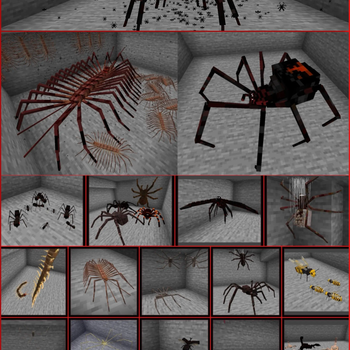
Screenshots
Über diese Mod
ARTHROPOD PHOBIA EXPANSIONS
ArPhEx - THE ULTIMATE ARTHROPOD HORROR MOD WITH POWERFUL BOSSES + STALKERS + REALISTIC INSECTS, ARACHNIDS, CENTIPEDES, CHELICERATES, AND NON-ARTHROPOD WORMS - GECKOLIB REQUIRED. OVER 7 MILLION DOWNLOADS ON CURSEFORGE
This is a huge mod, so transferring the full description between sites is challenging. For the full mod details, see its Curseforge page here: https://www.curseforge.com/minecraft/mc-mods/arphex
ArPhEx Wiki!: https://arphex.miraheze.org
The incredible ArPhEx Discord server!
https://discord.gg/sQQPZQSEpS
Feel free to use this mod in any modpacks. Highly configurable, the spider moth dweller can be disabled entirely if preferred, or adjusted in health/spawnrate - For further configuration options, I recommend the compatible "In Control" mod. (credit to srfoloso for suggestion). All mob spawns are uncommon, optimised as much as possible for a surprisingly lightweight/unobtrusive mod. Suggestions very welcome - you can contact me at [email protected] , on discord (username vllaxa), or in the Curseforge comments.
CLICK FOR A LIST OF ALL SPAWNING INFO/BIOMES
VIDEOS PLAYLIST
https://youtube.com/playlist?list=PL2ZZY4UiOMQgcKe1kRxDlMQzieOydDdi1&si=CKeZFga6rYNO6oZy
Verfügbare Versionen
Arthropod Phobia Expansions + Horror Bosses / Arachnophobia auf dem Server installieren
Server bestellen
Bestelle einen Minecraft Java Server mit mindestens 3 GB RAM (4 GB empfohlen).
forge Loader setzen
Wähle im Panel unter "Egg" den forge-Loader und die passende Minecraft-Version (1.21.1).
Mod installieren
Öffne den Mod-Browser im Dashboard und suche nach "Arthropod Phobia Expansions + Horror Bosses / Arachnophobia". Klicke "Installieren" – fertig! Alternativ: Lade die .jar via SFTP in den /mods Ordner.
Kompatibilität
Mod-Loader
Minecraft-Versionen
1.21.1, 1.20.4, 1.20.1 (+2 weitere)
Server-seitig
✓ ErforderlichEmpfohlener RAM
4 GB(min. 3 GB)Häufige Fragen
Arthropod Phobia Expansions + Horror Bosses / Arachnophobia Server crasht beim Start – was tun?
Häufigste Ursache: falsche forge-Version oder zu wenig RAM. Prüfe im Server-Log (latest.log), ob ein "OutOfMemoryError" oder "Mixin"-Fehler auftritt. Bei Mado Hosting: Stelle sicher, dass mindestens 3 GB RAM zugewiesen sind und der Loader zur Mod-Version passt (1.21.1). Über das Panel kannst du den Loader mit einem Klick wechseln.
Ist Arthropod Phobia Expansions + Horror Bosses / Arachnophobia mit forge und neoforge kompatibel?
Arthropod Phobia Expansions + Horror Bosses / Arachnophobia unterstützt offiziell forge, neoforge für Minecraft 1.21.1, 1.20.4, 1.20.1. Im Mado Dashboard werden inkompatible Loader-Kombinationen automatisch erkannt.
Server laggt mit Arthropod Phobia Expansions + Horror Bosses / Arachnophobia – wie optimiere ich die Performance?
Empfohlener RAM: 4 GB (+1 GB pro 8 Spieler). Prüfe mit /spark profiler, ob Arthropod Phobia Expansions + Horror Bosses / Arachnophobia den meisten Tick-Time verbraucht. Häufige Fixes: Server-View-Distance auf 8-10 reduzieren, bei Forge "performant" oder "starlight" als Zusatz-Mod installieren. Bei Mado Hosting läuft dein Server auf NVMe-SSDs mit dedizierten CPU-Kernen für minimale Latenz.
Ähnliche Mods





Modded Server mieten
Installiere Arthropod Phobia Expansions + Horror Bosses / Arachnophobia mit nur einem Klick auf deinem Server.