
AstikorCarts
Original AstikorCarts reuploaded for Modrinth. No further changes were made, as the mod is no longer being maintained. This mod adds carts that can be pulled by ridden entities and/or the player.
Über diese Mod
NO LONGER MAINTAINED
This is a reuploaded version to allow for creating modpacks using Modrinth. For newer Versions, check out AstikorCarts Redux (NeoForge) and NiftyCarts (Fabric)
Carts and cart specific controls:
Supply Cart
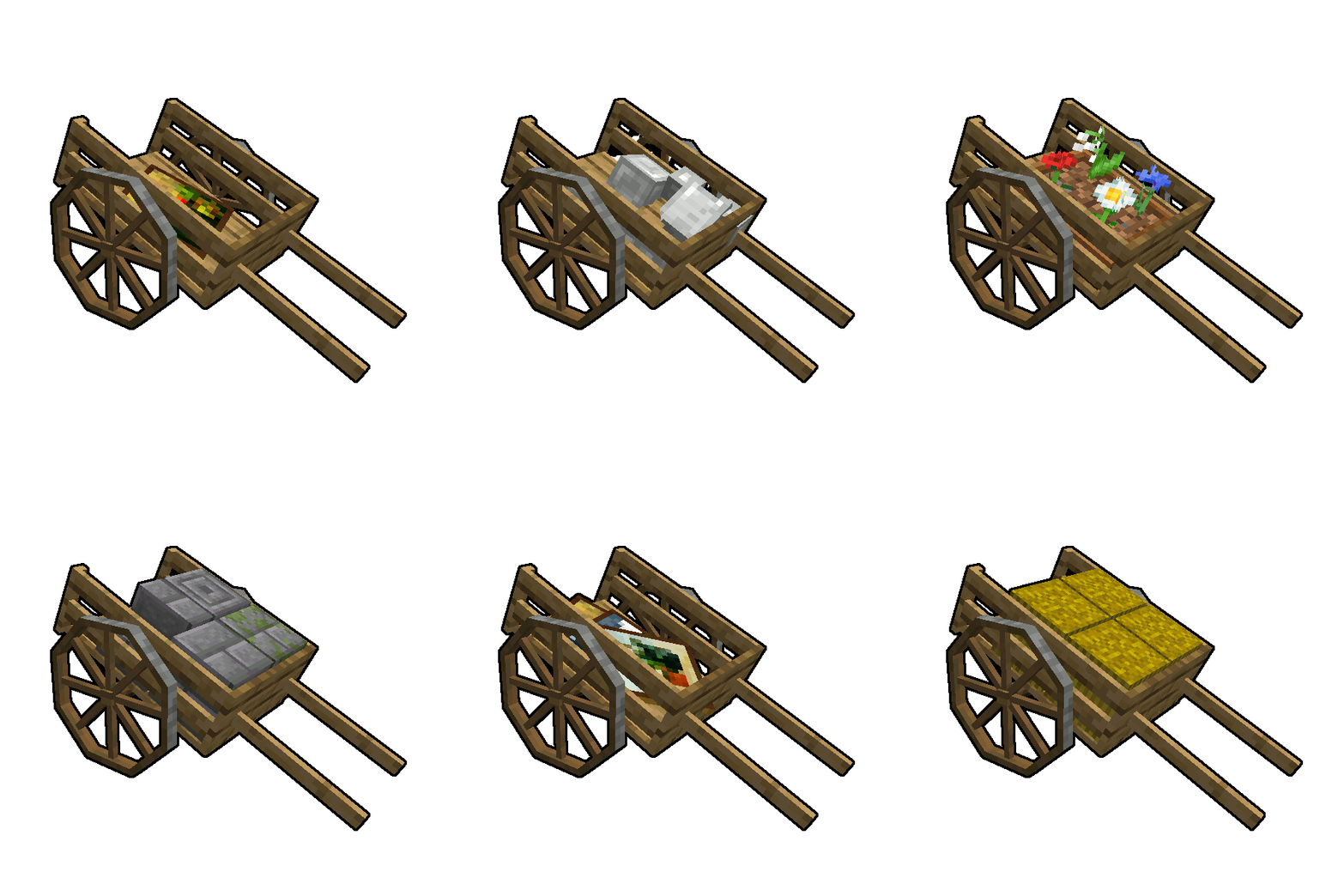
This cart is the oldest of this mod. It comes with a double chest inventory and has room for a friend of yours to sit comfortably on its back. Good luck on the adventures you shall overcome together.
Controls:
The carts inventory can be accessed by sneaking while right clicking it. If you right click it without sneaking, you will start riding the cart instead.
Plow
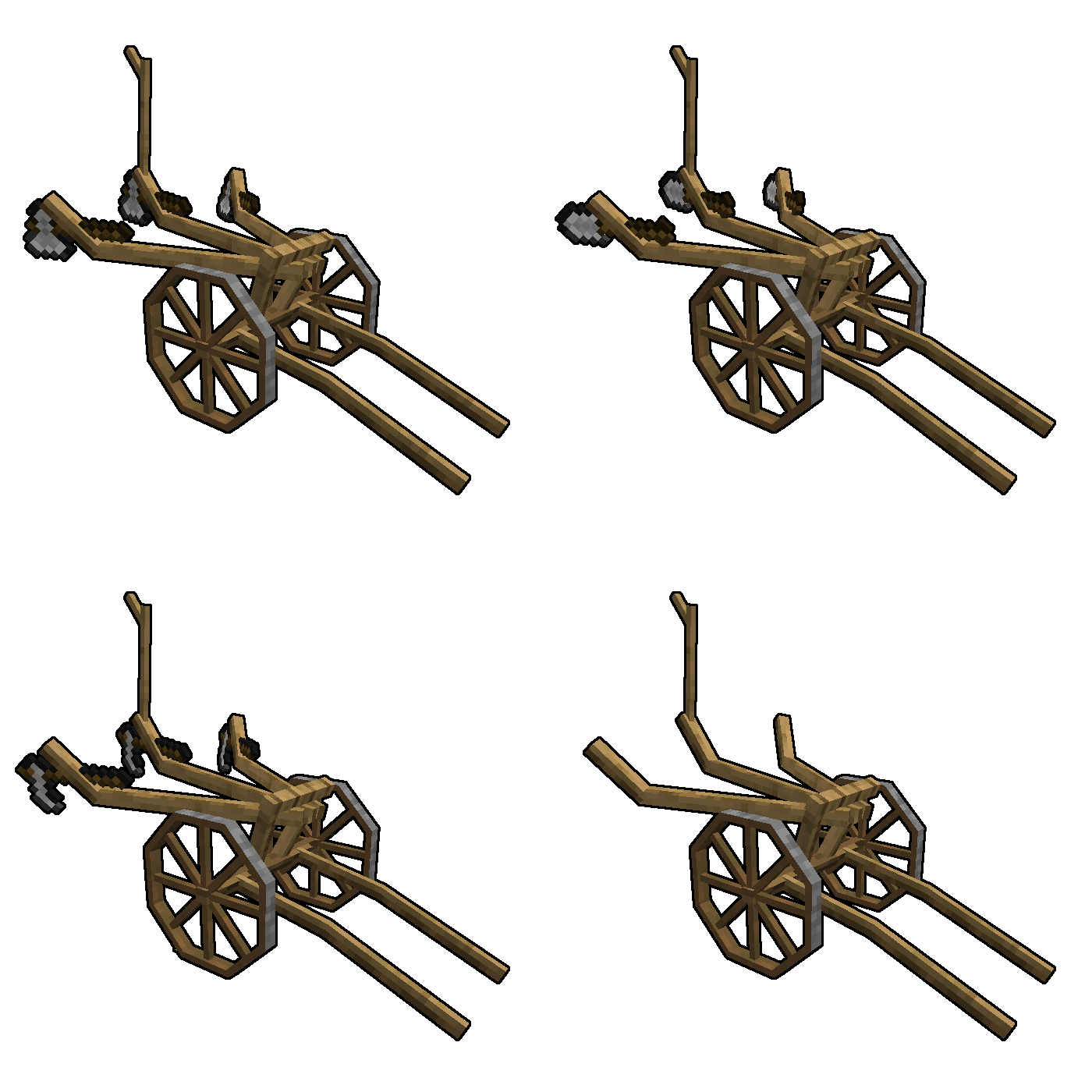
The plow is a useful cart and has been slightly repurposed in v0.1.2.0. Not only can you put hoes in its inventory slots to till up to 3 blocks at once, but also shovels to turn dirt into a path for connecting interesting places within your world.
Controls:
The plowing mode can be toggled by right clicking it. Just like the cart, it's inventory can be accessed by sneaking while right clicking it.
Animal Cart
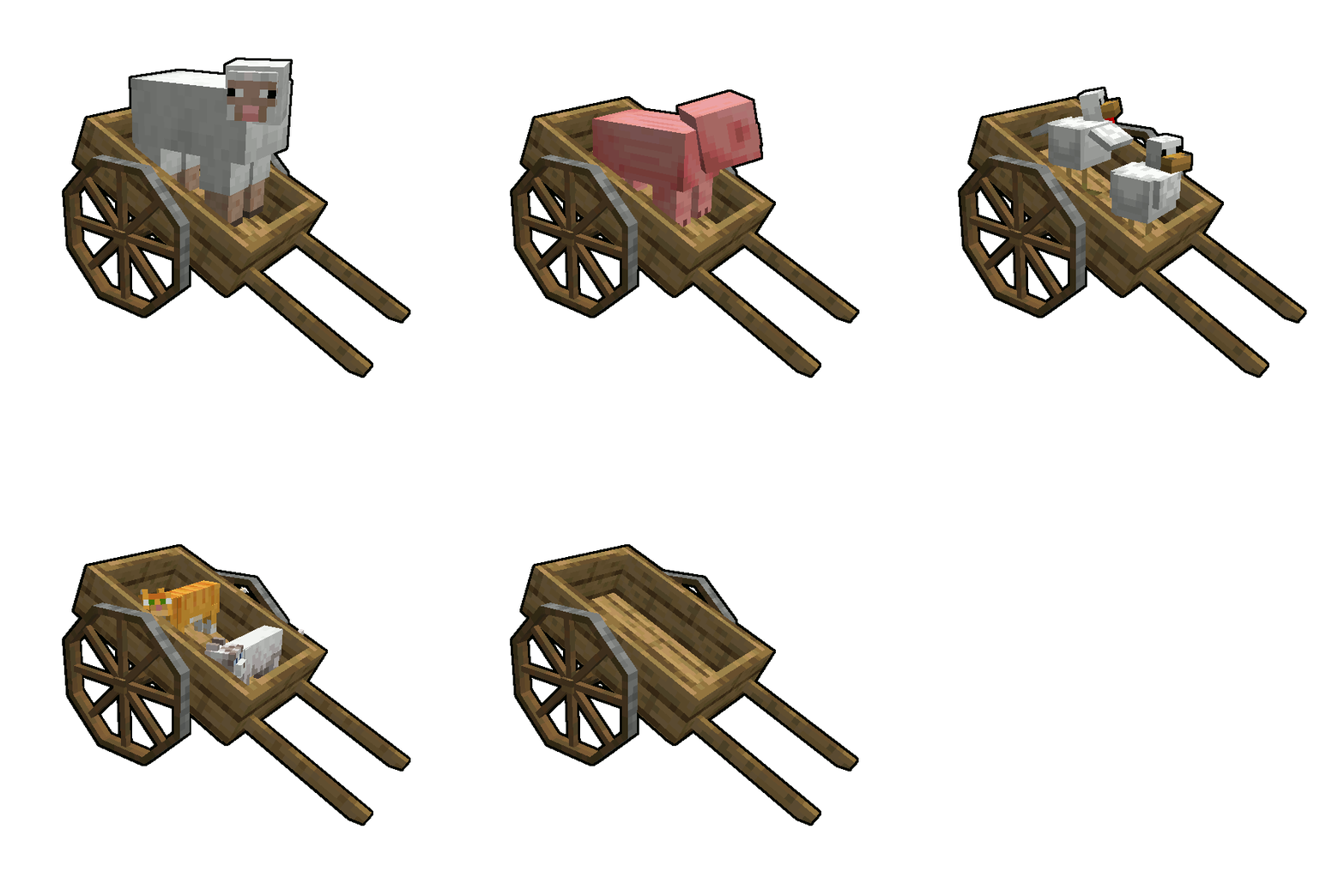
This cart is a boat on wheels. Use it to allow both your human and non-human friends to travel alongside you without sweating.
Controls:
You can push entities into the cart to take them along with you and release them by right clicking the cart while sneaking. Right click it while not sneaking and you will start riding the cart yourse
Verfügbare Versionen
AstikorCarts auf dem Server installieren
Server bestellen
Bestelle einen Minecraft Java Server mit mindestens 3 GB RAM (4 GB empfohlen).
forge Loader setzen
Wähle im Panel unter "Egg" den forge-Loader und die passende Minecraft-Version (1.19.2).
Mod installieren
Öffne den Mod-Browser im Dashboard und suche nach "AstikorCarts". Klicke "Installieren" – fertig! Alternativ: Lade die .jar via SFTP in den /mods Ordner.
Kompatibilität
Mod-Loader
Minecraft-Versionen
1.19.2, 1.18.2, 1.16.5 (+3 weitere)
Server-seitig
✓ ErforderlichEmpfohlener RAM
4 GB(min. 3 GB)Häufige Fragen
AstikorCarts Server crasht beim Start – was tun?
Häufigste Ursache: falsche forge-Version oder zu wenig RAM. Prüfe im Server-Log (latest.log), ob ein "OutOfMemoryError" oder "Mixin"-Fehler auftritt. Bei Mado Hosting: Stelle sicher, dass mindestens 3 GB RAM zugewiesen sind und der Loader zur Mod-Version passt (1.19.2). Über das Panel kannst du den Loader mit einem Klick wechseln.
Ist AstikorCarts mit forge kompatibel?
AstikorCarts unterstützt offiziell forge für Minecraft 1.19.2, 1.18.2, 1.16.5. Im Mado Dashboard werden inkompatible Loader-Kombinationen automatisch erkannt.
Server laggt mit AstikorCarts – wie optimiere ich die Performance?
Empfohlener RAM: 4 GB (+1 GB pro 8 Spieler). Prüfe mit /spark profiler, ob AstikorCarts den meisten Tick-Time verbraucht. Häufige Fixes: Server-View-Distance auf 8-10 reduzieren, bei Forge "performant" oder "starlight" als Zusatz-Mod installieren. Bei Mado Hosting läuft dein Server auf NVMe-SSDs mit dedizierten CPU-Kernen für minimale Latenz.
Ähnliche Mods




Modded Server mieten
Installiere AstikorCarts mit nur einem Klick auf deinem Server.