
Advanced Autoclicker
Advanced In-Game auto-clicker with Custom GUI. Choose between modes such as spam and hold. Configure click conditions, CPS click speed, and much more!
Screenshots

Über diese Mod
Advanced AutoClicker
An advanced autoclicker for Minecraft. For all versions 1.20 and above.
THE KEYBIND IS 0 (zero). Change this in Minecraft's keybind option settings.
REQUIRES DEPENDENCY ImproperUI
DISCLAIMER: This mod IS NOT meant to be used on public servers. It's purpose is to be used for FARMING in SINGLEPLAYER or SURVIVAL worlds. Please do not use, encourage the use of, or advertise Advanced AutoClicker as a macro. If you wish to use Advanced AutoClicker on public servers, make sure you read their rules beforehand.
I DO NOT AND WILL NEVER support your use of this mod on multiplayer occasions. If you use it regardless and get banned by anticheats or staff, that's literally on you. If you are blacklisted from your favorite server, again, your fault.
Featuring
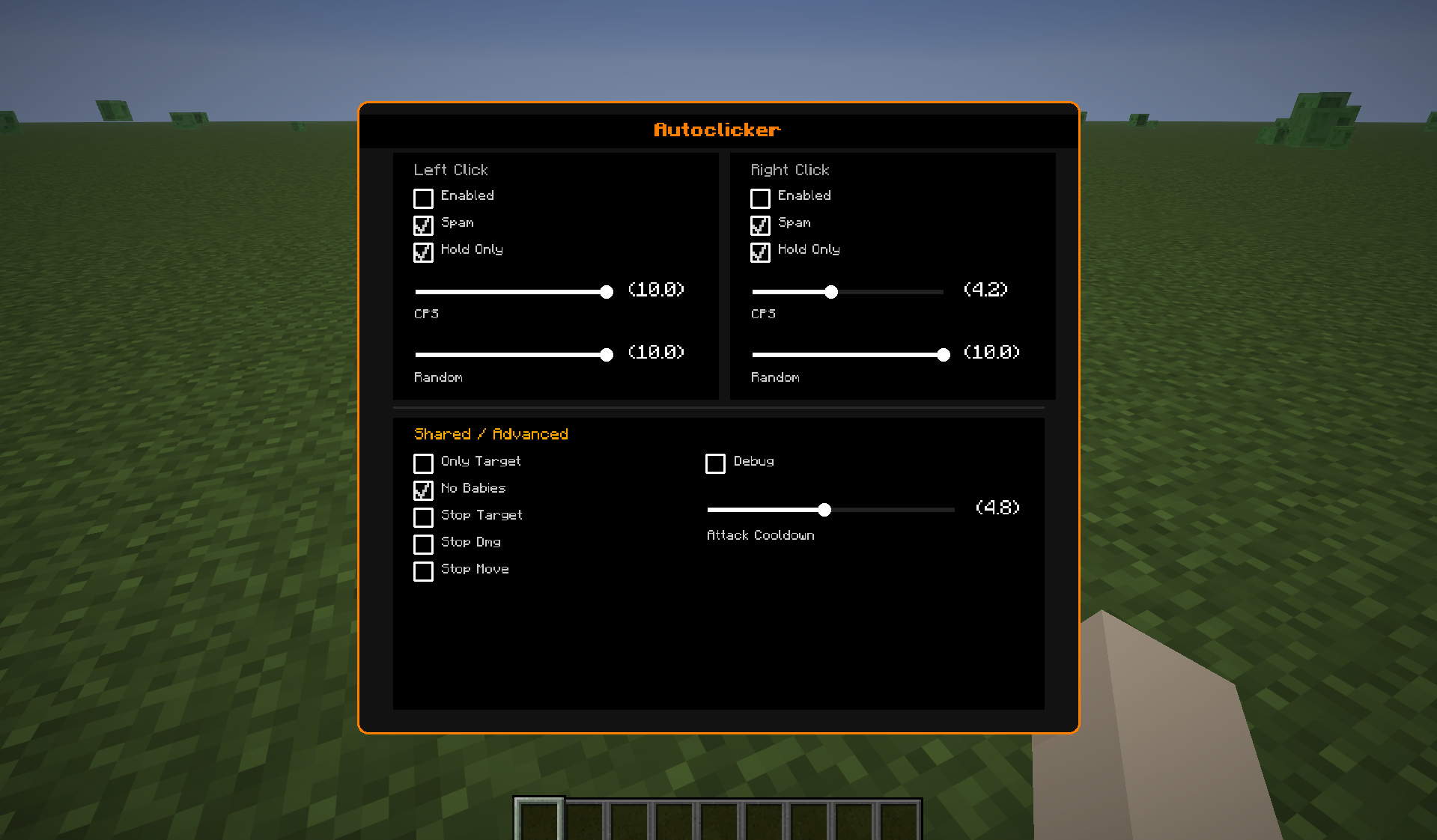
- Click modes: the default mode is spam. Turning this off would make the AutoClicker hold the click instead of spamming it.
- Hold requirement option: if the mode is set to spam, you can use this option to require the player to hold down the mouse button.
- Separate buttons: there are separate settings for each mouse button!
- High Customizability: toggled triggers such as disableOnDamage or disableOnTargetEntity are there to help elavate your experience!
- Respects Cooldown: respects the player attack cooldown, there is a slider for the minimum attack cooldown before trigger
- Trigger Conditions: triggers such as stopping when you take damage or when you move, not attacking baby entities, not attack any entity, only attack entities all help smooth out your autoclicking experiences
- Randomness and Noise Calculations: this mod uses random noise calculations to spread out clicks evenly, providing an accurate clicks per second count throughout.
So Many Other AutoClickers, Why This One?
Other autoclickers: Fabric Auto Clicker, Synchronized Auto Clicker, Modrinth Edition Auto Clicker
These autoclickers above either only syncs with the tps or is just a normal spammer. This mod offers high customizability with triggers and options. Not only does this mod have an advanced config, the key to surpassing them all is the randomness and spread.
Noise calculations simulates the clicks as if a normal player is clicking rather than a robot timing it perfectly. Additional Randomness sliders are provided for each mouse button to randomize the inputs even further.
Easy To Navigate GUI
Other auto clicker mods use Config Libraries that only use Minecraft's in-game vanilla widgets. The designs are rather ugly and hard to navigate. Advanced AutoClicker ensures an easy-to-navigate Click-GUI, with sorted settings and a fancy look.
Thanks For The Download!
o/
Verfügbare Versionen
Advanced Autoclicker auf deinem Client installieren
Mod-Loader lokal installieren
Installiere fabric für deine lokale Minecraft-Version.
Passende Datei herunterladen
Wähle die Advanced Autoclicker-Datei für fabric und Minecraft 1.21.11.
Mod installieren
Lege die .jar-Datei in deinem lokalen .minecraft/mods-Ordner ab und starte Minecraft neu. Eine Installation auf dem Server ist nicht nötig.
Kompatibilität
Mod-Loader
Minecraft-Versionen
1.21.11, 1.20.6, 1.20.5 (+5 weitere)
Server-seitig
✗ Nicht unterstütztEmpfohlener RAM
4 GB(min. 3 GB)Häufige Fragen
Muss Advanced Autoclicker auf dem Minecraft Server installiert werden?
Nein. Modrinth kennzeichnet Advanced Autoclicker serverseitig als nicht unterstützt. Installiere die Mod nur im lokalen Minecraft-Mods-Ordner. Dein Server kann unverändert bleiben, sofern die Mod-Seite keine zusätzliche Abhängigkeit nennt.
Welche Version und welchen Loader braucht Advanced Autoclicker?
Nutze eine Datei für fabric und exakt deine Minecraft-Version. Unterstützte Versionen sind unter anderem 1.21.11, 1.20.6, 1.20.5. Loader-Dateien sind nicht untereinander austauschbar.
Advanced Autoclicker funktioniert nicht – was kann ich prüfen?
Prüfe zuerst Minecraft-Version, Loader-Version und erforderliche Abhängigkeiten. Lege die .jar-Datei im lokalen .minecraft/mods-Ordner ab und entferne ältere Duplikate. Da die Mod clientseitig ist, löst mehr Server-RAM dieses Problem nicht.
Ähnliche Mods






Minecraft Server für deine Gruppe
Advanced Autoclicker bleibt auf deinem Client. Hoste dazu eine kompatible Welt für deine Mitspieler.