
Auto HUD
A mod which dynamically hides parts of the user interface
Screenshots
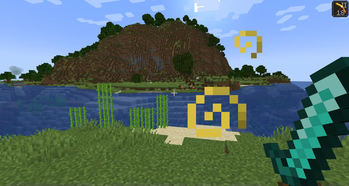
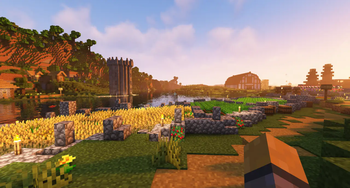
Über diese Mod
Auto HUD is a Minecraft mod which hides parts of the user
interface (HUD) that are currently not interesting.
It is inspired by similar mods ("immersive hud") for other games.
I personally really like the clean view of no visible HUD, but get frustrated by the
limitations of using F1 mode.
This is an opinionated rewrite of Head-down Display that never got updated.
NOTE: From version 4 on, Cloth-Config has been dropped. Now YetAnotherConfigLib is needed for an ingame configuration screen, but the mod will work fine without.
Features
- Toggle the whole HUD with a key binding.
- Have parts of the HUD that haven't changed hide away.
- Hide persistent, unchanging status effects, such as water breathing from the turtle helmet.
- Show remaining time of status effects.
- Highly configurable.
Visual differences to F1 mode
- Player hand / equipped items remain visible
- Player names remain visible
- The vignette remains active
- Incoming chat messages still pop up
- Crosshair remains visible (see my other mod Dynamic Crosshair for that)
- Configurable what elements are hidden
Dependencies
- Optional dependency on YetAnotherConfigLib for ingame configuration screen
Fabric only
- requires Fabric API
- optional: Mod Menu for ingame configuration screen
Mod Compatibility
This mod includes a modified version of magicus' Status Effect Timers,
because I could not figure out how to dynamically insert my modifications into it.
Since this mod allows for status effect icons to be hidden individually,
the non-modified version will draw the timers in the wrong place.
Known to be compatible:
- Dynamic Crosshair augments this mod by dynamically hiding the crosshair as well.
- Raised works perfectly.
- HUDTweaks mostly works.
Vertical status effects bar does not work with the timer overlay.
Animation direction and offset may have to be tweaked in AutoHud's settings manually. - AppleSkin appears to work fine.
- DetailArmorBar is supported.
- BerdinskiyBear's Armor Hud is supported in hotbar mode.
Known to be incompatible:
- OptiFabric crashes due to mixin conflicts.
- Any other mod that draws status effect timers should have that functionality disabled.
- HUD elements created by other mods will most likely not be moved.
- Bedrockify overwrites the status effect modifications. To get them working, disable the
screenSafeAreamixin. - Running AutoHUD together with Exordium can cause visual issues
Verfügbare Versionen
Auto HUD auf deinem Client installieren
Mod-Loader lokal installieren
Installiere fabric für deine lokale Minecraft-Version.
Passende Datei herunterladen
Wähle die Auto HUD-Datei für fabric und Minecraft 26.3.
Mod installieren
Lege die .jar-Datei in deinem lokalen .minecraft/mods-Ordner ab und starte Minecraft neu. Eine Installation auf dem Server ist nicht nötig.
Kompatibilität
Mod-Loader
Minecraft-Versionen
26.3, 26.2, 1.21.11 (+24 weitere)
Server-seitig
✗ Nicht unterstütztEmpfohlener RAM
4 GB(min. 3 GB)Häufige Fragen
Muss Auto HUD auf dem Minecraft Server installiert werden?
Nein. Modrinth kennzeichnet Auto HUD serverseitig als nicht unterstützt. Installiere die Mod nur im lokalen Minecraft-Mods-Ordner. Dein Server kann unverändert bleiben, sofern die Mod-Seite keine zusätzliche Abhängigkeit nennt.
Welche Version und welchen Loader braucht Auto HUD?
Nutze eine Datei für fabric, forge, neoforge und exakt deine Minecraft-Version. Unterstützte Versionen sind unter anderem 26.3, 26.2, 1.21.11. Loader-Dateien sind nicht untereinander austauschbar.
Auto HUD funktioniert nicht – was kann ich prüfen?
Prüfe zuerst Minecraft-Version, Loader-Version und erforderliche Abhängigkeiten. Lege die .jar-Datei im lokalen .minecraft/mods-Ordner ab und entferne ältere Duplikate. Da die Mod clientseitig ist, löst mehr Server-RAM dieses Problem nicht.
Ähnliche Mods




![[ETF] Entity Texture Features](https://cdn.modrinth.com/data/BVzZfTc1/af683d206d50b05258d865b0d6e4aa2f2cee12f2_96.webp)

Minecraft Server für deine Gruppe
Auto HUD bleibt auf deinem Client. Hoste dazu eine kompatible Welt für deine Mitspieler.
Details
- Lizenz
- GNU Lesser General Public License v3.0 only
- Server-seitig
- Nicht unterstützt