
Better Combat
⚔️ Easy, spectacular and fun melee combat system from Minecraft Dungeons.
Screenshots
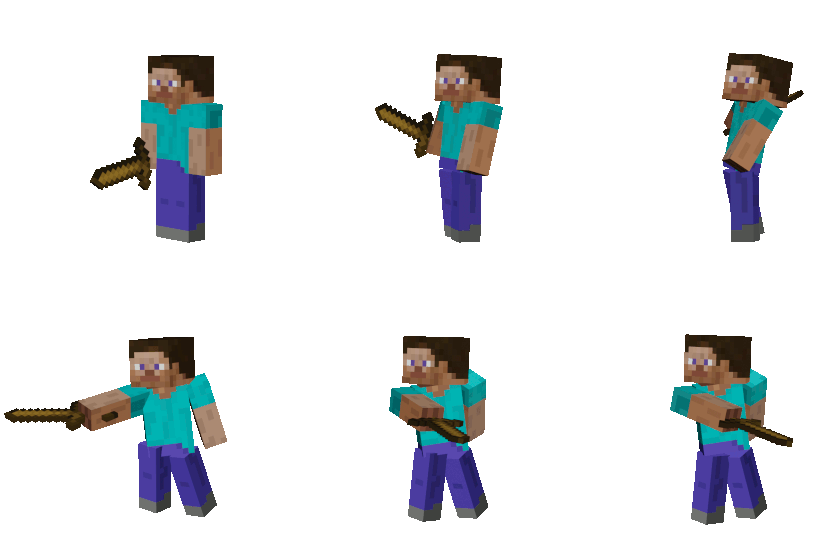

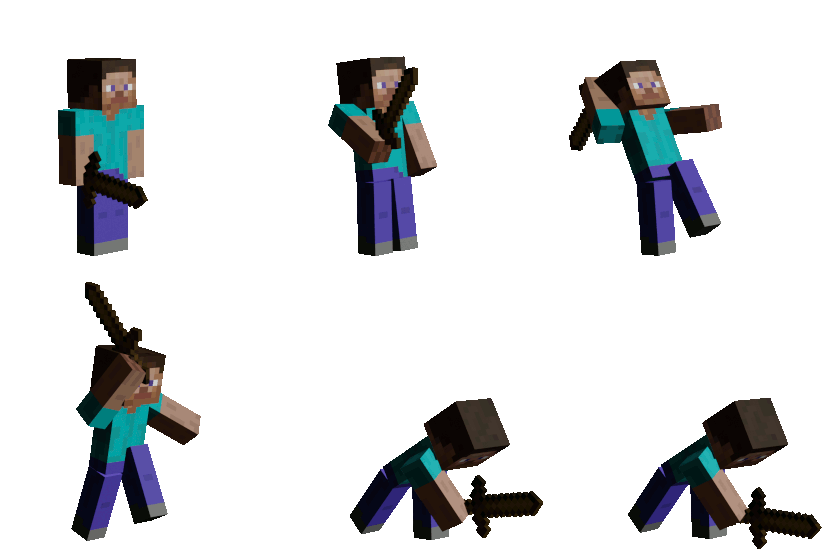
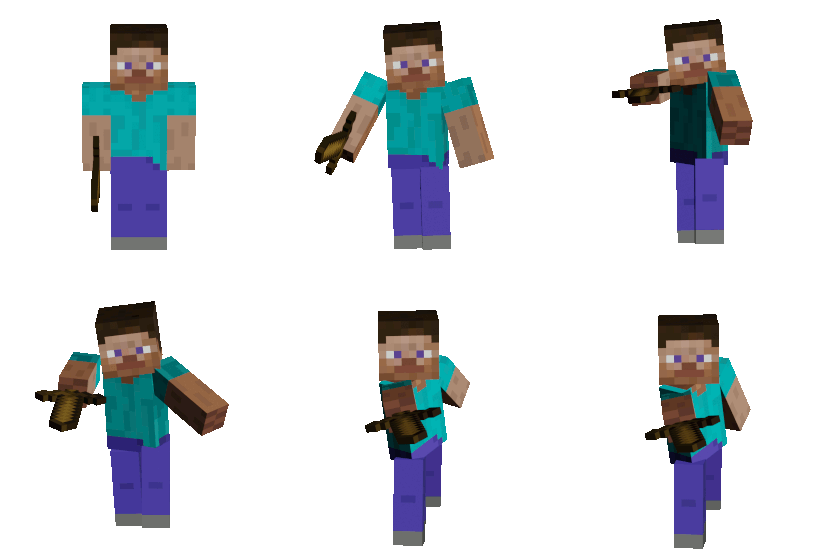
Über diese Mod
Easy, spectacular and fun melee combat system from Minecraft Dungeons.


✨ Looking for vanilla-friendly content? Try these!

🗡 Features
Fancy attack animations
This mod includes several one-handed, two-handed and dual wielded attack animation resources.
Accurate weapon collision detection
No more pixel hunting with your cursor, you can now just swing your weapon and hit whatever is in the way. Enjoy playing in third person view. :)
Natural look and feel
Attacks have an upswing phase before the hit is actually performed, like in real life.
Weapon combos
Some weapons have a sequence of different attacks.
Dual wielding
Dual wield any one handed weapons! Use the attack hotkey to alternately attack with main-hand and off-hand.
Reworked Sweeping Edge
Weapon swing hitting multiple enemies deal reduced damage. To deal full weapon damage against all targets, you need to have Sweeping Edge enchantment.
Hold to attack
Hold the attack hotkey to spam attacks on cooldown (configurable).
Swing thru grass
Attack instead of mining zero hardness blocks (configurable).
Support any item from any mod (with data files)
Automatic compatibility with most mods (weapons without attribute file, will be automatically assigned a matching weapon preset, based on item id).
Super easy to add dedicated compatibility, support via Discord for partnering modders.
🔨 Add compatibility to any weapon
Add uniquely created or out of the box behaviour to any weapon from any mod, by just creating JSON data files.
Check out our integration guide here.
🔧 Configuration
Client side settings can be accessed via the Mod Menu.
Server side config can be found at:
General properties:
config/bettercombat/server.confFallback compatibility:
config/bettercombat/fallback_config.conf
Automatically created with default values, upon loading any game world for the first time.
⛓ Compatibility
With an open source and modular mindset, this project is aiming for maximal compatibility. However, mods trying to change the same mechanics will never be compatible (such as dual wielding mods).
🤝 Partnerships
We partnered up with the following mods, to fully utilise the JSON API of Better Combat:
Verfügbare Versionen
Better Combat auf dem Server installieren
Server bestellen
Bestelle einen Minecraft Java Server mit mindestens 3 GB RAM (4 GB empfohlen).
fabric Loader setzen
Wähle im Panel unter "Egg" den fabric-Loader und die passende Minecraft-Version (26.3).
Mod installieren
Öffne den Mod-Browser im Dashboard und suche nach "Better Combat". Klicke "Installieren" – fertig! Alternativ: Lade die .jar via SFTP in den /mods Ordner.
Kompatibilität
Mod-Loader
Minecraft-Versionen
26.3, 26.2, 26.1.2 (+21 weitere)
Server-seitig
✓ ErforderlichEmpfohlener RAM
4 GB(min. 3 GB)Häufige Fragen
Better Combat Server crasht beim Start – was tun?
Häufigste Ursache: falsche fabric-Version oder zu wenig RAM. Prüfe im Server-Log (latest.log), ob ein "OutOfMemoryError" oder "Mixin"-Fehler auftritt. Bei Mado Hosting: Stelle sicher, dass mindestens 3 GB RAM zugewiesen sind und der Loader zur Mod-Version passt (26.3). Über das Panel kannst du den Loader mit einem Klick wechseln.
Ist Better Combat mit fabric und forge und neoforge kompatibel?
Better Combat unterstützt offiziell fabric, forge, neoforge für Minecraft 26.3, 26.2, 26.1.2. Achtung: Forge- und Fabric-Mods sind NICHT untereinander kompatibel – wähle einen Loader und bleibe dabei. Im Mado Dashboard werden inkompatible Loader-Kombinationen automatisch erkannt.
Server laggt mit Better Combat – wie optimiere ich die Performance?
Empfohlener RAM: 4 GB (+1 GB pro 8 Spieler). Prüfe mit /spark profiler, ob Better Combat den meisten Tick-Time verbraucht. Häufige Fixes: Server-View-Distance auf 8-10 reduzieren, bei Forge "performant" oder "starlight" als Zusatz-Mod installieren. Bei Mado Hosting läuft dein Server auf NVMe-SSDs mit dedizierten CPU-Kernen für minimale Latenz.
Ähnliche Mods




Modded Server mieten
Installiere Better Combat mit nur einem Klick auf deinem Server.