BindCommands
Easily bind Minecraft commands to keyboard keys
Screenshots
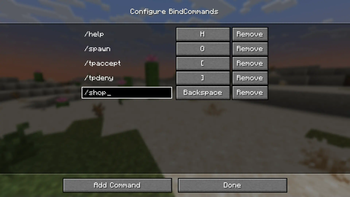
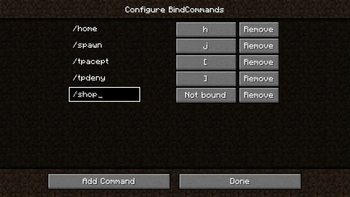
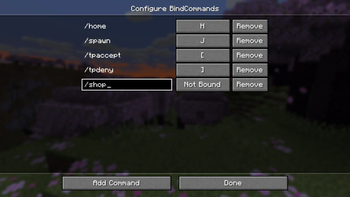
Über diese Mod
BindCommands


The BindCommands mod allows players to bind Minecraft commands to specific keys on their keyboard, making it easier and faster to execute commands in the game. The mod is built using the Fabric mod loader and is compatible with Minecraft versions from 1.16.5 up to 26.2.
📜 Features
- Bind Minecraft commands to specific keys on your keyboard.
- Configure bindings using the mod settings located in the mod menu.
- Easy to use and customize.
📁 Installation
- Download and install Fabric for Minecraft 26.1.
- Download BindCommands, Mod Menu, and Fabric Language Kotlin mods.
- Place the downloaded mod files in the "mods" folder located in your Minecraft game directory.
- Launch Minecraft with the Fabric mod loader and enjoy the mod!
⚙️ Usage
To use the BindCommands mod, follow these steps:
- Open the mod settings from the mod menu.
- Add a new binding by clicking the "Add Command" button.
- Enter the Minecraft command you want to execute.
- Choose a key to bind the command to.
- Save the binding.
- Press the bound key to execute the command.
✉️ Feedback and Support

If you encounter any issues while using the BindCommands mod or have any suggestions for improvement,
please feel free to open an issue on the mod's GitHub page or visit our Discord. We appreciate any and all feedback!
Verfügbare Versionen
BindCommands auf dem Server installieren
Server bestellen
Bestelle einen Minecraft Java Server mit mindestens 3 GB RAM (4 GB empfohlen).
fabric Loader setzen
Wähle im Panel unter "Egg" den fabric-Loader und die passende Minecraft-Version (26.3).
Mod installieren
Öffne den Mod-Browser im Dashboard und suche nach "BindCommands". Klicke "Installieren" – fertig! Alternativ: Lade die .jar via SFTP in den /mods Ordner.
Kompatibilität
Mod-Loader
Minecraft-Versionen
26.3, 26.2, 26.1.2 (+30 weitere)
Server-seitig
~ OptionalEmpfohlener RAM
4 GB(min. 3 GB)Häufige Fragen
BindCommands Server crasht beim Start – was tun?
Häufigste Ursache: falsche fabric-Version oder zu wenig RAM. Prüfe im Server-Log (latest.log), ob ein "OutOfMemoryError" oder "Mixin"-Fehler auftritt. Bei Mado Hosting: Stelle sicher, dass mindestens 3 GB RAM zugewiesen sind und der Loader zur Mod-Version passt (26.3). Über das Panel kannst du den Loader mit einem Klick wechseln.
Ist BindCommands mit fabric kompatibel?
BindCommands unterstützt offiziell fabric für Minecraft 26.3, 26.2, 26.1.2. Im Mado Dashboard werden inkompatible Loader-Kombinationen automatisch erkannt.
Server laggt mit BindCommands – wie optimiere ich die Performance?
Empfohlener RAM: 4 GB (+1 GB pro 8 Spieler). Prüfe mit /spark profiler, ob BindCommands den meisten Tick-Time verbraucht. Häufige Fixes: Server-View-Distance auf 8-10 reduzieren, bei Forge "performant" oder "starlight" als Zusatz-Mod installieren. Bei Mado Hosting läuft dein Server auf NVMe-SSDs mit dedizierten CPU-Kernen für minimale Latenz.
Ähnliche Mods




![[ETF] Entity Texture Features](https://cdn.modrinth.com/data/BVzZfTc1/af683d206d50b05258d865b0d6e4aa2f2cee12f2_96.webp)

Modded Server mieten
Installiere BindCommands mit nur einem Klick auf deinem Server.