
Blackdev's Discord RPC
Discord RPC Easy to Configure and use
Screenshots
Über diese Mod
🎮 Minecraft Discord Rich Presence (RPC) Mod
Enhance your Discord experience with our Minecraft Discord Rich Presence (RPC) mod! This mod integrates Discord RPC with Minecraft, allowing you to display detailed in-game information on your Discord profile. 🖥️
✨ Features
- 📝 Customizable Rich Presence: Display information such as the world you're in, dimension, or activity.
- 🎨 Custom Icons: Set large and small icons for a personalized touch.
- 🔄 Real-time Updates: Automatically updates your status as you play.
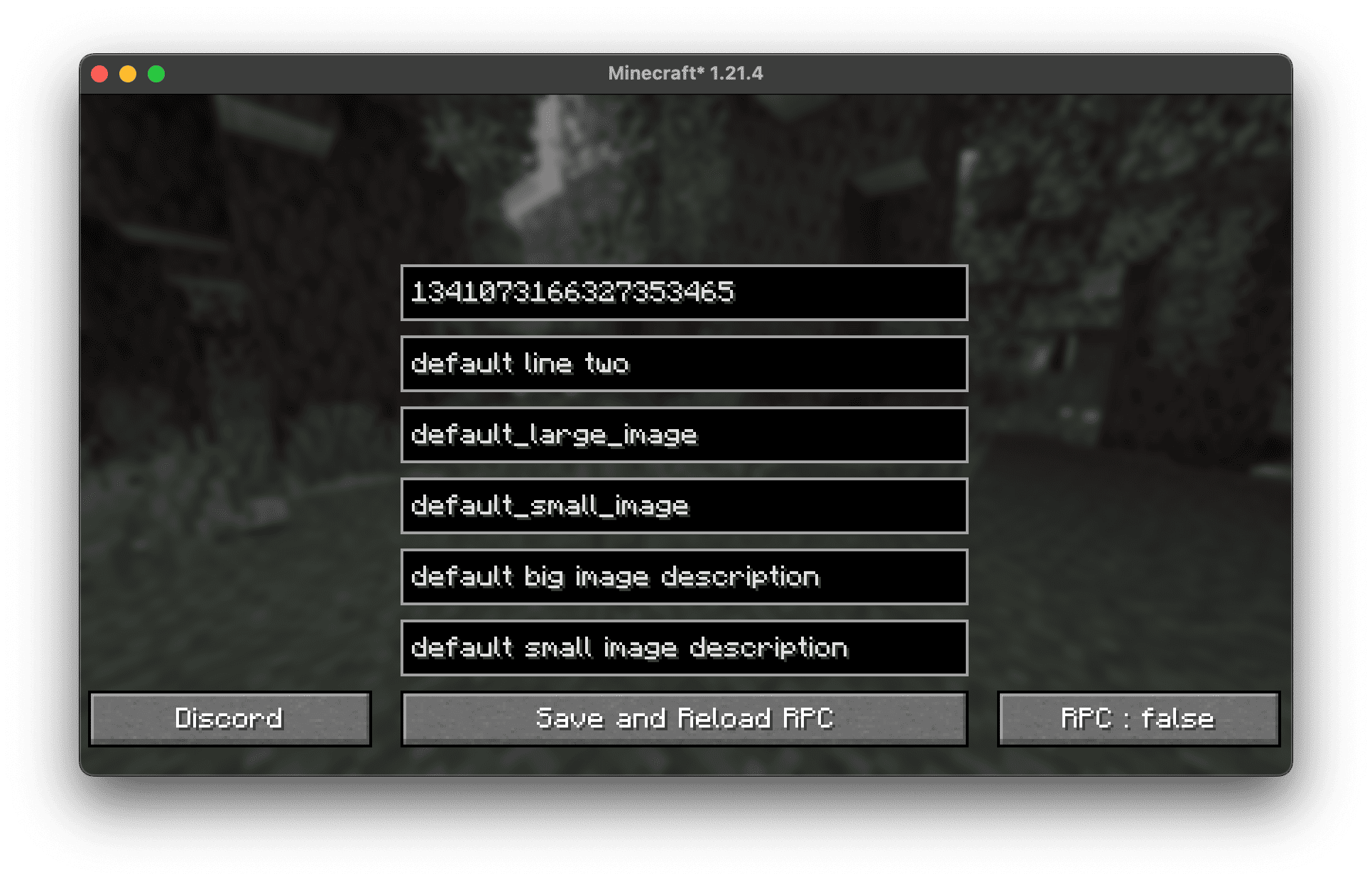
- ⚙️ Easy Configuration: Modify settings directly in the mod’s GUI.
- 🔘 Toggle On/Off: Enable or disable RPC at any time.
📥 Installation
- 📌 Download the mod from Modrinth.
- 🛠️ Install Fabric or Forge(Soon) (depending on the mod version).
- 📂 Place the mod
.jarfile in yourmodsfolder. - 🚀 Launch Minecraft and configure the RPC settings in the mod menu.
⚙️ Configuration
Navigate to the in-game mod settings to customize:
- ✏️ First and second text lines
- 🖼️ Large and small images
- 📝 Image descriptions
- 🔘 Enable/Disable RPC
🔧 Compatibility
- Minecraft Version: 1.21.4
- Mod Loaders: Fabric, Forge(Soon)
- Platforms: Windows, macOS, Linux
🖼️ Screenshots
💬 Support
Join our Discord server for help, feature requests, and updates! 🎧
📜 License
This mod is licensed under CC-BY-4.0. Feel free to modify and contribute! 🛠️
Verfügbare Versionen
Blackdev's Discord RPC auf deinem Client installieren
Mod-Loader lokal installieren
Installiere fabric für deine lokale Minecraft-Version.
Passende Datei herunterladen
Wähle die Blackdev's Discord RPC-Datei für fabric und Minecraft 1.21.4.
Mod installieren
Lege die .jar-Datei in deinem lokalen .minecraft/mods-Ordner ab und starte Minecraft neu. Eine Installation auf dem Server ist nicht nötig.
Kompatibilität
Mod-Loader
Minecraft-Versionen
1.21.4
Server-seitig
✗ Nicht unterstütztEmpfohlener RAM
4 GB(min. 3 GB)Häufige Fragen
Muss Blackdev's Discord RPC auf dem Minecraft Server installiert werden?
Nein. Modrinth kennzeichnet Blackdev's Discord RPC serverseitig als nicht unterstützt. Installiere die Mod nur im lokalen Minecraft-Mods-Ordner. Dein Server kann unverändert bleiben, sofern die Mod-Seite keine zusätzliche Abhängigkeit nennt.
Welche Version und welchen Loader braucht Blackdev's Discord RPC?
Nutze eine Datei für fabric und exakt deine Minecraft-Version. Unterstützte Versionen sind unter anderem 1.21.4. Loader-Dateien sind nicht untereinander austauschbar.
Blackdev's Discord RPC funktioniert nicht – was kann ich prüfen?
Prüfe zuerst Minecraft-Version, Loader-Version und erforderliche Abhängigkeiten. Lege die .jar-Datei im lokalen .minecraft/mods-Ordner ab und entferne ältere Duplikate. Da die Mod clientseitig ist, löst mehr Server-RAM dieses Problem nicht.
Ähnliche Mods






Minecraft Server für deine Gruppe
Blackdev's Discord RPC bleibt auf deinem Client. Hoste dazu eine kompatible Welt für deine Mitspieler.
Details
- Lizenz
- Creative Commons Attribution 4.0 International
- Server-seitig
- Nicht unterstützt