Camera Utils
Helpful camera utilities
Über diese Mod
Camera Utils is a client side Fabric mod that adds convenient features related to the players camera.
Features
- Dynamic zoom
- Camera detaching
- Adjustable third person distance
- Two customizable third person perspectives
- Advanced cinematic camera controls
- Movement smoothing
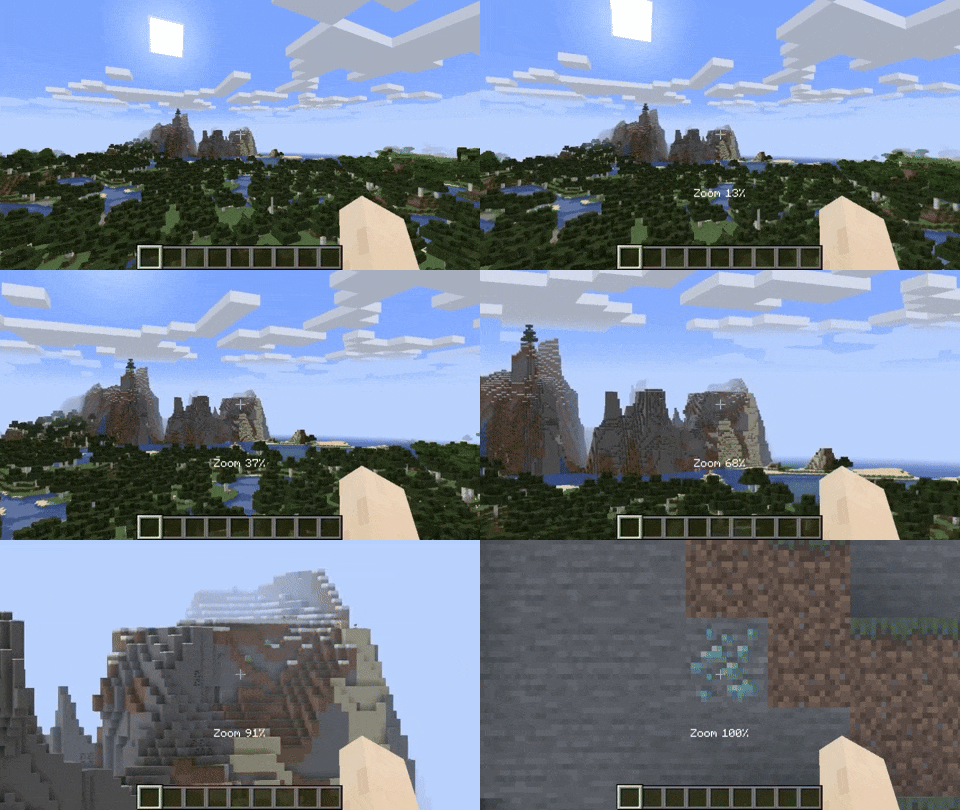
Dynamic Zoom
By default the zoom key is bound to Z.
Holding the zoom key and scrolling dynamically adjusts the zoom value.
Camera Detaching
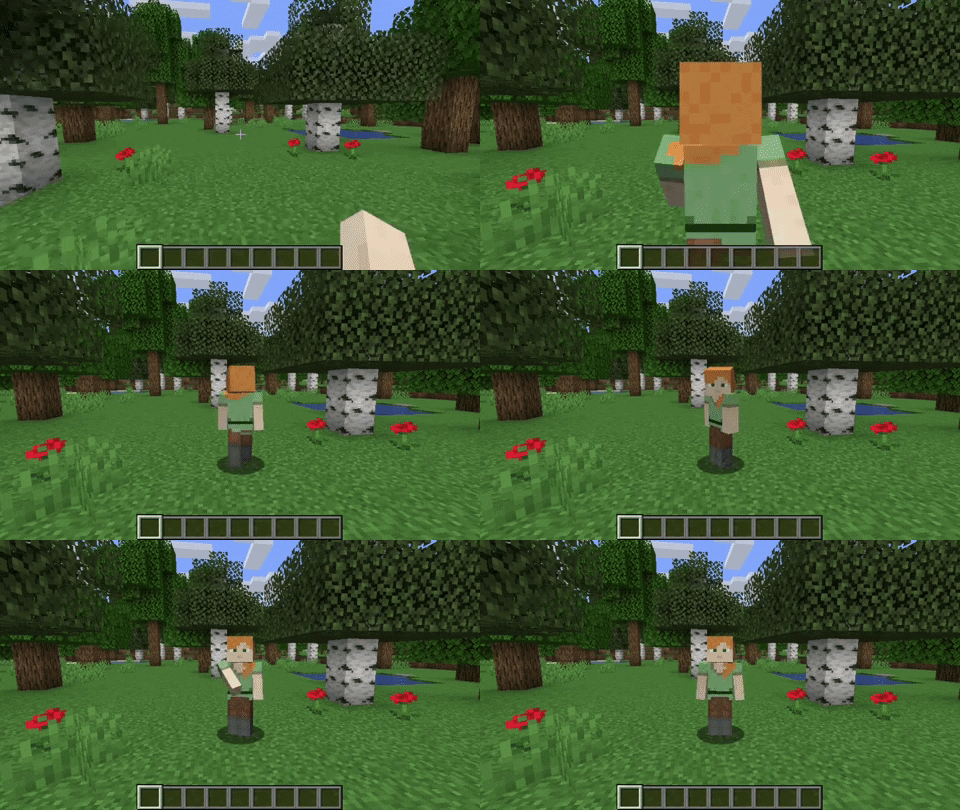
By hitting the detach camera button, the players camera is locked to the current position.
You can still control the player like before, just from another point of view.
By pressing RIGHT ALT in combination with the detach camera key, the camera goes back to the position, the camera was last detached.
Adjustable Third Person Distance
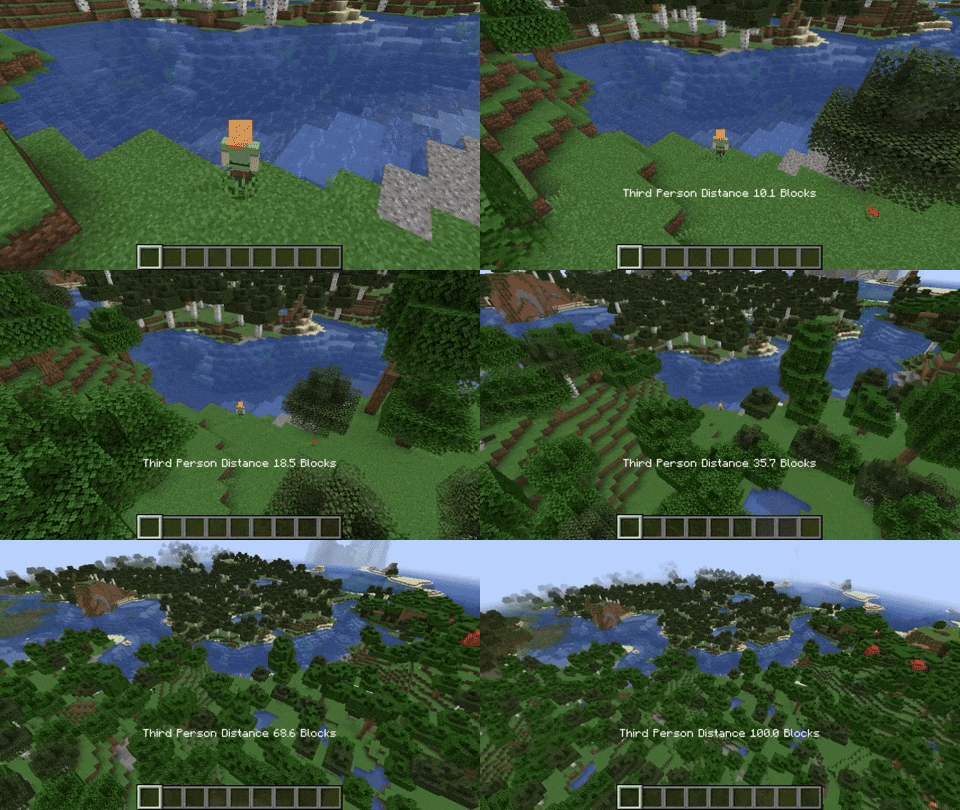
When holding the third person distance modifier in third person, you are able to scroll out up to 100 blocks away from the player.
Customizable Third Person Perspectives
This mod allows for two custom third person perspectives.
These are bound to F6 and F7 by default.
These can be modified by pressing RIGHT ALT and F6 or F7 respectively.
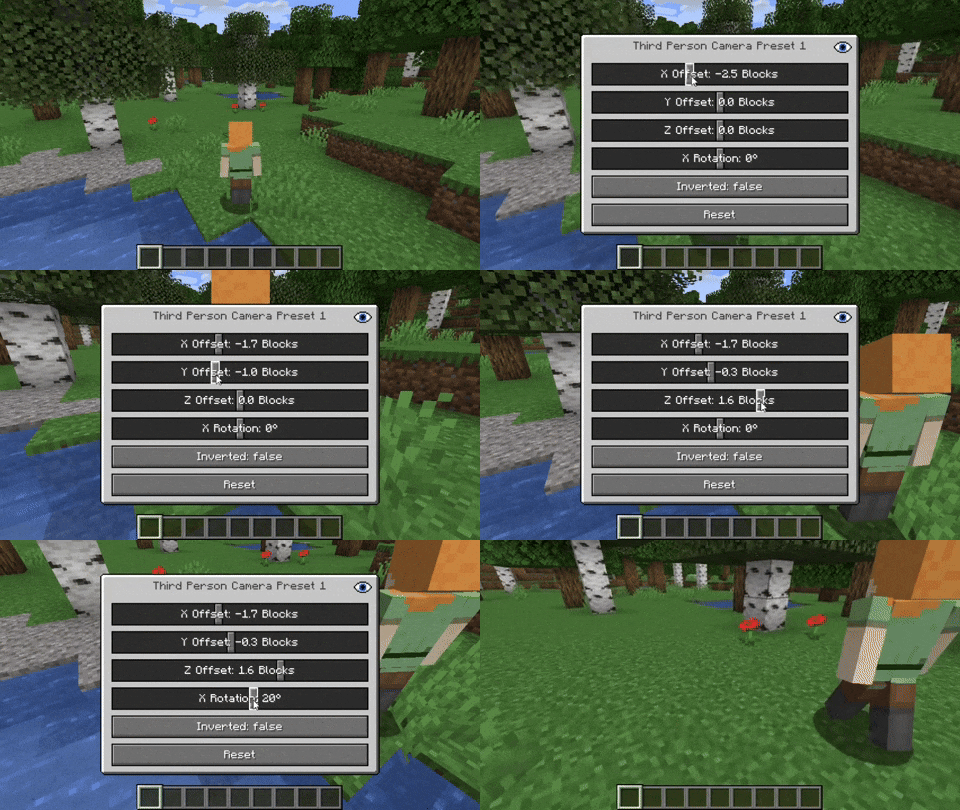
Advanced Cinematic Camera Controls
By pressing RIGHT ALT and the cinematic camera button, you can adjust the properties of the cinematic camera.
Additional Information
Pressing any key related to the camera utils mod in combination with RIGHT ALT
will open a settings GUI which allows you to change properties
or to reset them back to their default values.
Note that this mod is not compatible with OptiFine.
Verfügbare Versionen
Camera Utils auf deinem Client installieren
Mod-Loader lokal installieren
Installiere fabric für deine lokale Minecraft-Version.
Passende Datei herunterladen
Wähle die Camera Utils-Datei für fabric und Minecraft 26.3.
Mod installieren
Lege die .jar-Datei in deinem lokalen .minecraft/mods-Ordner ab und starte Minecraft neu. Eine Installation auf dem Server ist nicht nötig.
Kompatibilität
Mod-Loader
Minecraft-Versionen
26.3, 26.2, 26.1.2 (+26 weitere)
Server-seitig
✗ Nicht unterstütztEmpfohlener RAM
4 GB(min. 3 GB)Häufige Fragen
Muss Camera Utils auf dem Minecraft Server installiert werden?
Nein. Modrinth kennzeichnet Camera Utils serverseitig als nicht unterstützt. Installiere die Mod nur im lokalen Minecraft-Mods-Ordner. Dein Server kann unverändert bleiben, sofern die Mod-Seite keine zusätzliche Abhängigkeit nennt.
Welche Version und welchen Loader braucht Camera Utils?
Nutze eine Datei für fabric, quilt und exakt deine Minecraft-Version. Unterstützte Versionen sind unter anderem 26.3, 26.2, 26.1.2. Loader-Dateien sind nicht untereinander austauschbar.
Camera Utils funktioniert nicht – was kann ich prüfen?
Prüfe zuerst Minecraft-Version, Loader-Version und erforderliche Abhängigkeiten. Lege die .jar-Datei im lokalen .minecraft/mods-Ordner ab und entferne ältere Duplikate. Da die Mod clientseitig ist, löst mehr Server-RAM dieses Problem nicht.
Ähnliche Mods




Minecraft Server für deine Gruppe
Camera Utils bleibt auf deinem Client. Hoste dazu eine kompatible Welt für deine Mitspieler.