
Changed: Minecraft Mod
Gooey transfur game inspired by DragonSnow's Changed.
Screenshots
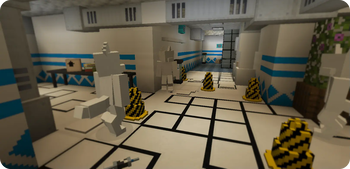
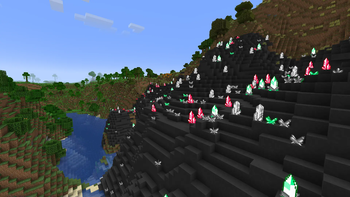
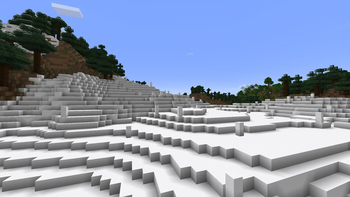
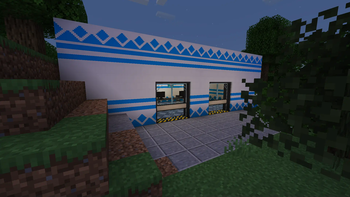

Über diese Mod





Warning: This mod includes content from Changed, which is not suitable for all audiences.
If you are playing with this mod in a large modpack, disable unique latex block generation in the config, or the game will take forever to start.
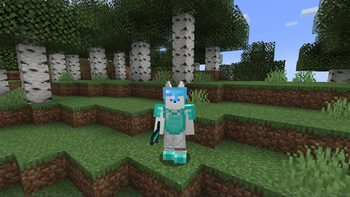
Changed:MC is a translation of the world of Changed by DragonSnow into Minecraft 1.18.2, inspired by alex_n_italy's Turned mod, it's built in mind with transfurring. It contains structures, blocks, latex creatures, emotes, and too many mixins. You can become one of these creatures and benefit from the upgrades (and suffer some downsides) of transfurring yourself.
All credits for contributors are available on GitHub Insights and in the mod menu. To access the config menu, install Configured.
Gameplay FAQ
How do I transfur?
Use an infuser to infuse a syringe filled with your own blood, purify it (takes some time), insert the purified syringe into a stasis chamber a give it a canister of oxygenated water, and select "Transfur" under the "Programs" menu in the stasis chamber. There is also a gamerule changed:keepConscious that will transfur you in places where you would normally be killed, it's off by default, and is entirely up to you if you want on.
Alternatively, with cheats, use /transfur or /tf.
Okay, but how do I untransfur?
You can't. Well, dying removes the transfur and turns you back. This however can be prevented with the gamerule changed:keepForm. The reason for this is that untransfurring isn't possible in the original game as stated by DragonSnow. There are mods to solve this problem, however.
Once again, if you have cheats, use /untransfur or /untf.
What are the syringe recipes?
The recipes are given to you when you pick up a Latex Base, check the recipe book in the infuser table.
How do I open the lab doors?
The lab doors are locked when not powered, power them using redstone. When the lab doors are unlocked, you can open it like a regular door, but it will automatically close if it loses power.
General FAQ
What about that drama involving Changed?
We do not take a stance on the drama, please research anything before believing. If you are at most concern, this mod is intentionally designed without very suggestive content, and the main characters are not included.
Will there be a Fabric/Quilt version?
There are no current plans to port to another modloader, this is subject to change.
Can you port the mod to 1.xx.x?
The mod will only be developed for one Minecraft version at a time. We will not be porting the mod to multiple versions until all/most of the content is completed.
Can you make the mod for Pocket Edition?
If you're asking this, you're probably too young to be getting into Changed...
What mods are compatible?
There (hopefully) shouldn't be too many mods that are incompatible. If you do find a mod which behaves weird with Changed:MC, feel free to report it on the GitHub.
Verfügbare Versionen
Changed: Minecraft Mod auf dem Server installieren
Server bestellen
Bestelle einen Minecraft Java Server mit mindestens 3 GB RAM (4 GB empfohlen).
forge Loader setzen
Wähle im Panel unter "Egg" den forge-Loader und die passende Minecraft-Version (1.20.1).
Mod installieren
Öffne den Mod-Browser im Dashboard und suche nach "Changed: Minecraft Mod". Klicke "Installieren" – fertig! Alternativ: Lade die .jar via SFTP in den /mods Ordner.
Kompatibilität
Mod-Loader
Minecraft-Versionen
1.20.1, 1.18.2
Server-seitig
✓ ErforderlichEmpfohlener RAM
4 GB(min. 3 GB)Häufige Fragen
Changed: Minecraft Mod Server crasht beim Start – was tun?
Häufigste Ursache: falsche forge-Version oder zu wenig RAM. Prüfe im Server-Log (latest.log), ob ein "OutOfMemoryError" oder "Mixin"-Fehler auftritt. Bei Mado Hosting: Stelle sicher, dass mindestens 3 GB RAM zugewiesen sind und der Loader zur Mod-Version passt (1.20.1). Über das Panel kannst du den Loader mit einem Klick wechseln.
Ist Changed: Minecraft Mod mit forge kompatibel?
Changed: Minecraft Mod unterstützt offiziell forge für Minecraft 1.20.1, 1.18.2. Im Mado Dashboard werden inkompatible Loader-Kombinationen automatisch erkannt.
Server laggt mit Changed: Minecraft Mod – wie optimiere ich die Performance?
Empfohlener RAM: 4 GB (+1 GB pro 8 Spieler). Prüfe mit /spark profiler, ob Changed: Minecraft Mod den meisten Tick-Time verbraucht. Häufige Fixes: Server-View-Distance auf 8-10 reduzieren, bei Forge "performant" oder "starlight" als Zusatz-Mod installieren. Bei Mado Hosting läuft dein Server auf NVMe-SSDs mit dedizierten CPU-Kernen für minimale Latenz.
Ähnliche Mods






Modded Server mieten
Installiere Changed: Minecraft Mod mit nur einem Klick auf deinem Server.