
Chiselmon - Cobblemon QOL
Cobblemon alerts, tooltips, PC bookmarks, wallpapers, and much more. Fully customisable and client side.
Screenshots
Über diese Mod
Chiselmon
Sculpt your perfect Cobblemon experience with deeply customisable QOL tweaks!
Feel free to add this mod to your modpack. No need to ask me for permission!
Installation
Chiselmon is a fully client side Cobblemon sidemod for Fabric and NeoForge.
To use Chiselmon, make sure you have Cobblemon 1.8.0+ and Yet Another Config Lib installed. To get the most out of the mod, consider also installing Jade.
Customising Your Tweaks
If you haven't used Chiselmon before, I recommend exploring the config options beforehand so you can see what features are available.
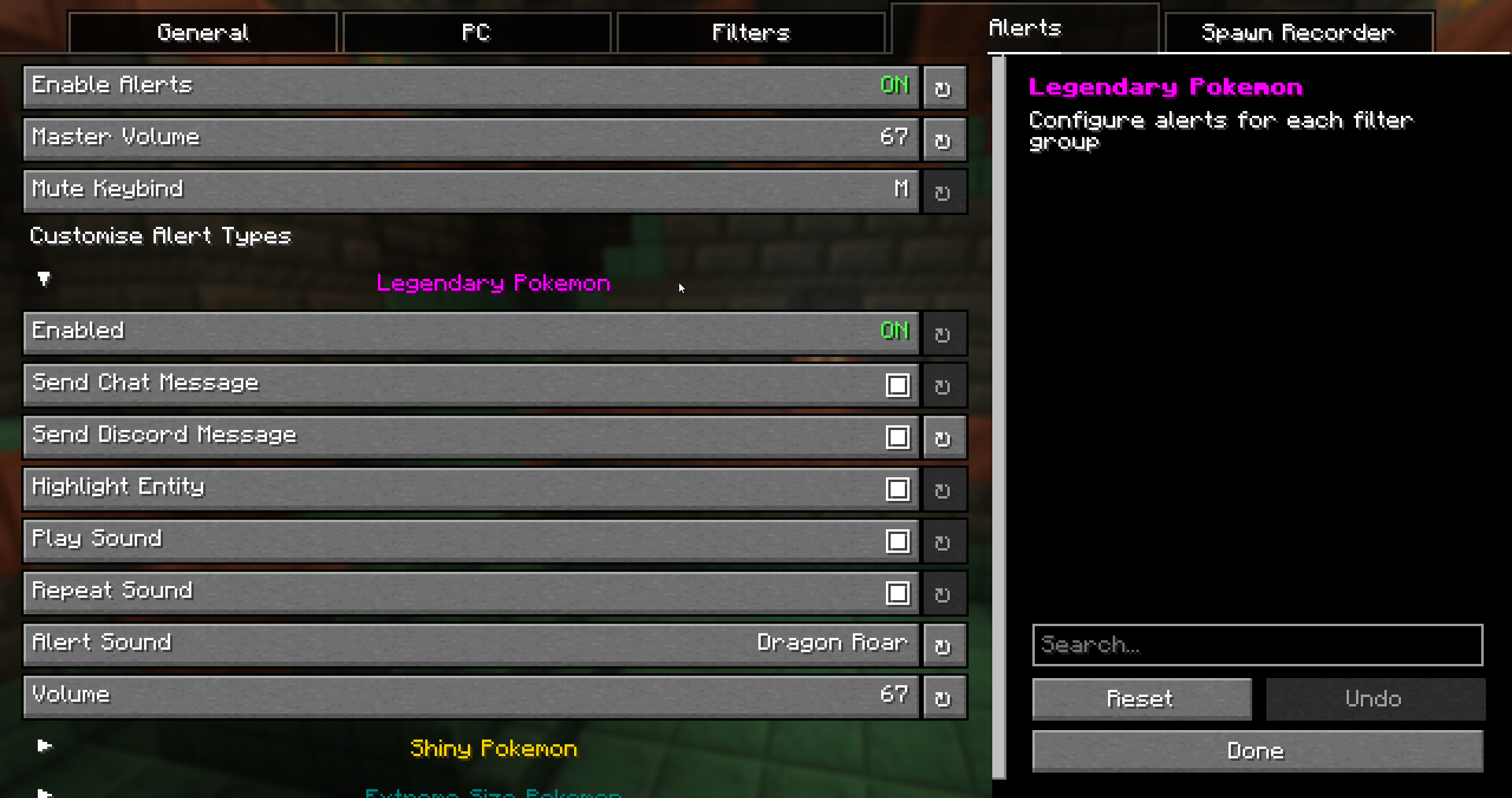
You can open the Chiselmon config in 3 ways:
- Click the Chiselmon icon in your mod menu.
- Use the
/ch configcommand in-game. - Press the hotkey. The default is
;, but this can be changed in the config.
Features
PC Overhaul:

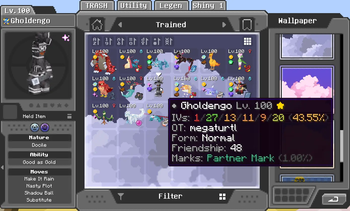
- Bookmark up to 5 boxes and jump to them at any time.
- 10+ new wallpapers. Hold
Ctrlwhile choosing to apply a selected wallpaper to every box at once. - Add your own custom wallpapers. Upload your own PNG images as PC wallpapers!
- Quick-sort any box. Default hotkey is
Middle-Click. - 6 unique icons to easily identify special pokemon (shiny, high IVs, hidden ability, extreme size, marks, rideable).
- Detailed tooltips showing IVs, original trainer, form, friendship, ride styles, marks, and egg hatch progress.
- 2 new box sorting modes. Sort by Pokemon size and total IVs.
Egg Spy:
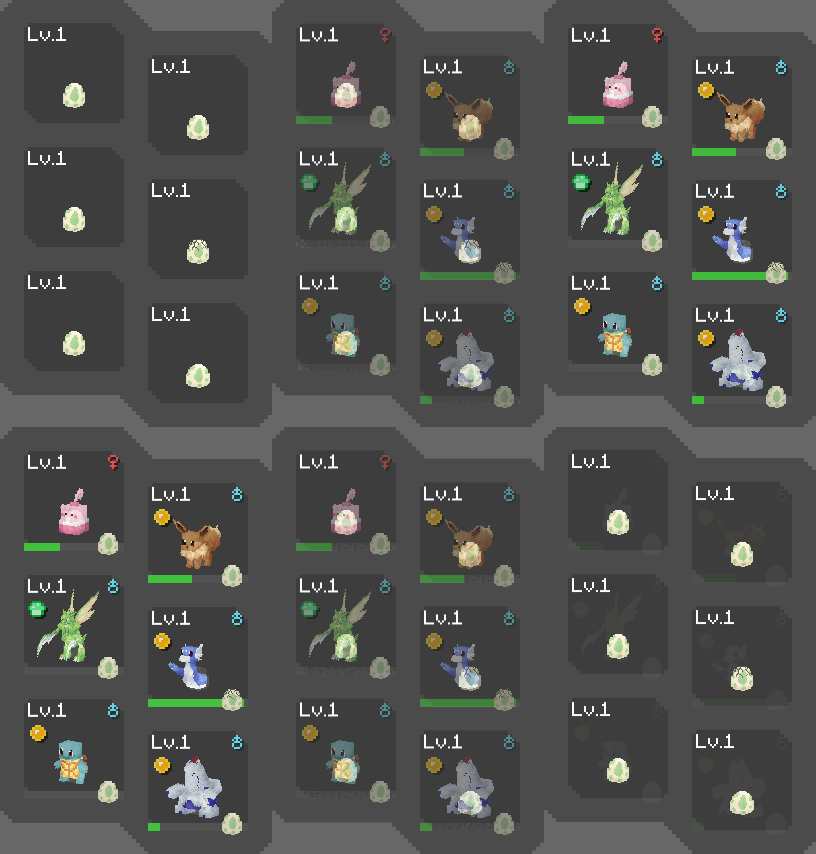

- Use Chiselmon's cutting edge ultrasound technology to preview what's inside pokemon eggs (NeoDaycare only).
- Optionally replaces the HP and XP bar of eggs in your party overlay with their hatch progress so you can easily keep track while hatching.
Spawn Alerts:

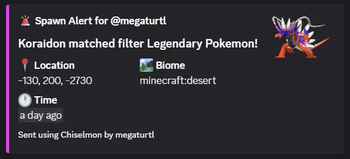
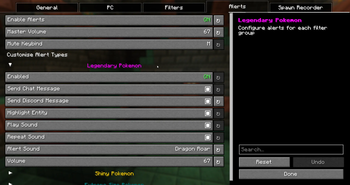
- Alert system for legendaries, shinies, size variations, or custom whitelisted pokemon that spawn around you.
- Create unlimited custom filters to receive alerts for with Chiselmon's logic building system.
- 4 Fully configurable alert types per filter - chat messages, Discord webhook messages, sounds, colored highlights.
- Mute all active alert sounds with the 'M' keybind (configurable in Minecraft controls and Chiselmon config).
Spawn Recorder:
- Records total pokemon spawns and the number of each species in the current session.
- Use the
/ch recorder start, stop, pause, and resumecommands to manage your session. - Optional action bar display: shows the total spawns and time passed since starting, and the number of currently loaded pokemon + how many are old enough to start despawning.
- Optional despawn glow: highlights loaded pokemon in green, turning red when they're ready to despawn.
Misc:
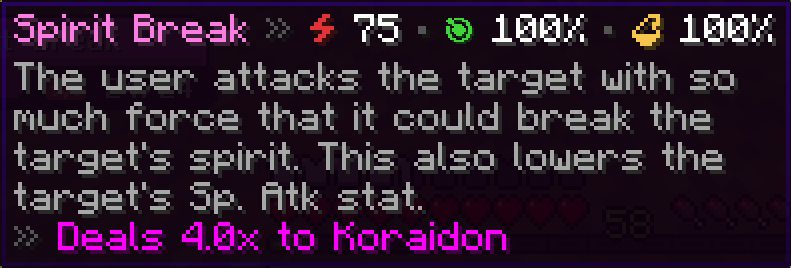
Move Tooltips

/checkspawn Improvemennts

/checkspawn results now have hoverable tooltips showing egg group and EV yield info to make cake hunting easier.
Jade Addons:
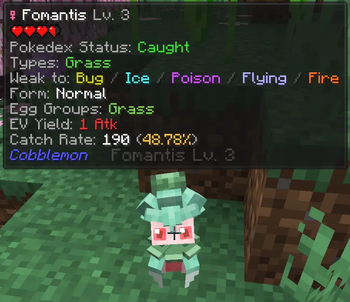
Pokemon Extra Info

- Types
- Weaknesses
- Form
- Pokedex status
- Egg groups
- EV yield
- Catch rate
- Catch chance % (when holding a Pokeball - considers level, status, etc!)
- Warnings for self-damaging moves - never lose a shiny to explosion again! </3
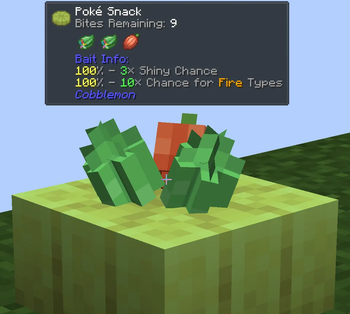
Poke Snack Extra Info:

- Bites remaining
- Ingredients
- Seasoning effects
Verfügbare Versionen
Chiselmon - Cobblemon QOL auf deinem Client installieren
Mod-Loader lokal installieren
Installiere fabric für deine lokale Minecraft-Version.
Passende Datei herunterladen
Wähle die Chiselmon - Cobblemon QOL-Datei für fabric und Minecraft 1.21.1.
Mod installieren
Lege die .jar-Datei in deinem lokalen .minecraft/mods-Ordner ab und starte Minecraft neu. Eine Installation auf dem Server ist nicht nötig.
Kompatibilität
Mod-Loader
Minecraft-Versionen
1.21.1
Server-seitig
✗ Nicht unterstütztEmpfohlener RAM
4 GB(min. 3 GB)Häufige Fragen
Muss Chiselmon - Cobblemon QOL auf dem Minecraft Server installiert werden?
Nein. Modrinth kennzeichnet Chiselmon - Cobblemon QOL serverseitig als nicht unterstützt. Installiere die Mod nur im lokalen Minecraft-Mods-Ordner. Dein Server kann unverändert bleiben, sofern die Mod-Seite keine zusätzliche Abhängigkeit nennt.
Welche Version und welchen Loader braucht Chiselmon - Cobblemon QOL?
Nutze eine Datei für fabric, neoforge und exakt deine Minecraft-Version. Unterstützte Versionen sind unter anderem 1.21.1. Loader-Dateien sind nicht untereinander austauschbar.
Chiselmon - Cobblemon QOL funktioniert nicht – was kann ich prüfen?
Prüfe zuerst Minecraft-Version, Loader-Version und erforderliche Abhängigkeiten. Lege die .jar-Datei im lokalen .minecraft/mods-Ordner ab und entferne ältere Duplikate. Da die Mod clientseitig ist, löst mehr Server-RAM dieses Problem nicht.
Ähnliche Mods


Minecraft Server für deine Gruppe
Chiselmon - Cobblemon QOL bleibt auf deinem Client. Hoste dazu eine kompatible Welt für deine Mitspieler.