
Chunky McChunkFace
A mod that adds a chunk loader which can be upgraded like a beacon
Screenshots
Über diese Mod
Chunky McChunkFace is a versatile chunk loader mod for Minecraft that ensures your desired areas stay loaded even when you're not around. Say goodbye to chunk unloading frustrations!
Features:
- Chunk Loader Block: Activate chunk loading by interacting with the Chunky McChunkFace block.
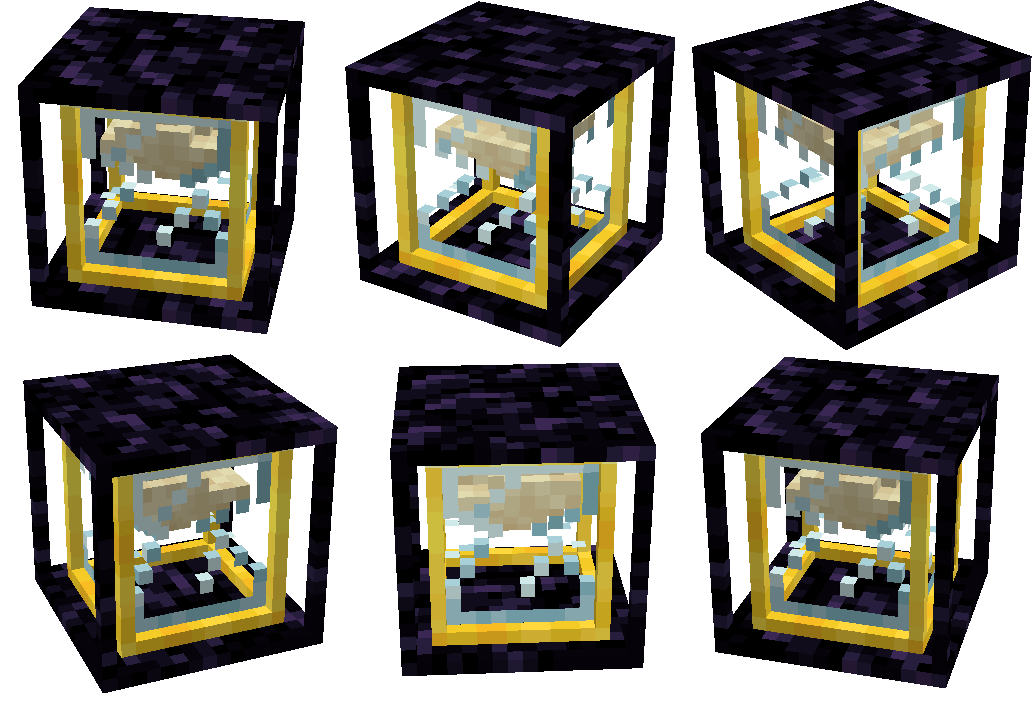
- Visual Indicator: The hourglass-inspired model visually shows the enabled or disabled state of the chunk loader.
- Automatic Disable: If all players who interacted with the chunk loader are offline for a configurable period (default: 7 in-game days (140 minutes)), it automatically turns off.
- Upgradeable Range: Expand the loaded area by building a pyramid of allowed blocks beneath the chunk loader. (Like you would with a beacon)
- Configuration Options: Fine-tune settings such as base range, tier ranges, and offline time.
- Radius Renderer: Toggle the radius renderer with a keybind to visualize the loaded chunks with a translucent box.
- Location: When holding a Chunk Loader item, nearby chunk loaders will display an outline, providing a visual indication of their locations.
Keep your farms, buildings, and important areas continuously loaded with Chunky McChunkFace. Enjoy a seamless Minecraft experience even when you're away.
Moderation
There's also features that were added with server moderation in mind.
Moderation features:
- List Chunk Loaders: Use the
/chunkymcchunkface list <dimension>command to get a list of all chunk loaders in the specified dimension. - Active Chunk Loaders: Use the
/chunkymcchunkface list active <dimension>subcommand to filter the list to show only active chunk loaders in the specified dimension. - Disable Chunk Loader: Use the
/chunkymcchunkface disable <x> <y> <z> <dimension>command to disable a specific chunk loader at the given position in the specified dimension. - Disable All Chunk Loaders: Use the
/chunkymcchunkface disableall <dimension>command to disable all chunk loaders in the specified dimension.
Verfügbare Versionen
Chunky McChunkFace auf dem Server installieren
Server bestellen
Bestelle einen Minecraft Java Server mit mindestens 3 GB RAM (4 GB empfohlen).
forge Loader setzen
Wähle im Panel unter "Egg" den forge-Loader und die passende Minecraft-Version (26.2).
Mod installieren
Öffne den Mod-Browser im Dashboard und suche nach "Chunky McChunkFace". Klicke "Installieren" – fertig! Alternativ: Lade die .jar via SFTP in den /mods Ordner.
Kompatibilität
Mod-Loader
Minecraft-Versionen
26.2, 26.1.1, 1.21.11 (+15 weitere)
Server-seitig
✓ ErforderlichEmpfohlener RAM
4 GB(min. 3 GB)Häufige Fragen
Chunky McChunkFace Server crasht beim Start – was tun?
Häufigste Ursache: falsche forge-Version oder zu wenig RAM. Prüfe im Server-Log (latest.log), ob ein "OutOfMemoryError" oder "Mixin"-Fehler auftritt. Bei Mado Hosting: Stelle sicher, dass mindestens 3 GB RAM zugewiesen sind und der Loader zur Mod-Version passt (26.2). Über das Panel kannst du den Loader mit einem Klick wechseln.
Ist Chunky McChunkFace mit forge und neoforge kompatibel?
Chunky McChunkFace unterstützt offiziell forge, neoforge für Minecraft 26.2, 26.1.1, 1.21.11. Im Mado Dashboard werden inkompatible Loader-Kombinationen automatisch erkannt.
Server laggt mit Chunky McChunkFace – wie optimiere ich die Performance?
Empfohlener RAM: 4 GB (+1 GB pro 8 Spieler). Prüfe mit /spark profiler, ob Chunky McChunkFace den meisten Tick-Time verbraucht. Häufige Fixes: Server-View-Distance auf 8-10 reduzieren, bei Forge "performant" oder "starlight" als Zusatz-Mod installieren. Bei Mado Hosting läuft dein Server auf NVMe-SSDs mit dedizierten CPU-Kernen für minimale Latenz.
Ähnliche Mods




Modded Server mieten
Installiere Chunky McChunkFace mit nur einem Klick auf deinem Server.