
Quark
A Quark is a very small thing. This mod is a collection of small things...
Über diese Mod


About
Warning: Quark Requires Zeta for 1.20.1 onwards, or AutoRegLib for 1.19.2 and prior.
Quark is a fully modular minecraft mod, named after the subatomic particle. In simpler terms, it's a large mod with lots of small features, aimed at improving the vanilla game.
Every feature can be turned on and off individually at your will, and most features contain further options to tweak the game just how you like it.
With quark installed, the title screen will get a new "q" button added to it. This button allows you to configure quark from inside the game, so you can easily turn off any features you don't vibe with.
Features
Quark has over a hundred different modules to play with, but here's a small highlight reel of our favorites:
- Feeding Trough, for automatic animal breeding
- Pistons Push Tile Entities, just like in Bedrock Edition
- Japanese and Industrial style building blocks
- Variant versions for Bookshelves, Chests, and Ladders for all wood types
- Vertical Slabs, for all slabs already in the base game and Quark
- Advanced Camera Mode for fancy screenshots
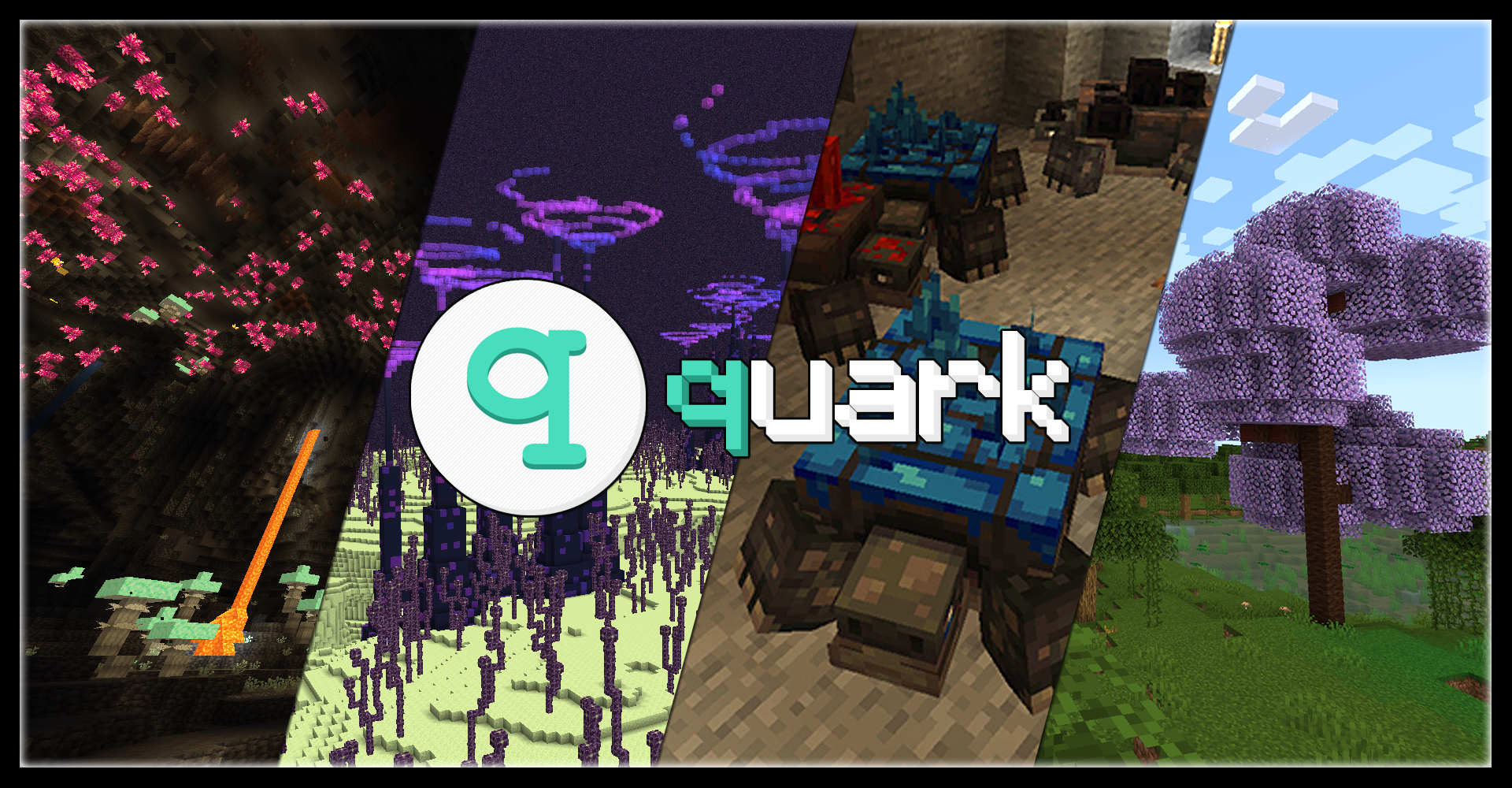
- Toretoises, typo intended - new underground animals that grow ore on their back
- Pickarang, a pickaxe that can be thrown as a boomerang
- Trowel, a new tool to place random blocks from your hotbar, for paths or ruins
- Emote system, allowing your character to do all sorts of motions from the chat menu
- Reacharound Placing, which lets you place blocks under other blocks without being able to see the bottom face
- Azalea Wood, replacing the Oak wood in Azalea trees with a pleasant green
- Glimmering Weald, a new rare deep underground biome with glowing mushrooms and a cute new stone fae mob
And many, many more!
Learn more about Quark today
Visit the Official Website
- Visit the Old Website (for Minecraft versions 1.12 and prior)
- Check out what changed between Quark for 1.16 and Quark for 1.18
- Download Quark Oddities, an addon focusing on more complex and technical features
Compatibility
Quark has built-in compatibility for a few mods, including JEI and TerraBlender.
Quark may be incompatible with Optifine. If you are having issues using the two together, please uninstall Optifine and use a Sodium fork instead.
Additionally, if you are experiencing load crashes on 1.20.1, make sure your other mods are up to date, as any mods with integration from older versions will not function until updated.



Verfügbare Versionen
Quark auf dem Server installieren
Server bestellen
Bestelle einen Minecraft Java Server mit mindestens 3 GB RAM (4 GB empfohlen).
forge Loader setzen
Wähle im Panel unter "Egg" den forge-Loader und die passende Minecraft-Version (1.21.1).
Mod installieren
Öffne den Mod-Browser im Dashboard und suche nach "Quark". Klicke "Installieren" – fertig! Alternativ: Lade die .jar via SFTP in den /mods Ordner.
Kompatibilität
Mod-Loader
Minecraft-Versionen
1.21.1, 1.21, 1.20.1 (+9 weitere)
Server-seitig
✓ ErforderlichEmpfohlener RAM
4 GB(min. 3 GB)Häufige Fragen
Quark Server crasht beim Start – was tun?
Häufigste Ursache: falsche forge-Version oder zu wenig RAM. Prüfe im Server-Log (latest.log), ob ein "OutOfMemoryError" oder "Mixin"-Fehler auftritt. Bei Mado Hosting: Stelle sicher, dass mindestens 3 GB RAM zugewiesen sind und der Loader zur Mod-Version passt (1.21.1). Über das Panel kannst du den Loader mit einem Klick wechseln.
Ist Quark mit forge und neoforge kompatibel?
Quark unterstützt offiziell forge, neoforge für Minecraft 1.21.1, 1.21, 1.20.1. Im Mado Dashboard werden inkompatible Loader-Kombinationen automatisch erkannt.
Server laggt mit Quark – wie optimiere ich die Performance?
Empfohlener RAM: 4 GB (+1 GB pro 8 Spieler). Prüfe mit /spark profiler, ob Quark den meisten Tick-Time verbraucht. Häufige Fixes: Server-View-Distance auf 8-10 reduzieren, bei Forge "performant" oder "starlight" als Zusatz-Mod installieren. Bei Mado Hosting läuft dein Server auf NVMe-SSDs mit dedizierten CPU-Kernen für minimale Latenz.
Ähnliche Mods






Modded Server mieten
Installiere Quark mit nur einem Klick auf deinem Server.
Details
- Lizenz
- Creative Commons Attribution Non Commercial Share Alike 3.0 Unported
- Server-seitig
- Erforderlich