
Cinematic Zoom (Fabric)
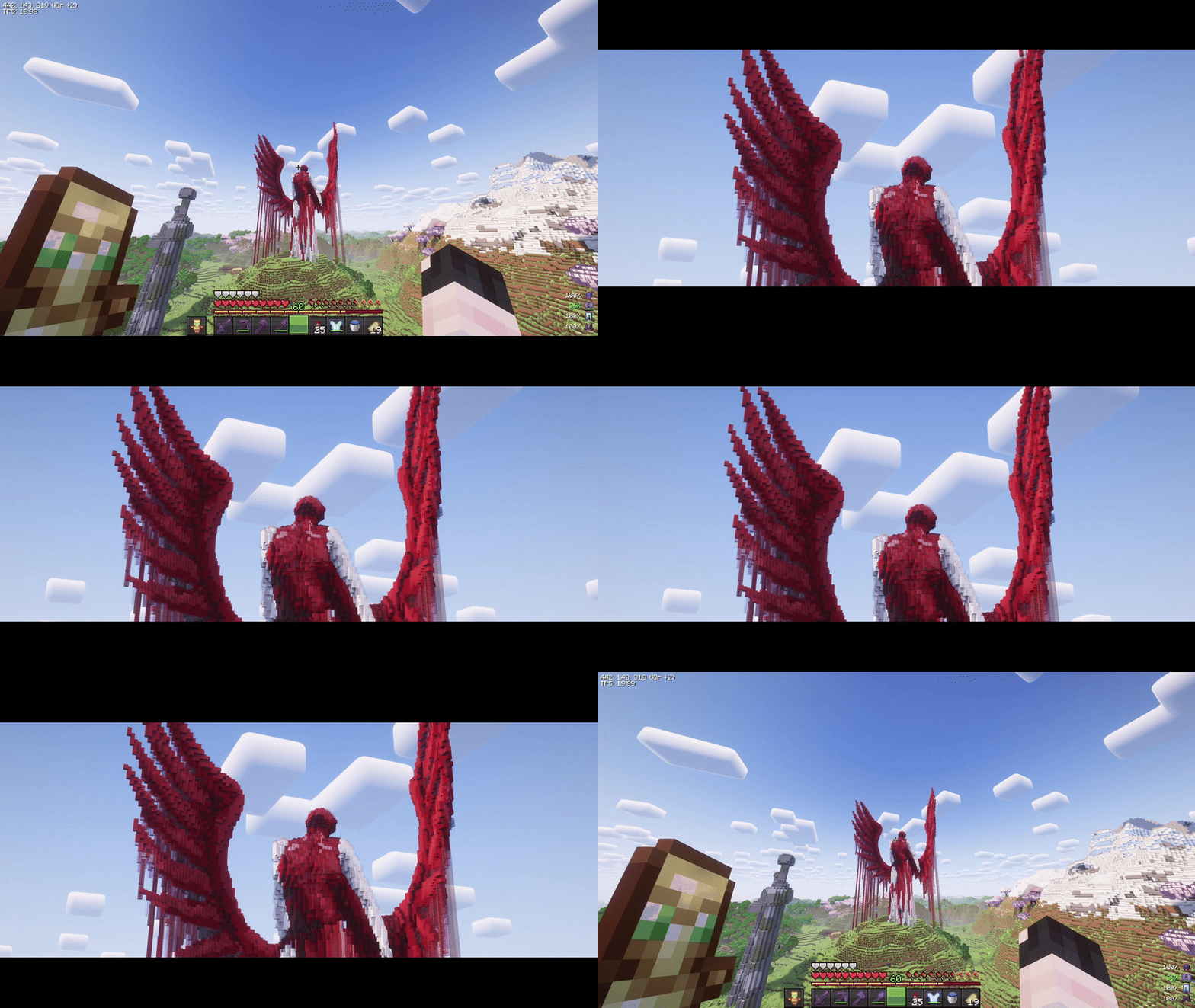
Smooth, cinematic zoom for Minecraft with animated black bars, per-frame easing, and optional mouse wheel control. Built for Fabric 1.21.7-1.21.11.
Über diese Mod
CinematicZoom (Fabric 1.20.1-26.3)
Smooth, cinematic zoom for Minecraft with animated black bars, per-frame easing, and optional mouse wheel control. Built for Fabric 1.20.1-26.3.
Features
- Hold-to-zoom (default key:
C, rebindable). - Per-frame smoothing (no “steppy” 20 TPS feel).
- Animated black bars (top & bottom, configurable height).
- Mouse wheel adjustment while zooming (optional).
- Hide HUD & crosshair while zooming (optional).
- Cinematic (smooth) camera toggle while zooming (optional).
- Multi-language: English & Russian.
Requirements
- (Optional) Mod Menu (for in-game settings entry)
- (Optional) Cloth Config (for a nice config screen)
Installation
- Install Fabric Loader & Fabric API for Minecraft 1.21.7-1.21.11.
- Put this mod’s JAR into your
mods/folder. - (Optional) Add Mod Menu and Cloth Config for an in-game settings UI.
Usage
- Hold the zoom key (default C) to zoom in.
- While holding zoom, scroll the mouse wheel to fine-tune zoom level (if enabled).
- Release the key to smoothly return to normal FOV and hide the bars.
Zoom, HUD hiding, and cinematic camera are automatically disabled in GUI screens.
Configuration
You can configure the mod in two ways:
In-game (recommended)
If Mod Menu + Cloth Config are installed:
- Open Mods → Cinematic Zoom → Configure.
Config file
Edit (or delete to regenerate defaults):
Credits & Attribution
Original author & idea credit: KubePixel
Their Forge mod for 1.20.1/1.21.1: Cinematic Zoom — https://www.curseforge.com/minecraft/mc-mods/cinematic-zoomFabric implementation (this mod): mix
This project is an independent Fabric implementation inspired by the original concept. Not affiliated with or endorsed by KubePixel.
Original concept and name credit to KubePixel. If you’re on Forge 1.20.1/1.21.1, check out their original mod here: https://www.curseforge.com/minecraft/mc-mods/cinematic-zoom.
Verfügbare Versionen
Cinematic Zoom (Fabric) auf deinem Client installieren
Mod-Loader lokal installieren
Installiere fabric für deine lokale Minecraft-Version.
Passende Datei herunterladen
Wähle die Cinematic Zoom (Fabric)-Datei für fabric und Minecraft 26.3.
Mod installieren
Lege die .jar-Datei in deinem lokalen .minecraft/mods-Ordner ab und starte Minecraft neu. Eine Installation auf dem Server ist nicht nötig.
Kompatibilität
Mod-Loader
Minecraft-Versionen
26.3, 26.2, 26.1.2 (+14 weitere)
Server-seitig
✗ Nicht unterstütztEmpfohlener RAM
4 GB(min. 3 GB)Häufige Fragen
Muss Cinematic Zoom (Fabric) auf dem Minecraft Server installiert werden?
Nein. Modrinth kennzeichnet Cinematic Zoom (Fabric) serverseitig als nicht unterstützt. Installiere die Mod nur im lokalen Minecraft-Mods-Ordner. Dein Server kann unverändert bleiben, sofern die Mod-Seite keine zusätzliche Abhängigkeit nennt.
Welche Version und welchen Loader braucht Cinematic Zoom (Fabric)?
Nutze eine Datei für fabric, quilt und exakt deine Minecraft-Version. Unterstützte Versionen sind unter anderem 26.3, 26.2, 26.1.2. Loader-Dateien sind nicht untereinander austauschbar.
Cinematic Zoom (Fabric) funktioniert nicht – was kann ich prüfen?
Prüfe zuerst Minecraft-Version, Loader-Version und erforderliche Abhängigkeiten. Lege die .jar-Datei im lokalen .minecraft/mods-Ordner ab und entferne ältere Duplikate. Da die Mod clientseitig ist, löst mehr Server-RAM dieses Problem nicht.
Ähnliche Mods






Minecraft Server für deine Gruppe
Cinematic Zoom (Fabric) bleibt auf deinem Client. Hoste dazu eine kompatible Welt für deine Mitspieler.