
CinematicTools
A Fabric port of CMDCam with an integrated cinematic NPC system and dynamic skins. Perfect for machinimas and scripted scenes.
Screenshots
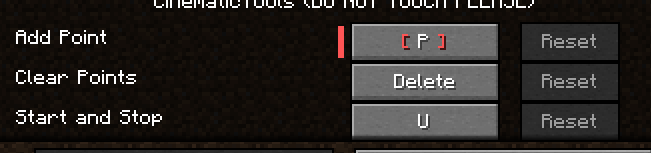
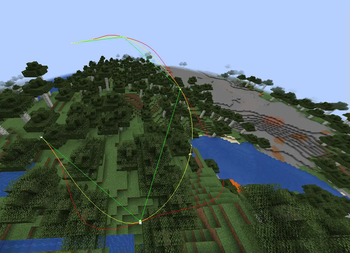
Über diese Mod
🎬 CinematicTools – A Fabric Port of CMDCam with NPC Support
CinematicTools is a modern Fabric mod designed for creators, filmmakers, and developers who want to bring immersive cinematics to Minecraft.
It is based on the legendary CMDCam mod, faithfully ported to Fabric and expanded with new features to support more complex scenes.
✨ Key Features
- 🎥 Smooth Camera Paths
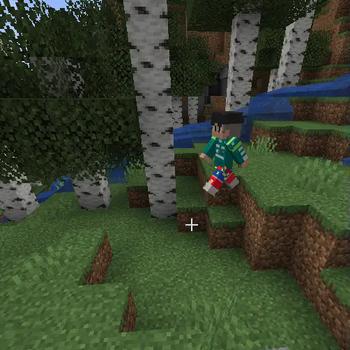
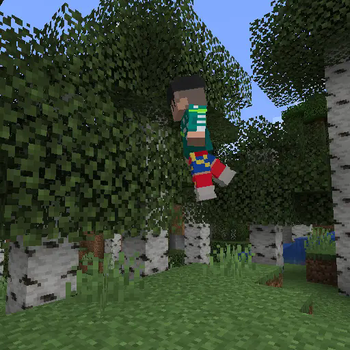
Define waypoints and create fluid, professional-looking camera movements — ideal for trailers, machinimas, and scripted sequences.
- 🧍 Built-in NPC System
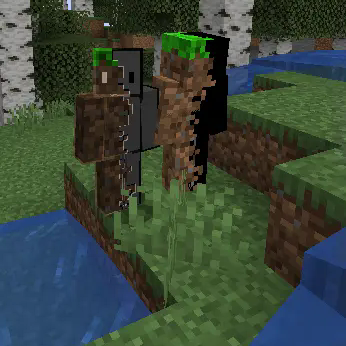
Easily place and control NPCs within your scenes, giving life to your world without needing third-party mods or external tools.
- 🧑🎨 Dynamic Skin Loading
NPCs automatically load the correct Minecraft skin based on their assigned name — no configuration required.
- 🧭 Command-Based Interface
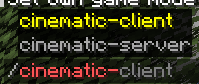
All tools and features are accessible via in-game commands, making it simple to create, tweak, and test scenes directly while playing.
⚙️ Compatibility & Requirements
✅ Mod Loader: Fabric
🧩 Minecraft Versions: Currently supports 1.20.1 and 1.20.4 & 1.21.1(thanks to IceGames23)
📦 Dependencies: Fabric API, CreativeCore & GeckoLib
🔧 Use Cases
🎬 Minecraft machinimas and films
📸 Cinematic trailers and intros
🧪 In-game cutscenes and scripted story events
🎭 Scene prototyping for map creators or adventure maps
📌 Notes
This mod is not affiliated with or endorsed by CMDCam’s original author, but follows the original concept with full credit.
Codebase has been adapted for Fabric, with additional systems like NPC handling and skin loading added.
🌐 Source Code & Contributions
This mod is open-source and available on GitHub.
Feel free to report issues, contribute, or fork the project!
Verfügbare Versionen
CinematicTools auf dem Server installieren
Server bestellen
Bestelle einen Minecraft Java Server mit mindestens 3 GB RAM (4 GB empfohlen).
fabric Loader setzen
Wähle im Panel unter "Egg" den fabric-Loader und die passende Minecraft-Version (1.21.1).
Mod installieren
Öffne den Mod-Browser im Dashboard und suche nach "CinematicTools". Klicke "Installieren" – fertig! Alternativ: Lade die .jar via SFTP in den /mods Ordner.
Kompatibilität
Mod-Loader
Minecraft-Versionen
1.21.1, 1.20.4, 1.20.1
Server-seitig
✓ ErforderlichEmpfohlener RAM
4 GB(min. 3 GB)Häufige Fragen
CinematicTools Server crasht beim Start – was tun?
Häufigste Ursache: falsche fabric-Version oder zu wenig RAM. Prüfe im Server-Log (latest.log), ob ein "OutOfMemoryError" oder "Mixin"-Fehler auftritt. Bei Mado Hosting: Stelle sicher, dass mindestens 3 GB RAM zugewiesen sind und der Loader zur Mod-Version passt (1.21.1). Über das Panel kannst du den Loader mit einem Klick wechseln.
Ist CinematicTools mit fabric kompatibel?
CinematicTools unterstützt offiziell fabric für Minecraft 1.21.1, 1.20.4, 1.20.1. Im Mado Dashboard werden inkompatible Loader-Kombinationen automatisch erkannt.
Server laggt mit CinematicTools – wie optimiere ich die Performance?
Empfohlener RAM: 4 GB (+1 GB pro 8 Spieler). Prüfe mit /spark profiler, ob CinematicTools den meisten Tick-Time verbraucht. Häufige Fixes: Server-View-Distance auf 8-10 reduzieren, bei Forge "performant" oder "starlight" als Zusatz-Mod installieren. Bei Mado Hosting läuft dein Server auf NVMe-SSDs mit dedizierten CPU-Kernen für minimale Latenz.
Ähnliche Mods




![[ETF] Entity Texture Features](https://cdn.modrinth.com/data/BVzZfTc1/af683d206d50b05258d865b0d6e4aa2f2cee12f2_96.webp)

Modded Server mieten
Installiere CinematicTools mit nur einem Klick auf deinem Server.
Details
- Lizenz
- GNU Lesser General Public License v3.0 only
- Server-seitig
- Erforderlich