
Client Side Formatting
Client Side Formatting is a simple mod that adds the ability to use client-side text formatting.
Screenshots
Über diese Mod
Client Side Formatting is a simple mod that adds the ability to use client-side text formatting using the new $% prefix.
With it, you can conveniently create colorful and stylized text without affecting other players and without the need for commands or additional permissions. All changes are made locally, so you see the formatted text exactly as you want.
Features
- Chat message formatting.
- Book editing support.
- Item name formatting in the anvil.
- Text support on signs.
- Completely client-side.
- Lightweight and easy to use.
How to use?
Simply add the $% prefix before the formatting codes. The mod will automatically process them and display the appropriately formatted text.
Examples: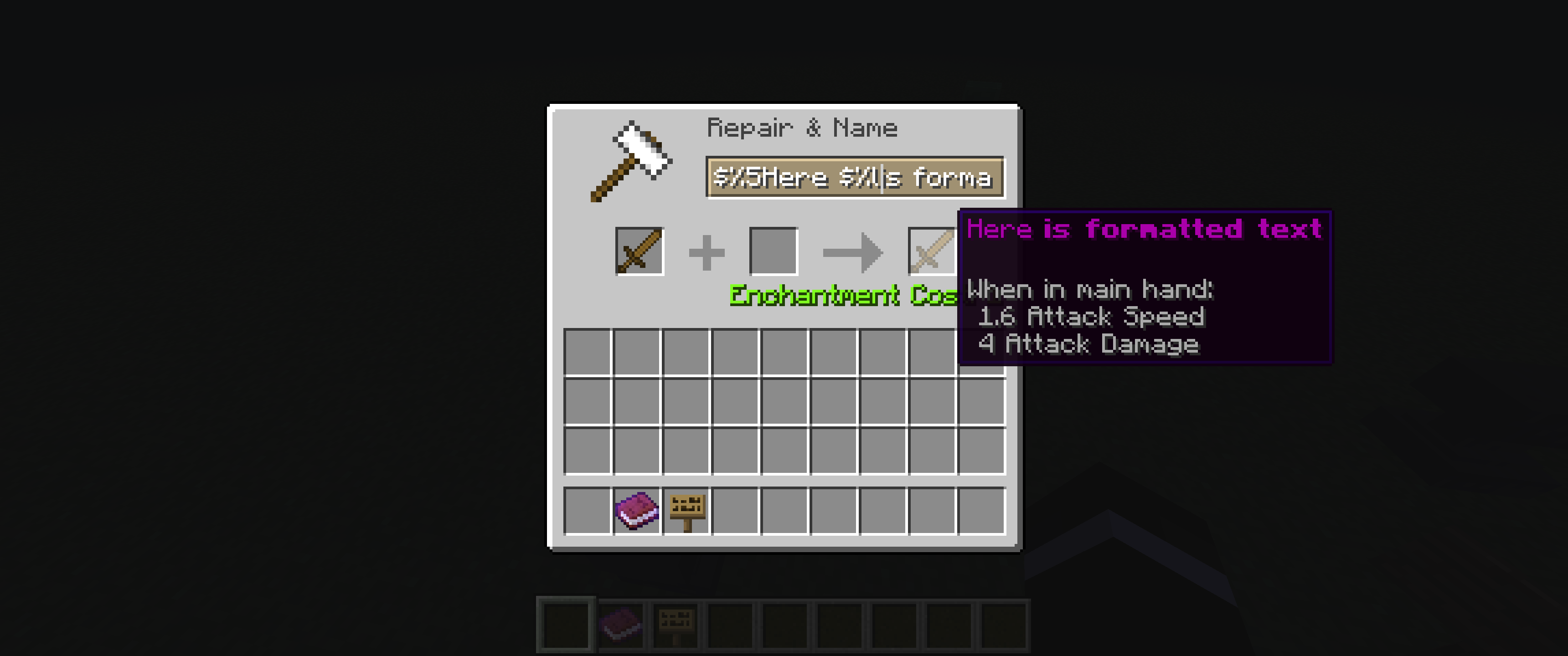
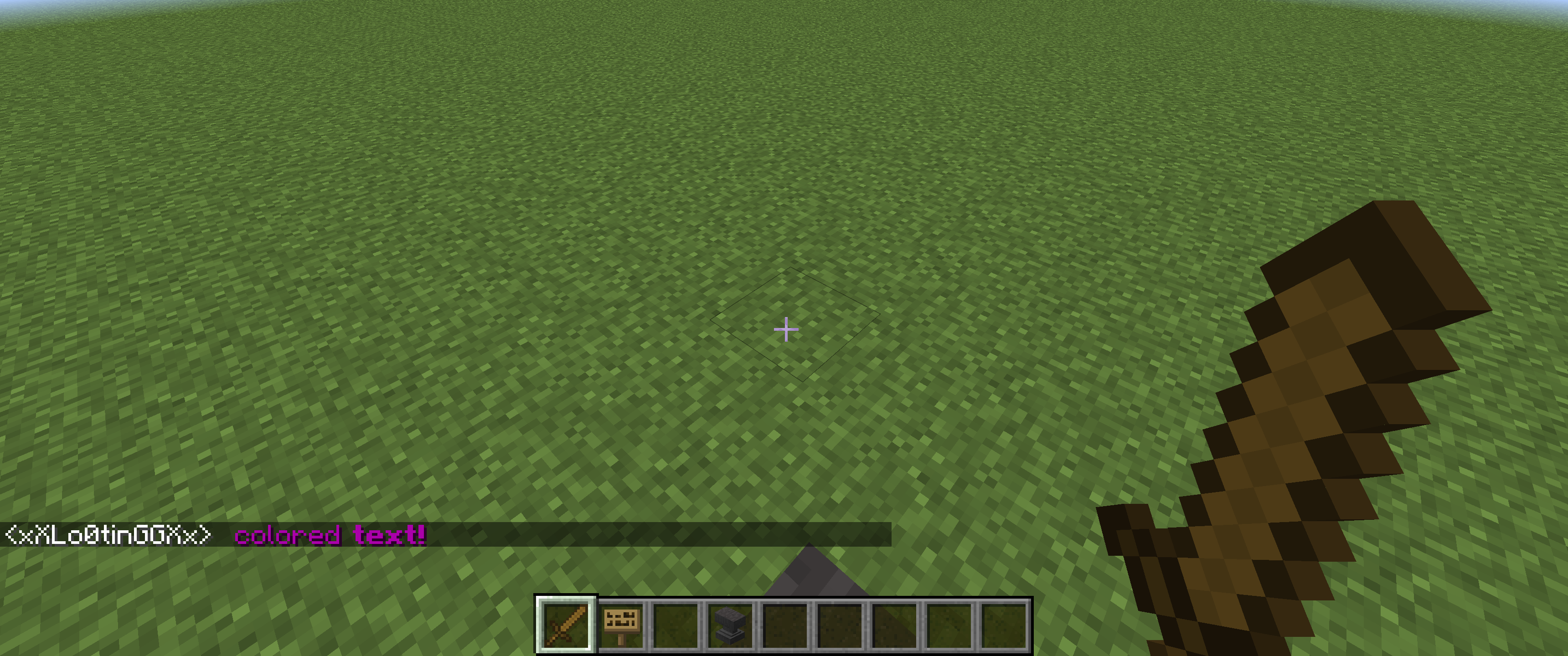
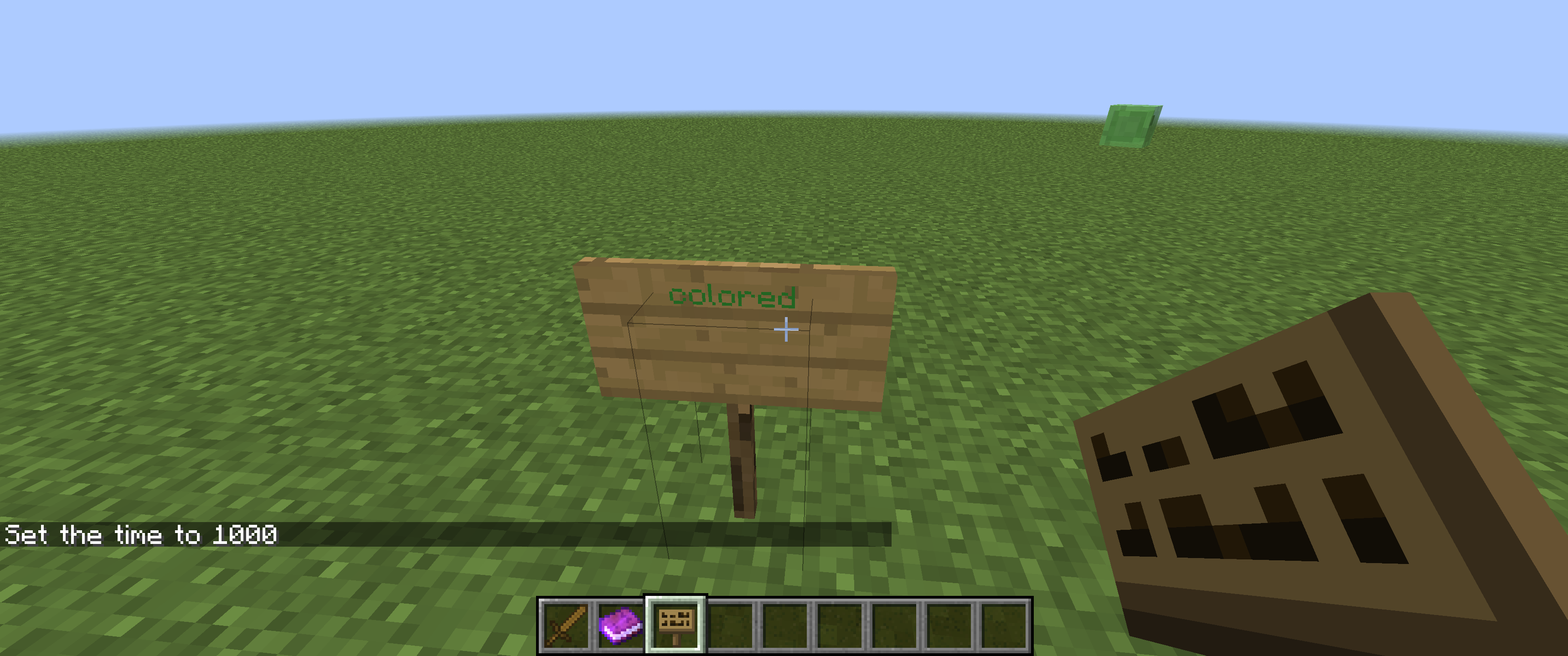
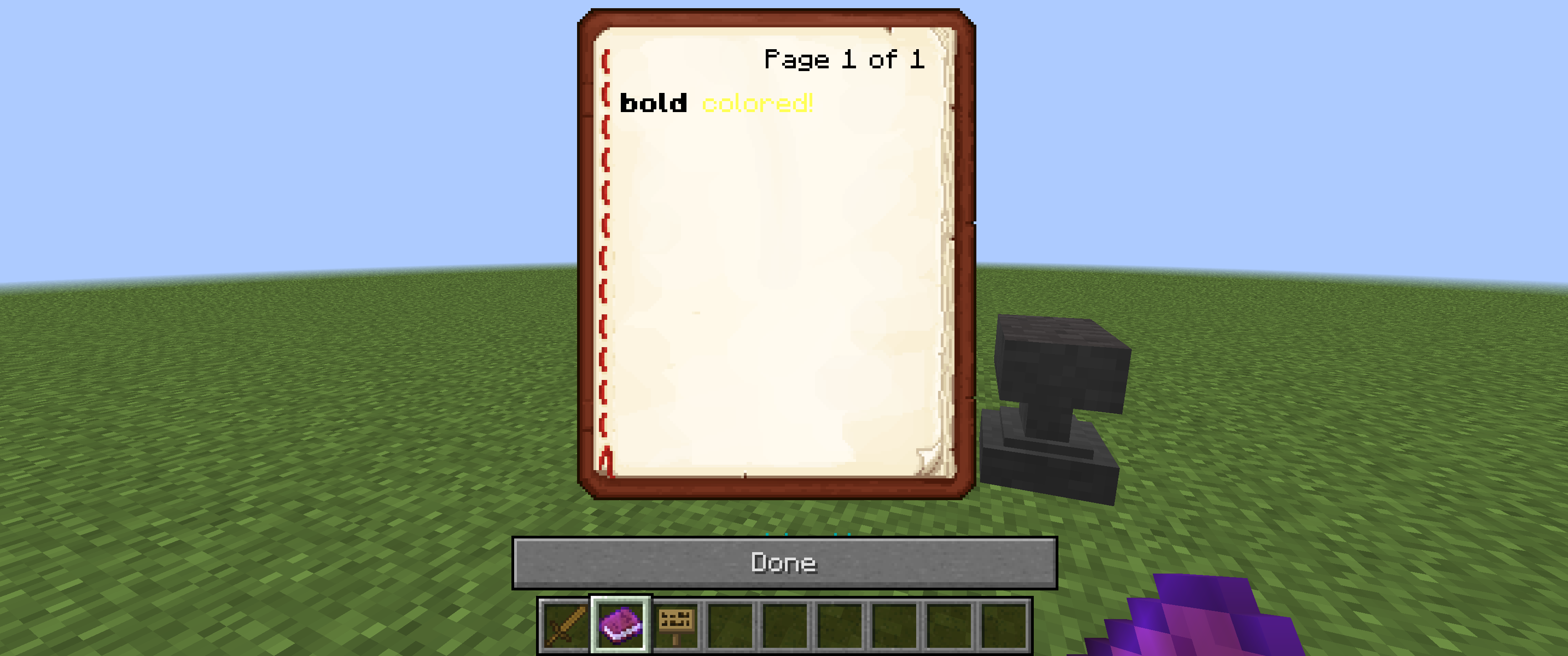
Client Side Formatting allows you to customize how text is displayed in-game while maintaining full server compatibility because it doesn't require server-side installation.
Verfügbare Versionen
Client Side Formatting auf dem Server installieren
Server bestellen
Bestelle einen Minecraft Java Server mit mindestens 3 GB RAM (4 GB empfohlen).
forge Loader setzen
Wähle im Panel unter "Egg" den forge-Loader und die passende Minecraft-Version (1.12.2).
Mod installieren
Öffne den Mod-Browser im Dashboard und suche nach "Client Side Formatting". Klicke "Installieren" – fertig! Alternativ: Lade die .jar via SFTP in den /mods Ordner.
Kompatibilität
Mod-Loader
Minecraft-Versionen
1.12.2
Server-seitig
✗ Nicht unterstütztEmpfohlener RAM
4 GB(min. 3 GB)Häufige Fragen
Client Side Formatting Server crasht beim Start – was tun?
Häufigste Ursache: falsche forge-Version oder zu wenig RAM. Prüfe im Server-Log (latest.log), ob ein "OutOfMemoryError" oder "Mixin"-Fehler auftritt. Bei Mado Hosting: Stelle sicher, dass mindestens 3 GB RAM zugewiesen sind und der Loader zur Mod-Version passt (1.12.2). Über das Panel kannst du den Loader mit einem Klick wechseln.
Ist Client Side Formatting mit forge kompatibel?
Client Side Formatting unterstützt offiziell forge für Minecraft 1.12.2. Im Mado Dashboard werden inkompatible Loader-Kombinationen automatisch erkannt.
Server laggt mit Client Side Formatting – wie optimiere ich die Performance?
Empfohlener RAM: 4 GB (+1 GB pro 8 Spieler). Prüfe mit /spark profiler, ob Client Side Formatting den meisten Tick-Time verbraucht. Häufige Fixes: Server-View-Distance auf 8-10 reduzieren, bei Forge "performant" oder "starlight" als Zusatz-Mod installieren. Bei Mado Hosting läuft dein Server auf NVMe-SSDs mit dedizierten CPU-Kernen für minimale Latenz.
Ähnliche Mods

![[ETF] Entity Texture Features](https://cdn.modrinth.com/data/BVzZfTc1/af683d206d50b05258d865b0d6e4aa2f2cee12f2_96.webp)
![[EMF] Entity Model Features](https://cdn.modrinth.com/data/4I1XuqiY/6e5bbd0d06b1741bfdab6c0cfab6de8fdaf0064c_96.webp)



Modded Server mieten
Installiere Client Side Formatting mit nur einem Klick auf deinem Server.