
Cobblemon: Living Dex Sorter
Add commands to sort your PC. Adds option to include or exclude regional variants, prioritize shinies, and use duplicate Pokemon as placeholders for the rest of the evolution line.
Screenshots

Über diese Mod
Read
This is a server-side mod. Download it and insert it into your mods folder on your server. This mod also works client-side. I don't know if it's me or modrinth messing up the meta-data, but it won't link to the modpage in the app. Please check here for future updates.
Features
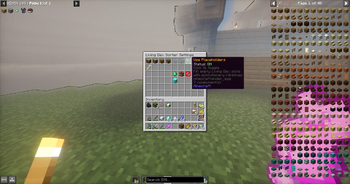
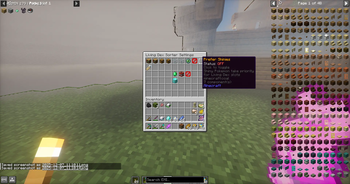
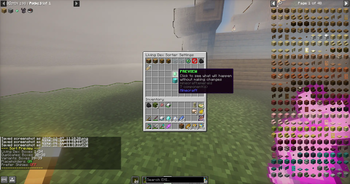
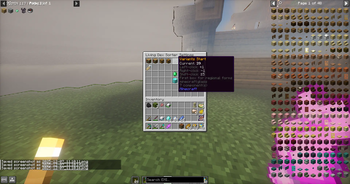
🎮 Easy-to-Use GUI
Open with /livingdex settings — no complicated commands to remember
Chest-based interface that works server-side (no client mod required!)
Click items to adjust settings, toggle options, and sort your PC
📦 Smart PC Organization
Living Dex Sorting — Automatically places Pokémon in dex number order (#1 in slot 1, #2 in slot 2, etc.)
Duplicate Handling — Extra Pokémon go to designated duplicate boxes
Regional Form Detection — Alolan, Galarian, Hisuian, and Paldean forms sorted separately to variant boxes
Customizable Box Ranges — Choose which boxes are used for Living Dex, duplicates, and variants
✨ Advanced Options
Placeholder Mode — Use duplicate Pokémon to fill empty evolution slots (e.g., extra Eevee fills Espeon's spot until you catch one)
Shiny Priority — Optionally prefer shiny Pokémon for your Living Dex slots
Box Exclusion — Protect specific boxes from being touched during sorting
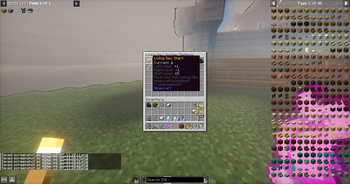
Box Renaming — Automatically rename Living Dex boxes to dex ranges (1-30, 31-60, etc.) or keep your custom names (1)
👥 Per-Player Settings
Every player has their own settings that persist between sessions
Settings stored server-side — works on multiplayer servers
Reset to server defaults anytime with one click
OP level 2 required
Configuration
It is best to use boxes 1-35 for your living dex. This mod automatically renames the boxes for your living dex using an inclusive numbering system. Check the gallery to see it's features!
Known Bugs
None. For now.
Got a suggestion or want to report an issue?
Send me a message on discord @p.aradig.m
Verfügbare Versionen
Cobblemon: Living Dex Sorter auf dem Server installieren
Server bestellen
Bestelle einen Minecraft Java Server mit mindestens 3 GB RAM (4 GB empfohlen).
fabric Loader setzen
Wähle im Panel unter "Egg" den fabric-Loader und die passende Minecraft-Version (1.21.1).
Mod installieren
Öffne den Mod-Browser im Dashboard und suche nach "Cobblemon: Living Dex Sorter". Klicke "Installieren" – fertig! Alternativ: Lade die .jar via SFTP in den /mods Ordner.
Kompatibilität
Mod-Loader
Minecraft-Versionen
1.21.1
Server-seitig
✗ Nicht unterstütztEmpfohlener RAM
4 GB(min. 3 GB)Häufige Fragen
Cobblemon: Living Dex Sorter Server crasht beim Start – was tun?
Häufigste Ursache: falsche fabric-Version oder zu wenig RAM. Prüfe im Server-Log (latest.log), ob ein "OutOfMemoryError" oder "Mixin"-Fehler auftritt. Bei Mado Hosting: Stelle sicher, dass mindestens 3 GB RAM zugewiesen sind und der Loader zur Mod-Version passt (1.21.1). Über das Panel kannst du den Loader mit einem Klick wechseln.
Ist Cobblemon: Living Dex Sorter mit fabric und neoforge kompatibel?
Cobblemon: Living Dex Sorter unterstützt offiziell fabric, neoforge für Minecraft 1.21.1. Im Mado Dashboard werden inkompatible Loader-Kombinationen automatisch erkannt.
Server laggt mit Cobblemon: Living Dex Sorter – wie optimiere ich die Performance?
Empfohlener RAM: 4 GB (+1 GB pro 8 Spieler). Prüfe mit /spark profiler, ob Cobblemon: Living Dex Sorter den meisten Tick-Time verbraucht. Häufige Fixes: Server-View-Distance auf 8-10 reduzieren, bei Forge "performant" oder "starlight" als Zusatz-Mod installieren. Bei Mado Hosting läuft dein Server auf NVMe-SSDs mit dedizierten CPU-Kernen für minimale Latenz.
Ähnliche Mods






Modded Server mieten
Installiere Cobblemon: Living Dex Sorter mit nur einem Klick auf deinem Server.