
Cobblemon Poke Fusion
A configurable Cobblemon mod that lets you fuse Pokémon into custom results!
Screenshots


Über diese Mod
🧬 Cobblemon Poke Fusion
Cobblemon Poke Fusion adds a powerful and fully customizable fusion system to Cobblemon, allowing you to combine Pokémon together and create unique, powerful, or even chaotic results.
From simple 2 Pokemon fusions to 3 way combinations, everything is controlled through its config
still working for cobblemon 1.7+ and 1.8
✨ Features
- Fuse Pokémon together to create whatever you configure
- Fully configurable fusion system
- Supports multiple input orders
- Supports fusions between 2 or 3 Pokemon
- Weighted random outcomes
- Custom levels, IVs, forms, and stats
- Works with modded Pokémon
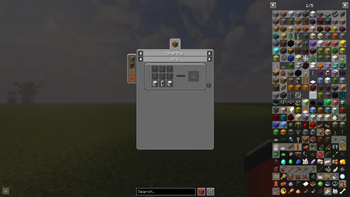
🎮 Fusion Chamber item
⚠️ The fusion chamber currently has no crafting recipe version 1-3
You must give it to yourself:
/give @p cobblemonpokefusion:fusion_chamber
as of 3.5.0 it now has a recipe which can be seen in gallery section
📦 Datapack Integration (Fusion Chamber)
📦 Datapack Integration (Fusion Chamber)
For Cobblemon Poké Fusion 2.0.0
Datapack creators can fully add custom fusion recipes to the Fusion Chamber using the below structure.
📁 Folder Structure
data/<namespace>/fusions/" then put any json file
for example in my mechamew2 addon for testing purposes i did
\datapacks\mechamew2.zip\data\cobblemon\fusions\bazinga.json
this doesnt interfere with base config and you can name the .json whatever you want
🆕 New in 3.0.0
🔒 Input Constraints
Fusion recipes can now lock specific aspects and level ranges for input Pokémon.
This allows you to require things like:
- Only shiny Pokémon
- Specific level ranges
💡 Example
{
  "id": "vulpix_triple",
  "inputs": [
    {
      "side": "x1",
      "speciesId": "cobblemon:vulpix",
      "aspects": ["shiny"],
      "minLevel": 20,
      "maxLevel": 40
    },
    {
      "side": "y1",
      "speciesId": "cobblemon:vulpix",
      "aspects": ["shiny"],
      "minLevel": 20,
      "maxLevel": 40
    },
    {
      "side": "z1",
      "speciesId": "cobblemon:vulpix",
      "aspects": ["shiny"],
      "minLevel": 20,
      "maxLevel": 40
    }
  ],
  "results": [
    {
          "id": "ninetales",
          "displayName": "ninetales",
          "speciesId": "cobblemon:ninetales",
          "spec": "ninetales shiny=true",
          "weight": 100,
          "form": "",
          "ivs": {}
        }
      ]
    }
👉 This fusion will only work if:
- All Vulpix are shiny and between level 20-40
{
      "id": "vulpix_triple_random",
      "inputs": [
        {
          "side": "x1",
          "speciesId": "cobblemon:vulpix",
          "aspects": ["shiny", "alolan"],
          "minLevel": 20,
          "maxLevel": 40
        },
        {
          "side": "y1",
          "speciesId": "cobblemon:vulpix",
          "aspects": ["shiny", "alolan"],
          "minLevel": 20,
          "maxLevel": 40
        },
        {
          "side": "z1",
          "speciesId": "cobblemon:vulpix",
          "aspects": ["shiny", "alolan"],
          "minLevel": 20,
          "maxLevel": 40
        }
      ],
  "results": [
    {
          "id": "ninetales",
          "displayName": "ninetales",
          "speciesId": "cobblemon:ninetales",
          "spec": "ninetales alolan=true shiny=true",
          "weight": 100,
          "form": "",
          "ivs": {}
        }
      ]
    }
👉 This fusion will only work if:
- All Vulpix are shiny, alolan and between level 20-40
📊 Dynamic Level Scaling
Fusion results can now inherit levels dynamically.
- If no level is defined in inputs or results
👉 The result level is calculated from the Pokémon placed in the chamber
All fusions are defined in:
config/cobblemonpokefusion/fusions.json
Each recipe contains:
- Inputs → Pokémon required
- Results → Possible outcomes
📌 Example Fusion (Simple)
{
  "id": "starter_duo_fire_water",
  "inputs": [
    { "speciesId": "cobblemon:charmander" },
    { "speciesId": "cobblemon:squirtle" }
  ],
  "results": [
    {
      "speciesId": "cobblemon:charizard",
      "level": 16
    }
  ]
}
👉 Charmander + Squirtle → Charizard
🔁 Ordered Fusion Example
Some fusions require Pokémon to be placed in a specific order using side values like x1, y1, z1.
{
  "id": "starter_trio_kanto",
  "inputs": [
    { "side": "x1", "speciesId": "cobblemon:bulbasaur" },
    { "side": "y1", "speciesId": "cobblemon:charmander" },
    { "side": "z1", "speciesId": "cobblemon:squirtle" }
  ],
  "results": [
    {
      "id": "venusaur",
      "speciesId": "cobblemon:venusaur",
      "weight": 33
    },
    {
      "id": "charizard",
      "speciesId": "cobblemon:charizard",
      "weight": 33
    },
    {
      "id": "blastoise",
      "speciesId": "cobblemon:blastoise",
      "weight": 33
    }
  ]
}
👉 This will only work if:
- Bulbasaur is placed in first
- Charmander is palced in second
- Squirtle is placed in third
Any other order will not work unless another recipe is defined.
⚖️ Weight System
⚖️ Weight System
When multiple results exist, the mod uses a weight system to decide which result you get.
- Each result has a
weightvalue - The higher the weight, the higher the chance
🧮 Example:
Venusaur → weight 33
Charizard → weight 33
Blastoise → weight 33
Total weight = 99
👉 Each result has roughly:
- ~33% chance each
💡 How to Use Weights
- Equal weights → equal chance
- Higher weight → more common result
- Lower weight → rarer result
Example:
Common Pokémon → weight 80
Rare Pokémon → weight 20
👉 Result:
- 80% chance common
- 20% chance rare
🧠 Summary
- Use
speciesIdonly → order doesn't matter - Use
side(x1, y1, z1) → order matters - Use
weight→ controls randomness
This gives you full control over how every fusion behaves.
⚖️ Weights & Random Results
⚖️ Weights & Random Results
Some fusions don’t give a fixed result instead, they use a weight system.
Each result has a weight value, which determines how likely it is to be chosen.
🎲 Example: Starter Trio Fusion
- Bulbasaur + Charmander + Squirtle
Possible results:
- Venusaur → weight 34
- Charizard → weight 33
- Blastoise → weight 33
🔢 How It Works
Total weight = 100
- Venusaur ≈ 34% chance
- Charizard ≈ 33% chance
- Blastoise ≈ 33% chance
👉 You will get one of the three final evolutions randomly
⚙️ Custom Results
⚙️ Custom Results
Fusion results can define:
- Level
- IVs
- Special forms
- Weight
- Exact Pokémon
🧪 Custom Forms & Mod Compatibility
🧪 Custom Forms & Mod Compatibility
Fusion results can also use the spec field to apply custom forms, flags, or properties.
This means the mod works seamlessly with other mods that add special forms.
💡 Example
If you have a mod like Lost Lore installed, you can use its forms directly:
"spec": "lugia shadow=true level=80"
👉 Creates a Shadow Lugia
🧪 Fusions Included
🧪 Fusions Included
- Charmander + Squirtle → Wartortle / Charmeleon / Charizard (different weights)
- Bulbasaur + Charmander + Squirtle → Random final evolution (Venusaur / Charizard / Blastoise)
- Zekrom + Reshiram + Kyurem → Original Dragon (Kyurem Origin Form)
- Zapdos + Articuno + Moltres → Thufizer
- Mew + Mew + Mew → Ditto Perfect IV
- Ursaluna + Ursaluna + Ursaluna → Bloodmoon Ursaluna
- Ditto + Ditto + Ditto → Random Pokémon Random IVs
⚠️ Addon Compatibility Note
⚠️ Addon Compatibility Note
You do not need the Thufizer or Original Dragon addons for this mod to work.
- The mod will run perfectly fine without them
- If those addons are not installed:
- The Original Dragon fusion will default to Kyurem
- The Kanto Birds fusion will default to a random Pokémon
I have tested mod on default cobblemon modpack.
📌 Final Notes
📌 Final Notes
- This mod is fully configurable, allowing you to create any fusion you want through the config
- You can freely modify, expand, and customize all recipes
⚠️ Usage Policy
This mod must remain free to use at all times.
- ❌ Do NOT lock this mod or its features behind paywalls
- ❌ Do NOT restrict access via paid ranks, subscriptions, or monetization systems
This mod is intended to stay open and accessible for everyone.
Verfügbare Versionen
Cobblemon Poke Fusion auf dem Server installieren
Server bestellen
Bestelle einen Minecraft Java Server mit mindestens 3 GB RAM (4 GB empfohlen).
fabric Loader setzen
Wähle im Panel unter "Egg" den fabric-Loader und die passende Minecraft-Version (1.21.1).
Mod installieren
Öffne den Mod-Browser im Dashboard und suche nach "Cobblemon Poke Fusion". Klicke "Installieren" – fertig! Alternativ: Lade die .jar via SFTP in den /mods Ordner.
Kompatibilität
Mod-Loader
Minecraft-Versionen
1.21.1
Server-seitig
✓ ErforderlichEmpfohlener RAM
4 GB(min. 3 GB)Häufige Fragen
Cobblemon Poke Fusion Server crasht beim Start – was tun?
Häufigste Ursache: falsche fabric-Version oder zu wenig RAM. Prüfe im Server-Log (latest.log), ob ein "OutOfMemoryError" oder "Mixin"-Fehler auftritt. Bei Mado Hosting: Stelle sicher, dass mindestens 3 GB RAM zugewiesen sind und der Loader zur Mod-Version passt (1.21.1). Über das Panel kannst du den Loader mit einem Klick wechseln.
Ist Cobblemon Poke Fusion mit fabric und neoforge kompatibel?
Cobblemon Poke Fusion unterstützt offiziell fabric, neoforge für Minecraft 1.21.1. Im Mado Dashboard werden inkompatible Loader-Kombinationen automatisch erkannt.
Server laggt mit Cobblemon Poke Fusion – wie optimiere ich die Performance?
Empfohlener RAM: 4 GB (+1 GB pro 8 Spieler). Prüfe mit /spark profiler, ob Cobblemon Poke Fusion den meisten Tick-Time verbraucht. Häufige Fixes: Server-View-Distance auf 8-10 reduzieren, bei Forge "performant" oder "starlight" als Zusatz-Mod installieren. Bei Mado Hosting läuft dein Server auf NVMe-SSDs mit dedizierten CPU-Kernen für minimale Latenz.
Ähnliche Mods






Modded Server mieten
Installiere Cobblemon Poke Fusion mit nur einem Klick auf deinem Server.
Details
- Lizenz
- Creative Commons Attribution Non Commercial 4.0 International
- Server-seitig
- Erforderlich