Cobblemon Quests
Adds integration between the mod FTB quests and Cobblemon
Screenshots
Über diese Mod
Cobblemon Quests
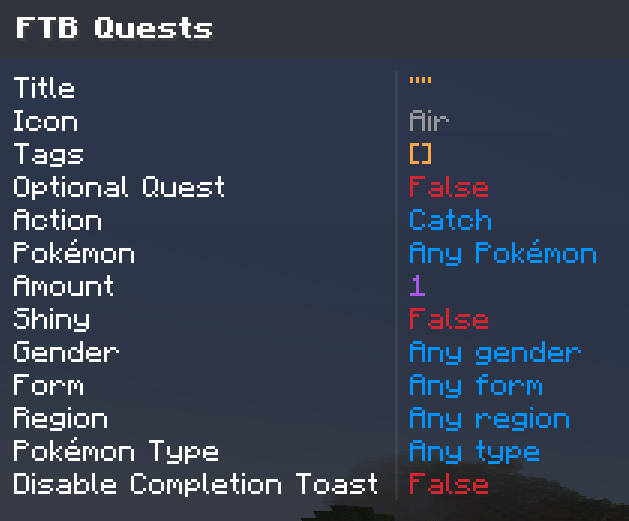
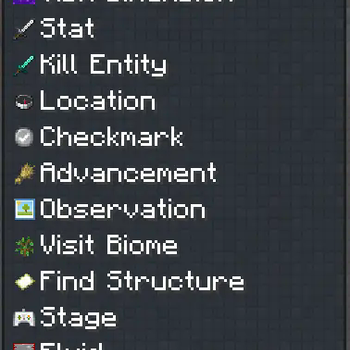
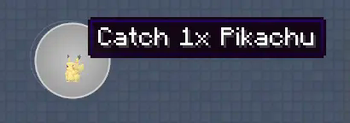
The Cobblemon Quests mod allows you to create quests in FTB Quests where the tasks can be to catch, defeat, kill, level
up, evolve and plenty more with Pokémon.
Downloads
The mod can be downloaded on either Modrinth or Curseforge
Modrinth: https://modrinth.com/mod/cobblemon-quests
Curseforge: https://www.curseforge.com/minecraft/mc-mods/cobblemon-quests
FAQ:
Q: Do I need to install this on both server and client?
A: Yes.
Q: No quests are showing up in the quest book. What do I do?
A: This mod does not add any quests by itself. It allows quest creators to create cobblemon related quests.
Usage
For players:
Just play the game as you normally would and look at the quests you have. It should be fairly self-explanatory.
Source Code
The source code can be found on GitHub under the CC-BY-NC 4.0
License. More information about the license can be found under the License section.
License
The Cobblemon Quests mod is released under the CC-BY-NC-4.0 License. This license allows you to use, modify, and
distribute the mod for non-commercial purposes, as long as you credit the original author and include a copy of the
license in any redistributed versions.
Feature requests
The best way to request a feature is to write in the discord support thread. Otherwise, in lack of a discord account, GitHub issues can be used to request features as well.
Bugs and Feedback
Bug reports can be submitted either through the GitHub Issues
page of the Cobblemon Quests mod repository or on Discord in the support thread. Please provide
as much information as possible, including steps to reproduce the issue, error messages, and any relevant screenshots or
log files. Your feedback is greatly appreciated and will help improve the mod for all users.
Verfügbare Versionen
Cobblemon Quests auf dem Server installieren
Server bestellen
Bestelle einen Minecraft Java Server mit mindestens 3 GB RAM (4 GB empfohlen).
fabric Loader setzen
Wähle im Panel unter "Egg" den fabric-Loader und die passende Minecraft-Version (1.21.1).
Mod installieren
Öffne den Mod-Browser im Dashboard und suche nach "Cobblemon Quests". Klicke "Installieren" – fertig! Alternativ: Lade die .jar via SFTP in den /mods Ordner.
Kompatibilität
Mod-Loader
Minecraft-Versionen
1.21.1, 1.20.1, 1.19.2
Server-seitig
✓ ErforderlichEmpfohlener RAM
4 GB(min. 3 GB)Häufige Fragen
Cobblemon Quests Server crasht beim Start – was tun?
Häufigste Ursache: falsche fabric-Version oder zu wenig RAM. Prüfe im Server-Log (latest.log), ob ein "OutOfMemoryError" oder "Mixin"-Fehler auftritt. Bei Mado Hosting: Stelle sicher, dass mindestens 3 GB RAM zugewiesen sind und der Loader zur Mod-Version passt (1.21.1). Über das Panel kannst du den Loader mit einem Klick wechseln.
Ist Cobblemon Quests mit fabric und forge und neoforge kompatibel?
Cobblemon Quests unterstützt offiziell fabric, forge, neoforge für Minecraft 1.21.1, 1.20.1, 1.19.2. Achtung: Forge- und Fabric-Mods sind NICHT untereinander kompatibel – wähle einen Loader und bleibe dabei. Im Mado Dashboard werden inkompatible Loader-Kombinationen automatisch erkannt.
Server laggt mit Cobblemon Quests – wie optimiere ich die Performance?
Empfohlener RAM: 4 GB (+1 GB pro 8 Spieler). Prüfe mit /spark profiler, ob Cobblemon Quests den meisten Tick-Time verbraucht. Häufige Fixes: Server-View-Distance auf 8-10 reduzieren, bei Forge "performant" oder "starlight" als Zusatz-Mod installieren. Bei Mado Hosting läuft dein Server auf NVMe-SSDs mit dedizierten CPU-Kernen für minimale Latenz.
Ähnliche Mods






Modded Server mieten
Installiere Cobblemon Quests mit nur einem Klick auf deinem Server.
Details
- Lizenz
- Creative Commons Attribution Non Commercial 4.0 International
- Server-seitig
- Erforderlich