
Command Macros
Create keybinds for commands!
Über diese Mod
Command Macros

Have a command you commonly use? Tired of repeatedly typing it in over and over? Wouldn't it be easier to press a key on your keyboard to run the command?
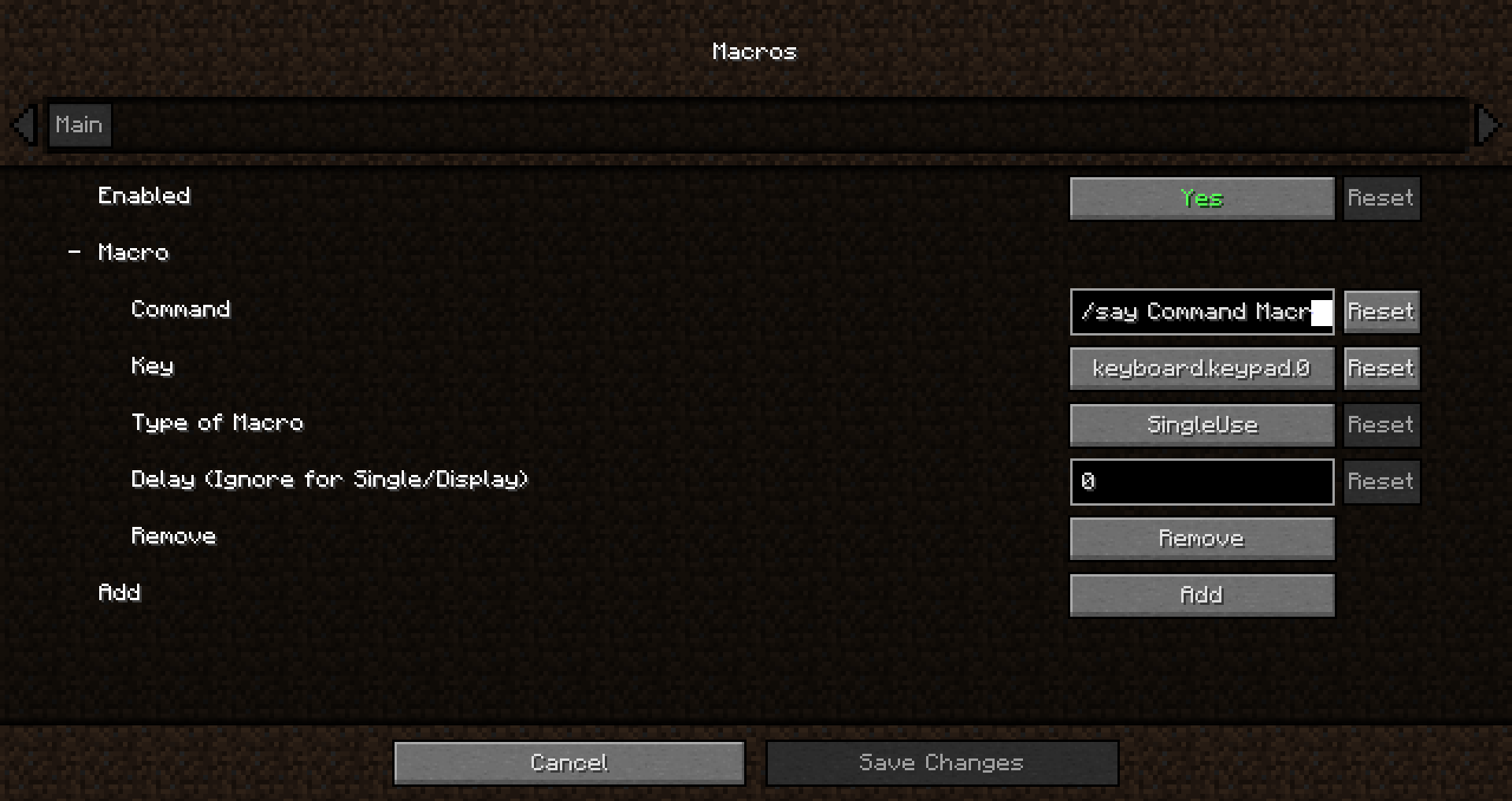
How to add a macro:
- Edit the config
- Opening the config menu with Mod Menu.
- Typing the following command : "Cmdkeybinds showconfig"
- Using the keybind. Editable though the controls screen or the command macros config. By default it is unbound
Command Macros provides a quick and easy method of creating and running macros.
Creating a macros is as easy as specifying the command, and the key to trigger the command.
Restart not required! Editing/Creating a macro takes effect instantly, no need to relaunch.
Keys are not limited to a single macro, multiple macros can be bound to the same key to have multiple commands run at once.
Different Types of Macros:
Delayed Macro: Command has a configurable delay between key press and execution.
Repeating Macro: Command while auto repeat while holding down the key. Delay configurable
Toggled Repeating: Same as Repeating but the key press acts as a toggle, allowing the command to repeat without holding down the key
RunNTimes(New in 1.6.0!): Command will run N times when pressed. Delay between runs is configurable
Single use Macro: Command will only execute once per key press
Display only Macro: Chat screen will be opened and command will be typed in without being executed
Verfügbare Versionen
Command Macros auf deinem Client installieren
Mod-Loader lokal installieren
Installiere fabric für deine lokale Minecraft-Version.
Passende Datei herunterladen
Wähle die Command Macros-Datei für fabric und Minecraft 1.20.4.
Mod installieren
Lege die .jar-Datei in deinem lokalen .minecraft/mods-Ordner ab und starte Minecraft neu. Eine Installation auf dem Server ist nicht nötig.
Kompatibilität
Mod-Loader
Minecraft-Versionen
1.20.4, 1.20.2, 1.20.1 (+5 weitere)
Server-seitig
✗ Nicht unterstütztEmpfohlener RAM
4 GB(min. 3 GB)Häufige Fragen
Muss Command Macros auf dem Minecraft Server installiert werden?
Nein. Modrinth kennzeichnet Command Macros serverseitig als nicht unterstützt. Installiere die Mod nur im lokalen Minecraft-Mods-Ordner. Dein Server kann unverändert bleiben, sofern die Mod-Seite keine zusätzliche Abhängigkeit nennt.
Welche Version und welchen Loader braucht Command Macros?
Nutze eine Datei für fabric und exakt deine Minecraft-Version. Unterstützte Versionen sind unter anderem 1.20.4, 1.20.2, 1.20.1. Loader-Dateien sind nicht untereinander austauschbar.
Command Macros funktioniert nicht – was kann ich prüfen?
Prüfe zuerst Minecraft-Version, Loader-Version und erforderliche Abhängigkeiten. Lege die .jar-Datei im lokalen .minecraft/mods-Ordner ab und entferne ältere Duplikate. Da die Mod clientseitig ist, löst mehr Server-RAM dieses Problem nicht.
Ähnliche Mods




![[ETF] Entity Texture Features](https://cdn.modrinth.com/data/BVzZfTc1/af683d206d50b05258d865b0d6e4aa2f2cee12f2_96.webp)

Minecraft Server für deine Gruppe
Command Macros bleibt auf deinem Client. Hoste dazu eine kompatible Welt für deine Mitspieler.