
Modrinth · Fabric, NeoForge
Controlify (Controller support) auf deinem Minecraft Server
Controlify (Controller support) läuft auf Minecraft Servern mit Fabric oder NeoForge. Bestell deinen Server, stell den Loader im Panel ein und installiere die Mod mit einem Klick im Mod-Browser.
Adds the best controller support to Minecraft Java edition!
- Downloads
- 25.7M
- Autor
- isxander
- Loader
- Fabric, NeoForge
- Minecraft
- 1.19.4 – 26.3
- Aktualisiert
- –
Screenshots
So sieht Controlify (Controller support) aus
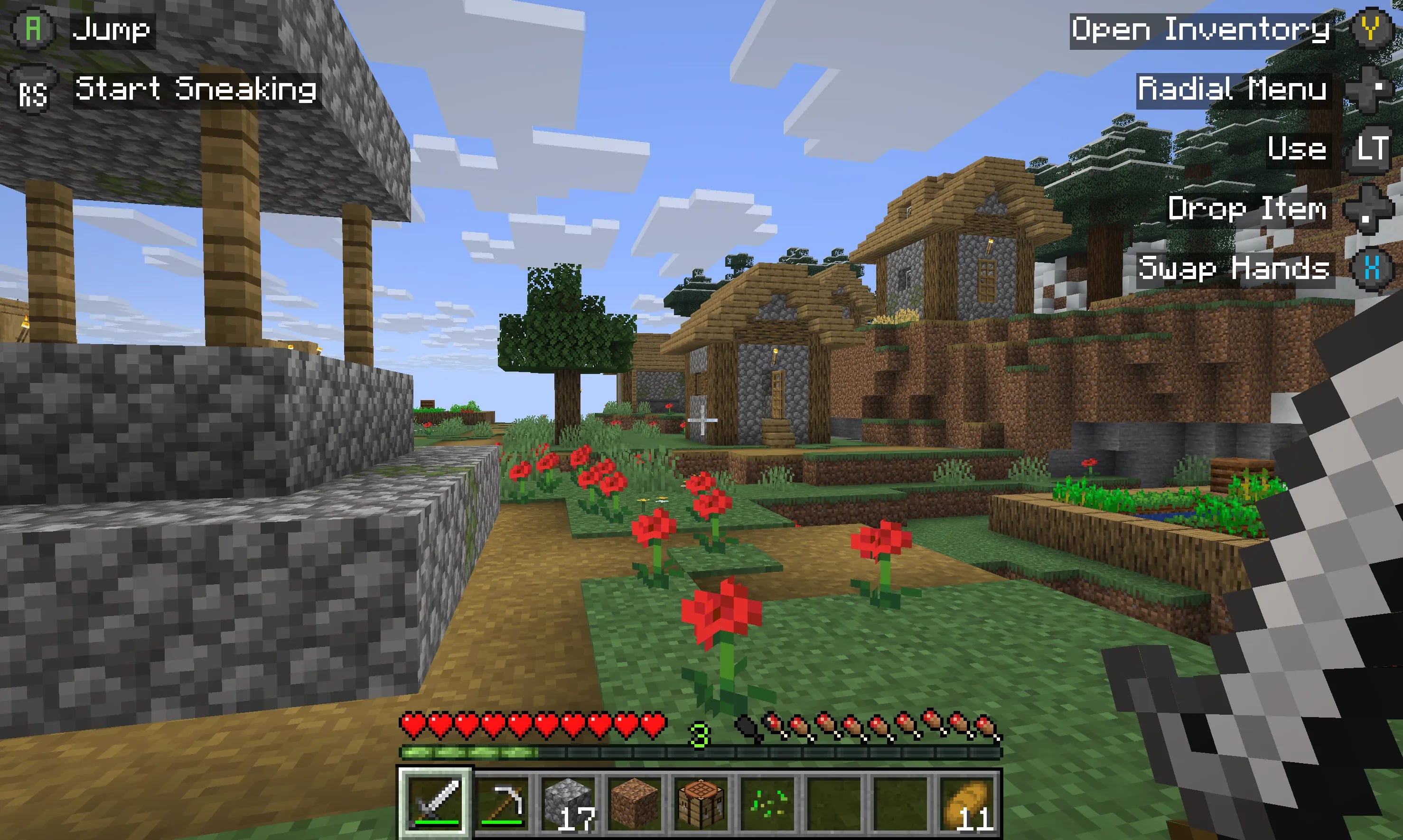
 In-game screenshot
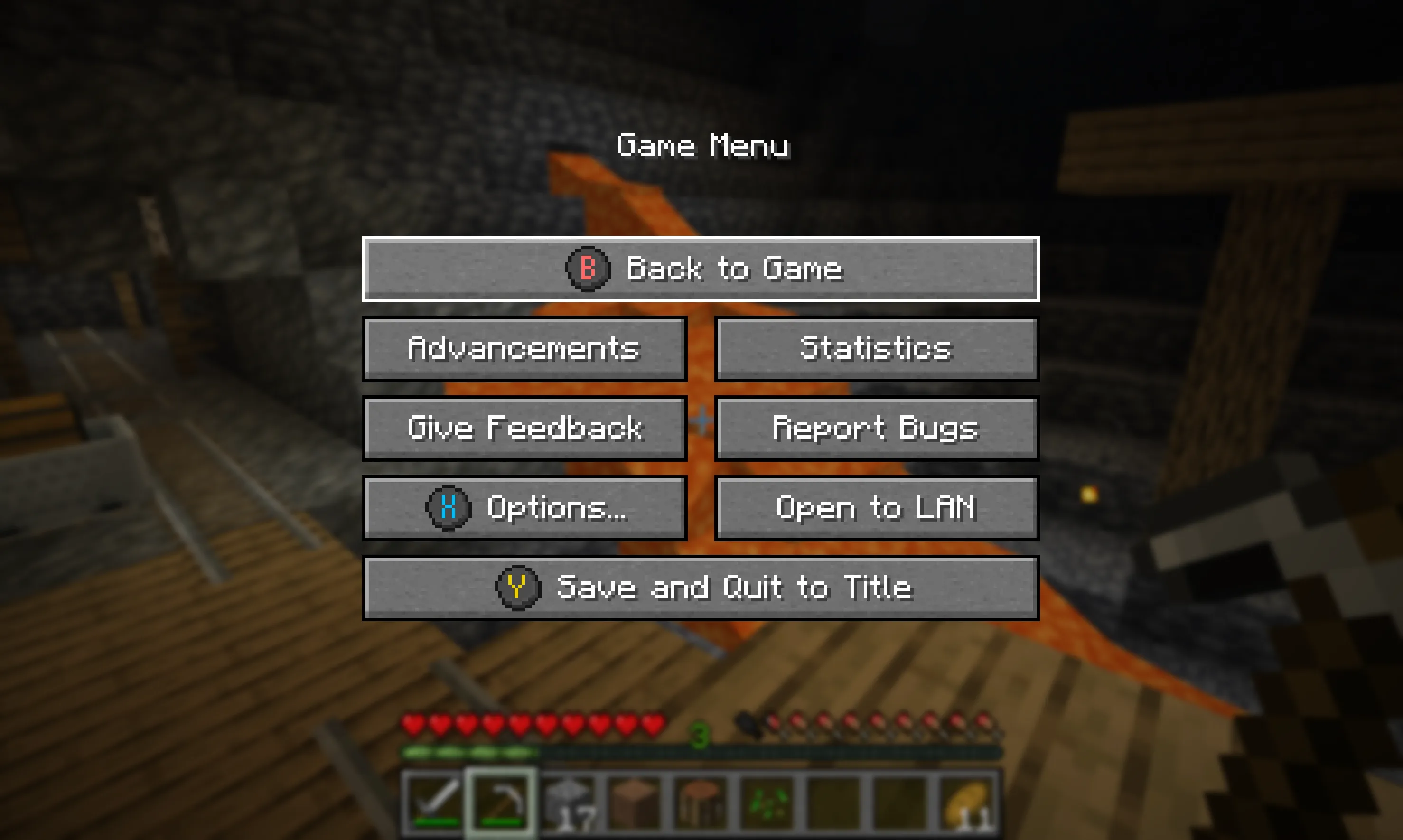 Button guides in the pause menu
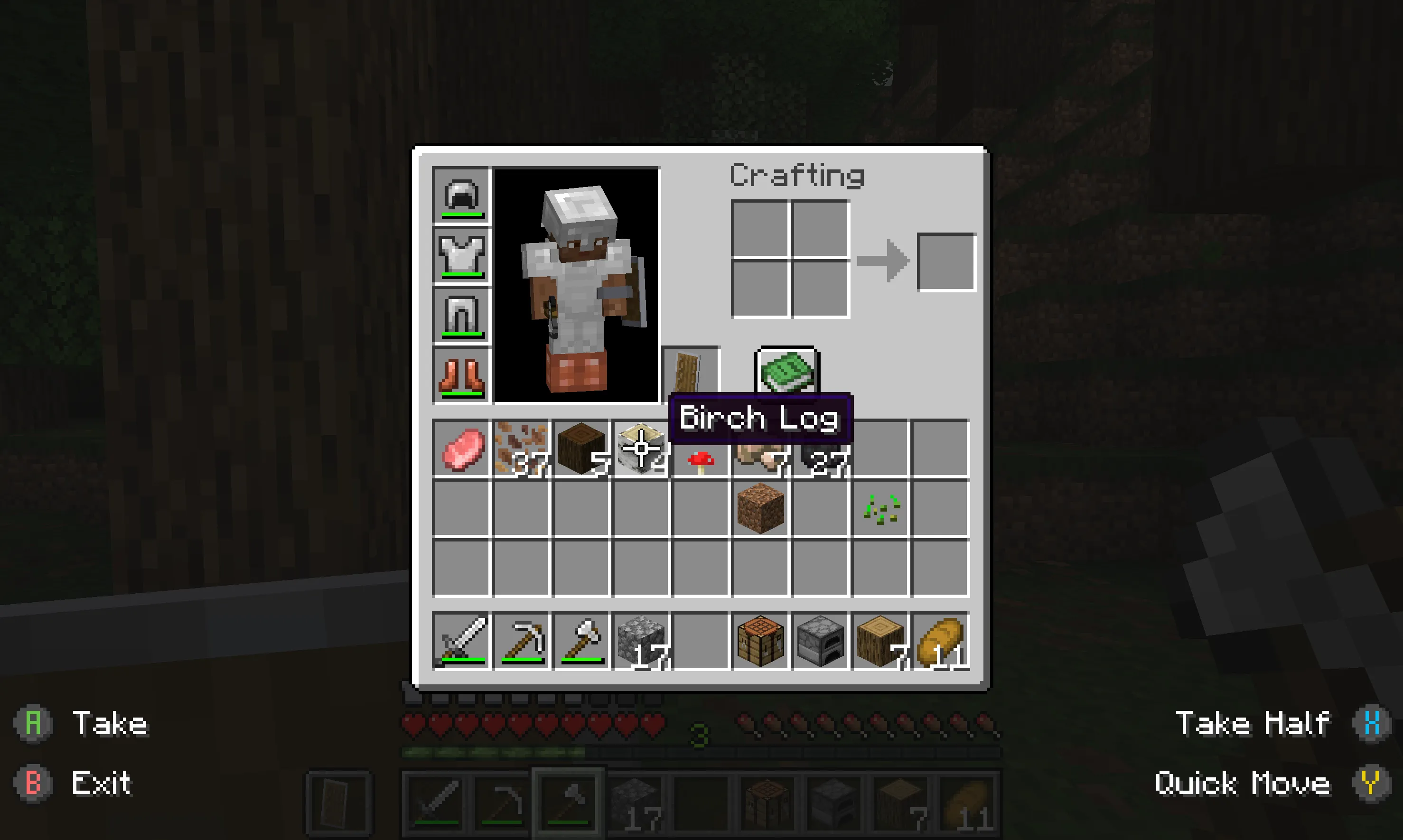 Inventory management
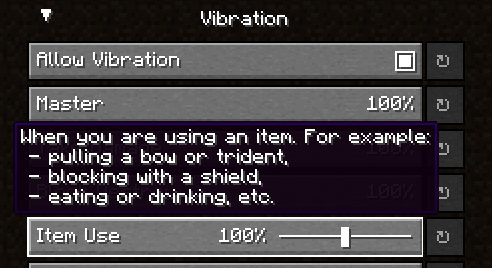 Controller vibration
 Radial menu
Bilder: Controlify (Controller support) auf Modrinth, vom Projektteam veröffentlicht.
Einrichtung
Controlify (Controller support) auf dem Server installieren
Server und Spieler brauchen denselben Loader und dieselbe Minecraft-Version. Sichere die Welt, bevor du Mods hinzufügst oder aktualisierst.
- 01
Konfigurieren
4 GB RAM sind vorausgewählt. Laufzeit und Add-ons wählst du selbst, bezahlt wird per Kreditkarte oder PayPal.
- 02
Loader einstellen
Stell im Panel die Serversoftware auf Fabric oder NeoForge und wähl die passende Minecraft-Version, zum Beispiel 26.3.
- 03
Mod installieren
Such im Mod-Browser nach „Controlify (Controller support)“ und installiere die Version für deinen Loader. Alternativ lädst du die .jar per SFTP in den Ordner mods. Erforderliche Abhängigkeiten stehen auf der Projektseite.
- 04
Verbinden
Alle Spieler installieren Controlify (Controller support) in derselben Version lokal und verbinden sich über die Serveradresse aus dem Panel.
- Auf dem Server
- Optional
- Auf dem Client
- Erforderlich
- Loader
- Fabric, NeoForge
- Minecraft
- 26.3, 26.2, 26.1.2 +30 weitere
- Lizenz
- GNU Lesser General Public License v3.0 or later
Das Panel
Mods installieren, Fehler finden.
Echte Screenshots aus dem Mado Panel. Beides ist bei jedem Minecraft Server enthalten.
Mod-Browser
Modrinth und CurseForge direkt im Panel.
Der Browser filtert nach deiner Minecraft-Version. Mods installierst du mit einem Klick, ohne .jar-Dateien hochzuladen.

KI-Crash-Analyse
Wenn ein Mod crasht, liest die Analyse das Log.
Mods scheitern oft an einer falschen Loader-Version, Java-Version oder fehlenden Abhängigkeit. Die Analyse nennt eine wahrscheinliche Ursache und einen Lösungsvorschlag.

Versionen
Veröffentlichte Versionen
Nimm die Datei, die zu Loader und Minecraft-Version deines Servers passt. Server und Spieler brauchen dieselbe Version.
Controlify (Controller support) · Modrinth- Controlify 3.5.3+mc26.223. September 2026Minecraft 26.2 · Fabric, NeoForge
- Controlify 3.5.3+mc26.123. September 2026Minecraft 26.1, 26.1.1, 26.1.2 · Fabric, NeoForge
- Controlify 3.5.3+mc26.323. September 2026Minecraft 26.3 · Fabric, NeoForge
- 3.0.1+lts for fabric 1.21.810. Juli 2026Minecraft 1.21.6, 1.21.7, 1.21.8 · Fabric
- 3.0.1+lts for fabric 1.21.1010. Juli 2026Minecraft 1.21.10, 1.21.9 · Fabric
Originalbeschreibung des Projektautors





A mod that adds the best controller support for Minecraft: Java Edition.
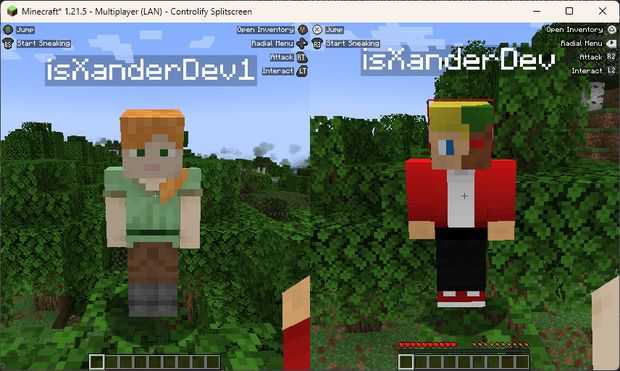
SPLITSCREEN!
(Advertisement)
Controlify Splitscreen is a separate mod in development that adds splitscreen support to the game! JARs are currently only available on Patreon!

Wiki
Read up on the Controlify Wiki for more information on how to use Controlify, how to configure it, and how to develop for it.
What is Controlify?
Controlify is the best controller support mod for Minecraft: Java Edition. It exceeds the first-party Bedrock Edition controller support in every way possible. It is feature-complete, with support for vibration, gyroscope, HD haptics, and more.
Controlify supports all controllers, thanks to its usage of the SDL3 library, which is the most advanced cross-platform input library available.
Controlify is designed to be both user-friendly and feature-rich. It has sensible defaults, with default sensitivity matched to Bedrock Edition for easy transition, and a simple yet informative settings screen that allows you to tweak your experience to your liking.
Feature overview
- Vibration support; Controlify vibrates your controller upon events such as taking damage, breaking blocks, lightning strikes.
- Gyroscope support; Controlify can use the gyroscope in your controller for precise aiming.
- Vendor-specific input support; Controlify supports reading paddles, mute buttons (and their LEDs), touchpads, and more, on some controllers including Xbox, DualSense and Steam Deck.
- GUI operation: Controlify allows you to navigate all Minecraft GUIs with your controller, without needing a mouse or keyboard. This includes the inventory, out-of-game menus, and modded GUIs. It features cursor snapping in inventory screens, allowing you to use your controller without needing to be precise with your cursor movements.
- DualSense/DualShock support; Controlify does not require any additional software for PlayStation controllers, even on Windows.
- Controller identification; Controlify has bespoke button glyphs for many controller models, including Xbox, Playstation, Nintendo Switch, Steam Deck, and more.
- On-screen keyboard; Controlify includes a fully functional on-screen keyboard that allows you to type with your controller - truly no keyboard needed!
- Radial menu; Controlify features a configurable menu that allows you to bind less-used actions to a radial menu, saving up buttons.
- DualSense HD haptics support; Controlify allows for advanced vibration effects on DualSense controllers.
- DualSense adaptive triggers support; Controlify allows for advanced trigger effects on DualSense controllers.
- Data-driven design; Controlify allows resource packs to change default bindings, theme button glyphs, on-screen button guides, on-screen keyboard layouts, add more controller models, and more.
- Steam Deck support
- Mod compatibility; Controlify has led the efforts to make controller support work seamlessly with mods like Sodium, Iris, Simple Voice Chat, Do A Barrel Roll, and more.
- Cross-platform and multi-version; Controlify works on Fabric and NeoForge, and actively supports and updates for Minecraft versions 1.21.1 and above.
- Quick to update; Controlify is updated even for Minecraft snapshots, although snapshot builds are only available to patreon members.
- Joystick support; Controlify supports flight sticks, racing wheels, and other non-standard joysticks. Users of such devices have the option between mapping the joystick to a standard gamepad, or creating their own custom bindings and defaults and glyphs for the joystick, allowing for a fully-featured experience.
Who uses Controlify?
The following is actual feedback I have received from users of Controlify, and I'm very proud to have been able to help them enjoy Minecraft in a way they couldn't before:
- Couch gamers who want to sit back and relax playing their favourite edition of Minecraft.
- First-time modded players who have previously played Minecraft on a console and don't want to learn how to use a keyboard and mouse.
- People with accessibility requirements who cannot use a keyboard and mouse and/or requires an adaptive controller.
- Parents who want to expose their kids to modded Minecraft in an accessible manner.
- People who just prefer using a controller over a keyboard and mouse.
- People who want to play local multiplayer with their friends and family using the companion Splitscreen Mod
- Hopefully you!
Features
Controller vibration
Controlify supports controller vibration, which has not been seen before for PC versions of Minecraft,
including Bedrock Windows 10 Edition. Configure the intensity of each vibration source, with
complex vibration patterns for lots of aspects of the game (e.g. when you take damage).
Radial menu
To save up some buttons on your controller, dedicate some less-used actions to the radial menu.
It is fully customizable through the settings and intuitive to use. Any modded keybind is
compatible with this menu.
Gyro support
Controlify has built-in support for controller gyroscopes, allowing you to make fine movements in-game
with your controller. This can be combined with flick stick to be able to use a controller without
the compromise.
Container cursor
Just like in bedrock edition, you can move a cursor across your inventory, and interact
with it in a controller-friendly way. With dedicated buttons for quick move, dropping etc. Controlify also comes with cursor snapping, so you don't need to be so precise with cursor movements.
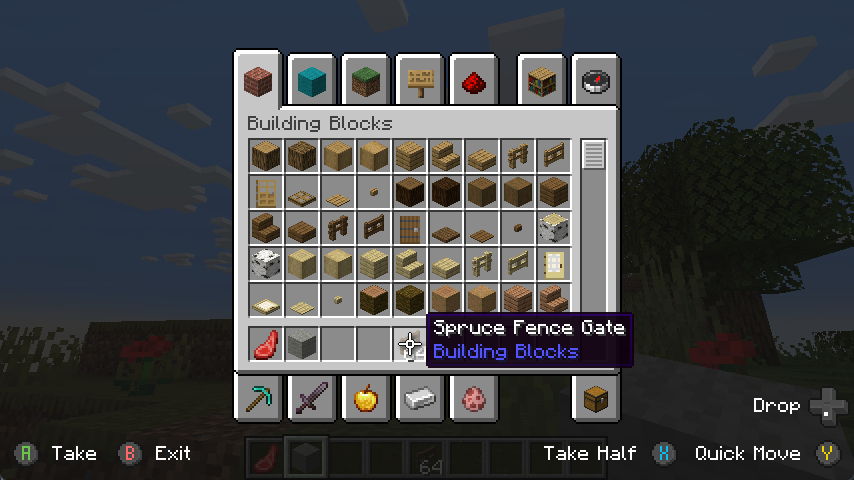
Controller identification
Controlify has the ability to identify the make and model of your controller automatically,
and displays relevant button textures for your controller. This is also extendable by resource packs, changing up the button textures in a different style and adding some of your own, more niche controller identifiers.
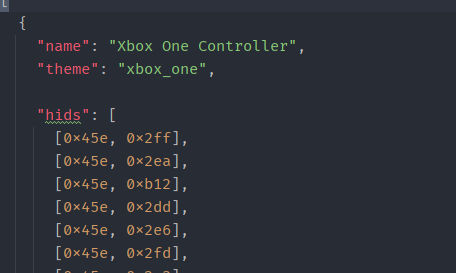
Joystick support
You can connect any joystick to the mod and map it with your own names and textures, with an unlimited amount of inputs per controller.
Button guide
There is a simple overlay in-game that displays the buttons you can press
based on your player's state and look direction. This is useful for new players, who
have not yet memorised the controls.
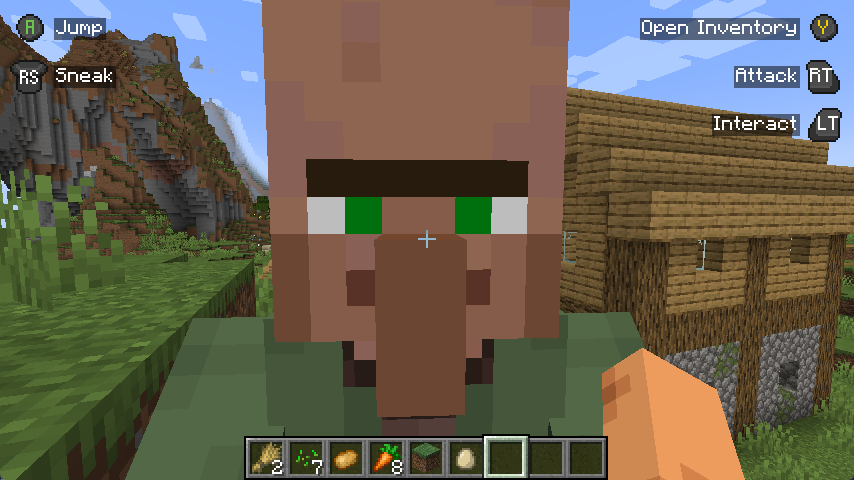
Also, some GUIs display controller buttons on elements that have a controller shortcut, to easily navigate with a controller like you should be able to.
Containerised Controllers
This mod is built around the fact that each controller is completely separate, with it's own configuration, bindings etc.
This means it will be trivial to add support for split-screen play in the future.
Built for mod compatibility
GUI operation has been abstracted into a simple API, which allows other mods to easily add support for their own GUIs,
without convoluted support throughout the whole mod's codebase, making it difficult for third parties to integrate.
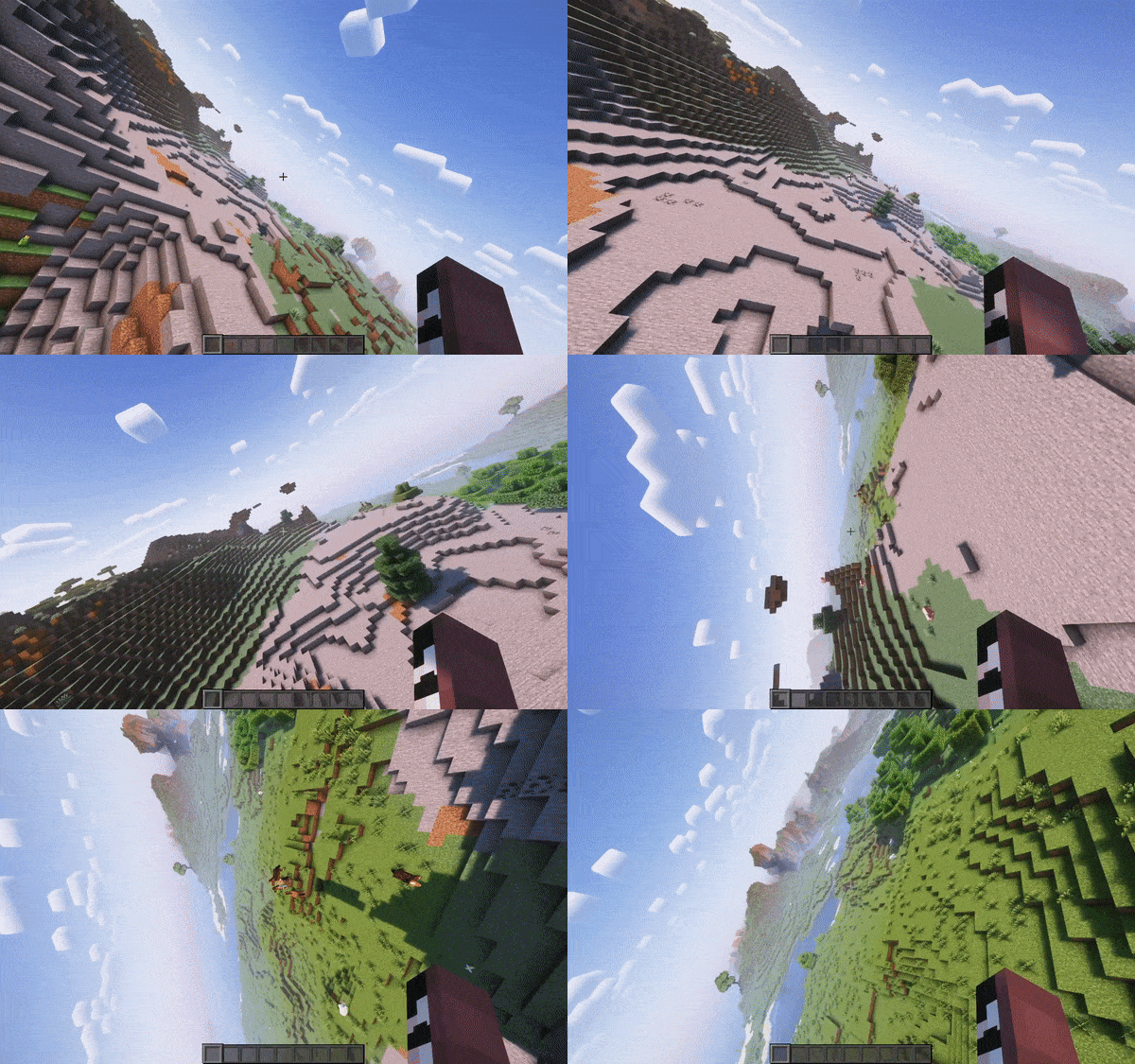
Video recorded using do-a-barrel-roll with a Thrustmaster HOTAS flightstick
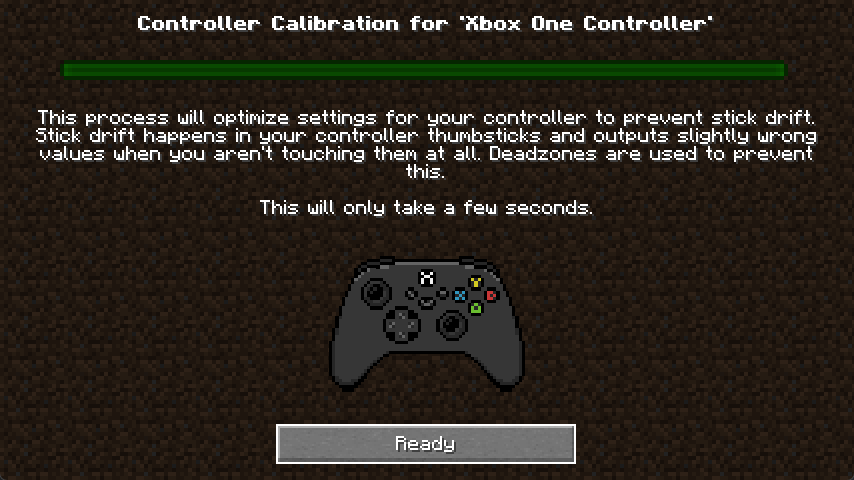
Automatic controller deadzone calibration
The deadzone values of your controller are automatically calibrated,
meaning you don't have to worry about it.
Backports?
This mod is only and will only be available for 1.19.4 and above, this is because in 1.19.4, Mojang
introduced arrow key navigation which was easily ported to controller, below 1.19.4, this is not possible.
Controlify (Controller support) Server crasht beim Start – was tun?
Häufige Ursachen: Loader- oder Minecraft-Version passen nicht zur Mod-Datei, eine Abhängigkeit fehlt oder der RAM reicht nicht. Such im Log (latest.log) nach „OutOfMemoryError“, „Mixin“ oder fehlenden Mods. Bei Mado wertet die KI-Crash-Analyse das Log aus und schlägt eine Ursache vor. Loader und Version änderst du im Panel.
Mit welchem Loader läuft Controlify (Controller support)?
Laut Modrinth unterstützt Controlify (Controller support) Fabric, NeoForge für Minecraft 26.3, 26.2, 26.1.2.
Wie viel RAM braucht ein Server mit Controlify (Controller support)?
Als Orientierung 3–4 GB für einen Server mit dieser Mod. Das ist eine Schätzung, keine gemessene Mindestanforderung. Weitere Mods, viele Spieler und große Sichtweiten brauchen mehr. Ob eine Mod die Tick-Zeit belastet, siehst du mit dem spark-Profiler.
Ähnliche Mods
Beliebte Mods aus derselben Kategorie
 Server-fähig

FerriteCore
von malte0811
Memory usage optimizations
 Nur Client

Mod Menu
von Prospector
Adds a mod menu to view the list of mods you have installed.
 Server-fähig

YetAnotherConfigLib (YACL)
von isxander
A builder-based configuration library for Minecraft!
 Server-fähig

Xaero's Minimap
von thexaero
Displays a map of the nearby world terrain, players, mobs, entities in the corner of your screen. Lets you create waypoints which help you find the locations you've marked.
Bereit für deinen Server mit Controlify (Controller support)?
4 GB RAM ab 8,00 € im Monat. 35 % auf den 1. Monat mit MADO35.