
Controlled Construction
Building is difficult. Let's make it easier!
Screenshots

Über diese Mod
Make building easier through this 1.21.4 mod utilized as a building tool!
[||⋘⋘⋘⋘⋘⋘⋘⋘⋘⋘⋘⋘⋘⋘⋘⋘ Controlled Construction™ ⋙⋙⋙⋙⋙⋙⋙⋙⋙⋙⋙⋙⋙⋙⋙⋙||]
Current Additions to the Mod!:
Forced Block Rotation:
Spoiler
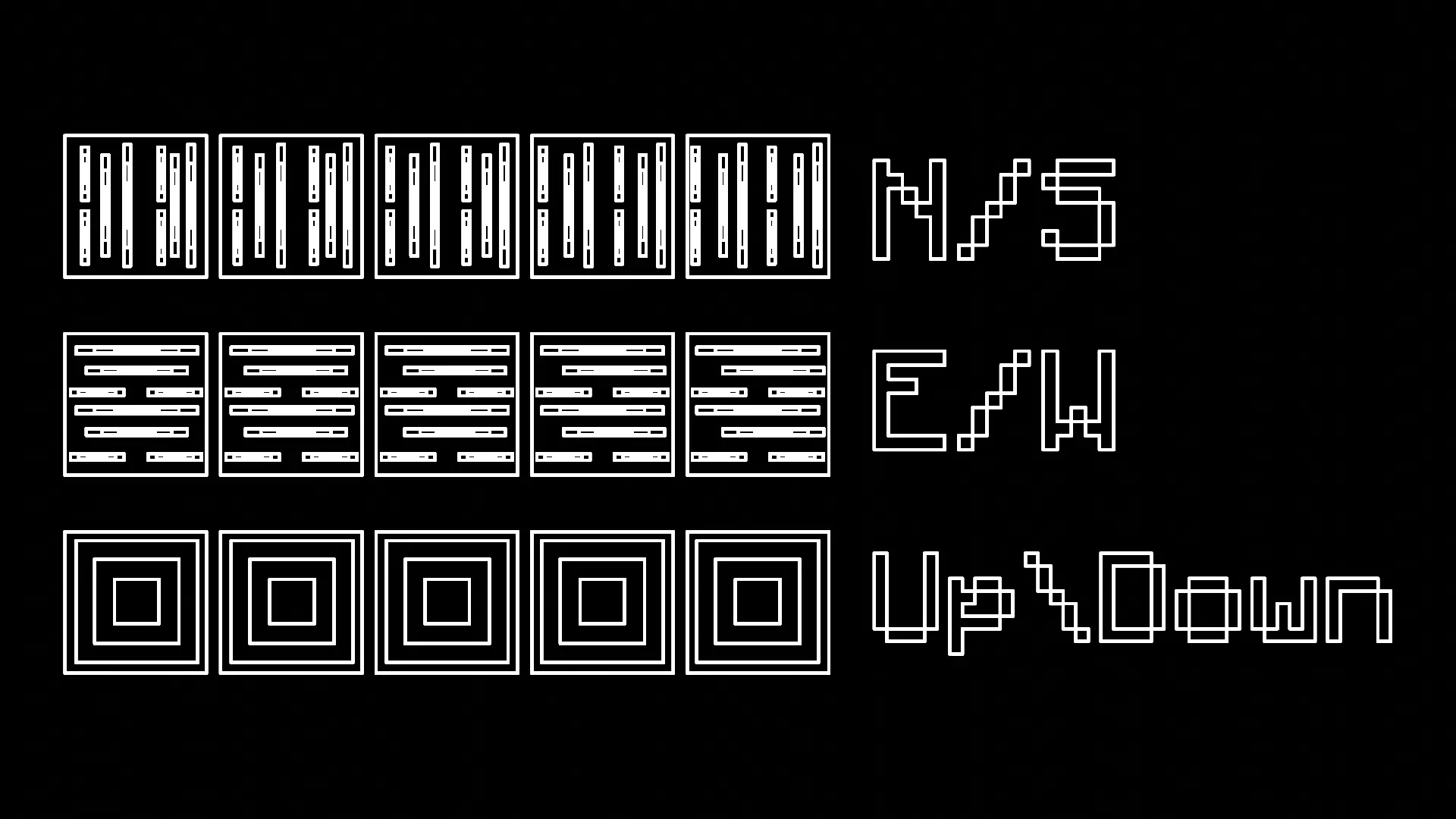
You have the ability to press R to forcibly rotate every block you place, making it much easier to work with directional blocks like logs.
- There are four modes: Force Direction Off, Up/Down, North/South, and East/West
Measuring Tool:
Spoiler
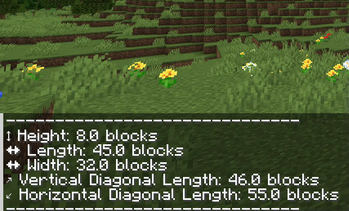
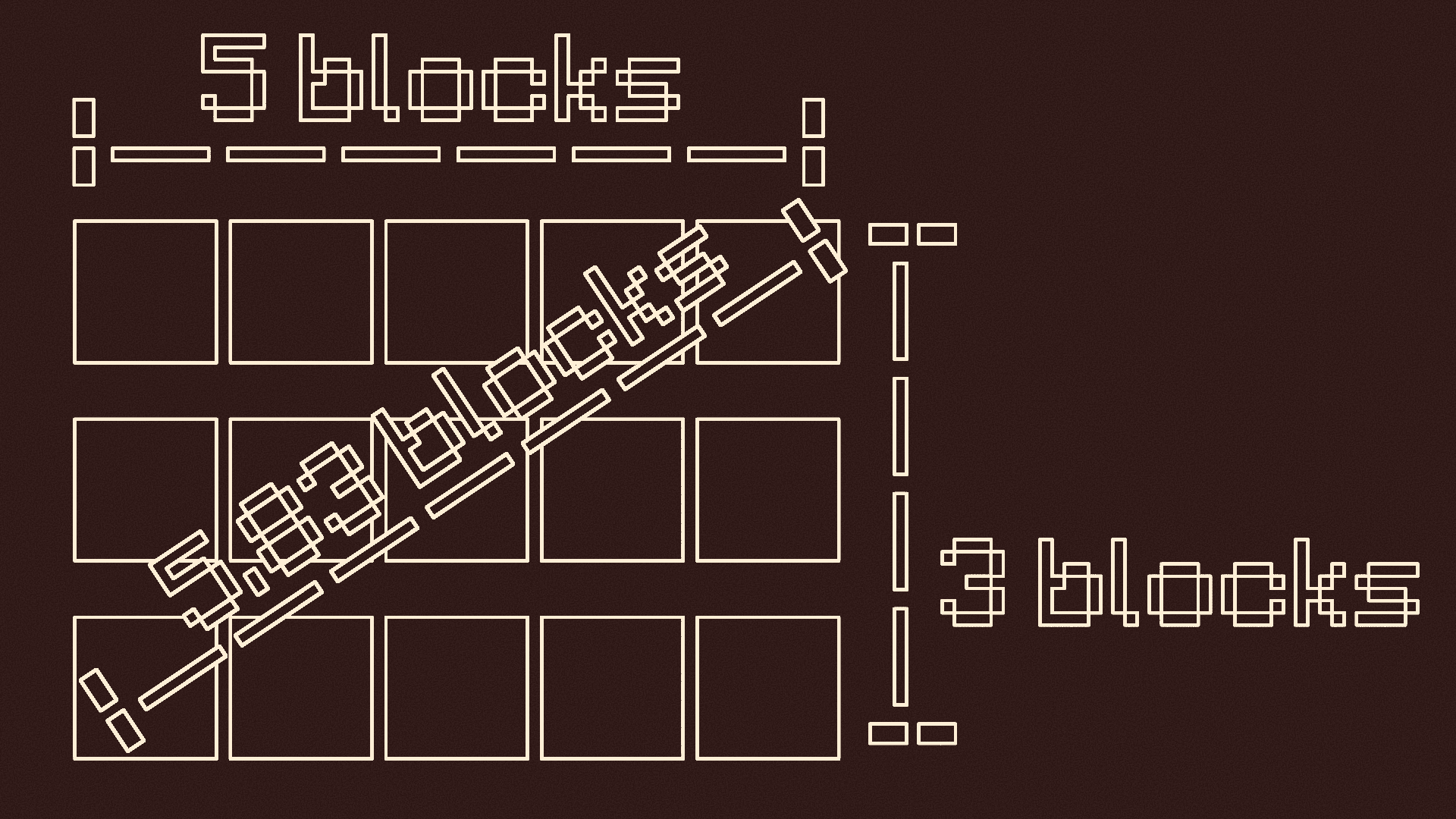
You can press and hold V to measure distances
- When you first press it, it records the location you are looking at
-- It tells you the location, gives you a visual particle cue, and makes a cow bell sound
- Look at where you want to stop measuring and let go of V
-- There should be another visual particle cue and cow bell sound
- It will tell you the height, length, width, vertical diagonal length, and horizontal diagonal length of the measurement
Pointer:
Spoiler
Press G to use the pointer
- Press G to turn it on if it is off
- This will put colored particles at any block you look at
- Press G again if it is on to turn it off

Y-Lock:
Spoiler
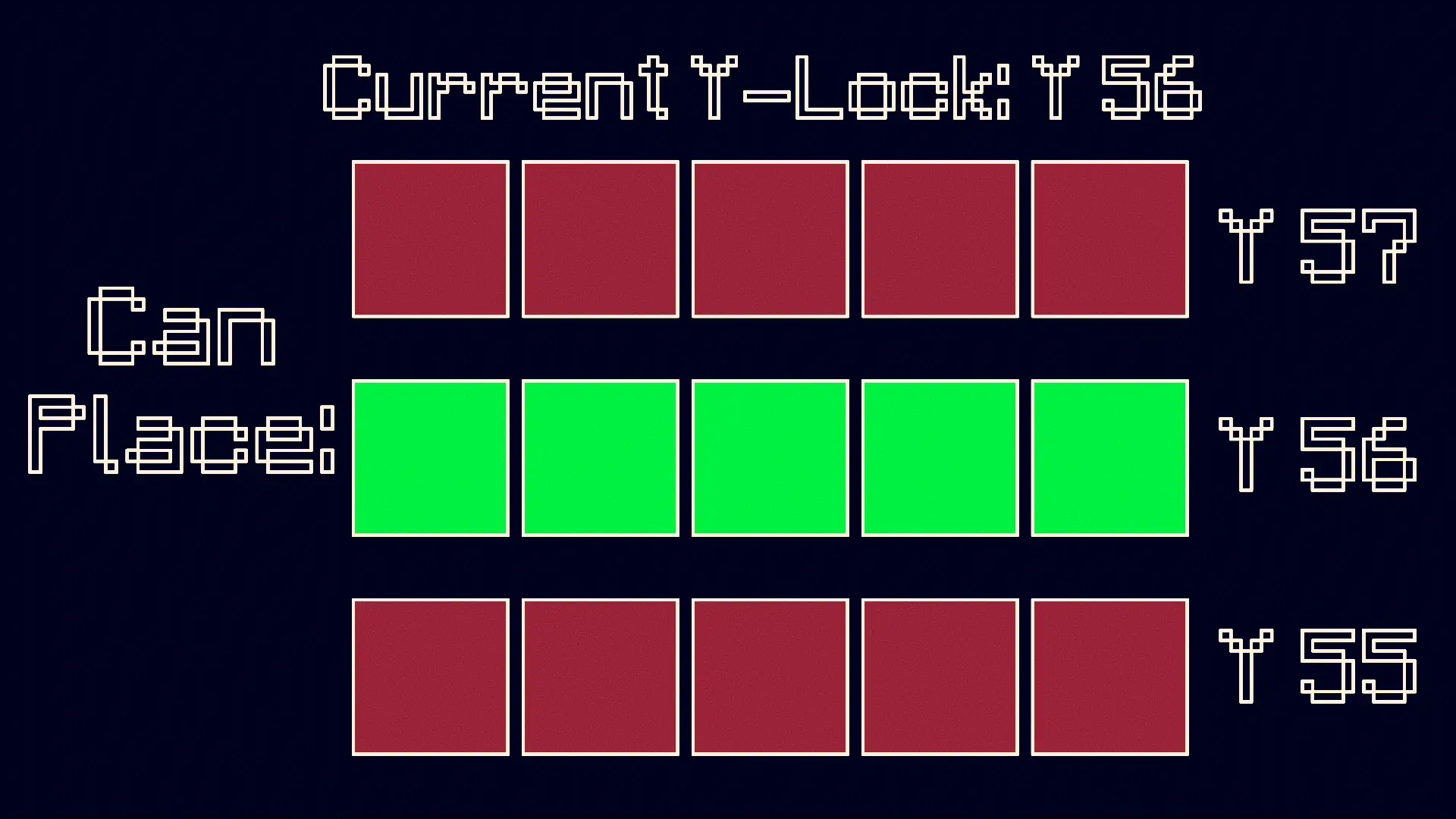
Press Y to turn on the Y-Lock. At the time of pressing it, the y location of the block below you is recorded. While the Y-Lock is on, you can only place blocks on that y level. Press Y again to turn it off.
KEEP IN MIND: This mod is made for BUILDERS, although it can be used for others purposes if need be.
Verfügbare Versionen
Controlled Construction auf deinem Client installieren
Mod-Loader lokal installieren
Installiere forge für deine lokale Minecraft-Version.
Passende Datei herunterladen
Wähle die Controlled Construction-Datei für forge und Minecraft 1.21.5.
Mod installieren
Lege die .jar-Datei in deinem lokalen .minecraft/mods-Ordner ab und starte Minecraft neu. Eine Installation auf dem Server ist nicht nötig.
Kompatibilität
Mod-Loader
Minecraft-Versionen
1.21.5, 1.21.4, 1.21.1 (+1 weitere)
Server-seitig
✗ Nicht unterstütztEmpfohlener RAM
4 GB(min. 3 GB)Häufige Fragen
Muss Controlled Construction auf dem Minecraft Server installiert werden?
Nein. Modrinth kennzeichnet Controlled Construction serverseitig als nicht unterstützt. Installiere die Mod nur im lokalen Minecraft-Mods-Ordner. Dein Server kann unverändert bleiben, sofern die Mod-Seite keine zusätzliche Abhängigkeit nennt.
Welche Version und welchen Loader braucht Controlled Construction?
Nutze eine Datei für forge, neoforge und exakt deine Minecraft-Version. Unterstützte Versionen sind unter anderem 1.21.5, 1.21.4, 1.21.1. Loader-Dateien sind nicht untereinander austauschbar.
Controlled Construction funktioniert nicht – was kann ich prüfen?
Prüfe zuerst Minecraft-Version, Loader-Version und erforderliche Abhängigkeiten. Lege die .jar-Datei im lokalen .minecraft/mods-Ordner ab und entferne ältere Duplikate. Da die Mod clientseitig ist, löst mehr Server-RAM dieses Problem nicht.
Ähnliche Mods






Minecraft Server für deine Gruppe
Controlled Construction bleibt auf deinem Client. Hoste dazu eine kompatible Welt für deine Mitspieler.