
Copper Chunk Loader
Chunk Loader data pack friendly for vanilla survival. More uses for copper!
Screenshots
Über diese Mod
Copper Chunk Loader
Chunk loader data pack that aims to be vanilla survival friendly and to find more uses for copper.
This data pack is designed to be as simple as possible, so you can just drop it in your datapacks folder and start using it right away.
No need to set up some fancy stuff.
📀 Features
Chunk Loader

Chunk Loader is a block that keep chunks around it always active even when the player leaves the area.
💡 Notice
Due to technical reasons, this chunk loader CANNOT simulate player's chunk tick. This means mob spawning mechanics WON'T WORK!BUT you can still use this for anything that doesn't require player's chunk tick, such as Mob ticking related farm (for example Iron Golem Farm still works), Crops growing*, Cauldrons filling*, Redstone contraptions, Furnace burning, Duplication, etc.
For more information on this topic, please see Chunk tick.
* 1.21.5+ only, any version below 1.21.5 still require a player to be nearby.
Tiers
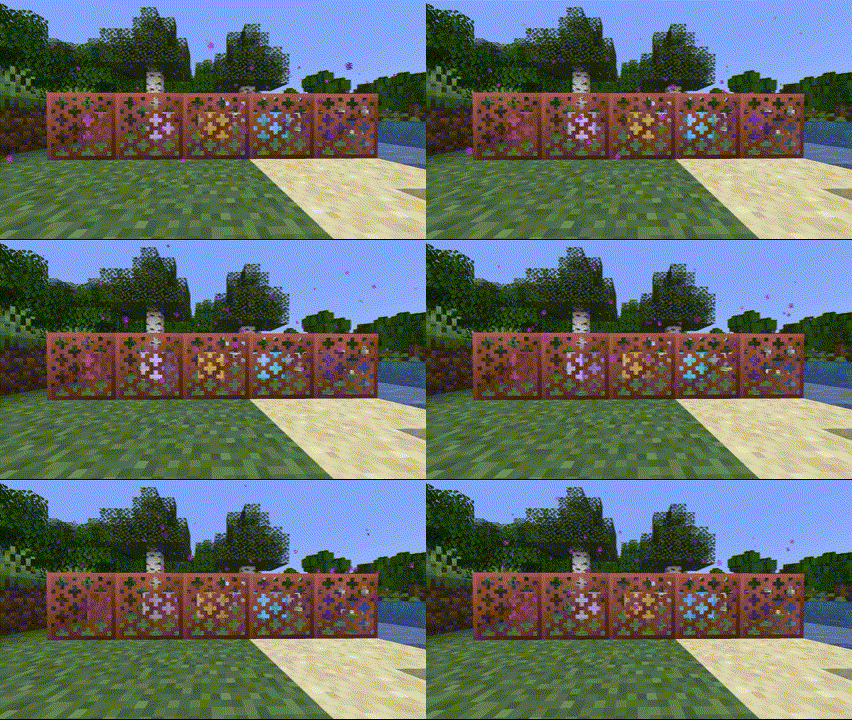
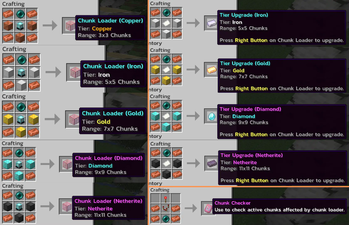
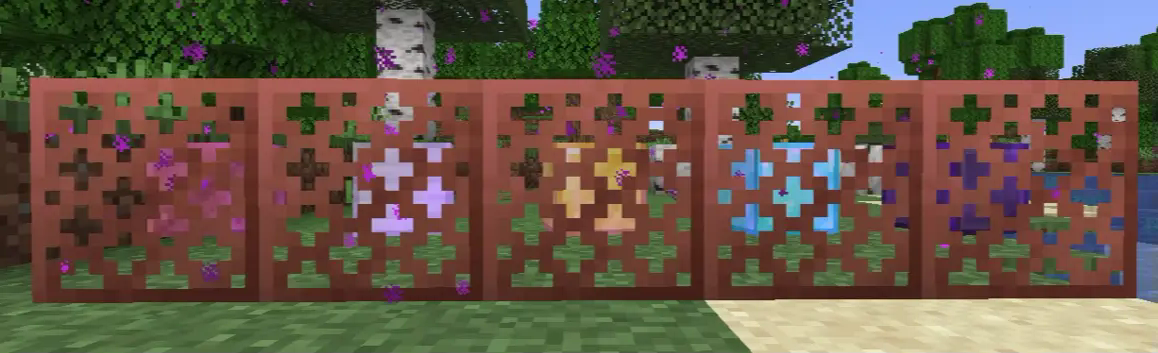
Chunk Loader comes with 5 tiers, Copper, Iron, Gold, Diamond, and Netherite.
Each tier increases the range of active chunk loading, with higher tiers covering more chunks.
Here is the list of tiers with their range:
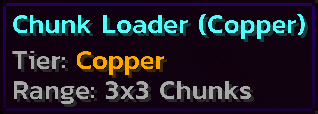
- Copper: 3x3 Chunks
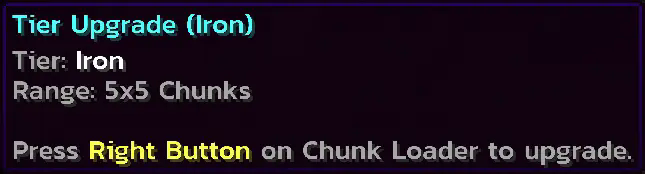
- Iron: 5x5 Chunks
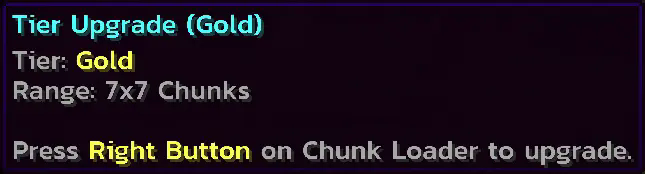
- Gold: 7x7 Chunks
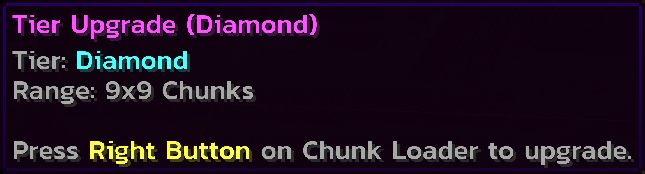
- Diamond: 9x9 Chunks
- Netherite: 11x11 Chunks
How to use?
Simple! Just place it. I've seen a lot of chunk loader data packs that require you to set up some stuff for the chunk loader to be activated. And I'm here to solve this problem by making it as simple as possible.Placing
Breaking
Recipes
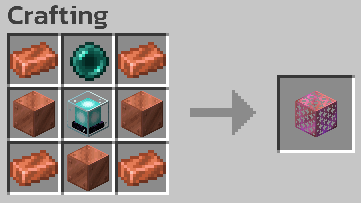
Chunk Loader (Copper)
Chunk Loader (Iron)
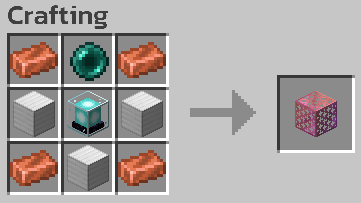
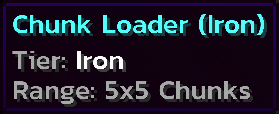
Chunk Loader (Gold)
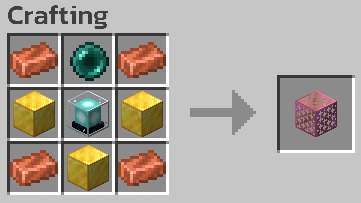
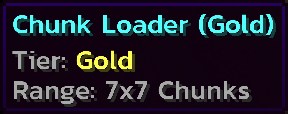
Chunk Loader (Diamond)
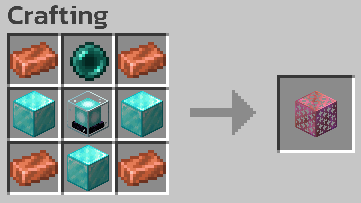
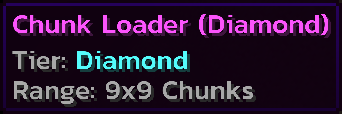
Chunk Loader (Netherite)
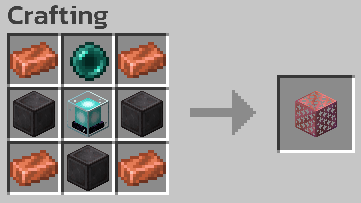
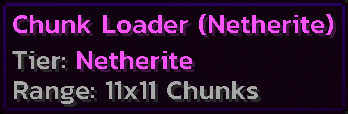
Chunk Checker

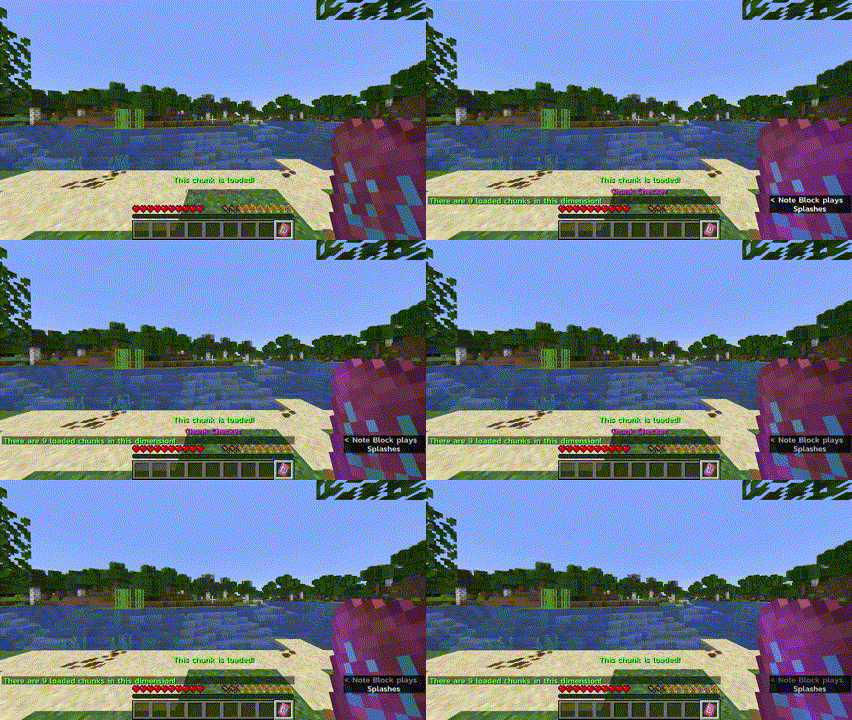
Chunk Checker is a tool to check whether or not the current chunk is affected by Chunk Loader, and to see the total affected chunks in the current dimension.
How to use?
Hold to see if the current chunk is affected by Chunk Loader.Right Click to see total chunks affected by Chunk Loader.
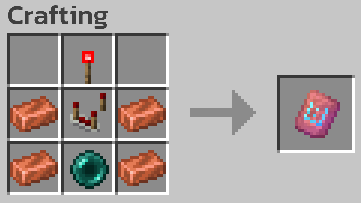
Recipe
Chunk Checker

Tier Upgrade
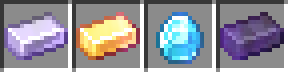
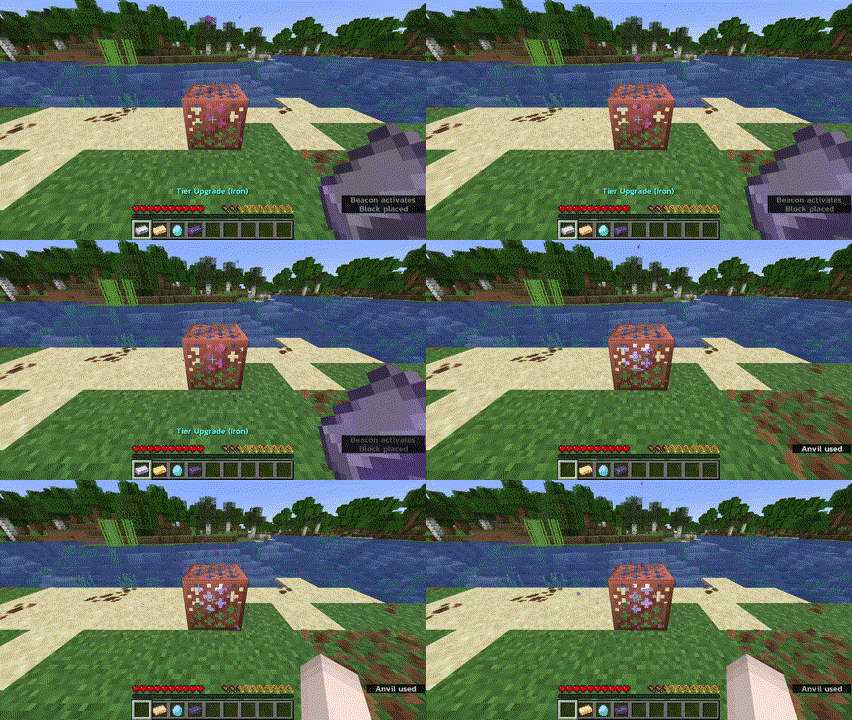
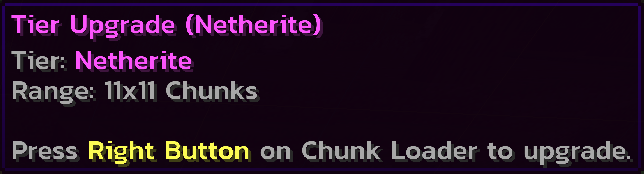
Tier Upgrade is an item used to upgrade Chunk Loader without crafting a new one.
How to use?
Hold a higher tier upgrade and right click on Chunk Loader block to upgrade.Tier upgrade can be skipped. For example, you can directly upgrade from Copper to Diamond.
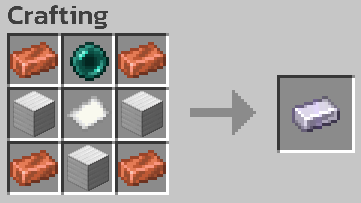
Recipes
Tier Upgrade (Iron)
Tier Upgrade (Gold)

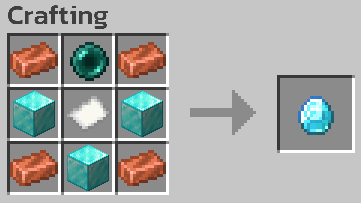
Tier Upgrade (Diamond)
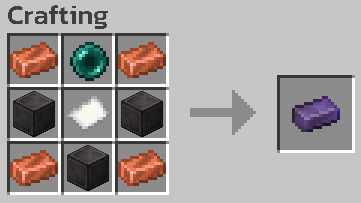
Tier Upgrade (Netherite)
Other Properties
Copper Properties

Oxidization
Chunk Loader can oxidize just like normal copper! You will also get an oxidized version when you break an oxidized Chunk Loader.Waxing
Want to protect your Chunk Loader from oxidization? Wax it! You can wax Chunk Loader to keep them at their current state.Stripping
You can also use your axe on Chunk Loader block to remove one layer of oxidization or wax!Fire Damage Resistance
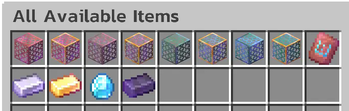
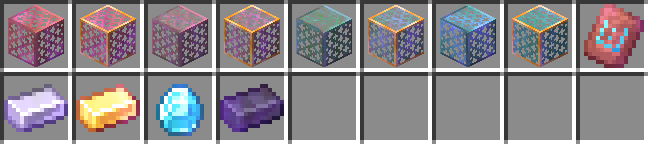
Netherite tier Chunk Loader and Netherite tier Tier Upgrade are immune to fire damage such as fire or lava. So you won't lose your valuable items from an accident!All Available Items
📦 How to install?
- Download the data pack from Modrinth or GitHub.
- Open your Minecraft world folder and navigate to the
datapacksfolder. - Drag and drop the downloaded
.zipfile into thedatapacksfolder. - Unzip the file. (It should look like this:
<world>/datapacks/copper-chunk-loader-X.X.X/...) - Open your world in Minecraft and run the command
/reloadto load the data pack. (or/minecraft:reloadif you're on a server) - Done!
🗑️ How to uninstall?
- Make sure you remove all chunk loaders from your world.
- Simply delete the data pack file from the
datapacksfolder. - Run the command
/reload. - Done!
⚠️ Known Issues
- DO NOT use piston with Chunk Loader to prevent item loss. Chunk Loader is now having a problem with piston movement.
- You need to revisit the area that Chunk Loaders are in after the server restart or when you reopen the single player world.
❌ Known Incompatibility
- Fast Item Frames mod, due to the mod changing item frames to be modded blocks.
Verfügbare Versionen
Copper Chunk Loader auf dem Server installieren
Server bestellen
Bestelle einen Minecraft Java Server mit mindestens 3 GB RAM (4 GB empfohlen).
datapack Loader setzen
Wähle im Panel unter "Egg" den datapack-Loader und die passende Minecraft-Version (26.3).
Mod installieren
Öffne den Mod-Browser im Dashboard und suche nach "Copper Chunk Loader". Klicke "Installieren" – fertig! Alternativ: Lade die .jar via SFTP in den /mods Ordner.
Kompatibilität
Mod-Loader
Minecraft-Versionen
26.3, 26.2, 26.1.2 (+12 weitere)
Server-seitig
✓ ErforderlichEmpfohlener RAM
4 GB(min. 3 GB)Häufige Fragen
Copper Chunk Loader Server crasht beim Start – was tun?
Häufigste Ursache: falsche datapack-Version oder zu wenig RAM. Prüfe im Server-Log (latest.log), ob ein "OutOfMemoryError" oder "Mixin"-Fehler auftritt. Bei Mado Hosting: Stelle sicher, dass mindestens 3 GB RAM zugewiesen sind und der Loader zur Mod-Version passt (26.3). Über das Panel kannst du den Loader mit einem Klick wechseln.
Ist Copper Chunk Loader mit datapack und fabric und forge und neoforge und quilt kompatibel?
Copper Chunk Loader unterstützt offiziell datapack, fabric, forge, neoforge, quilt für Minecraft 26.3, 26.2, 26.1.2. Achtung: Forge- und Fabric-Mods sind NICHT untereinander kompatibel – wähle einen Loader und bleibe dabei. Im Mado Dashboard werden inkompatible Loader-Kombinationen automatisch erkannt.
Server laggt mit Copper Chunk Loader – wie optimiere ich die Performance?
Empfohlener RAM: 4 GB (+1 GB pro 8 Spieler). Prüfe mit /spark profiler, ob Copper Chunk Loader den meisten Tick-Time verbraucht. Häufige Fixes: Server-View-Distance auf 8-10 reduzieren, bei Forge "performant" oder "starlight" als Zusatz-Mod installieren. Bei Mado Hosting läuft dein Server auf NVMe-SSDs mit dedizierten CPU-Kernen für minimale Latenz.
Ähnliche Mods






Modded Server mieten
Installiere Copper Chunk Loader mit nur einem Klick auf deinem Server.
Details
- Lizenz
- Creative Commons Attribution Non Commercial Share Alike 4.0 International
- Server-seitig
- Erforderlich