
Modrinth · Forge, NeoForge
Cracker's Wither Storm Mod auf deinem Minecraft Server
Cracker's Wither Storm Mod läuft auf Minecraft Servern mit Forge oder NeoForge. Bestell deinen Server, stell den Loader im Panel ein und installiere die Mod mit einem Klick im Mod-Browser.
Adds a mutant, ginourmous, evolved variant of the Wither programmed to hunt you down while destroying everything it can.
- Downloads
- 2.0M
- Autor
- nonamecrackers2
- Loader
- Forge, NeoForge
- Minecraft
- 1.16.5 – 1.20.1
- Aktualisiert
- –
Screenshots
So sieht Cracker's Wither Storm Mod aus
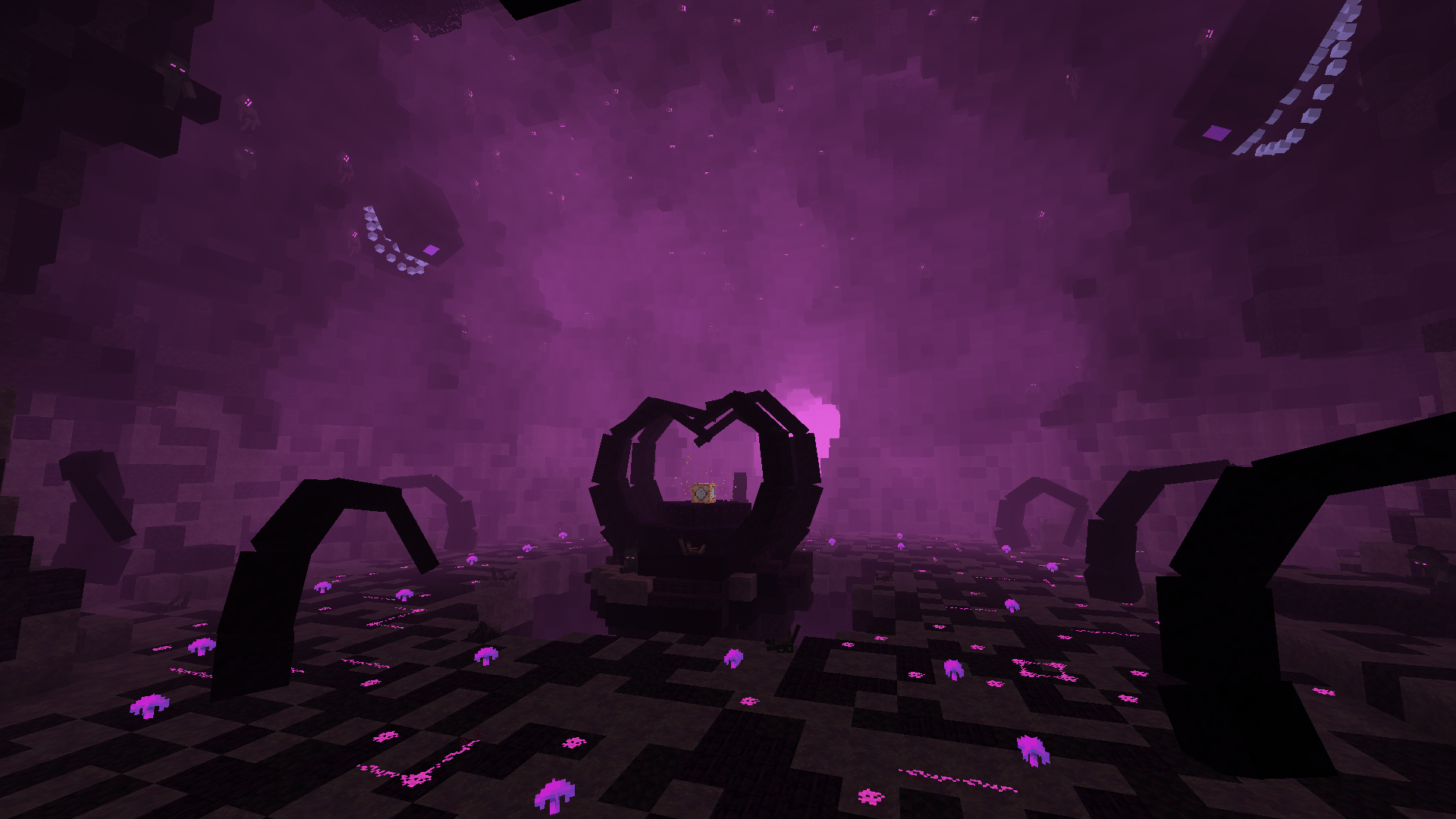
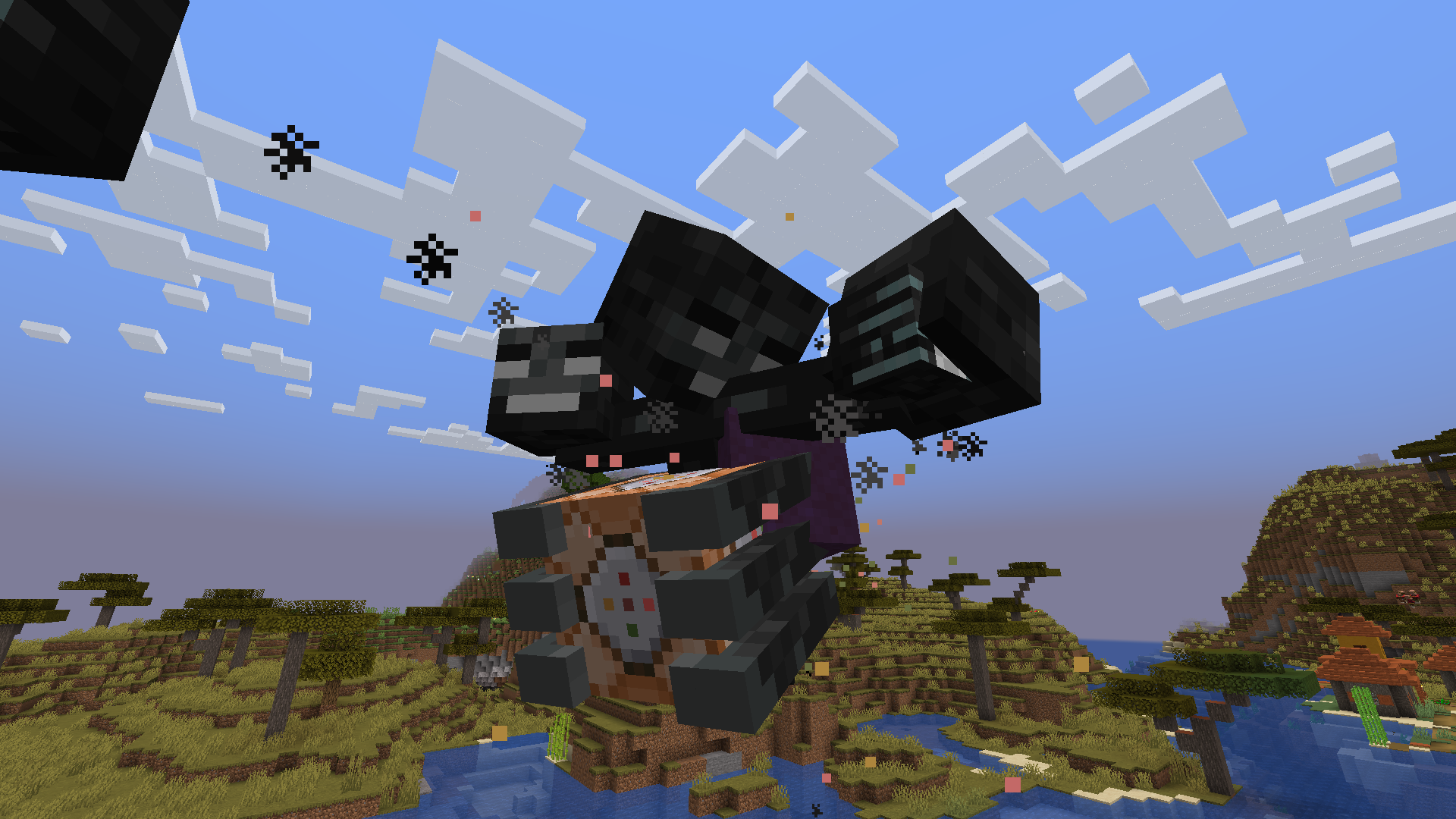
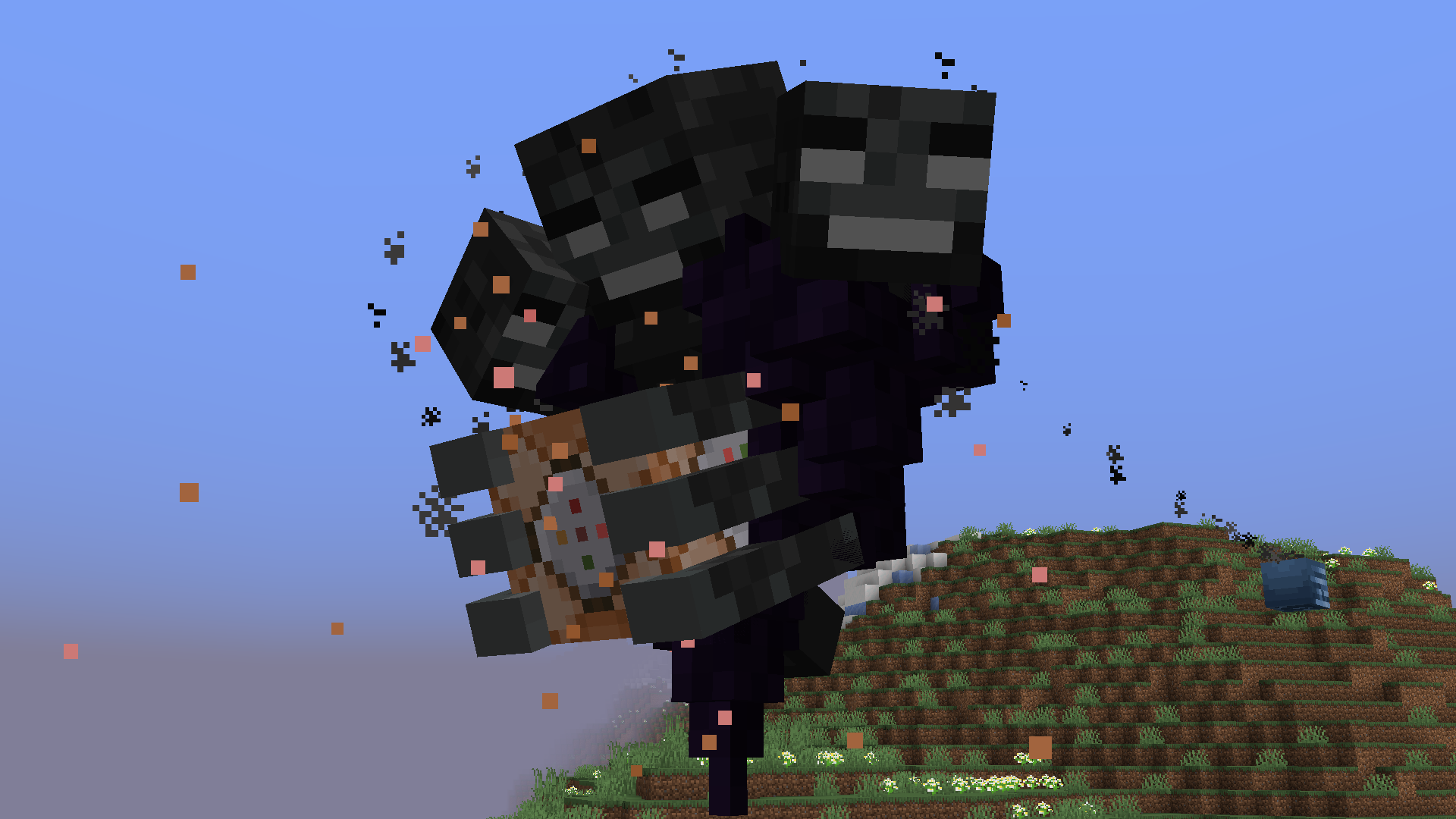
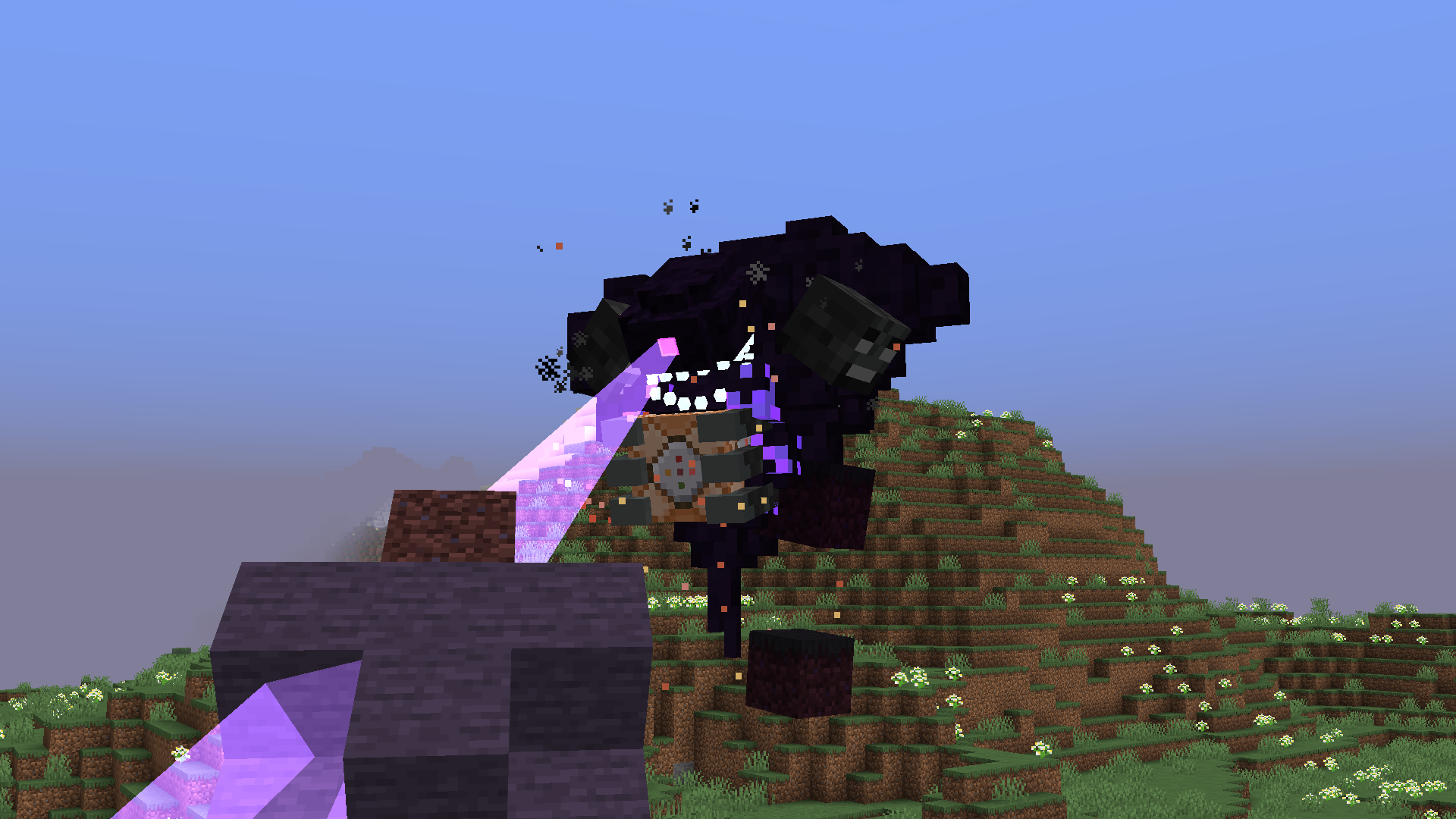
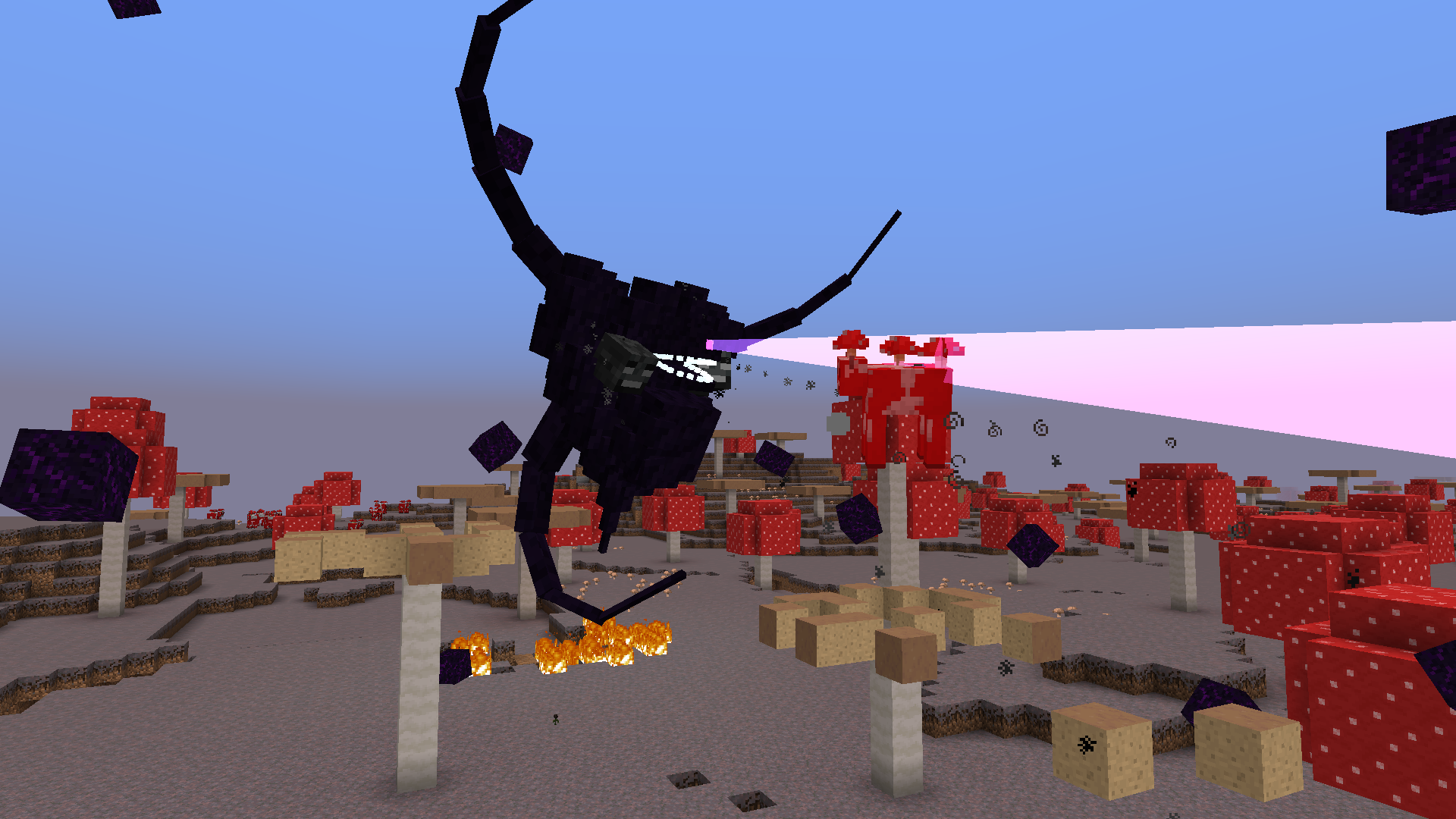
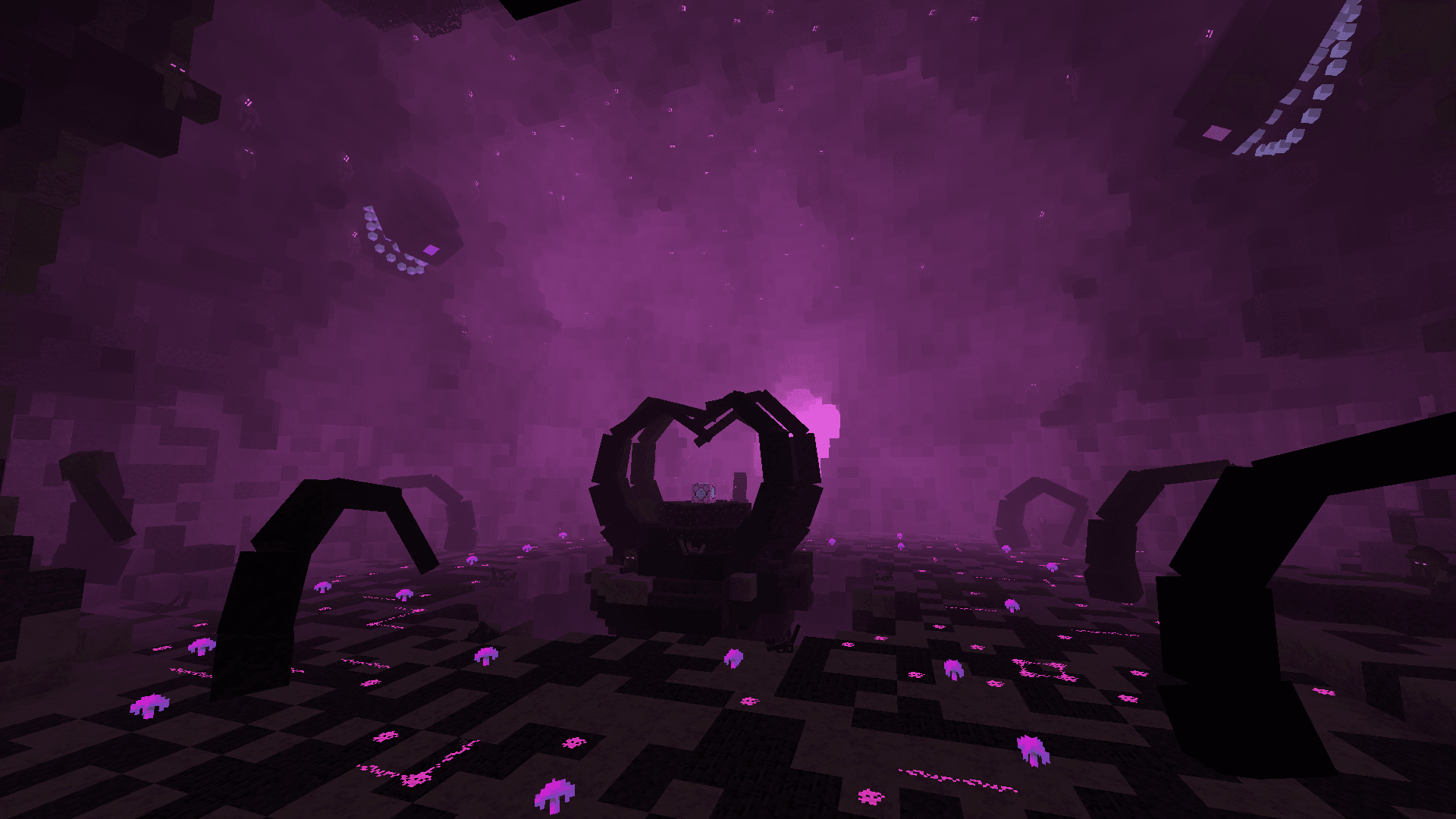
Bilder: Cracker's Wither Storm Mod auf Modrinth, vom Projektteam veröffentlicht.
Einrichtung
Cracker's Wither Storm Mod auf dem Server installieren
Server und Spieler brauchen denselben Loader und dieselbe Minecraft-Version. Sichere die Welt, bevor du Mods hinzufügst oder aktualisierst.
- 01
Konfigurieren
4 GB RAM sind vorausgewählt. Laufzeit und Add-ons wählst du selbst, bezahlt wird per Kreditkarte oder PayPal.
- 02
Loader einstellen
Stell im Panel die Serversoftware auf Forge oder NeoForge und wähl die passende Minecraft-Version, zum Beispiel 1.20.1.
- 03
Mod installieren
Such im Mod-Browser nach „Cracker's Wither Storm Mod“ und installiere die Version für deinen Loader. Alternativ lädst du die .jar per SFTP in den Ordner mods. Erforderliche Abhängigkeiten stehen auf der Projektseite.
- 04
Verbinden
Alle Spieler installieren Cracker's Wither Storm Mod in derselben Version lokal und verbinden sich über die Serveradresse aus dem Panel.
- Auf dem Server
- Erforderlich
- Auf dem Client
- Erforderlich
- Loader
- Forge, NeoForge
- Minecraft
- 1.20.1, 1.19.4, 1.19.3 +3 weitere
- Lizenz
- LicenseRef-All-Rights-Reserved
Das Panel
Mods installieren, Fehler finden.
Echte Screenshots aus dem Mado Panel. Beides ist bei jedem Minecraft Server enthalten.
Mod-Browser
Modrinth und CurseForge direkt im Panel.
Der Browser filtert nach deiner Minecraft-Version. Mods installierst du mit einem Klick, ohne .jar-Dateien hochzuladen.

KI-Crash-Analyse
Wenn ein Mod crasht, liest die Analyse das Log.
Mods scheitern oft an einer falschen Loader-Version, Java-Version oder fehlenden Abhängigkeit. Die Analyse nennt eine wahrscheinliche Ursache und einen Lösungsvorschlag.

Versionen
Veröffentlichte Versionen
Nimm die Datei, die zu Loader und Minecraft-Version deines Servers passt. Server und Spieler brauchen dieselbe Version.
Cracker's Wither Storm Mod · Modrinth- 1.20.1-4.2.111. August 2024Minecraft 1.20.1 · Forge, NeoForge
- 1.19.4-3.5.111. August 2024Minecraft 1.19.4 · Forge
- 1.19.3-3.2.1.11. April 2023Minecraft 1.19.3 · Forge
- 1.18.2-2.2.128. März 2023Minecraft 1.18.2 · Forge
- 1.19.2-3.1.1.128. Februar 2023Minecraft 1.19.2 · Forge
Originalbeschreibung des Projektautors


This mod adds the Wither Storm from Minecraft: Story Mode, and is designed to be mainly a survival challenge mod in where the player(s) try to defeat the Wither Storm while running, hiding, and gearing up as they go along. No prior knowledge of Minecraft: Story Mode is required! One of the goals of this mod is to abstract the Wither Storm from the game as much as possible, so anyone can play.
To summon the Wither Storm, locate the rundown house at X: 0, Z: 0, and place the last wither skull on top of the incomplete wither-like structure!
I'd highly recommend going through this guide to get started playing in survival

• The Wither Storm:
Grows and evolves by absorbing its surroundings.
Has the ability to track the nearest player from wherever, and may occasionally chase them.
The Wither Storm has the ability to chunk load wherever, without the presence of a player, meaning the Wither Storm is always active
You can see the Wither Storm up to and over 10 000 blocks away thanks to the distant renderer added by the mod
The Wither Storm can pick up clusters of blocks, which can be entire trees or even villager houses!
The Wither Storm can pick up and consume almost any mob
• The Formidibomb
• Boss Battles
• Multiplayer compatibility
• Built-in config and config menu for customizability
• New tools and weapons
• Wither Sickness
• And more!

• If you're having issues with the Wither Storm never evolving and/or you can't see it on singleplayer worlds and you're using OptiFine, make sure "Smooth World" under "Performance" under "Video Settings" is disabled.
• Superflat worlds will need to be reloaded after world creation to make sure that the bowels is loaded in 1.19
This mod completely changes the way you play Minecraft. I would not recommend summoning the Wither Storm on a pre-existing world, if it's your only copy and it's one that you care about.
Ports to the latest Minecraft version will happen eventually. Versions below 1.20.1 are no longer supported and will only be updated to fix game breaking issues/bugs.
I will not be porting to older versions.
Certain features may deviate from what is seen in MC:SM. I also don't plan on adding other mobs from the game into this mod specifically.
If certain aspects feel unbalanced, or you'd like to suggest a specific feature, I'd recommend going to the mod's GitHub repository and submitting an issue.
Recipes for the blocks and items should get unlocked as you progress through the mod. Use your recipe book to check them out.

• Where is the "server config?"
If you're on singleplayer, the server config can be accessed via Pause Menu > Options > Purple "W" button, then clicking the "World Options" button. If you'd like to access it out of game (or your world is on a server), you can locate your world file (in your saves folder), go to the "serverconfig" file and open the witherstormmod-server.toml. Note: The server config is unique for each world. Changes made will not be applied to other saves.
• "How do I make the Wither Storm evolve quicker?"
By going to the same server config, change the "evolutionAttributeModifier" to a value below 1, the quickest allowed being 0.1. You will need to reload your world to apply this change! You can also use the /attribute command to change the evolution speed.
• "Fabric?"
Currently no.
• "Can you port to [Insert Version Here]?"
If it's for a new version of the game, patience, it's coming. We will not be backporting to older versions however.
• "Can I use this in my modpack?"
Yes! Just make sure to provide credit and a link back to this page
Guide
Preferences and Performance
Known Compatibility Issues
Commands and Technical
Copyright Info
Advanced Modification
Cracker's Wither Storm Mod Server crasht beim Start – was tun?
Häufige Ursachen: Loader- oder Minecraft-Version passen nicht zur Mod-Datei, eine Abhängigkeit fehlt oder der RAM reicht nicht. Such im Log (latest.log) nach „OutOfMemoryError“, „Mixin“ oder fehlenden Mods. Bei Mado wertet die KI-Crash-Analyse das Log aus und schlägt eine Ursache vor. Loader und Version änderst du im Panel.
Mit welchem Loader läuft Cracker's Wither Storm Mod?
Laut Modrinth unterstützt Cracker's Wither Storm Mod Forge, NeoForge für Minecraft 1.20.1, 1.19.4, 1.19.3.
Wie viel RAM braucht ein Server mit Cracker's Wither Storm Mod?
Als Orientierung 3–4 GB für einen Server mit dieser Mod. Das ist eine Schätzung, keine gemessene Mindestanforderung. Weitere Mods, viele Spieler und große Sichtweiten brauchen mehr. Ob eine Mod die Tick-Zeit belastet, siehst du mit dem spark-Profiler.
Ähnliche Mods
Beliebte Mods aus derselben Kategorie
 Server-fähig

Xaero's Minimap
von thexaero
Displays a map of the nearby world terrain, players, mobs, entities in the corner of your screen. Lets you create waypoints which help you find the locations you've marked.
 Server-fähig

Xaero's World Map
von thexaero
Adds a full screen world map which shows you what you have explored in the world. Works great together with Xaero's Minimap.
 Nur Client

Not Enough Animations
von tr7zw
Bringing first-person animations to the third-person
 Nur Client

3D Skin Layers
von tr7zw
Render the player skin layer in 3d!
Bereit für deinen Server mit Cracker's Wither Storm Mod?
4 GB RAM ab 8,00 € im Monat. 35 % auf den 1. Monat mit MADO35.