
Create Aeronautics: Gadgets & Gizmos
A create aeronautics addon that adds new ways to control and interact with physics contraptions
Screenshots
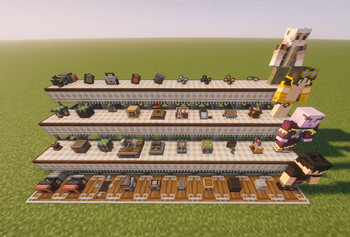
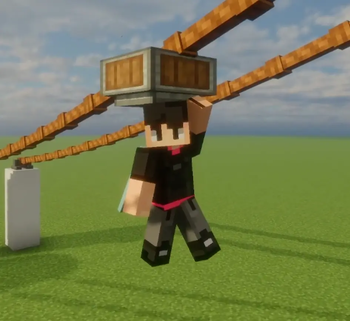
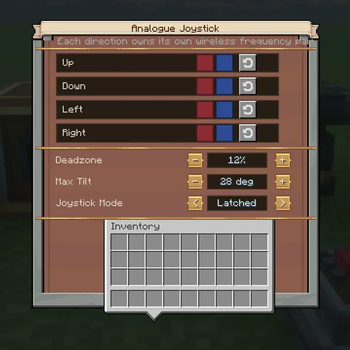
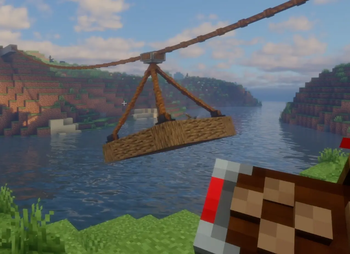
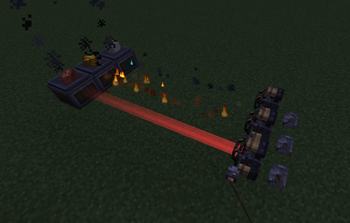
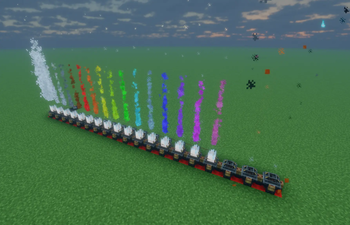
Über diese Mod
Logo by Djrag
I want to thank everyone in the community for helping make this addon what it is today! It wouldn't be were it is without your suggestions, feedback, and most importantly, bug reports. So thank you all ❤️
Showcase
Spoiler
Take your Create Aeronautics contraptions to the next level. With advanced control blocks, compact Ailerons, or Automated air ships!
Join the Discord!
New Blocks
Propulsion Blocks
| Thruster | Mini Thruster | Beam Thruster | RCS Thruster |
Control Blocks
| Contraption Controller | Advanced Contraption Controller | Joystick | Advanced Data Link |
| Double Button | Ship Control Module | ||
Bearings, Actuators, and Sub-Level Manipulation
| Servo Bearing | Vector Bearing | Aileron Bearing | Scissor Piston |
| Smart Gearbox | Bi-Directional Gearshift | Variable Transmission | Physics Gantry |
| Claw | Powered Zipline | Entity Launcher | |
Other Blocks
| Industrial Alternator | Industrial Motor | Fuel Oxidizer | ACC Display |
| Ship Dock | Universal Display Adaptor | ||
New Items
| Thruster Lens | Physics Staff | Smart Goggles |
| Contraption Network Linker | Configuration Clipboard | Propulsion Upgrade |
| Smelting Upgrade | Smoking Upgrade | Haunting Upgrade |
| Computation Mechanism | Shipping Schedule | Blackstone Alloy |
| Blackstone Sheet | Portable Contraption Controller | Portable Advanced Contraption Controller |
Ship Control Module
The Ship Control Module is a new multiblock that requires an Advanced Contraption Controller to be placed directly on top of it.
It enables create train style automation using the Shipping Schedule and Ship Docks, it does it's own live path finding and sub-level/world collision avoidance.
Currently it only supports ships that are steared and propelled by Thrusters added by this mod, Create Propulsion Simulated thrusters do work to a degree but not fully.
Known issues with the
Ship Control Module:
- Doesn't work correctly with planes, boats, ground vehicles or sail like blocks on bearings.
- Most features are only fully supported with the thrusters added by G&G, other propulsion mod support is being worked on.
Gadgets and Gizmos update 1.3.0 is already being worked on and was being worked on side-by-side with the 1.2.0 release, 1.3.0 will bring better usability to the Ship Control Module including a full GUI and better ground vehicle, plane, and boat support.
Versioning Guide
| Version Number | Version Type | Purpose |
| x.0.0 | Major Version | Reserved for codebase rewrites and major breaking changes. |
| 1.x.0 | Minor Version | New features, blocks, and mechanics. |
| 1.0.x | Patch Version | Reserved for bug fixes, patches, and hotfixes. |
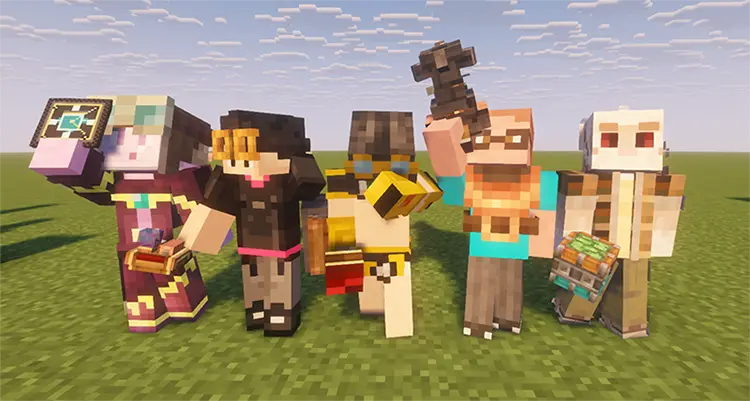
Contributor and Supporter Mannequins
- Christeroph: For continued support through all my projects and his band allowing me to include their music in the addon!
- Djrag: For providing the amazing new block models and textures! More to come!
- RayRay: For providing the fantastic new GUI and interface textures! More to come!
- BigJim: For his continued support and showcases in his videos!
Special thanks to Lomens for providing the music for the addon! check them out on all major streaming platforms.
CC:Tweaked integration for Everything!
CC:Tweaked peripheral support for major systems, including thrusters, bearings, gearbox, joystick, controller, and more. Control single devices or control attached thruster groups from code.
Bundled in-game docs browser at
/rom/thrusters/docs.lua
CompleteAdvanced Contraption Controller -> CC:Tweakedbridge allowing you to get information from theACCand author complete graphs from withinCC:Tweaked. Wiki availible here Github
Pack Authors
Inclusion of Gadgets & Gizmos the Gadgets & Gizmos Library or any other mods by me are allowed to be included in mod packs without limitation, this is perpetual permission.
Verfügbare Versionen
Create Aeronautics: Gadgets & Gizmos auf dem Server installieren
Server bestellen
Bestelle einen Minecraft Java Server mit mindestens 4 GB RAM (6 GB empfohlen).
neoforge Loader setzen
Wähle im Panel unter "Egg" den neoforge-Loader und die passende Minecraft-Version (1.21.1).
Mod installieren
Öffne den Mod-Browser im Dashboard und suche nach "Create Aeronautics: Gadgets & Gizmos". Klicke "Installieren" – fertig! Alternativ: Lade die .jar via SFTP in den /mods Ordner.
Kompatibilität
Mod-Loader
Minecraft-Versionen
1.21.1
Server-seitig
✓ ErforderlichEmpfohlener RAM
6 GB(min. 4 GB)Häufige Fragen
Create Aeronautics: Gadgets & Gizmos Server crasht beim Start – was tun?
Häufigste Ursache: falsche neoforge-Version oder zu wenig RAM. Prüfe im Server-Log (latest.log), ob ein "OutOfMemoryError" oder "Mixin"-Fehler auftritt. Bei Mado Hosting: Stelle sicher, dass mindestens 4 GB RAM zugewiesen sind und der Loader zur Mod-Version passt (1.21.1). Über das Panel kannst du den Loader mit einem Klick wechseln.
Ist Create Aeronautics: Gadgets & Gizmos mit neoforge kompatibel?
Create Aeronautics: Gadgets & Gizmos unterstützt offiziell neoforge für Minecraft 1.21.1. Im Mado Dashboard werden inkompatible Loader-Kombinationen automatisch erkannt.
Server laggt mit Create Aeronautics: Gadgets & Gizmos – wie optimiere ich die Performance?
Empfohlener RAM: 6 GB (+1 GB pro 5 Spieler). Prüfe mit /spark profiler, ob Create Aeronautics: Gadgets & Gizmos den meisten Tick-Time verbraucht. Häufige Fixes: Server-View-Distance auf 8-10 reduzieren, bei Forge "performant" oder "starlight" als Zusatz-Mod installieren. Bei Mado Hosting läuft dein Server auf NVMe-SSDs mit dedizierten CPU-Kernen für minimale Latenz.
Ähnliche Mods






Modded Server mieten
Installiere Create Aeronautics: Gadgets & Gizmos mit nur einem Klick auf deinem Server.