
Create: Aeroworks
A collection of addons for Create Aeronautics with blocks such as the gyroscope, joystick, and more!
Über diese Mod
Create: Aeroworks

An addon for Create: Aeronautics that adds a suite of various blocks for your airships.
Available blocks:
- Gyroscope
- Joystick
Planned blocks:
- Advanced Gyroscope (allows arbitrary target orientation)
- Mini Gyroscope
- Joystick + Keyboard Input
- Handheld Joystick
- Modular Controller
Keep Your Ship Level
The Gyroscope is a spinning flywheel that stabilizes your ship upwards. Mount one anywhere on your contraption and supply it with rotational energy. The gyroscope stabilization scales with input RPM. Multiple gyroscopes can be used to stabilize larger ships!
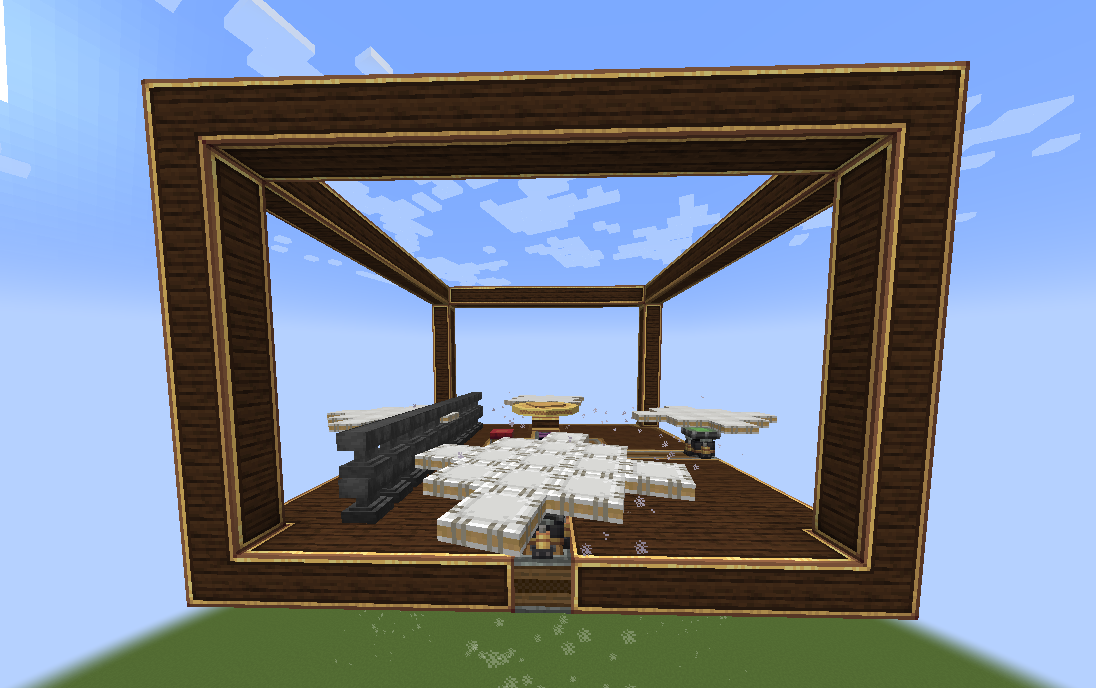
A tooltip is provided to provide insight to the gyroscopic stabilization.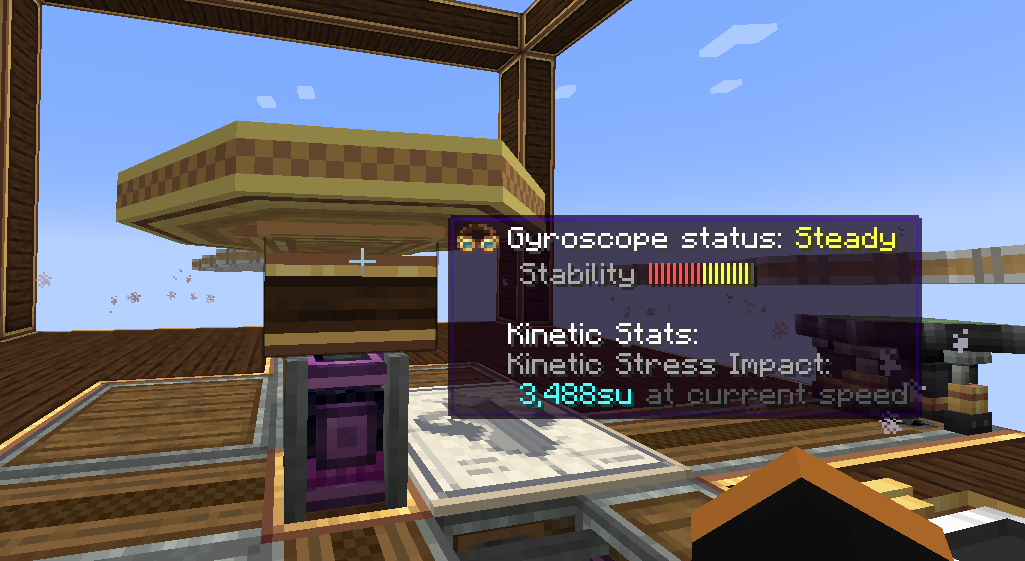
Explanation of Gyroscope status:
- Off -> Self explanatory. The gyroscope is off.
- Unstable -> The gyroscope is unable to stabilize your ship with the input RPM or number of gyroscope
- Steady -> Your ship can be stabilized with the current gyroscope(s) configuration. However, more power or gyroscopes is necessary to make your ship perfectly level.
- Level -> Your ship is level (< 2°) with respect to the world with the current gyroscope(s) configuration.
Configurable axis "stiffness":
Applying an analog redstone signal to the side of a gyroscope reduces the corrective forces applied by the gyroscope along that axis. The axis is fully unlocked at max redstone strength: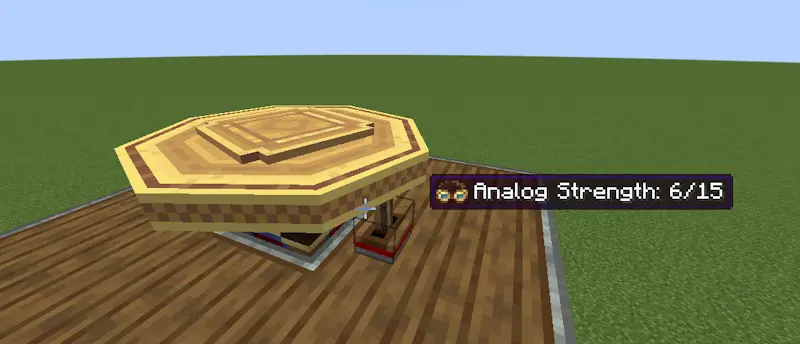
The tooltip is updated to reflect the current corrective force as "stiffness":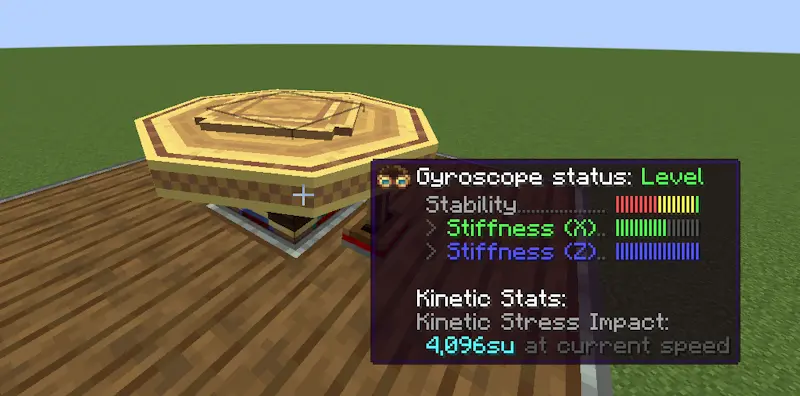
This allows you to roll and pitch your ship but then bring the ship back to level when you're done maneuvering.
Joystick
The Joystick allows you to control your ship along 2 axes. A redstone signal (0-15) is output per direction the stick is tilted towards. For simplicity, the joystick outputs the redstone signal on configurable redstone link frequencies. An extra button is provided for extra controllability.
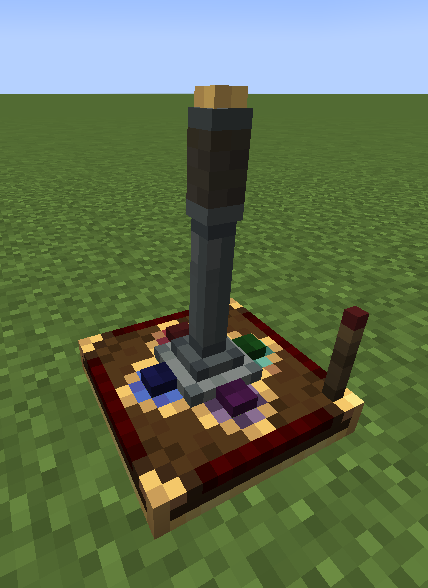
A redstone input can be provided to lock the orientation of the joystick: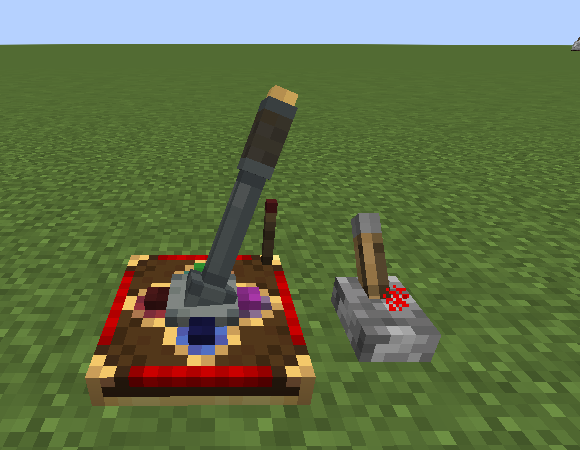
An on-screen HUD displays the current Joystick output when being controlled: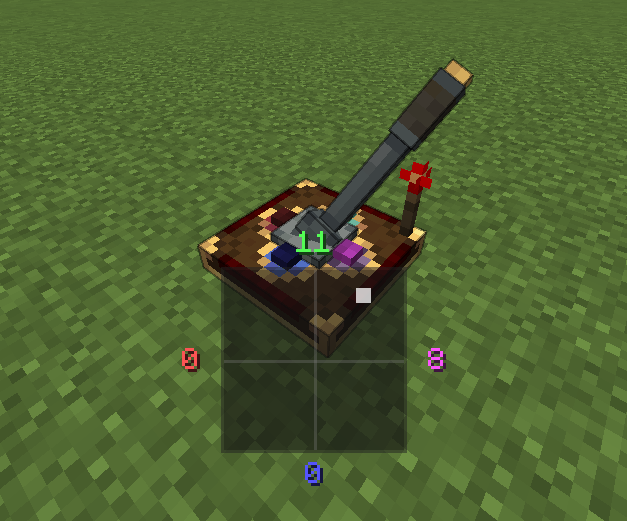
A configurable UI is provided for configuring the redstone link frequencies: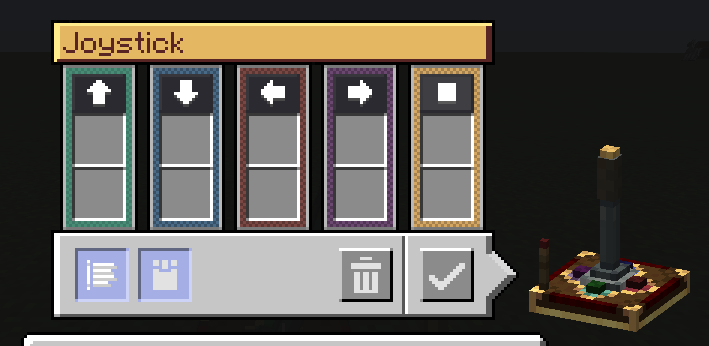
Keyboard mode is also available with a toggleable snapback mode: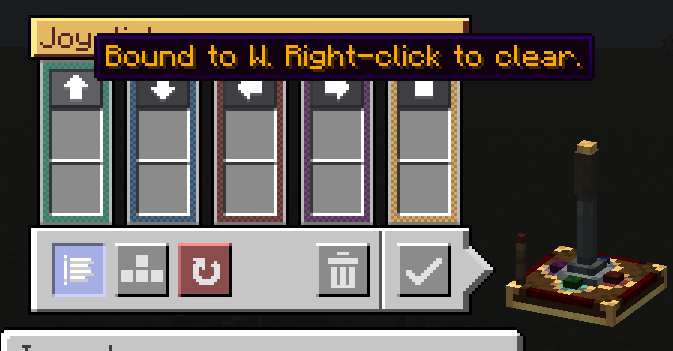
Modular Controls
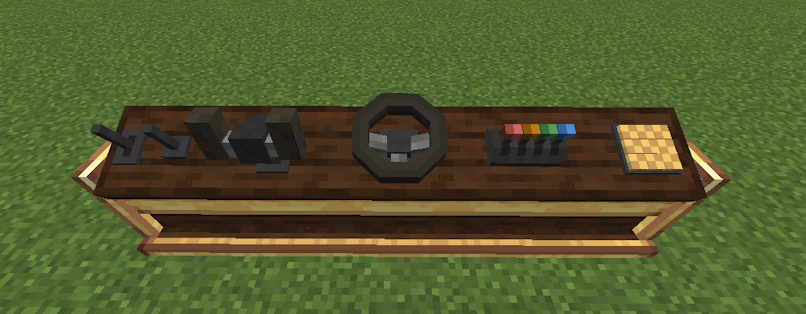
The console desk allows you to mix and match control modules to create the perfect cockpit or helm for your ship.
Current supported control modules:
- Lever
- Joystick
- Button
- Steering Wheel
- Yoke
- Throttle Quadrant
Dependencies
- NeoForge 21.1.225+
- Create 6.0.0+
- Create: Aeronautics 1.0.3+
Verfügbare Versionen
Create: Aeroworks auf dem Server installieren
Server bestellen
Bestelle einen Minecraft Java Server mit mindestens 4 GB RAM (6 GB empfohlen).
neoforge Loader setzen
Wähle im Panel unter "Egg" den neoforge-Loader und die passende Minecraft-Version (1.21.1).
Mod installieren
Öffne den Mod-Browser im Dashboard und suche nach "Create: Aeroworks". Klicke "Installieren" – fertig! Alternativ: Lade die .jar via SFTP in den /mods Ordner.
Kompatibilität
Mod-Loader
Minecraft-Versionen
1.21.1
Server-seitig
✓ ErforderlichEmpfohlener RAM
6 GB(min. 4 GB)Häufige Fragen
Create: Aeroworks Server crasht beim Start – was tun?
Häufigste Ursache: falsche neoforge-Version oder zu wenig RAM. Prüfe im Server-Log (latest.log), ob ein "OutOfMemoryError" oder "Mixin"-Fehler auftritt. Bei Mado Hosting: Stelle sicher, dass mindestens 4 GB RAM zugewiesen sind und der Loader zur Mod-Version passt (1.21.1). Über das Panel kannst du den Loader mit einem Klick wechseln.
Ist Create: Aeroworks mit neoforge kompatibel?
Create: Aeroworks unterstützt offiziell neoforge für Minecraft 1.21.1. Im Mado Dashboard werden inkompatible Loader-Kombinationen automatisch erkannt.
Server laggt mit Create: Aeroworks – wie optimiere ich die Performance?
Empfohlener RAM: 6 GB (+1 GB pro 5 Spieler). Prüfe mit /spark profiler, ob Create: Aeroworks den meisten Tick-Time verbraucht. Häufige Fixes: Server-View-Distance auf 8-10 reduzieren, bei Forge "performant" oder "starlight" als Zusatz-Mod installieren. Bei Mado Hosting läuft dein Server auf NVMe-SSDs mit dedizierten CPU-Kernen für minimale Latenz.
Ähnliche Mods






Modded Server mieten
Installiere Create: Aeroworks mit nur einem Klick auf deinem Server.