
Create: Droneworks Simulated
Create your own custom FPV drones with aeronautics
Screenshots
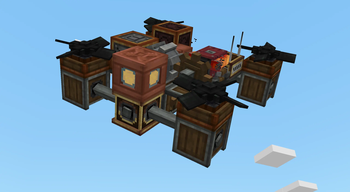
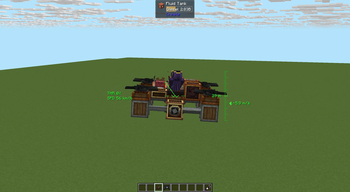
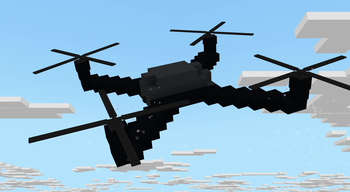
Über diese Mod
Create: Droneworks Simulated
Build and fly your own drones in Create.
Droneworks is an add-on for Aeronautics that lets you build aircraft from redstone-controlled parts and control it remotely
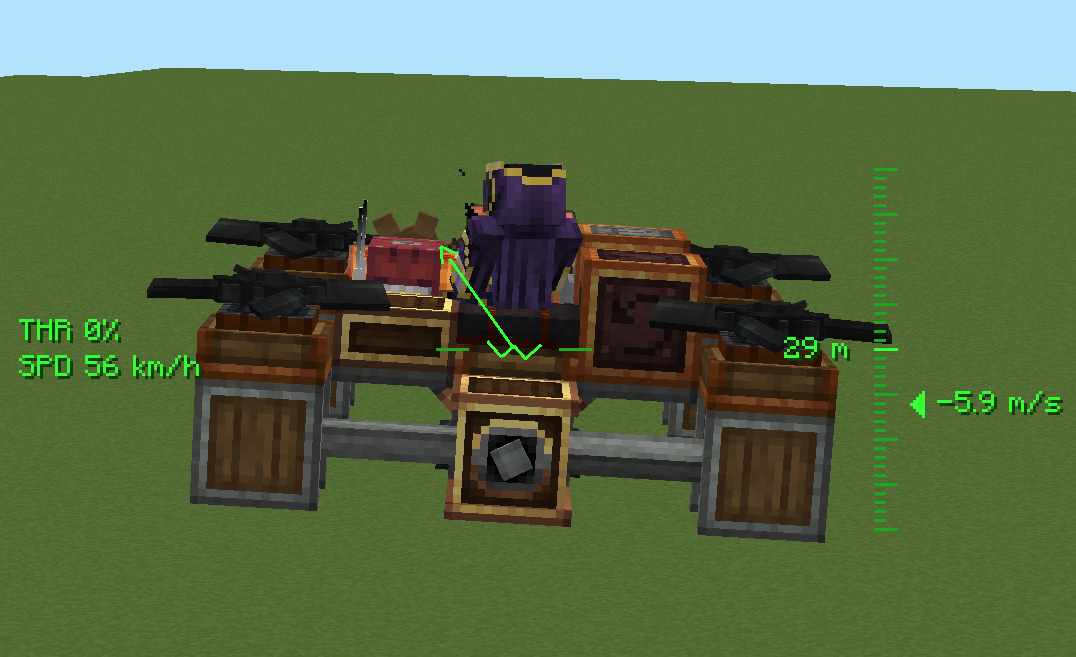
Realism
Propellers actually push, torque has to be balanced
Pilot it your way
- Commander Seat — hop in for a locked third-person view with a full flight HUD.
- Drone Camera — mount a tiny FPV camera and get a first-person feed that banks and tumbles with the craft, complete with analog glitch visuals.
- Drone Remote Controller — link to a seat or camera and watch your drone from anywhere in range(1500 blocks is a default), wirelessly.
The parts
- Drone Core — the brain: set your heading, feed it thrust with an analog redstone signal, and switch between stabilised and high-sensitivity modes.
- Drone Controls — maps each side to an axis (yaw, pitch, roll) for full steering.
- Drone Propeller & Tilting Propeller Bearing — your lift and thrust, with per-blade torque direction so you can tune yaw and keep the craft balanced.
- Drone Blade & Drone Hub — decorative rotor pieces to make your build look the part.
- Flap Bearing — combines clutch gearshift torsion spring and mechanical bearing to control flaps with analog redstone with setting max angle. What before was achieved by 4 blocks now compacted in one. Neat feature is analog redstone, if max degree is 30, then at 5 redstone signal angle would be 10, at 10 redstone signal it would be 20 and at 15 it would be max angle - 30.
Verfügbare Versionen
Create: Droneworks Simulated auf dem Server installieren
Server bestellen
Bestelle einen Minecraft Java Server mit mindestens 4 GB RAM (6 GB empfohlen).
neoforge Loader setzen
Wähle im Panel unter "Egg" den neoforge-Loader und die passende Minecraft-Version (1.21.1).
Mod installieren
Öffne den Mod-Browser im Dashboard und suche nach "Create: Droneworks Simulated". Klicke "Installieren" – fertig! Alternativ: Lade die .jar via SFTP in den /mods Ordner.
Kompatibilität
Mod-Loader
Minecraft-Versionen
1.21.1
Server-seitig
✓ ErforderlichEmpfohlener RAM
6 GB(min. 4 GB)Häufige Fragen
Create: Droneworks Simulated Server crasht beim Start – was tun?
Häufigste Ursache: falsche neoforge-Version oder zu wenig RAM. Prüfe im Server-Log (latest.log), ob ein "OutOfMemoryError" oder "Mixin"-Fehler auftritt. Bei Mado Hosting: Stelle sicher, dass mindestens 4 GB RAM zugewiesen sind und der Loader zur Mod-Version passt (1.21.1). Über das Panel kannst du den Loader mit einem Klick wechseln.
Ist Create: Droneworks Simulated mit neoforge kompatibel?
Create: Droneworks Simulated unterstützt offiziell neoforge für Minecraft 1.21.1. Im Mado Dashboard werden inkompatible Loader-Kombinationen automatisch erkannt.
Server laggt mit Create: Droneworks Simulated – wie optimiere ich die Performance?
Empfohlener RAM: 6 GB (+1 GB pro 5 Spieler). Prüfe mit /spark profiler, ob Create: Droneworks Simulated den meisten Tick-Time verbraucht. Häufige Fixes: Server-View-Distance auf 8-10 reduzieren, bei Forge "performant" oder "starlight" als Zusatz-Mod installieren. Bei Mado Hosting läuft dein Server auf NVMe-SSDs mit dedizierten CPU-Kernen für minimale Latenz.
Ähnliche Mods




Modded Server mieten
Installiere Create: Droneworks Simulated mit nur einem Klick auf deinem Server.