
Create: Netherless
🚫Gather and automate Nether ressources without ever needing the Nether
Screenshots



Über diese Mod
Create: Netherless is an Addon for the Create Mod;
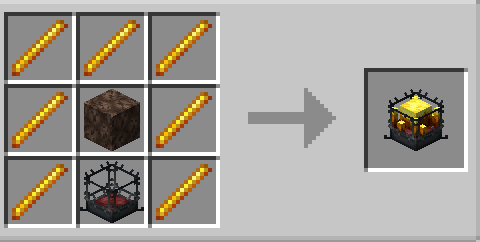
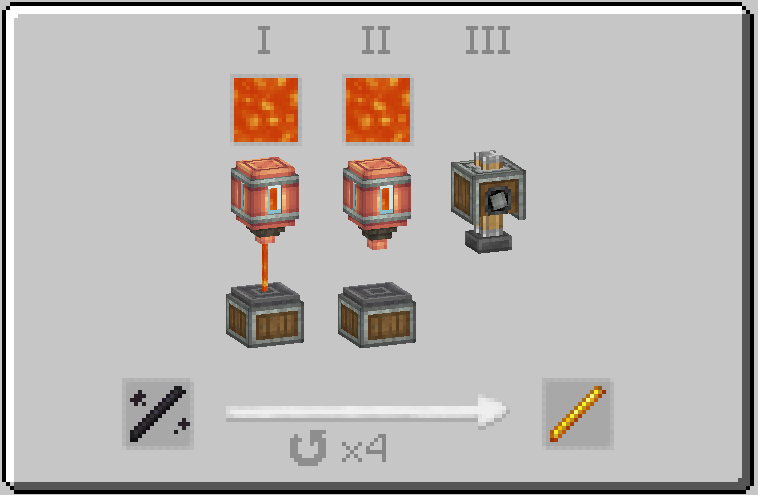
The goal of this mod is to provide players with the possibility of making and automating most Nether resources even without access to the Nether! This includes Blazes, Netherite, Netherrack, or anything else you can think of that is locked behind the Nether.
If you think some recipes are unbalanced/not working/missing, let me know in the comments section💬!
Frequently Asked Questions (FAQ):
▶Q: How do i see the recipes? A: You can use recipe-viewing mods like JEI or EMI.
▶Q: will removing/adding this addon to an existing world causes problems? A: You can safely delete/add this mod from any world without issue.
▶Q: will this mod ever come on fabric? A: It is available for Fabric, but only on Curseforge, you just need to click here!
▶Q: Is this add-on available for 6.0.x? A: Yes it is!
▶Q: What next for the mod? A: The add-on is currently on pause as we are working on other projects. Nnew content and balancing is planned, with the introduction of ectoplasm for example, but for now, you will need to wait!
**▶**Any others questions? You can join the Discord Server of the Honeycomb Studios and ask them there!
Verfügbare Versionen
Create: Netherless auf dem Server installieren
Server bestellen
Bestelle einen Minecraft Java Server mit mindestens 4 GB RAM (6 GB empfohlen).
forge Loader setzen
Wähle im Panel unter "Egg" den forge-Loader und die passende Minecraft-Version (1.21.1).
Mod installieren
Öffne den Mod-Browser im Dashboard und suche nach "Create: Netherless". Klicke "Installieren" – fertig! Alternativ: Lade die .jar via SFTP in den /mods Ordner.
Kompatibilität
Mod-Loader
Minecraft-Versionen
1.21.1, 1.20.1, 1.19.2 (+1 weitere)
Server-seitig
✓ ErforderlichEmpfohlener RAM
6 GB(min. 4 GB)Häufige Fragen
Create: Netherless Server crasht beim Start – was tun?
Häufigste Ursache: falsche forge-Version oder zu wenig RAM. Prüfe im Server-Log (latest.log), ob ein "OutOfMemoryError" oder "Mixin"-Fehler auftritt. Bei Mado Hosting: Stelle sicher, dass mindestens 4 GB RAM zugewiesen sind und der Loader zur Mod-Version passt (1.21.1). Über das Panel kannst du den Loader mit einem Klick wechseln.
Ist Create: Netherless mit forge und neoforge kompatibel?
Create: Netherless unterstützt offiziell forge, neoforge für Minecraft 1.21.1, 1.20.1, 1.19.2. Im Mado Dashboard werden inkompatible Loader-Kombinationen automatisch erkannt.
Server laggt mit Create: Netherless – wie optimiere ich die Performance?
Empfohlener RAM: 6 GB (+1 GB pro 5 Spieler). Prüfe mit /spark profiler, ob Create: Netherless den meisten Tick-Time verbraucht. Häufige Fixes: Server-View-Distance auf 8-10 reduzieren, bei Forge "performant" oder "starlight" als Zusatz-Mod installieren. Bei Mado Hosting läuft dein Server auf NVMe-SSDs mit dedizierten CPU-Kernen für minimale Latenz.
Ähnliche Mods




Modded Server mieten
Installiere Create: Netherless mit nur einem Klick auf deinem Server.