
Create: Nowheel
A powerful optimization mod for Create, unifying Flywheel and Entity Culling to improve frame rates, reduce micro-stutter, and fix bugs
Über diese Mod
Nowheel
Nowheel is a lightweight yet powerful optimization mod for Create, unifying Flywheel and Entity Culling to improve frame rates, reduce micro-stutter, and fix bugs.
New in 2.0: Pop-in and hitches should now be fully gone for most configurations!(Note: Indirect Flywheel is needed for this optimization. Colorwheel 1.3+ is needed if you are using shaders but other versions work)
Nowheel increases performance by improving how Create handles machines that are not visible to the player. This effect is greatly amplified in bigger factories where not many machines are actually visible.
Some of the optimizations that could impact visual fidelity or could have issues are disabled by default.
Enabling these optimizations in the mod's config should generally be pretty harmless and provide a nice little performance improvement without sacrificing much. Please report any issues that you experience with these options enabled.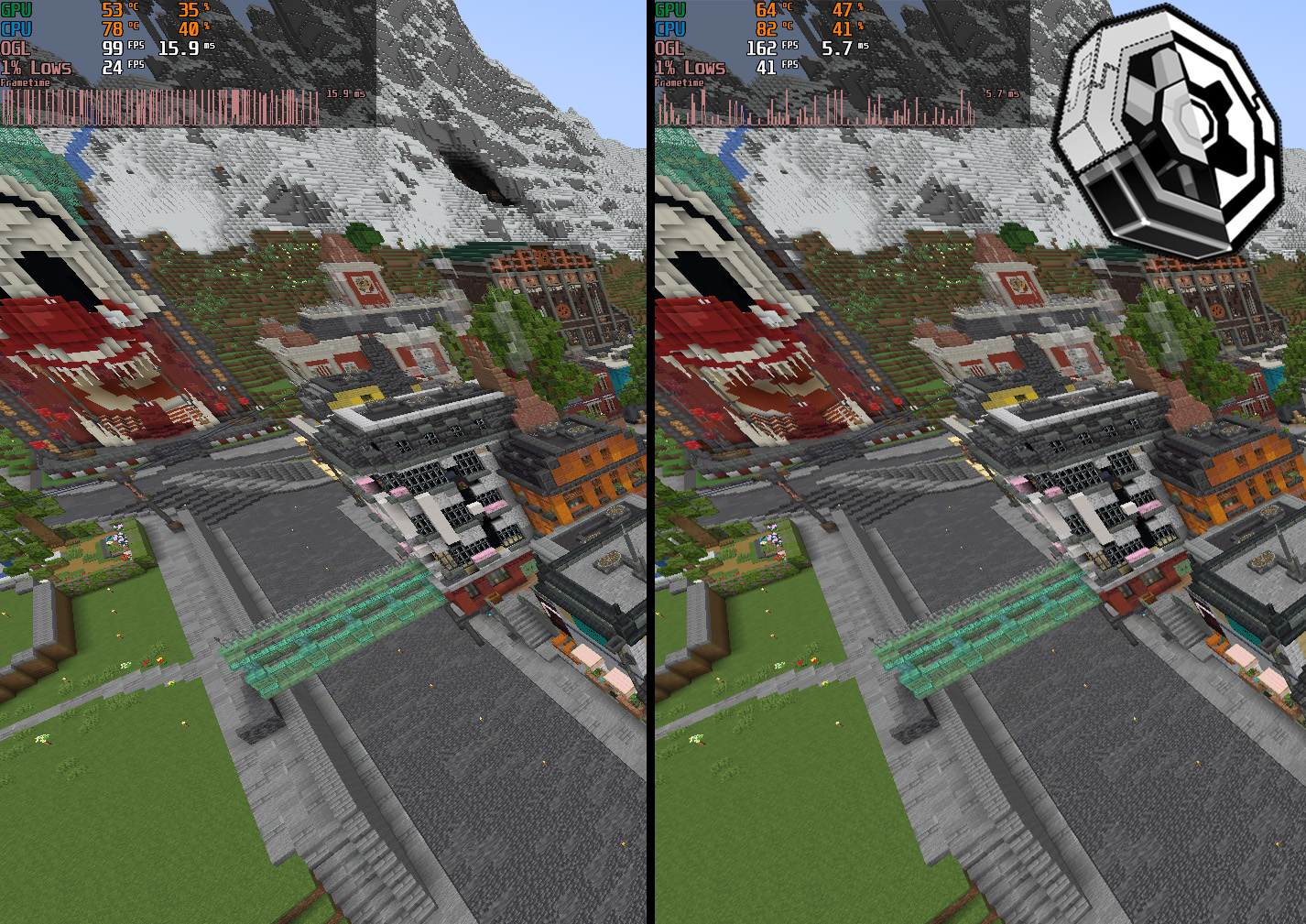
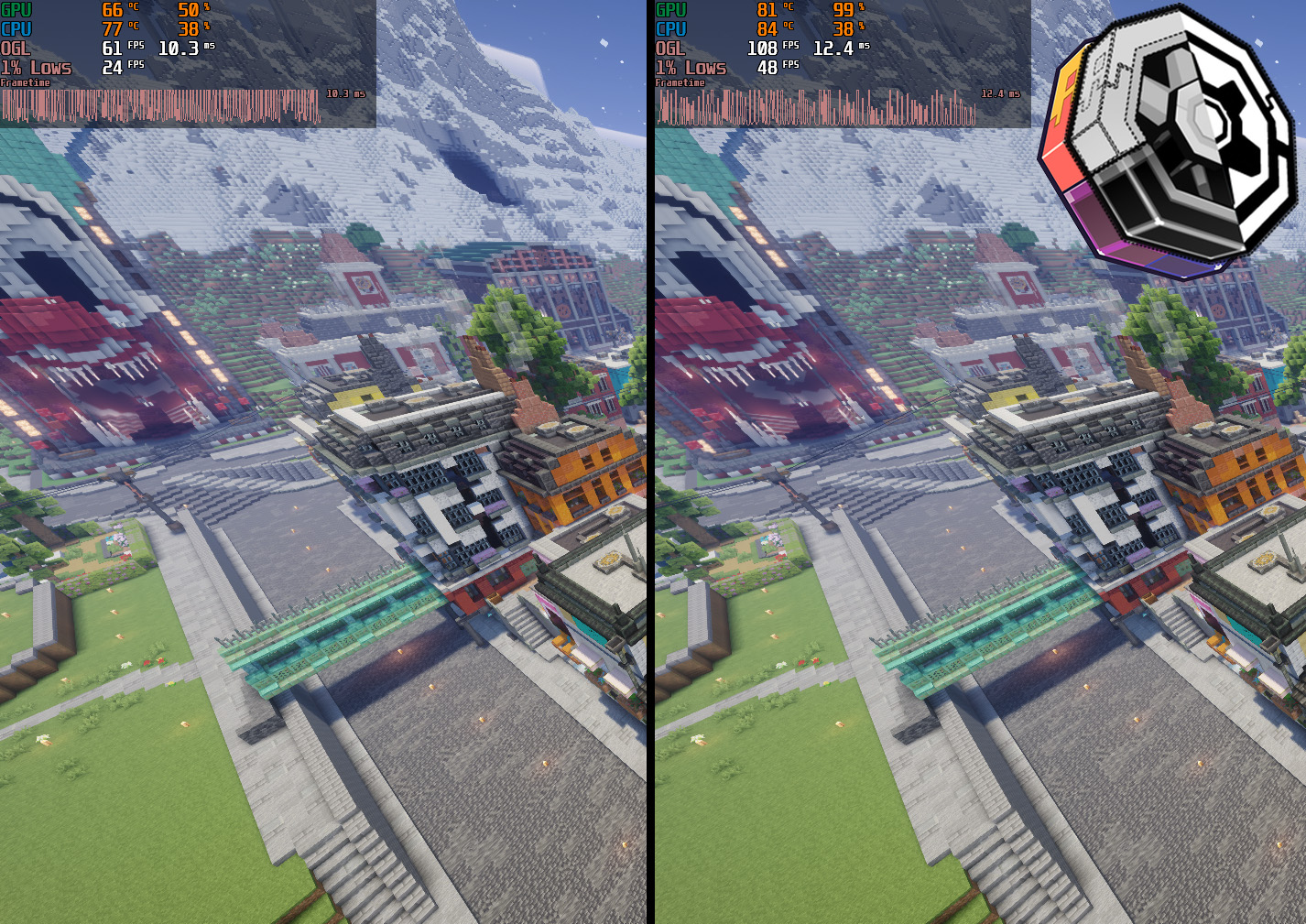
- World: Just Create SMP S1
- Flywheel backends are flywheel:indirect for no shaders and colorwheel:indirect for shaders (Colorwheel 1.3.0 beta3)
- Tick Culling and Distance Culling are enabled, render distance is at 16
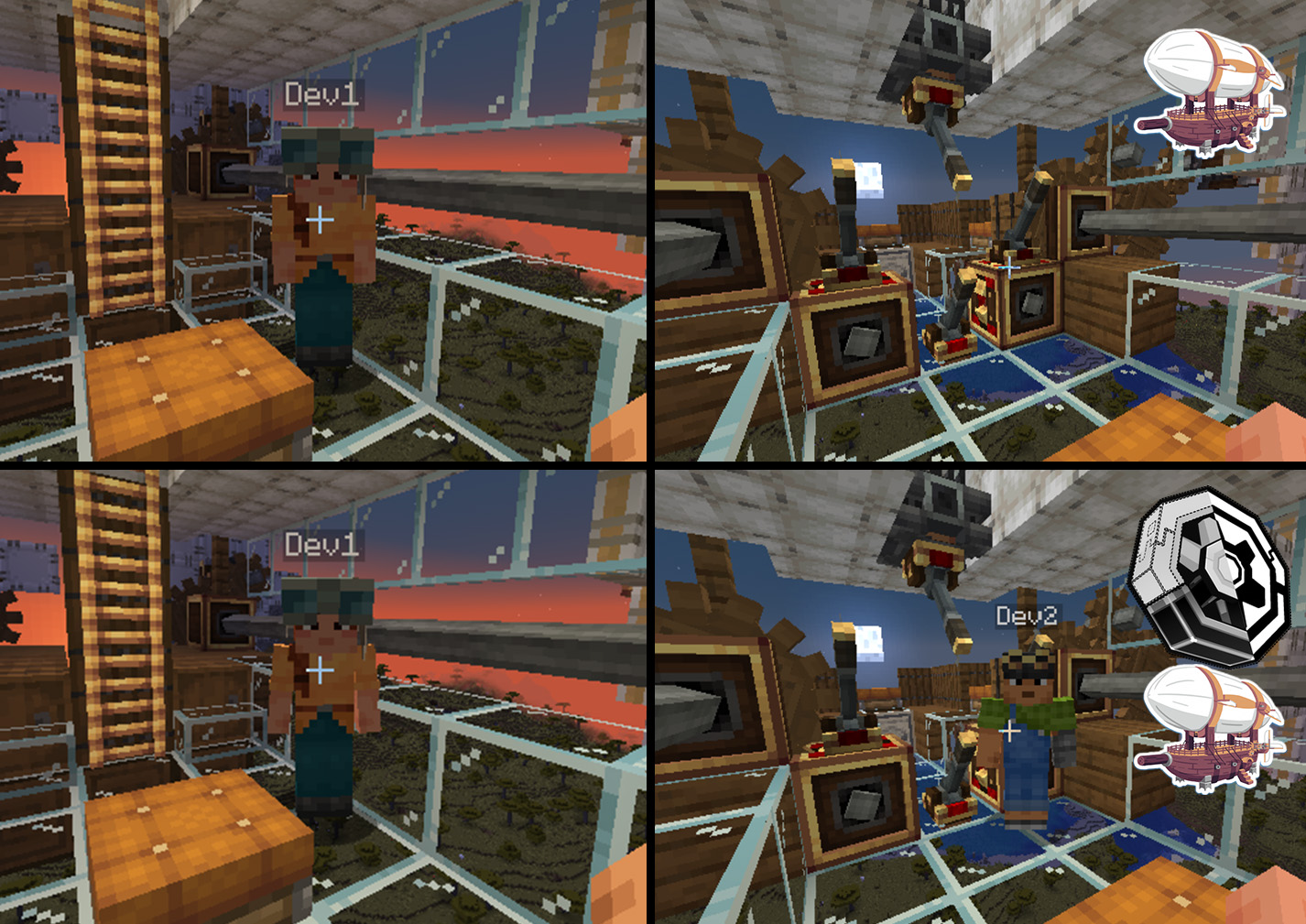
Nowheel fixes an Entity Culling + Sable bug where mobs and players sometimes visually disappear on simulated contraptions
This mod is built on and requires Entity Culling
Create is also required (obviously)
Colorwheel is HIGHLY recommended if you use shaders
Credits
Belt and Chain conveyor AABBs are taken from Create Smart Bounds.
Verfügbare Versionen
Create: Nowheel auf deinem Client installieren
Mod-Loader lokal installieren
Installiere fabric für deine lokale Minecraft-Version.
Passende Datei herunterladen
Wähle die Create: Nowheel-Datei für fabric und Minecraft 1.21.1.
Mod installieren
Lege die .jar-Datei in deinem lokalen .minecraft/mods-Ordner ab und starte Minecraft neu. Eine Installation auf dem Server ist nicht nötig.
Kompatibilität
Mod-Loader
Minecraft-Versionen
1.21.1, 1.20.1
Server-seitig
✗ Nicht unterstütztEmpfohlener RAM
6 GB(min. 4 GB)Häufige Fragen
Muss Create: Nowheel auf dem Minecraft Server installiert werden?
Nein. Modrinth kennzeichnet Create: Nowheel serverseitig als nicht unterstützt. Installiere die Mod nur im lokalen Minecraft-Mods-Ordner. Dein Server kann unverändert bleiben, sofern die Mod-Seite keine zusätzliche Abhängigkeit nennt.
Welche Version und welchen Loader braucht Create: Nowheel?
Nutze eine Datei für fabric, forge, neoforge und exakt deine Minecraft-Version. Unterstützte Versionen sind unter anderem 1.21.1, 1.20.1. Loader-Dateien sind nicht untereinander austauschbar.
Create: Nowheel funktioniert nicht – was kann ich prüfen?
Prüfe zuerst Minecraft-Version, Loader-Version und erforderliche Abhängigkeiten. Lege die .jar-Datei im lokalen .minecraft/mods-Ordner ab und entferne ältere Duplikate. Da die Mod clientseitig ist, löst mehr Server-RAM dieses Problem nicht.
Ähnliche Mods


Minecraft Server für deine Gruppe
Create: Nowheel bleibt auf deinem Client. Hoste dazu eine kompatible Welt für deine Mitspieler.