
Create : radiologistics
Unleash wireless connectivity and node-based logic programming in your Create contraptions
Screenshots
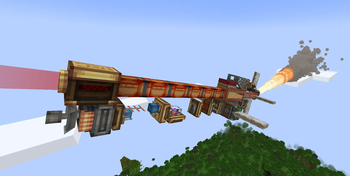
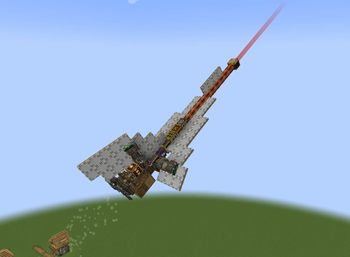
Über diese Mod


Unleash wireless connectivity and node-based programming
Create: Radiologistics bridges mechanical engineering with wireless communication and logical computation, allowing you to control factories, railways, defense systems, and flying machines remotely.
Key Features
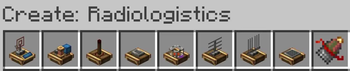
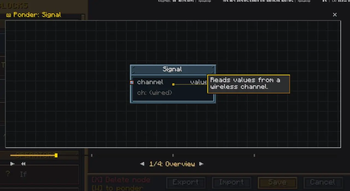
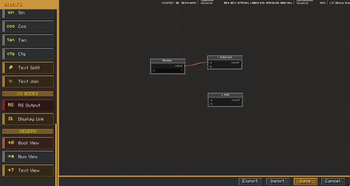
- Main Computer: The central processing unit of your network. Right-click to open a visual, node-based programming editor. Create math, logic, variables, and text algorithms easily.
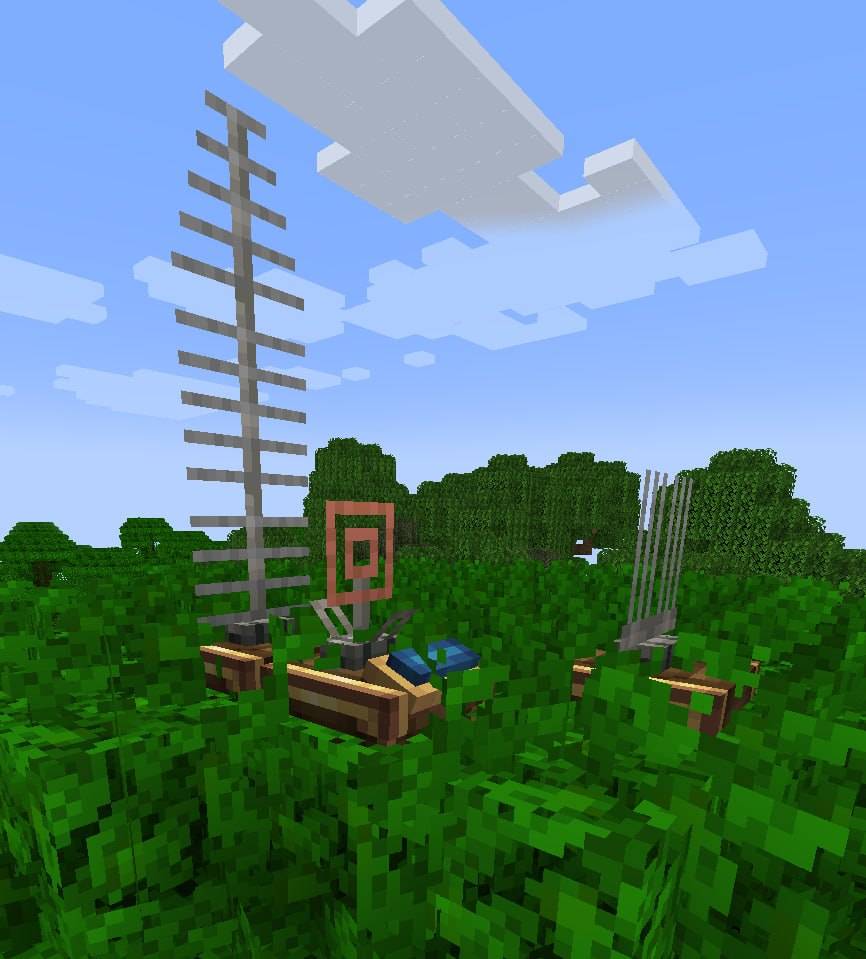
- Radio Transmitter & Antennas: Broadcast wireless data over massive distances. Antennas stack vertically; each segment increases the transmission range, up to a hard cap of 3,000 blocks!
- Redstone Link Module: Seamlessly interface vanilla Create Redstone Links with your computer's algorithm. Send and receive wireless redstone signals on custom item frequencies directly within your code.
- Memory Module: Persistently save and retrieve database variables to store state across network resets.
- Gyroscope Sensor: Instantly measure pitch, yaw, and absolute world-space coordinates.
- Jammer Module: Dynamically block wireless radio channels and all nearby Create Redstone Links within a 150-block radius.
- Audio Module: Play remote URL streams (WAV, MP3, and YouTube audio) or local Text-to-Speech (TTS) announcements. Features 3D Spatial Panning — sound direction updates in real-time as you move and turn!
- Pilot helmet: Allow to show elements/camera view on player screen, and send player pitch/yaw to computer
- Transparent screen: similar to helmet but like a block
Integrations
- Create Big Cannons: Adds the Wired Inertia Fuze. When a cannon shell block containing this fuze is powered by redstone, it is instantly activated and launched forward as a projectile rather than detonating on the spot. Great for remote-controlled launcher rigs!
- Create Radars: Extract and track radar coordinates using the Network Controller directly within your algorithms.
- Create Aeronautics: Built-in coordinate projection for moving sub-level physics grids.
Requirements
- NeoForge (1.21.1)
- Create Mod (Mandatory)
- Create Big Cannons, Create Radars, Create Aeronautics (Optional)
Verfügbare Versionen
Create : radiologistics auf dem Server installieren
Server bestellen
Bestelle einen Minecraft Java Server mit mindestens 4 GB RAM (6 GB empfohlen).
neoforge Loader setzen
Wähle im Panel unter "Egg" den neoforge-Loader und die passende Minecraft-Version (1.21.11).
Mod installieren
Öffne den Mod-Browser im Dashboard und suche nach "Create : radiologistics". Klicke "Installieren" – fertig! Alternativ: Lade die .jar via SFTP in den /mods Ordner.
Kompatibilität
Mod-Loader
Minecraft-Versionen
1.21.11, 1.21.10, 1.21.9 (+8 weitere)
Server-seitig
✓ ErforderlichEmpfohlener RAM
6 GB(min. 4 GB)Häufige Fragen
Create : radiologistics Server crasht beim Start – was tun?
Häufigste Ursache: falsche neoforge-Version oder zu wenig RAM. Prüfe im Server-Log (latest.log), ob ein "OutOfMemoryError" oder "Mixin"-Fehler auftritt. Bei Mado Hosting: Stelle sicher, dass mindestens 4 GB RAM zugewiesen sind und der Loader zur Mod-Version passt (1.21.11). Über das Panel kannst du den Loader mit einem Klick wechseln.
Ist Create : radiologistics mit neoforge kompatibel?
Create : radiologistics unterstützt offiziell neoforge für Minecraft 1.21.11, 1.21.10, 1.21.9. Im Mado Dashboard werden inkompatible Loader-Kombinationen automatisch erkannt.
Server laggt mit Create : radiologistics – wie optimiere ich die Performance?
Empfohlener RAM: 6 GB (+1 GB pro 5 Spieler). Prüfe mit /spark profiler, ob Create : radiologistics den meisten Tick-Time verbraucht. Häufige Fixes: Server-View-Distance auf 8-10 reduzieren, bei Forge "performant" oder "starlight" als Zusatz-Mod installieren. Bei Mado Hosting läuft dein Server auf NVMe-SSDs mit dedizierten CPU-Kernen für minimale Latenz.
Ähnliche Mods




Modded Server mieten
Installiere Create : radiologistics mit nur einem Klick auf deinem Server.