
Create Aeronautics: Stabilized
Create Aeronautics doesn't have enough stabilization mechanisms
Screenshots
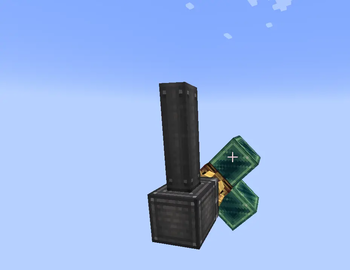
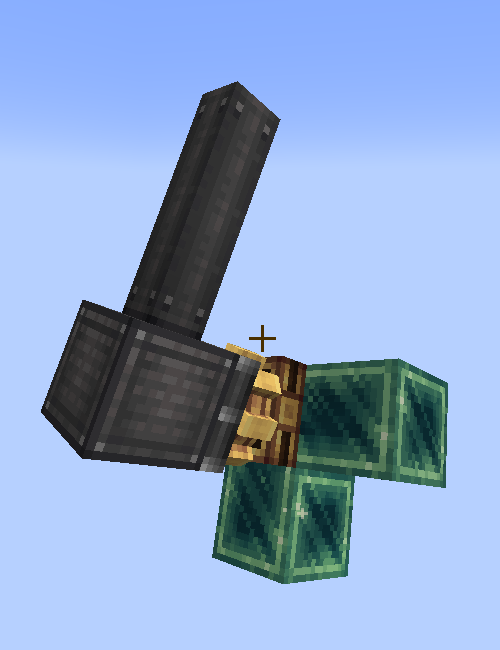
Über diese Mod
Create: Stabilized
There is no good way to stabilize a part of a simulated contraption in a simple and compact manner. Unless you are using this mod, as it adds 2 way to do that.
Stabilizer Bearing
Using this bearing, you will be able to stabilize a contraption. Of course if the Stabilizer bearing is placed in the world instead of a simulated contraption, it will just point the attached contraption upwards (or straight forward depending on the placement).
If you use it on a simulated contraption though, the attached contraption will be rotated to point up, no matter the rotation, but only around one axis.
When you rotate the cogwheel of the bearing, it will change the offset angle (if the offset angle is 180°, the attached contraption will point down instead of up)
Create: Stabilized also adds two more options to the regular Swivel Bearing, both of them work similarly to the Stabilizer Bearing, but it requires kinetic rotation to stabilizes, and depends on the rotation speed, so 256 rmp is the max stabilization speed, and 1 rmp is the lowest. Since it's on the Swivel bearing, it is more of an early game alternative
Verfügbare Versionen
Create Aeronautics: Stabilized auf dem Server installieren
Server bestellen
Bestelle einen Minecraft Java Server mit mindestens 4 GB RAM (6 GB empfohlen).
neoforge Loader setzen
Wähle im Panel unter "Egg" den neoforge-Loader und die passende Minecraft-Version (1.21.11).
Mod installieren
Öffne den Mod-Browser im Dashboard und suche nach "Create Aeronautics: Stabilized". Klicke "Installieren" – fertig! Alternativ: Lade die .jar via SFTP in den /mods Ordner.
Kompatibilität
Mod-Loader
Minecraft-Versionen
1.21.11, 1.21.10, 1.21.9 (+9 weitere)
Server-seitig
✓ ErforderlichEmpfohlener RAM
6 GB(min. 4 GB)Häufige Fragen
Create Aeronautics: Stabilized Server crasht beim Start – was tun?
Häufigste Ursache: falsche neoforge-Version oder zu wenig RAM. Prüfe im Server-Log (latest.log), ob ein "OutOfMemoryError" oder "Mixin"-Fehler auftritt. Bei Mado Hosting: Stelle sicher, dass mindestens 4 GB RAM zugewiesen sind und der Loader zur Mod-Version passt (1.21.11). Über das Panel kannst du den Loader mit einem Klick wechseln.
Ist Create Aeronautics: Stabilized mit neoforge kompatibel?
Create Aeronautics: Stabilized unterstützt offiziell neoforge für Minecraft 1.21.11, 1.21.10, 1.21.9. Im Mado Dashboard werden inkompatible Loader-Kombinationen automatisch erkannt.
Server laggt mit Create Aeronautics: Stabilized – wie optimiere ich die Performance?
Empfohlener RAM: 6 GB (+1 GB pro 5 Spieler). Prüfe mit /spark profiler, ob Create Aeronautics: Stabilized den meisten Tick-Time verbraucht. Häufige Fixes: Server-View-Distance auf 8-10 reduzieren, bei Forge "performant" oder "starlight" als Zusatz-Mod installieren. Bei Mado Hosting läuft dein Server auf NVMe-SSDs mit dedizierten CPU-Kernen für minimale Latenz.
Ähnliche Mods






Modded Server mieten
Installiere Create Aeronautics: Stabilized mit nur einem Klick auf deinem Server.