
CreateTagsFix
Fixes blocks on contraptions
Screenshots
Über diese Mod
IF YOU WANT ME TO ADD OTHER BLOCKS, CREATE AN ISSUE ON GITHUB OR ASK ME ON THE DISCORD LINKED AT THE BOTTOM OF THIS PAGE
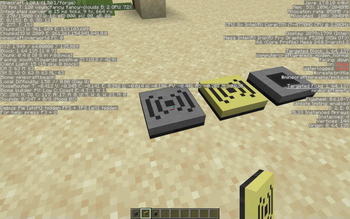
Fixes various blocks on create contraptions.
This works by adding tags to modded, and some vanilla blocks. Check out createccfix/data/create/tags/blocks/ on the github for a list of tags. The tags are the file names.
The fix for the original problem was suggested by the author of this issue, and now the project has expanded to adding tags to any blocks that need a create tag.
I would recommend that if the mod works for your version, you use it instead of the datapack, as the datapack has to be installed to the datapacks folder for each world, which is a bit tiresome.
Supported Blocks:
supplementaries candle holders https://github.com/MehVahdJukaar/Supplementaries/issues/1086
computercraft modems - these are fixed in cc:tweaked 1.110.2
vanilla moss carpet - fixed in create patch h
vanilla banners - fixed in create patch h
vanilla cake - fixed in create patch h
Most blocks have been fixed in dev versions of the respective mods apart from supplementaries, where no-one has replied to me, but leaving them in the datapack doesn't affect the fixed versions, so i'm leaving them in for now (I've removed the fixed blocks from 4.0+).
If you have any issues or ideas for improvement, create an issue on the github or join the discord.
If you have other blocks that have the same problem, please comment on the pinned issue on the github.
Github:
https://github.com/Plite7067/CreateCCModemFix
Discord:
https://discord.gg/JVnsenjzUd
Verfügbare Versionen
CreateTagsFix auf dem Server installieren
Server bestellen
Bestelle einen Minecraft Java Server mit mindestens 4 GB RAM (6 GB empfohlen).
datapack Loader setzen
Wähle im Panel unter "Egg" den datapack-Loader und die passende Minecraft-Version (1.21.1).
Mod installieren
Öffne den Mod-Browser im Dashboard und suche nach "CreateTagsFix". Klicke "Installieren" – fertig! Alternativ: Lade die .jar via SFTP in den /mods Ordner.
Kompatibilität
Mod-Loader
Minecraft-Versionen
1.21.1, 1.20.1, 1.19.2 (+1 weitere)
Server-seitig
✓ ErforderlichEmpfohlener RAM
6 GB(min. 4 GB)Häufige Fragen
CreateTagsFix Server crasht beim Start – was tun?
Häufigste Ursache: falsche datapack-Version oder zu wenig RAM. Prüfe im Server-Log (latest.log), ob ein "OutOfMemoryError" oder "Mixin"-Fehler auftritt. Bei Mado Hosting: Stelle sicher, dass mindestens 4 GB RAM zugewiesen sind und der Loader zur Mod-Version passt (1.21.1). Über das Panel kannst du den Loader mit einem Klick wechseln.
Ist CreateTagsFix mit datapack und fabric und forge und neoforge und quilt kompatibel?
CreateTagsFix unterstützt offiziell datapack, fabric, forge, neoforge, quilt für Minecraft 1.21.1, 1.20.1, 1.19.2. Achtung: Forge- und Fabric-Mods sind NICHT untereinander kompatibel – wähle einen Loader und bleibe dabei. Im Mado Dashboard werden inkompatible Loader-Kombinationen automatisch erkannt.
Server laggt mit CreateTagsFix – wie optimiere ich die Performance?
Empfohlener RAM: 6 GB (+1 GB pro 5 Spieler). Prüfe mit /spark profiler, ob CreateTagsFix den meisten Tick-Time verbraucht. Häufige Fixes: Server-View-Distance auf 8-10 reduzieren, bei Forge "performant" oder "starlight" als Zusatz-Mod installieren. Bei Mado Hosting läuft dein Server auf NVMe-SSDs mit dedizierten CPU-Kernen für minimale Latenz.
Ähnliche Mods




Modded Server mieten
Installiere CreateTagsFix mit nur einem Klick auf deinem Server.