
Cullify
Grass and foliage culling mod for performance
Screenshots

Über diese Mod
🍃 What is Cullify?
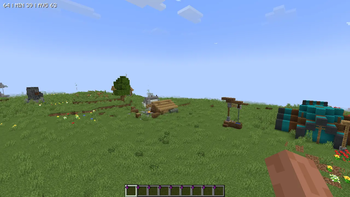
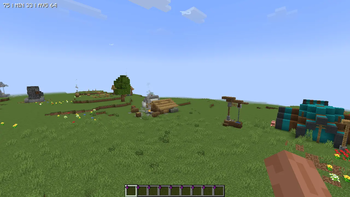
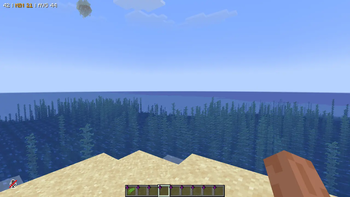
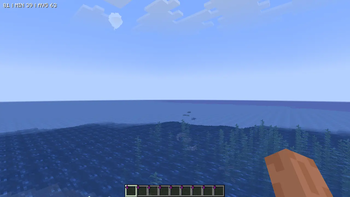
Cullify is a client-side mod that culls decorative vegetation blocks (such as grass, flowers, ferns, algae, and kelp) based on distance from the player and customizable geometric shapes. By preventing distant or non-visible vegetation blocks from rendering, it reduces rendering load (vertex throughput and draw calls) without altering or removing the actual blocks in the world.

✨ Features
- ⚙️ Vegetation Culling — Reduces rendering load by hiding vegetation blocks that are beyond a configured distance.
- 📐 8 Geometric Culling Shapes — Customizable boundaries to control culling behavior around the player.
- 📉 LOD Density Filter — Deterministic, hash-based density filtering that thins out outer vegetation (75%, 50%, or 25%) to save CPU overhead near the boundary.
- 🌿 Double-Tall Vegetation Support — Synchronizes culling between the bottom and top halves of double-tall blocks (like sunflowers or tall grass) to prevent visual discrepancies.
- ⚙️ In-Game Config Menu — A configuration screen accessible via the
Kkeybind, chat commands, or the NeoForge mods menu. - 📊 Real-Time Statistics HUD — On-screen overlay tracking culled blocks, water replacements, chunk updates, and draw calls.
- 🧪 Native Sodium Compatibility — Direct hooks into Sodium's internal LevelSlice rendering pipeline and Sodium Options API.
📐 Geometric Culling Shapes
Unlike traditional culling mods, Cullify offers flexible mathematical boundary checks on both the horizontal plane (X/Z) and the vertical axis (Y):
| Icon | Shape | Geometry Mode | Description |
|---|---|---|---|
| 🟢 | Sphere | 3D Sphere | Culls blocks outside a 3D spherical radius. |
| 🌀 | Cylinder | Cylinder | Culls blocks outside a horizontal circular radius (infinite Y). |
| 📦 | Box | 3D Box | Culls blocks outside a 3D cubical bounding box. |
| 🔺 | Triangle | Triangle | Culls blocks outside an equilateral triangular boundary centered on the player. |
| ⬡ | Hexagon | Hexagon | Culls blocks outside a hexagonal boundary. |
| ⭐ | Star | Star | Culls blocks outside a 6-point star (union of two intersecting triangles). |
| ⏹️ | Square | Square | Culls blocks outside a flat square grid. |
| 🔵 | Circle | Circle | Culls blocks outside a flat horizontal circular boundary. |
🎮 Controls & Commands
Configuring and inspecting Cullify in-game is straightforward:
⌨️ Keybinds
K— Opens the custom Cullify GUI Config Screen.
💬 Chat Commands
/cullify menu— Opens the configuration GUI menu./cullify benchmark— Performs a benchmark of the mod and displays the results in chat./cullify debug— Toggles the real-time statistics HUD overlay./cullify stats— Prints current performance statistics directly into the chat./cullify verbose— Toggles verbose logging for debugging./cullify reload— Forces a complete reload of the client level renderer chunks.
🔌 Compatibility & Requirements
- Sodium / Embeddium: Fully integrated. Hooks directly into Sodium's internal LevelSlice rendering pipeline to batch-cull blocks in MDI (Multi-Draw Indirect) buffers. The Culling Shape options and configurations are also registered directly inside Sodium's Video Settings menu!
- Vanilla Renderer: Fallback compatibility included for the standard Minecraft block rendering pipeline.
- 🔒 100% Client-Side: This mod runs entirely on your client. You can join any server (Vanilla, Spigot, Forge, Paper, etc.) without any issues!
📄 License & Modpack Usage
This mod is available under the GNU General Public License v3 (GPL-3.0).
📦 Modpack Permissions: Feel free to include Cullify in any of your modpacks on CurseForge, Modrinth, or private launchers! Credits are appreciated but not required.
⚡ Vibe Coding
This mod was built 100% using Vibe Coding! Developed entirely through AI-assisted pair programming, dynamic prompt iterations, and automated compilation loops. Let the vibes render!
Developed by Fluxsyum Studios


Verfügbare Versionen
Cullify auf deinem Client installieren
Mod-Loader lokal installieren
Installiere fabric für deine lokale Minecraft-Version.
Passende Datei herunterladen
Wähle die Cullify-Datei für fabric und Minecraft 26.1.2.
Mod installieren
Lege die .jar-Datei in deinem lokalen .minecraft/mods-Ordner ab und starte Minecraft neu. Eine Installation auf dem Server ist nicht nötig.
Kompatibilität
Mod-Loader
Minecraft-Versionen
26.1.2, 1.21.1, 1.20.1
Server-seitig
✗ Nicht unterstütztEmpfohlener RAM
4 GB(min. 3 GB)Häufige Fragen
Muss Cullify auf dem Minecraft Server installiert werden?
Nein. Modrinth kennzeichnet Cullify serverseitig als nicht unterstützt. Installiere die Mod nur im lokalen Minecraft-Mods-Ordner. Dein Server kann unverändert bleiben, sofern die Mod-Seite keine zusätzliche Abhängigkeit nennt.
Welche Version und welchen Loader braucht Cullify?
Nutze eine Datei für fabric, forge, neoforge und exakt deine Minecraft-Version. Unterstützte Versionen sind unter anderem 26.1.2, 1.21.1, 1.20.1. Loader-Dateien sind nicht untereinander austauschbar.
Cullify funktioniert nicht – was kann ich prüfen?
Prüfe zuerst Minecraft-Version, Loader-Version und erforderliche Abhängigkeiten. Lege die .jar-Datei im lokalen .minecraft/mods-Ordner ab und entferne ältere Duplikate. Da die Mod clientseitig ist, löst mehr Server-RAM dieses Problem nicht.
Ähnliche Mods


Minecraft Server für deine Gruppe
Cullify bleibt auf deinem Client. Hoste dazu eine kompatible Welt für deine Mitspieler.