
Death Chest
Safely store your inventory in a death barrel with precise coordinate logging.
Screenshots
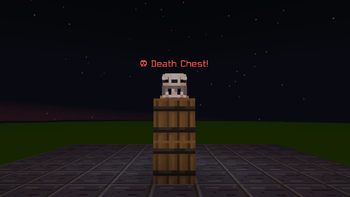
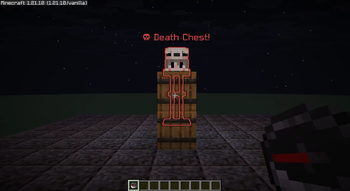
Über diese Mod
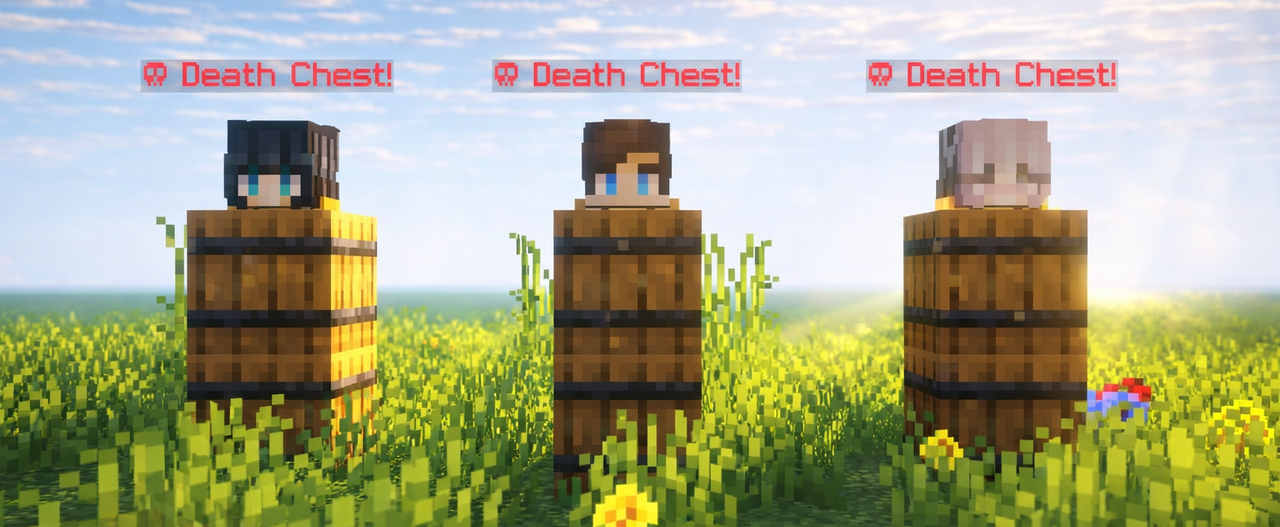


Death Chest is a lightweight, ultra-performance-optimized system that securely preserves your inventory inside a localized barrel container upon death. It instantly captures your exact coordinates and handles data dynamically to prevent clashing or server strain. Built for seamless multiplayer scaling, it provides clear chat logging to guide you right back to your lost gear.

- Fast, stable, and secure item storage Automatically stores your items inside a barrel when you die, keeping your inventory safe.
- Barrel-based storage system Uses barrels instead of chests for easier access and reduced server lag.
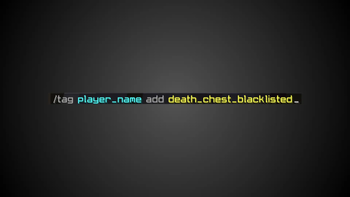
- Blacklist system Prevent abuse by blocking specific players from using the death chest system
/tag <player_name> add death_chest_blacklisted. - Death chest tracking compass Easily locate your death chest using a compass.
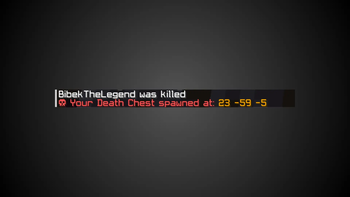
- Death location notification Sends your death coordinates directly to you in chat.
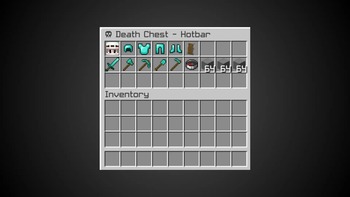
- Collectible death items Stores the player's head on death inside the hotbar barrel.
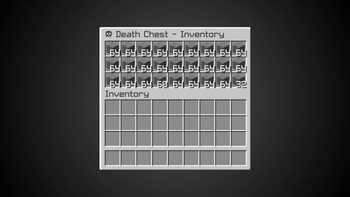
- Smart overflow handling Automatically separates stored items across multiple barrels:
- One barrel stores your hotbar and crafting inventory.
- Another barrel stores the rest of your inventory.


What does Death Chest do?
Death Chest automatically saves your items when you die by storing them safely inside barrels, preventing you from losing your inventory.Why does it use barrels instead of chests?
Barrels provide easier access and help keep the system lightweight by avoiding unnecessary chest usage.What happens if my inventory is full?
The system automatically handles overflow by splitting your items between multiple barrels. Hotbar + crafting inventory are stored in one barrel. Remaining inventory items are stored in another barrel.How do I find my Death Chest?
After dying, you will receive your death coordinates in chat and can use the tracking compass to locate your Death Chest.Can players abuse the Death Chest system?
No. The built-in blacklist system allows server owners to block specific players from using Death Chest if they abuse the system.Does it support multiplayer servers?
Yes. Death Chest is designed for multiplayer environments and supports multiple players at the same time.Will this create server lag?
The datapack is optimized to be lightweight and uses barrels instead of large chest systems to reduce unnecessary lag and more.Are my armor and offhand items saved?
Yes. Your equipment and inventory items are safely stored when the Death Chest is created.What happens to the player's head?
The player's head is stored as a collectible item inside the hotbar barrel after death.Does it support modded inventories?
Partially. It supports modded items inside the standard inventory. Entirely new slots (like Curios API) are unrecognized by vanilla commands. This means those items won't be saved to the block, but they are completely safe from being cleared and will stay with the player.Are experience levels saved?
No, unfortunately. The mod/datapack is designed to stay as close to vanilla Minecraft as possible, keeping the original death system while preventing the frustration of permanently losing your items.

Datapack (Singleplayer / Server)
- Download the datapack.
- Place it in your world's datapacks folder.
- Exit and rejoin the world. Search on YouTube ↗
- Tip: Use
/datapack listto verify that it is installed correctly.

Mod Version (Client / Server)
- Install the mod file into your
modsfolder. - Launch the game or server with a compatible mod loader.
- No additional setup required. Search on YouTube ↗
- Tip: It will appear in the mod menu if installed correctly.
Verfügbare Versionen
Death Chest auf dem Server installieren
Server bestellen
Bestelle einen Minecraft Java Server mit mindestens 3 GB RAM (4 GB empfohlen).
datapack Loader setzen
Wähle im Panel unter "Egg" den datapack-Loader und die passende Minecraft-Version (26.2).
Mod installieren
Öffne den Mod-Browser im Dashboard und suche nach "Death Chest". Klicke "Installieren" – fertig! Alternativ: Lade die .jar via SFTP in den /mods Ordner.
Kompatibilität
Mod-Loader
Minecraft-Versionen
26.2, 26.2-rc-2, 26.2-rc-1 (+66 weitere)
Server-seitig
✓ ErforderlichEmpfohlener RAM
4 GB(min. 3 GB)Häufige Fragen
Death Chest Server crasht beim Start – was tun?
Häufigste Ursache: falsche datapack-Version oder zu wenig RAM. Prüfe im Server-Log (latest.log), ob ein "OutOfMemoryError" oder "Mixin"-Fehler auftritt. Bei Mado Hosting: Stelle sicher, dass mindestens 3 GB RAM zugewiesen sind und der Loader zur Mod-Version passt (26.2). Über das Panel kannst du den Loader mit einem Klick wechseln.
Ist Death Chest mit datapack und fabric und forge und neoforge und quilt kompatibel?
Death Chest unterstützt offiziell datapack, fabric, forge, neoforge, quilt für Minecraft 26.2, 26.2-rc-2, 26.2-rc-1. Achtung: Forge- und Fabric-Mods sind NICHT untereinander kompatibel – wähle einen Loader und bleibe dabei. Im Mado Dashboard werden inkompatible Loader-Kombinationen automatisch erkannt.
Server laggt mit Death Chest – wie optimiere ich die Performance?
Empfohlener RAM: 4 GB (+1 GB pro 8 Spieler). Prüfe mit /spark profiler, ob Death Chest den meisten Tick-Time verbraucht. Häufige Fixes: Server-View-Distance auf 8-10 reduzieren, bei Forge "performant" oder "starlight" als Zusatz-Mod installieren. Bei Mado Hosting läuft dein Server auf NVMe-SSDs mit dedizierten CPU-Kernen für minimale Latenz.
Ähnliche Mods






Modded Server mieten
Installiere Death Chest mit nur einem Klick auf deinem Server.