
Delay Packets
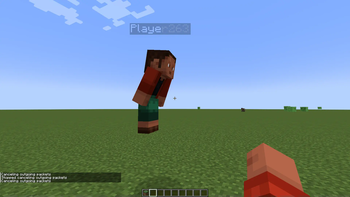
This mod allows you to delay any incoming/outgoing packets. Usefull for debugging plugins on high ping client or with packet loss
Screenshots
Über diese Mod
Packet Delay Mod
The Packet Delay Mod is a versatile tool that empowers users to introduce delays to incoming and outgoing network packets. This functionality proves invaluable for debugging plugins, particularly in scenarios where clients experience high ping or encounter packet loss.
Usage
To leverage this mod effectively, consider its utility when debugging on servers with challenging network conditions. Whether you're dealing with a high-ping client or testing plugins in environments with packet loss, the Packet Delay Mod provides a solution to simulate these conditions.
Legal Disclaimer
It is crucial to be aware of the legal implications and potential challenges associated with using this mod. The Packet Delay Mod can simulate both very high and inconsistent ping, introducing a level of unpredictability to network interactions. As a result, its performance may vary on different servers, and it could exhibit bugs or unexpected behavior.
If you choose to deploy this mod outside the context of debugging on your own server or on servers where you have explicit permission to test, it is important to note that the creator of this mod assumes no responsibility for any resulting bans. This mod is intended strictly for educational purposes.
Authorship and Modification
The Packet Delay Mod is open for use and modification, provided that the original authorship is acknowledged. Feel free to adapt and enhance the mod according to your needs, but remember to credit the original author in your modifications.
Author: Agent Kosticka
Note: This mod is not intended for malicious use. Please use it responsibly and within the bounds of ethical and legal considerations.
Verfügbare Versionen
Delay Packets auf deinem Client installieren
Mod-Loader lokal installieren
Installiere fabric für deine lokale Minecraft-Version.
Passende Datei herunterladen
Wähle die Delay Packets-Datei für fabric und Minecraft 1.19.4.
Mod installieren
Lege die .jar-Datei in deinem lokalen .minecraft/mods-Ordner ab und starte Minecraft neu. Eine Installation auf dem Server ist nicht nötig.
Kompatibilität
Mod-Loader
Minecraft-Versionen
1.19.4, 1.19.3, 1.19.2 (+2 weitere)
Server-seitig
✗ Nicht unterstütztEmpfohlener RAM
4 GB(min. 3 GB)Häufige Fragen
Muss Delay Packets auf dem Minecraft Server installiert werden?
Nein. Modrinth kennzeichnet Delay Packets serverseitig als nicht unterstützt. Installiere die Mod nur im lokalen Minecraft-Mods-Ordner. Dein Server kann unverändert bleiben, sofern die Mod-Seite keine zusätzliche Abhängigkeit nennt.
Welche Version und welchen Loader braucht Delay Packets?
Nutze eine Datei für fabric, quilt und exakt deine Minecraft-Version. Unterstützte Versionen sind unter anderem 1.19.4, 1.19.3, 1.19.2. Loader-Dateien sind nicht untereinander austauschbar.
Delay Packets funktioniert nicht – was kann ich prüfen?
Prüfe zuerst Minecraft-Version, Loader-Version und erforderliche Abhängigkeiten. Lege die .jar-Datei im lokalen .minecraft/mods-Ordner ab und entferne ältere Duplikate. Da die Mod clientseitig ist, löst mehr Server-RAM dieses Problem nicht.
Ähnliche Mods






Minecraft Server für deine Gruppe
Delay Packets bleibt auf deinem Client. Hoste dazu eine kompatible Welt für deine Mitspieler.