
Drive-By-Sable
A fork of Drive-By-Wire that implements improvements and QOL changes.
Screenshots
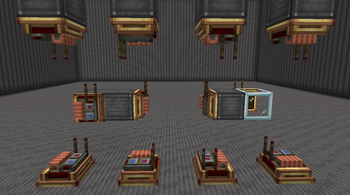
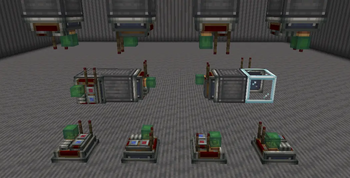
Über diese Mod
Drive-By-Sable is a fork Drive-By-Wire that fixes some issues and improves on the original mod.
DRIVE-BY-WIRE DOES NOT NEED TO BE INSTALLED FOR THIS MOD TO FUNCTION
DRIVE-BY-WIRE: TYPEWRITER DOES NOT NEED TO BE INSTALLED FOR TYPEWRITER COMPAT
What is Drive-By-Sable?
Originally, Drive-By-Sable started as a texture/resource pack for Drive-By-Wire that simply replaced block models and textures to improve apon the mod's aesthetic. The texture pack can still be found under the name Better Drive-By-Wire.
After much consideration, the project became an add-on mod, titled Drive-By-Sable Tweaks. The scope of the project became large enough that porting/forking it was the best way forward.
Drive-By-Sable is now its own fork of Drive-By-Wire, which improves upon many aspects of the original mod. A comprehensive list of features can be found below.
NOTE: There is likely to be bugs that I have not discovered in my testing. I'm a beginner dev.
KNOWN ISSUES:
- MOST issues were fixed in the latest full release.
- Not happy with Simulated creative tab banner (aesthetic mismatch).
Original Drive-By-Wire with Sable page: https://modrinth.com/mod/drive-by-wire-sable
Original Drive-By-Wire: Typewriter page: https://modrinth.com/mod/drive-by-wiretypewriter
Features
Below is a list of features implemented by Drive-By-Sable.
Multi-mod Support
Drive-By-Sable is supported across most mods implementing redstone-based features. Drive-By-Sable specifically implements native support for the following mods:
- Aeronautics: Toolgun
- Sable Photomancy
- Synaxis
- Create: Tweaked Controllers
- CC: Tweaked
- Dashpanels
- Get Creative
These mods have implemented compat for Drive-By-Sable internally:
Survival Crafting Recipes
Drive-By-Sable provides greater compatibility with Survival gameplay by introducing new ways to craft blocks added by the mod. Block obtainabilty through tool usage has also been fixed so that players are able to get placed blocks back.
Cable I/O Bus (NEW!)
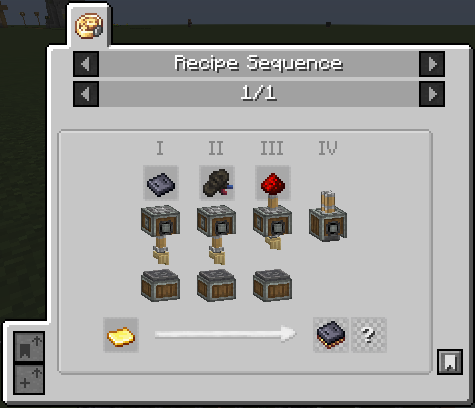
The Cable I/O Bus is a new item that is essential to the crafting tree for most blocks added by Drive-By-Sable.
Cable
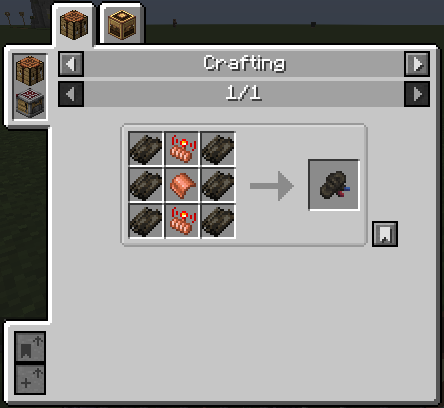
The Cable is the main tool for Drive-By-Sable. Use it to establish connections between sources and outputs, and transfer redstone signals with ease!
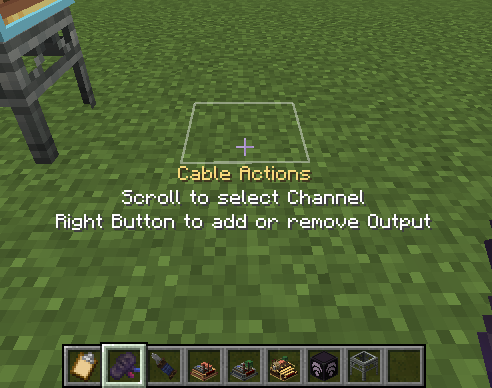
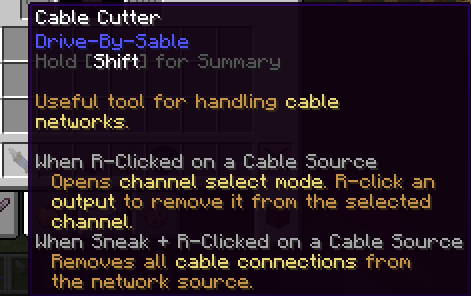
Cable Cutter
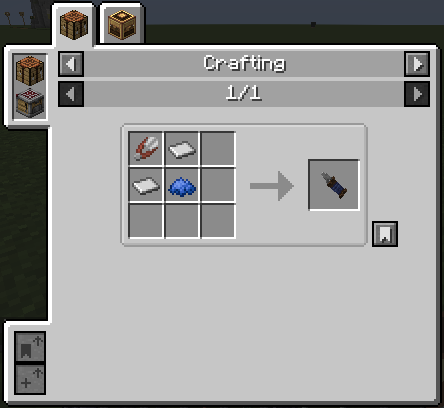
The Cable Cutter is another important tool for managing your cable-based networks. Use it to remove and disable connections that are no longer needed.
Cable Hub
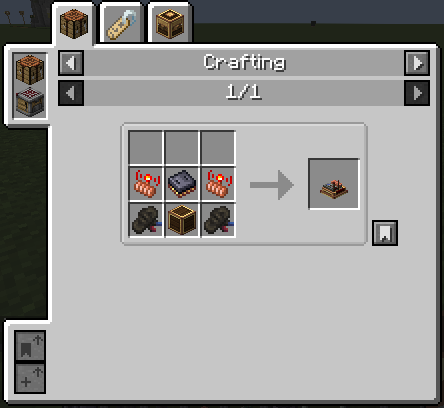
The Cable Hub is a helpful link between the Create mod's Linked Controller and Drive-By-Sable's cable networking system. Configure outputs for each input channel, and bind a controller to start transmitting.
Advanced Cable Hub
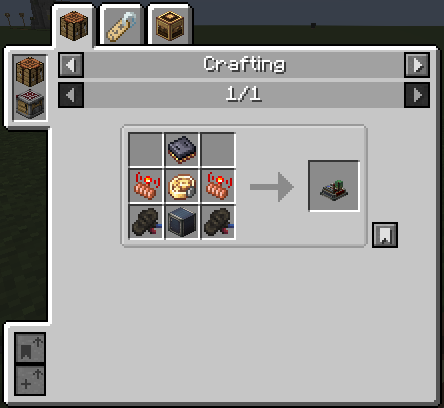
Native compatibility for Create: Tweaked Controllers. Much like it's less sophisticated cousin, the Advanced Cable Hub bridges Tweaked Controller inputs with Drive-By-Sable's cable networking system.
Typewriter Cable Hub
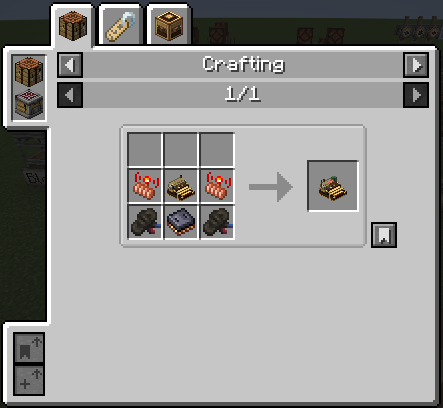
An improvement of the Drive-By-Wire: Typewriter concept, native compatibility with Create: Simulated. The Typewriter Cable Hub can use both redstone link frequencies and cable network connections.
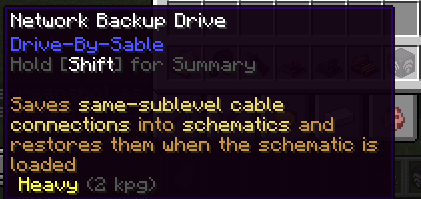
Backup Drive
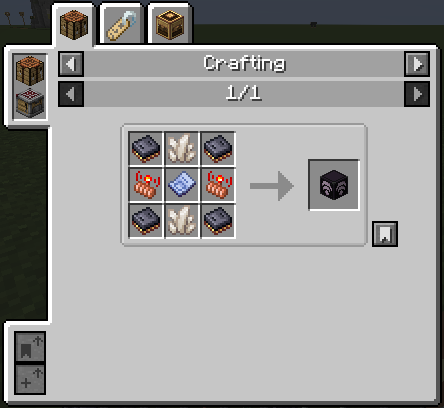
The Backup Drive is a powerful tool for saving cable network connections in Create schematics. Each Backup Drive saves adjacent connections on its relative plane (meaning per-(sub)level).
Cable Ouput Duplication
Cable connection outputs can now be transferred between hub blocks, which preserve the appropriate input keybinds.
Clipboard Use
Tooltips
Item features are now more clearly relayed to the player.
Cable Item Tooltips
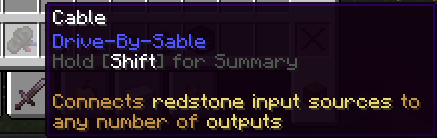
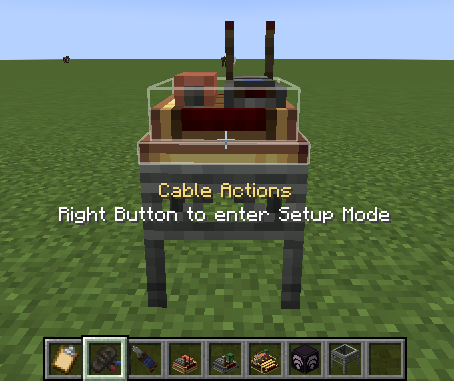
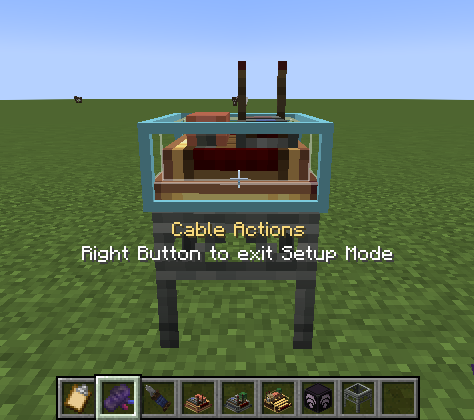
Cable Cutter Tooltip
Backup Drive Tooltip
Ponder Scenes
In-game documentation with Ponder api.
Cable Hub Ponder Scenes
Advanced Cable Hub Ponder Scenes
Typewriter Cable Hub Ponder Scene
Custom Simulated Tab
Better organization in the creative menu.
Spoiler
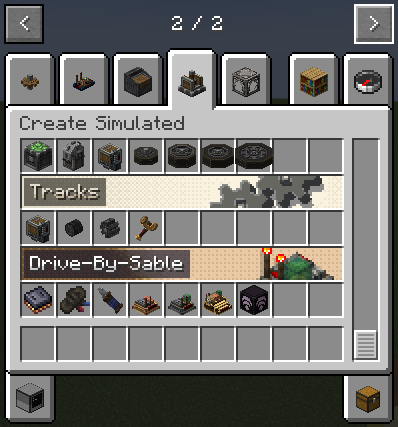
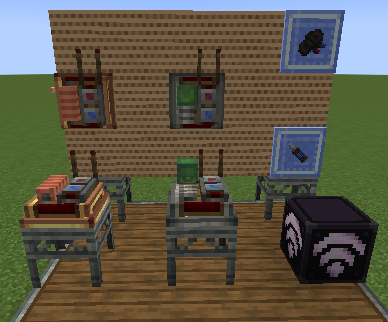
Improved Visuals
Verfügbare Versionen
Drive-By-Sable auf dem Server installieren
Server bestellen
Bestelle einen Minecraft Java Server mit mindestens 3 GB RAM (4 GB empfohlen).
neoforge Loader setzen
Wähle im Panel unter "Egg" den neoforge-Loader und die passende Minecraft-Version (1.21.1).
Mod installieren
Öffne den Mod-Browser im Dashboard und suche nach "Drive-By-Sable". Klicke "Installieren" – fertig! Alternativ: Lade die .jar via SFTP in den /mods Ordner.
Kompatibilität
Mod-Loader
Minecraft-Versionen
1.21.1, 1.21
Server-seitig
✓ ErforderlichEmpfohlener RAM
4 GB(min. 3 GB)Häufige Fragen
Drive-By-Sable Server crasht beim Start – was tun?
Häufigste Ursache: falsche neoforge-Version oder zu wenig RAM. Prüfe im Server-Log (latest.log), ob ein "OutOfMemoryError" oder "Mixin"-Fehler auftritt. Bei Mado Hosting: Stelle sicher, dass mindestens 3 GB RAM zugewiesen sind und der Loader zur Mod-Version passt (1.21.1). Über das Panel kannst du den Loader mit einem Klick wechseln.
Ist Drive-By-Sable mit neoforge kompatibel?
Drive-By-Sable unterstützt offiziell neoforge für Minecraft 1.21.1, 1.21. Im Mado Dashboard werden inkompatible Loader-Kombinationen automatisch erkannt.
Server laggt mit Drive-By-Sable – wie optimiere ich die Performance?
Empfohlener RAM: 4 GB (+1 GB pro 8 Spieler). Prüfe mit /spark profiler, ob Drive-By-Sable den meisten Tick-Time verbraucht. Häufige Fixes: Server-View-Distance auf 8-10 reduzieren, bei Forge "performant" oder "starlight" als Zusatz-Mod installieren. Bei Mado Hosting läuft dein Server auf NVMe-SSDs mit dedizierten CPU-Kernen für minimale Latenz.
Ähnliche Mods




Modded Server mieten
Installiere Drive-By-Sable mit nur einem Klick auf deinem Server.