
Dungeon Realm
A dimension of Infinite Dungeons!
Screenshots
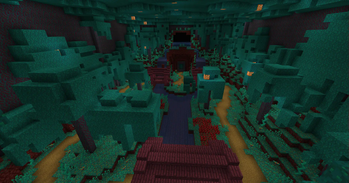
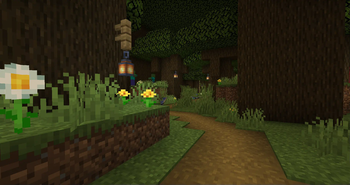
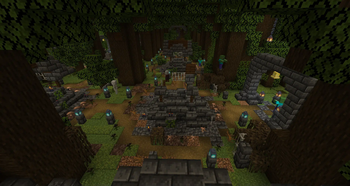
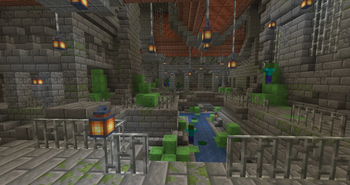
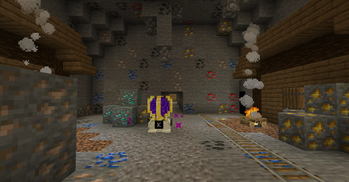
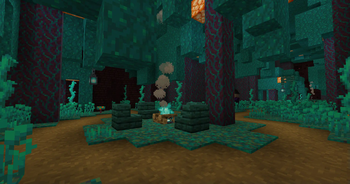
Über diese Mod
Dungeon Realm is a mod about finding maps to enter the dimension of Infinite Dungeons.
There are more than 10+ different dungeons to explore!
Quick Intro/Guide
This is the first thing you need so Craft it!
The Map device is used to enter the Dungeon Realm, but there is 2 more components needed.
Map Items:
These can be found inside any looted chest.
Right clicking the Map Device with them starts a new 'Map'.
Note: you also need to craft some Home Pearls to Enter.
They allow you to exit the Dungeon Realm without having to find the Teleportation Block.
Try not to lose these!
What's a Map?
Every Dungeon Map counts as a limited 'ticket' to the Dungeon Realm.
You can only explore a single Dungeon within it with 1 map.
Note: with Addons, 1 dungeon can have many different extra challenges, but it's still 1 dungeon.
What Can I do inside a map?
You can kill mobs, loot chests and solve puzzles to usually find more chests!
If you find this block, you can right click it to teleport to the Boss Arena.
If you kill the boss inside, you can use this block to teleport to the reward room:
This is Home teleport block, which teleports you to where you came from (right click it)
If you want to go straight to the overworld of wherever your base is, you can crouch+right-click it instead.
Otherwise it will teleport you to the last place inside the Dungeon Realm you were.
What makes Maps special?
I'm glad you asked! The dimension is actually fairly unique and suited primarily for Adventure/RPG Modpacks:
- You are confined to a specific Dungeon, you can not exit it. You can only teleport back to your overworld(or home)
- Mobs do not respawn, they are spawned once per Map
- You can not break/place blocks, you are affectively in simulated adventure mode (you can whitelist some blocks like Grave mod blocks though)
- Mobs can't grief
- Mobs do not take environmental damage
Note: Most of these are configurable but you still probably want to keep the defaults
Verfügbare Versionen
Dungeon Realm auf dem Server installieren
Server bestellen
Bestelle einen Minecraft Java Server mit mindestens 4 GB RAM (6 GB empfohlen).
forge Loader setzen
Wähle im Panel unter "Egg" den forge-Loader und die passende Minecraft-Version (1.20.1).
Mod installieren
Öffne den Mod-Browser im Dashboard und suche nach "Dungeon Realm". Klicke "Installieren" – fertig! Alternativ: Lade die .jar via SFTP in den /mods Ordner.
Kompatibilität
Mod-Loader
Minecraft-Versionen
1.20.1, 1.20
Server-seitig
✓ ErforderlichEmpfohlener RAM
6 GB(min. 4 GB)Häufige Fragen
Dungeon Realm Server crasht beim Start – was tun?
Häufigste Ursache: falsche forge-Version oder zu wenig RAM. Prüfe im Server-Log (latest.log), ob ein "OutOfMemoryError" oder "Mixin"-Fehler auftritt. Bei Mado Hosting: Stelle sicher, dass mindestens 4 GB RAM zugewiesen sind und der Loader zur Mod-Version passt (1.20.1). Über das Panel kannst du den Loader mit einem Klick wechseln.
Ist Dungeon Realm mit forge kompatibel?
Dungeon Realm unterstützt offiziell forge für Minecraft 1.20.1, 1.20. Im Mado Dashboard werden inkompatible Loader-Kombinationen automatisch erkannt.
Server laggt mit Dungeon Realm – wie optimiere ich die Performance?
Empfohlener RAM: 6 GB (+1 GB pro 5 Spieler). Prüfe mit /spark profiler, ob Dungeon Realm den meisten Tick-Time verbraucht. Häufige Fixes: Server-View-Distance auf 8-10 reduzieren, bei Forge "performant" oder "starlight" als Zusatz-Mod installieren. Bei Mado Hosting läuft dein Server auf NVMe-SSDs mit dedizierten CPU-Kernen für minimale Latenz.
Ähnliche Mods




Modded Server mieten
Installiere Dungeon Realm mit nur einem Klick auf deinem Server.