
Dynamic Lights
Adds dynamic lights for players, items, mobs, etc.
Screenshots
Über diese Mod
DESCRIPTION
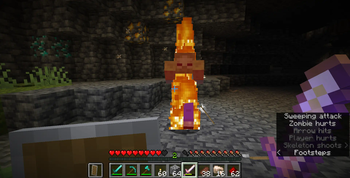
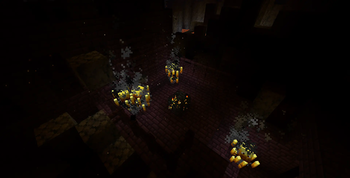
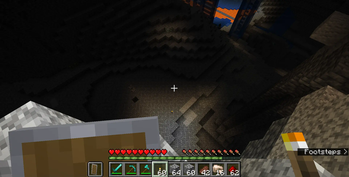
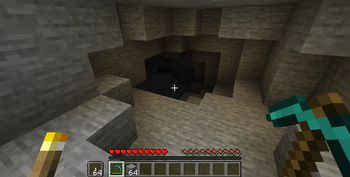
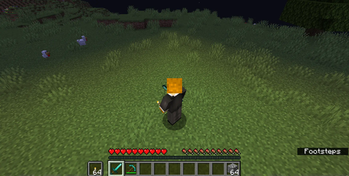
This data pack makes torches and many other luminous items like glowstone, glowberries, lanters, etc. emit light while in your hand. It also makes certain mobs such as blazes and glow squids glow permanently and dropped light emitting items also glow. The light is server-side and visible to other players. This allows you to explore caves with ease without having to place torches everywhere.
INSTALLATION/UNINSTALLATION GUIDE
Installation:
for datapack version, go to your saves folder located here on Windows:
C:\Users\(your name)\AppData\Roaming\.minecraft\saves
go to your world's folder, open the datapacks folder, put the zipped file, and restart your worldfor mod version, put the jar file in
c:\Users\(your name)\AppData\Roaming\.minecraft\modsand then launch the game
Uninstallation:
for v1: run this command /function dl:uninstall, and then delete the data pack. Make sure to not reload (/reload or by restarting your world) after running the uninstall command until the data pack is deleted!
for v2-v3: make sure you are not holding a torch, run /datapack disable (file), delete the datapack and run /reload
for v4 - v5: use /function dt:config to disable every setting, /datapack disable (file), delete the datapack and reload.
for v5.1+: run /function dt:uninstall and follow instructions
FEATURES/CONFIG OPTIONS
Config
Use /function dt:config to open the config menu.
| Feature | Stored as (in dt.config scoreboard) |
Description | Default Value |
|---|---|---|---|
| Players holding light glow | playersitemsglows |
If players holding luminous items such as torches should glow | true (1) |
| Item entities glow | itemsglow |
If luminous items dropped on the ground should glow | true (1) |
| Blazes glow | blazesglow |
If blazes should glow | true (1) |
| Glow Squids glow | glowsquidsglow |
If glow squids should glow | true (1) |
| Ignited Creepers glow | litcreepersglow |
If creepers should glow when lit with flint and steel | true (1) |
| Mobs set on fire glow | fireglow |
If mobs set on fire should glow | true (1) |
| Mobs holding light glow | mobsitemsglow |
If mobs, such as zombies, holding luminous items like torches should glow | true (1) |
| Arrows glow | arrowsglow |
If flaming and spectral arrows and should glow | true (1) |
| Fireballs glow | fireballsglow |
If ghast and blaze fireballs should glow | true (1) |
| Magma Cubes glow | magmacubesglow |
If magma cubes should glow | true (1) |
Each config setting can be edited by using the appropriate /scoreboard players set command. For example, to toggle Players holding light glow, you can use the command /scoreboard players set playersitemsglows dt.config 1 or 0 to enable or disable it, 1 being true and 0 being false. You can run /function dt:config to bring up a menu which you can click to type the commands automatically. (Feel free to message me on discord below for assistance!)
List of luminous items and entities
| Luminous Items | Luminous Entities |
|---|---|
| Torch | Blazes |
| Jack o' Lantern | Glow Squids |
| Lantern | Magma Cubes |
| End Rod | Creepers (when lit) |
| Shroomlight | Any entity set on fire |
| Glowstone | Any entity (e.g., zombie, player, allay) holding a luminous item |
| Froglight blocks | Flame Arrow |
| Sea Lantern | Spectral Arrows |
| Beacon | Dropped luminous item entity |
| Campfire | Fireballs (shot by blazes/ghasts) |
| Lava Bucket | |
| Glow Berries | |
| Glow Ink Sac |
OTHER THINGS TO NOTE
- You may change settings by running
/function dt:configand uninstall by/function dt:uninstall - Due to minecraft limitations and the nature of the datapack/mod, it may obstruct flow of liquids like lava and water
- for feedback, bug reports, or other help, join the discord server from the links section of this page!
Verfügbare Versionen
Dynamic Lights auf dem Server installieren
Server bestellen
Bestelle einen Minecraft Java Server mit mindestens 3 GB RAM (4 GB empfohlen).
datapack Loader setzen
Wähle im Panel unter "Egg" den datapack-Loader und die passende Minecraft-Version (26.3).
Mod installieren
Öffne den Mod-Browser im Dashboard und suche nach "Dynamic Lights". Klicke "Installieren" – fertig! Alternativ: Lade die .jar via SFTP in den /mods Ordner.
Kompatibilität
Mod-Loader
Minecraft-Versionen
26.3, 26.2, 26.1.2 (+31 weitere)
Server-seitig
✓ ErforderlichEmpfohlener RAM
4 GB(min. 3 GB)Häufige Fragen
Dynamic Lights Server crasht beim Start – was tun?
Häufigste Ursache: falsche datapack-Version oder zu wenig RAM. Prüfe im Server-Log (latest.log), ob ein "OutOfMemoryError" oder "Mixin"-Fehler auftritt. Bei Mado Hosting: Stelle sicher, dass mindestens 3 GB RAM zugewiesen sind und der Loader zur Mod-Version passt (26.3). Über das Panel kannst du den Loader mit einem Klick wechseln.
Ist Dynamic Lights mit datapack und fabric und forge und neoforge und quilt kompatibel?
Dynamic Lights unterstützt offiziell datapack, fabric, forge, neoforge, quilt für Minecraft 26.3, 26.2, 26.1.2. Achtung: Forge- und Fabric-Mods sind NICHT untereinander kompatibel – wähle einen Loader und bleibe dabei. Im Mado Dashboard werden inkompatible Loader-Kombinationen automatisch erkannt.
Server laggt mit Dynamic Lights – wie optimiere ich die Performance?
Empfohlener RAM: 4 GB (+1 GB pro 8 Spieler). Prüfe mit /spark profiler, ob Dynamic Lights den meisten Tick-Time verbraucht. Häufige Fixes: Server-View-Distance auf 8-10 reduzieren, bei Forge "performant" oder "starlight" als Zusatz-Mod installieren. Bei Mado Hosting läuft dein Server auf NVMe-SSDs mit dedizierten CPU-Kernen für minimale Latenz.
Ähnliche Mods




Modded Server mieten
Installiere Dynamic Lights mit nur einem Klick auf deinem Server.