
Eclipse's Tweakeroo Additions
Eclipse's Tweakeroo Additions (often referred to as just Eclipse's Tweakeroo) is a modular utility mod for Minecraft.
Screenshots

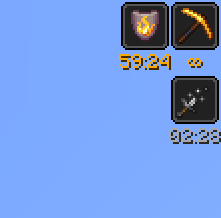
Über diese Mod
Eclipse's Tweakeroo Additions






Eclipse's Tweakeroo Additions (often referred to as just Eclipse's Tweakeroo) is a modular utility mod for Minecraft.
It contains various tweaks and modifications, all of which can be configured and toggled to your liking. The mod does
little by default, only making the modifications you tell it to make.
Most of these modules were created just because I needed them at a time, which is why they can be quite random sometimes.
Still, I hope others may find good use out of them.
This mod is often used as a companion mod to Tweakeroo,
but can run fully independent of it as of version 0.6.3.
Feel free to report any bugs, or suggest new features, at the issue tracker.
License
This mod is licensed under GNU LGPLv3.
Donating
If you like this mod, consider donating!
Discord
For support and/or any questions you may have, feel free to join my discord.
Usage
Mod builds can be found on the releases page, as well as on Modrinth.
The Fabric API and MaLiLib are required dependencies.
For versions below 0.6.3, Tweakeroo is a required dependency as well.
For versions 0.6.0 and above, the mod has its own configuration screen,
which can be opened by default by pressing C + E. This hotkey can be configured. The configuration screen can
also be opened via Mod Menu. For versions below 0.6.0, the mod will add its config options to Tweakeroo's
config.
All the mod's modules and configuration options, along with supported MC versions, are listed here.
You can use your browser's search functionality (usually CTRL+F) to quickly look for a feature.
See the table below for more information about Minecraft version support.
Server-side opt-in
As of version 0.6.2, the mod requires a server-side opt-in for certain modules. When a module requires a server-side
opt-in, it is noted as such on the previously mentioned features page, and also on the in-game description.
Modules requiring a server-side opt-in will automatically be disabled when playing on servers that do not have this mod installed. Fabric servers
can install this mod and configure which modules to enable for players in the configuration file, which can be found under<server>/config/eclipsestweakeroo-server.json. You can always allow all options for operators using the operators_exempt
option in the aforementioned file.
The mod doesn't require MaLiLib or Tweakeroo server-side. You'll still be able to use all features when playing on singleplayer worlds.
Version support
| Minecraft Version | Status |
|---|---|
| 26.3.x | ✅ Current |
| 26.2.x | ✔️ Available |
| 26.1.x | ✔️ Available |
| 1.21.11 | ✔️ Available |
| 1.21.9+10 | ✔️ Available |
| 1.21.6+7+8 | ✔️ Available |
| 1.21.5 | 🚫️ Unavailable |
| 1.21.4 | ❄️ LTS |
| 1.21.2+3 | ✔️ Available |
| 1.21+1 | ❄️ LTS |
| 1.20.5+6 | ✔️ Available |
| 1.20.4 | ✔️ Available |
| 1.20+1 | ❄️ LTS |
| 1.19.4 | ✔️ Available |
I try to keep support up as much as possible for the latest drop of Minecraft. This release usually has all modules.
LTS versions (currently 1.20+1, 1.21+1, and 1.21.4) usually also receive newly added features, however it may take some time
for these to be backported.
Unsupported versions are still available to download, but they won't receive new features (such as new modules) or bugfixes.
As such, not all modules listed on the features page may be available to you if you're not on a current or LTS version of the mod.
Verfügbare Versionen
Eclipse's Tweakeroo Additions auf dem Server installieren
Server bestellen
Bestelle einen Minecraft Java Server mit mindestens 3 GB RAM (4 GB empfohlen).
fabric Loader setzen
Wähle im Panel unter "Egg" den fabric-Loader und die passende Minecraft-Version (26.3).
Mod installieren
Öffne den Mod-Browser im Dashboard und suche nach "Eclipse's Tweakeroo Additions". Klicke "Installieren" – fertig! Alternativ: Lade die .jar via SFTP in den /mods Ordner.
Kompatibilität
Mod-Loader
Minecraft-Versionen
26.3, 26.2, 26.1.2 (+19 weitere)
Server-seitig
~ OptionalEmpfohlener RAM
4 GB(min. 3 GB)Häufige Fragen
Eclipse's Tweakeroo Additions Server crasht beim Start – was tun?
Häufigste Ursache: falsche fabric-Version oder zu wenig RAM. Prüfe im Server-Log (latest.log), ob ein "OutOfMemoryError" oder "Mixin"-Fehler auftritt. Bei Mado Hosting: Stelle sicher, dass mindestens 3 GB RAM zugewiesen sind und der Loader zur Mod-Version passt (26.3). Über das Panel kannst du den Loader mit einem Klick wechseln.
Ist Eclipse's Tweakeroo Additions mit fabric kompatibel?
Eclipse's Tweakeroo Additions unterstützt offiziell fabric für Minecraft 26.3, 26.2, 26.1.2. Im Mado Dashboard werden inkompatible Loader-Kombinationen automatisch erkannt.
Server laggt mit Eclipse's Tweakeroo Additions – wie optimiere ich die Performance?
Empfohlener RAM: 4 GB (+1 GB pro 8 Spieler). Prüfe mit /spark profiler, ob Eclipse's Tweakeroo Additions den meisten Tick-Time verbraucht. Häufige Fixes: Server-View-Distance auf 8-10 reduzieren, bei Forge "performant" oder "starlight" als Zusatz-Mod installieren. Bei Mado Hosting läuft dein Server auf NVMe-SSDs mit dedizierten CPU-Kernen für minimale Latenz.
Ähnliche Mods






Modded Server mieten
Installiere Eclipse's Tweakeroo Additions mit nur einem Klick auf deinem Server.