
Embedded Computer
Addon for CC:Tweaked that adds the "Embedded Computer" and a few other goodies to improve the multiplayer experience
Screenshots
Über diese Mod
About
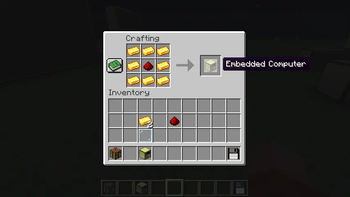
The "Embedded Computer" mod is an addon for CC: Tweaked that adds the Embedded Computer, a secure headless computer, and other goodies to the game.
Features
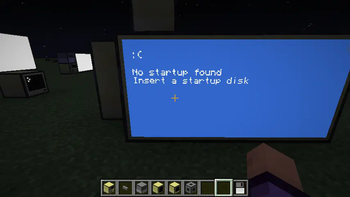
- The Embedded Computer, it is a secure headless computer that can only be modified by booting it off of a disk drive. It can be wiped via peripheral API (
embeddedPeriph.format()) and can be "locked" viasecurity.lock("superSecurePassword"), preventing formatting until unlocked withembeddedPeriph.unlock("superSecurePassword") - Higher capacity storage items, the Zip Drive and Flash Card. They can help store large programs for a much higher cost than a normal floppy
- Hard drive block, they allow you to mount a 25mb storage device to ANY directory. You can mount them to
/aor even a/mnt/hdd1at the cost of needing to manually callhddPeriph.mount("/directory/goes/here")every boot andhddPeriph.unmount("/directory/goes/here")when you want to unmount them.
Disclaimer
PLEASE DO NOT USE ACTUAL PASSWORDS TO LOCK EMBEDDED COMPUTERS!!!
If you use an actual password the server owner could add something to intercept and steal your password! Don't use an actual password you use for other things!!!!
Verfügbare Versionen
Embedded Computer auf dem Server installieren
Server bestellen
Bestelle einen Minecraft Java Server mit mindestens 3 GB RAM (4 GB empfohlen).
fabric Loader setzen
Wähle im Panel unter "Egg" den fabric-Loader und die passende Minecraft-Version (26.3).
Mod installieren
Öffne den Mod-Browser im Dashboard und suche nach "Embedded Computer". Klicke "Installieren" – fertig! Alternativ: Lade die .jar via SFTP in den /mods Ordner.
Kompatibilität
Mod-Loader
Minecraft-Versionen
26.3, 26.2, 26.1.2 (+5 weitere)
Server-seitig
✓ ErforderlichEmpfohlener RAM
4 GB(min. 3 GB)Häufige Fragen
Embedded Computer Server crasht beim Start – was tun?
Häufigste Ursache: falsche fabric-Version oder zu wenig RAM. Prüfe im Server-Log (latest.log), ob ein "OutOfMemoryError" oder "Mixin"-Fehler auftritt. Bei Mado Hosting: Stelle sicher, dass mindestens 3 GB RAM zugewiesen sind und der Loader zur Mod-Version passt (26.3). Über das Panel kannst du den Loader mit einem Klick wechseln.
Ist Embedded Computer mit fabric kompatibel?
Embedded Computer unterstützt offiziell fabric für Minecraft 26.3, 26.2, 26.1.2. Im Mado Dashboard werden inkompatible Loader-Kombinationen automatisch erkannt.
Server laggt mit Embedded Computer – wie optimiere ich die Performance?
Empfohlener RAM: 4 GB (+1 GB pro 8 Spieler). Prüfe mit /spark profiler, ob Embedded Computer den meisten Tick-Time verbraucht. Häufige Fixes: Server-View-Distance auf 8-10 reduzieren, bei Forge "performant" oder "starlight" als Zusatz-Mod installieren. Bei Mado Hosting läuft dein Server auf NVMe-SSDs mit dedizierten CPU-Kernen für minimale Latenz.
Ähnliche Mods




Modded Server mieten
Installiere Embedded Computer mit nur einem Klick auf deinem Server.