
Enchancement Unbound
Enchancement but I un-nerfed it and added a bunch of other stuff
Screenshots
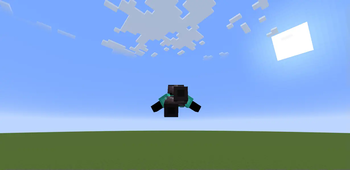
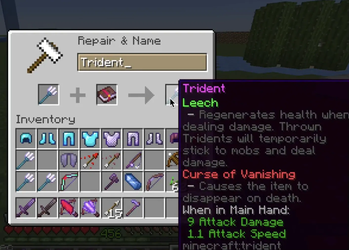
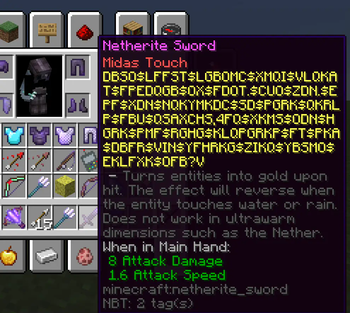
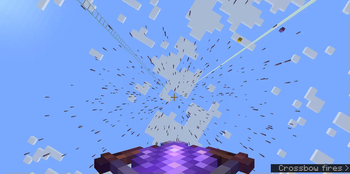
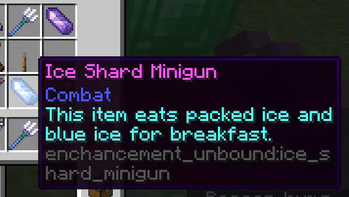
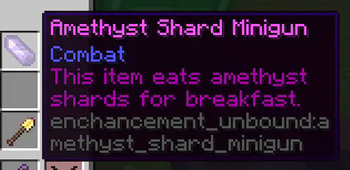
Über diese Mod
Do not go to Moriyashiine (creator of Enchancement) for issues with this mod!
Please come to me instead!
This mod, like Enchancement, requires client configurations to be synced with the server's.
Please note that anything marked as an alpha build on the Modrinth downloads page is now deprecated.
How to install this mod:
Enchancement Unbound's versions will be put into this format:
a.b.c+w.x-y+z
All the user needs to care about is the w.y-x+z part. This part is the Enchancement version that it is compatible with.
(The z may be omitted. Here are two examples, one without z and one with)
For example, 1.0.1+1.20-20 will only be compatible with Enchancement 1.20-20.
Another example, 1.0.2+1.20-24+26 will be compatible with Enchancement 1.20-24, 1.20-25, and 1.20-26.
About this mod:
Enchancement Unbound was originally made to remove some of the balancing changes that Moriya had implemented.
However, I had too many ideas, so I not only did I pretty much accomplish that goal, I also added some of my own enchantments and items. I also added shield enchantments, but they were moved to another mod that I will be working on.
As of now, all changes that I made are configurable.
Verfügbare Versionen
Enchancement Unbound auf dem Server installieren
Server bestellen
Bestelle einen Minecraft Java Server mit mindestens 3 GB RAM (4 GB empfohlen).
fabric Loader setzen
Wähle im Panel unter "Egg" den fabric-Loader und die passende Minecraft-Version (1.20.6).
Mod installieren
Öffne den Mod-Browser im Dashboard und suche nach "Enchancement Unbound". Klicke "Installieren" – fertig! Alternativ: Lade die .jar via SFTP in den /mods Ordner.
Kompatibilität
Mod-Loader
Minecraft-Versionen
1.20.6, 1.20.1
Server-seitig
✓ ErforderlichEmpfohlener RAM
4 GB(min. 3 GB)Häufige Fragen
Enchancement Unbound Server crasht beim Start – was tun?
Häufigste Ursache: falsche fabric-Version oder zu wenig RAM. Prüfe im Server-Log (latest.log), ob ein "OutOfMemoryError" oder "Mixin"-Fehler auftritt. Bei Mado Hosting: Stelle sicher, dass mindestens 3 GB RAM zugewiesen sind und der Loader zur Mod-Version passt (1.20.6). Über das Panel kannst du den Loader mit einem Klick wechseln.
Ist Enchancement Unbound mit fabric kompatibel?
Enchancement Unbound unterstützt offiziell fabric für Minecraft 1.20.6, 1.20.1. Im Mado Dashboard werden inkompatible Loader-Kombinationen automatisch erkannt.
Server laggt mit Enchancement Unbound – wie optimiere ich die Performance?
Empfohlener RAM: 4 GB (+1 GB pro 8 Spieler). Prüfe mit /spark profiler, ob Enchancement Unbound den meisten Tick-Time verbraucht. Häufige Fixes: Server-View-Distance auf 8-10 reduzieren, bei Forge "performant" oder "starlight" als Zusatz-Mod installieren. Bei Mado Hosting läuft dein Server auf NVMe-SSDs mit dedizierten CPU-Kernen für minimale Latenz.
Ähnliche Mods





Modded Server mieten
Installiere Enchancement Unbound mit nur einem Klick auf deinem Server.