
Smooth Scrolling
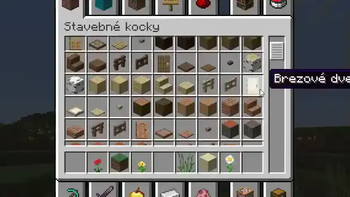
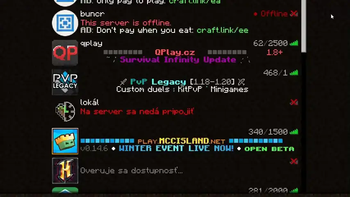
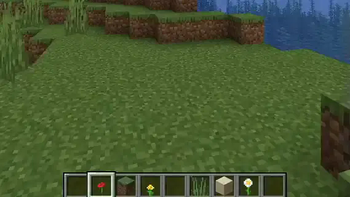
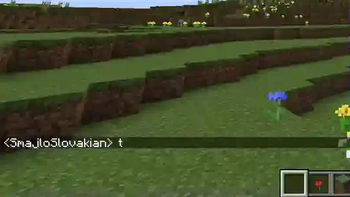
Customize the scrolling smoothness or speed in various places like chat, hotbar, creative screen...
Screenshots
Über diese Mod
Smooth Scroll
- This fabricmc mod adds smooth scrolling to various screens in Minecraft, for example: chat, hotbar, creative inventory and server/world/resourcepack list and more!
Configuration
- You can customize any animation speeds
- Settings screen is available from the Mod Menu screen
- Config file is located at
.minecraft/config/smoothscroll.json- after editing the config file, press
F3+Tin a world (reload resources) to reload config
- after editing the config file, press
NeoForge Compatibility
- You can use this mod on neoforge with the use of Sinytra Connector mod
- there is an issue where the game tells you it's incompatible when you start the game for the first time, ignore this and restart Minecraft
- There are no plans to make this mod natively run on neoforge by me, however if you are a developer, you can make a port by yourself by following the license rules

Smooth chat

Smooth list scrolling

Smooth creative inventory

Smooth hotbar scrolling
Verfügbare Versionen
Smooth Scrolling auf deinem Client installieren
Mod-Loader lokal installieren
Installiere fabric für deine lokale Minecraft-Version.
Passende Datei herunterladen
Wähle die Smooth Scrolling-Datei für fabric und Minecraft 26.3.
Mod installieren
Lege die .jar-Datei in deinem lokalen .minecraft/mods-Ordner ab und starte Minecraft neu. Eine Installation auf dem Server ist nicht nötig.
Kompatibilität
Mod-Loader
Minecraft-Versionen
26.3, 26.3-snapshot-9, 26.2 (+21 weitere)
Server-seitig
✗ Nicht unterstütztEmpfohlener RAM
4 GB(min. 3 GB)Häufige Fragen
Muss Smooth Scrolling auf dem Minecraft Server installiert werden?
Nein. Modrinth kennzeichnet Smooth Scrolling serverseitig als nicht unterstützt. Installiere die Mod nur im lokalen Minecraft-Mods-Ordner. Dein Server kann unverändert bleiben, sofern die Mod-Seite keine zusätzliche Abhängigkeit nennt.
Welche Version und welchen Loader braucht Smooth Scrolling?
Nutze eine Datei für fabric, quilt und exakt deine Minecraft-Version. Unterstützte Versionen sind unter anderem 26.3, 26.3-snapshot-9, 26.2. Loader-Dateien sind nicht untereinander austauschbar.
Smooth Scrolling funktioniert nicht – was kann ich prüfen?
Prüfe zuerst Minecraft-Version, Loader-Version und erforderliche Abhängigkeiten. Lege die .jar-Datei im lokalen .minecraft/mods-Ordner ab und entferne ältere Duplikate. Da die Mod clientseitig ist, löst mehr Server-RAM dieses Problem nicht.
Ähnliche Mods





Minecraft Server für deine Gruppe
Smooth Scrolling bleibt auf deinem Client. Hoste dazu eine kompatible Welt für deine Mitspieler.